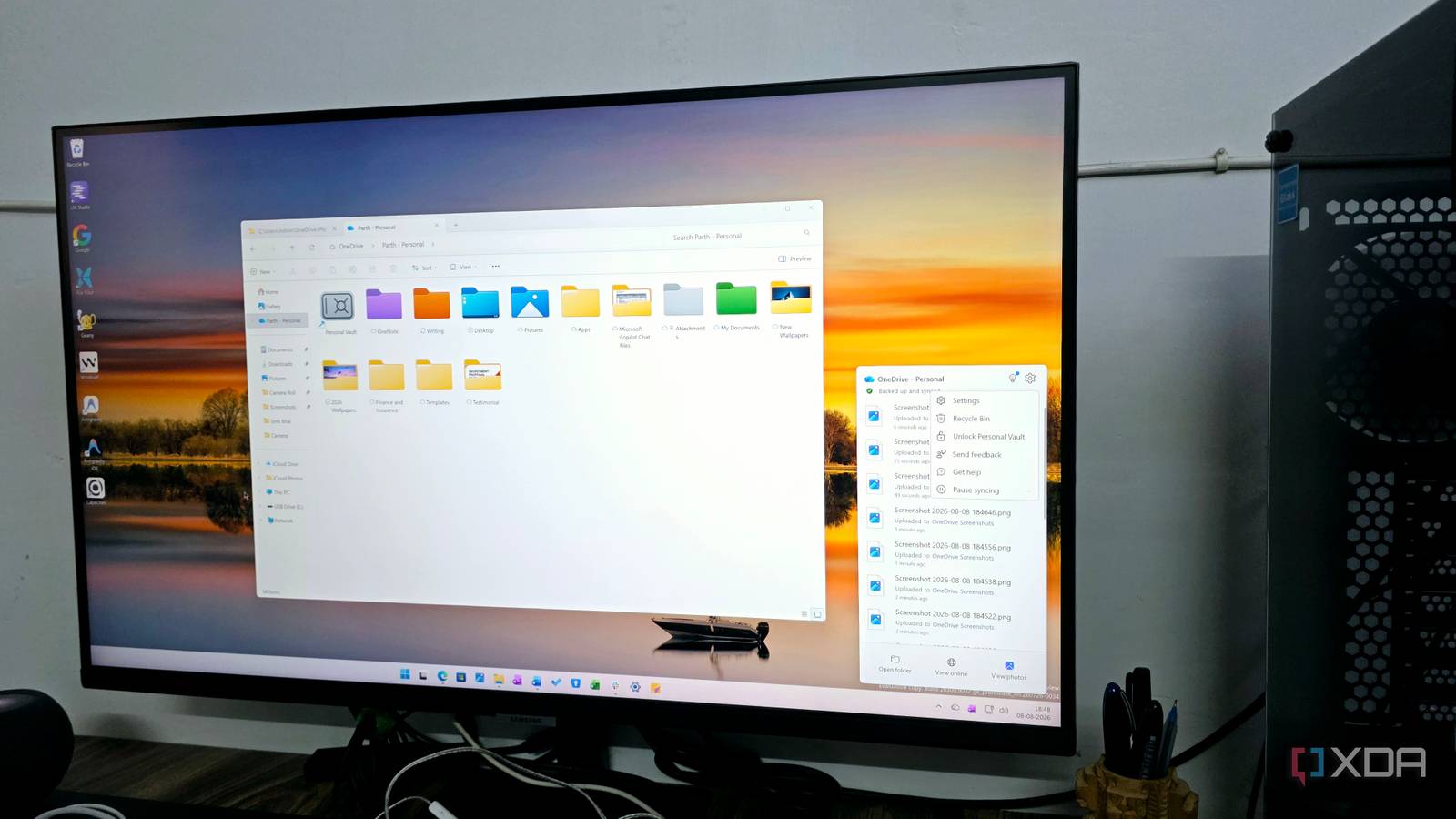
Published Aug 9, 2026, 4:00 PM EDT Parth, a seasoned tech writer, wields the keyboard (or pen) with finesse to unravel the intricacies of both Windows and Mac operating systems. He has covered evergreen content on mobile devices and computers for multiple publications over the last six years. You can find his work on AndroidPolice, GuidingTech and TechWiser. Whether it’s demystifying system updates, deciphering error codes, or exploring hidden features, Parth’s prose guides readers through the binary maze. When not immersed in tech jargon, you’ll find him sipping chai, pondering the next software review, and occasionally indulging in a friendly debate about mechanical keyboards. I have bounced between Google Drive, Dropbox, OneDrive, and even Nextcloud over the years, and for the most part, they all did the same basic job well enough. My files stayed synced, I could access them from almost anywhere, and switching services rarely felt like a major upgrade. That changed when I started paying closer attention to how I stored my most important documents. I wanted something more reassuring than simply dropping sensitive files into another cloud folder, and OneDrive turned out to have exactly that kind of feature I had been overlooking. Regular cloud folders never felt secure enough Little too casual for sensitive data I always treated cloud storage like a giant digital filing cabinet. I would create folders for IDs, insurance documents, tax records, contracts, bank-related PDFs, and other important files, then assume that was good enough. Technically, those files were protected by my account password and 2FA, but they still sat alongside ordinary screenshots, photos, and work documents. That never felt quite right to me. The more sensitive the file, the more uncomfortable I became with that setup. If someone ever gained access to my unlocked laptop or an already signed-in cloud account, there was very little separating those documents from everything else. I could create encrypted ZIP files or password-protect individual documents, but that quickly becomes inconvenient when I need to access them regularly. I wanted an extra layer of protection without turning a simple task into a mini-security exercise every time. Then I discovered Personal Vault That was when I finally paid attention to Personal Vault, a OneDrive feature I had ignored for far too long. At first glance, it looks like another folder sitting inside my cloud storage. In practice, it behaves very differently. Personal Vault is a protected area of OneDrive that requires an additional identity check before I can open it. If I put a passport scan or an important financial document in a normal OneDrive folder, anyone who already has access to my unlocked OneDrive session could access it. Personal Vault creates another checkpoint. Microsoft even prevents files inside it from appearing in regular OneDrive search results, and I can’t accidentally share something directly from the Vault without moving it out first. This is also where OneDrive began to stand out from the alternatives I had been using. None of the rivals offer such flexibility when handling sensitive files and media in your cloud drive. Personal Vault does not claim to turn OneDrive into an offline safe, nor does it replace a proper backup strategy. Instead, it gives me several practical layers of protection: account security, encryption, additional authentication, automatic locking, restricted sharing, and a clear separation from my everyday files. It works particularly well with Windows And on OneDrive mobile apps Since OneDrive is already deeply integrated into Windows, I don’t have to open a browser every time I want to access something important. Personal Vault sits right inside OneDrive in File Explorer, alongside the rest of my folders (although sometimes I wish to hide it from the main view). I can unlock it, drag files into it, reorganize documents, and let OneDrive handle the syncing in the background. I can unlock, access, and even lock the Personal Vault right from the system tray. The best part is that the experience carries over to my phone as well. Personal Vault is available in the OneDrive mobile app, and I can unlock it with biometrics instead of entering another password each time. I can keep furniture invoices, property documents, scanned IDs, receipts, important PDFs, exported private conversations, and personal photos inside it. If I receive a new invoice on my phone, I can upload it straight to the Vault and let OneDrive sync it across my devices. I started using OneDrive differently Every folder has a purpose now Now, I think about OneDrive in layers. My regular folders are still where I keep documents I access frequently, screenshots, work files, and other everyday material. Personal Vault is reserved for more sensitive items, such as bank documents, invoices, property documents, and loan documents. Shared folders handle files I need to collaborate on, while the rest stay organized normally. That separation has made OneDrive feel far less chaotic. I have also become much more deliberate about what I upload. This is probably the biggest reason I stopped bouncing between different cloud platforms. My cloud storage search ends here I did not switch to OneDrive because Google Drive, Dropbox, or Nextcloud suddenly became bad. I switched because Personal Vault gave me something I actually wanted from a cloud service: a simple, built-in place for the files I care about most. There is no extra setup to maintain, no separate encryption workflow to remember, and no additional service to keep around just for sensitive documents. That said, OneDrive isn’t perfect in every sense. I would love to see better download and upload speeds and better mobile UI (Liquid Glass on iOS and Material You on Android) in the future. Microsoft OneDrive OneDrive is a cloud storage platform that rivals Google Drive and Dropbox.
This OneDrive feature is so good that I stopped using Google Drive, Dropbox, and Nextcloud
Full Article
Original Source
Read the full article at Xda-developers →KhanList aggregates and links to publicly available news content. We do not host full articles from third-party sources. Always verify important information with original sources.