
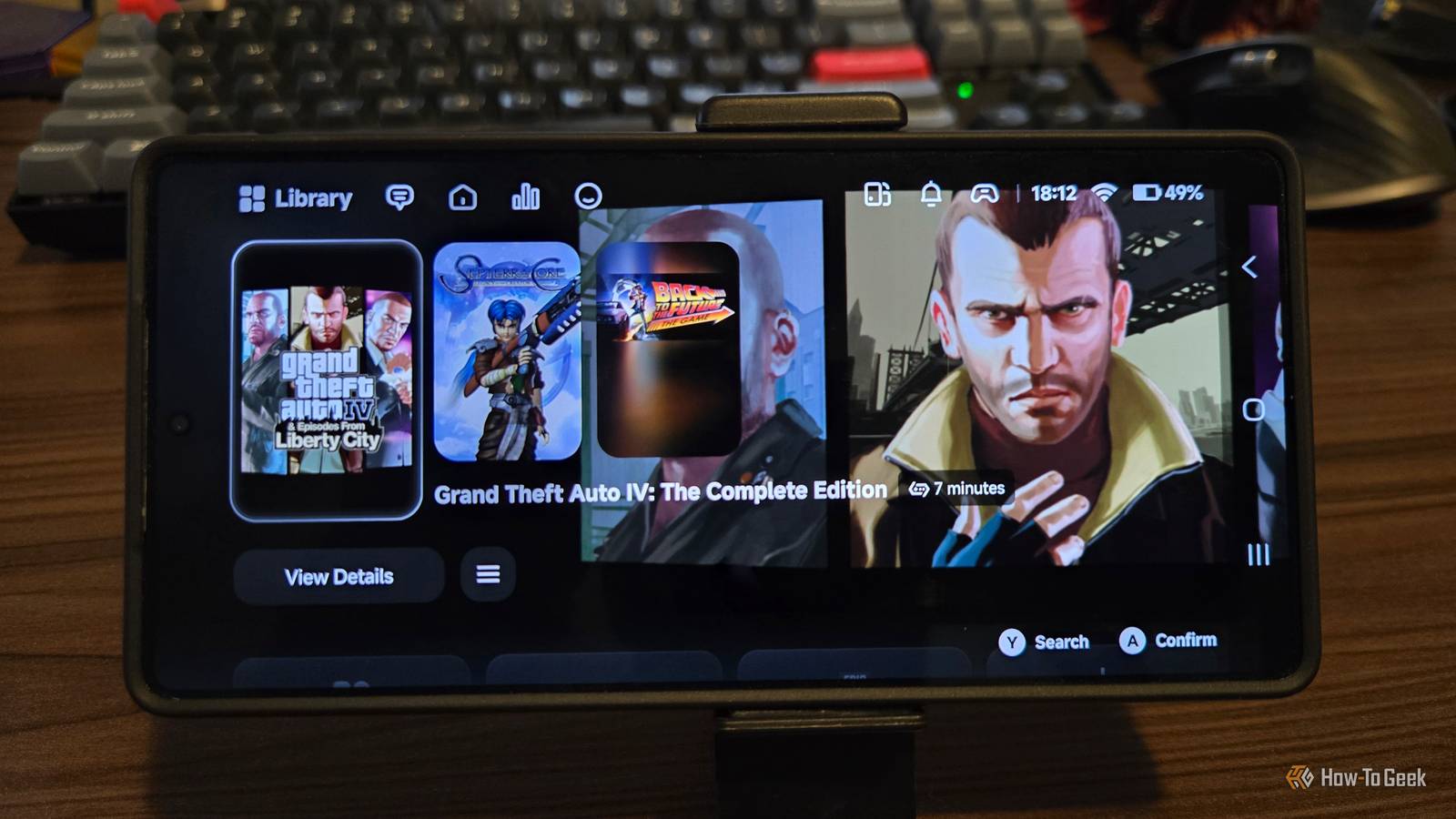
Published Nov 15, 2026, 6:30 AM EST Sydney Butler is a technology writer with over 20 years of experience as a freelance PC technician and system builder and over a decade as a professional writer. He's worked for more than a decade in user education. On How-To Geek, he writes commerce content, guides, opinions, and specializes in editing hardware and cutting edge technology articles. Sydney started working as a freelance computer technician around the age of 13, before which he was in charge of running the computer center for his school. (He also ran LAN gaming tournaments when the teachers weren't looking!) His interests include VR, PC, Mac, gaming, 3D printing, consumer electronics, the web, and privacy. He holds a Master of Arts degree in Research Psychology with a minor in media and technology studies. His masters dissertation examined the potential for social media to spread misinformation. Outside of How-To Geek, he hosted the Online Tech Tips YouTube Channel, and wrote for Online Tech Tips, Switching to Mac, and Helpdesk Geek. Sydney also wrote for Expert Reviews UK. He also has bylines at 9to5Mac, 9to5Google, 9to5Toys, Tom's Hardware, MakeTechEasier, and Laptop Mag. Sometimes when you spend money on a powerful phone, there's a moment when the honeymoon period is over, and you realize that you're not really getting the full benefit of the latest graphics and processing hardware. This is especially true if you're a gamer, because when it comes to Android games that aren't free-to-play slop, the pickings are, as they say, slim. One reason I enjoyed owning handheld PCs is that I could access the Steam games I've been accumulating since 2011. I didn't even need Windows, since SteamOS worked with more than half of my collection. If only there was a way to turn my phone into a Steam Deck. Well, it turns out there are actually multiple ways. GameHub is my launcher of choice It's quick and easy The solution I've been enjoying so far is GameHub, which you can install on your Android phone or tablet right now directly from the Google Play Store. Once you've got the app on your device, you literally just log in to your Steam account using your credentials (I prefer using Steam Guard), and your game library is right there. Just pick a game, and hit the download button. Once it's on your device, you can run it, and GameHub, for the most part, takes care of all the translation layer stuff. You can use on-screen touch controls, or do what I do and connect my Xbox controller with a short USB-C cable. I have one of those controller phone mounts, so it's pretty comfortable. I've been having so much success with GameHub that I'm actually considering one of those Backbone-style phone controller cases. Those are way more practical if you want to game on your phone while away from home. In terms of user interface and ease of use, GameHub is pretty much the same experience as SteamOS on my handheld PCs. Most of the technical under-the-hood stuff is out of your sight unless you need to fix an issue. It's worth noting that you can also sideload GameHub from the developer's website. This restores some functionality that had to be removed to pass Google Play Store approval. Notably, the ability to play games from external storage such as SD cards or USB flash drives. However, some people do have security concerns regarding this version of the app, which is not under the scrutiny of Google Play Protect. There's an independently maintained version of GameHub called GameHub Lite, which strips all the stuff that might give you pause or require personal data from you. For instance, GameHub requires an account, but GameHub Lite does not. Other options exist Competition is good, after all Credit: GameNative I've taken a liking to GameHub, but it's hardly the only game (launcher) in town for Android. The other two big names right now are GameNative and Winlator, the latter of which already scores points in my book for not succumbing to the silly camel case fad. I haven't personally tried either yet, but there's no reason you can't have all three on your device at the same time. You may find that some games run better on one than the other. Performance is surprising, compatibility less so More frames, more fun I have a Samsung Galaxy S25 Ultra, which has a fairly new and very powerful mobile SoC. Every game I've tried from the Xbox 360 era and earlier absolutely flies on this thing. PS4-era and later PC games are hit-and-miss, where you may have to really dial the settings down just as you must on a Steam Deck. While the performance has been awesome, and the impact on battery life minimal for what I expect a given game to drain, that only matters if the game actually works. GameHub does have a neat feature where games get a compatibility star rating. You can also look at comments from other players, and, by default, compatibility is filtered to match your specifications. Some games are sadly not popular enough to have any ratings, or any at all. But in those cases, you can just try it and see. There's no harm in it other than some time you might lose downloading and tinkering with a game. Space is at a premium, so I have to choose carefully Since I am using the Google Play version of GameHub, I am limited to the 256GB of space my phone has onboard. So although I've seen some people use GameHub to play titles like Horizon: Zero Dawn or Grand Theft Auto V, I simply don't have enough storage to even install them. For me, that's fine, because the PC games I like to play might top out at 20 or 30GB at the high end, but the next time you buy a phone, the existence of slick PC gaming emulation might influence your storage choices. Otherwise, perhaps you're willing to get external storage support working. As for me, I'm happy to enjoy those Xbox 360 and PS3 period games on my phone.
This launcher let me play Steam games on my Android phone, no streaming required
Full Article
Original Source
Read the full article at Howtogeek →KhanList aggregates and links to publicly available news content. We do not host full articles from third-party sources. Always verify important information with original sources.