
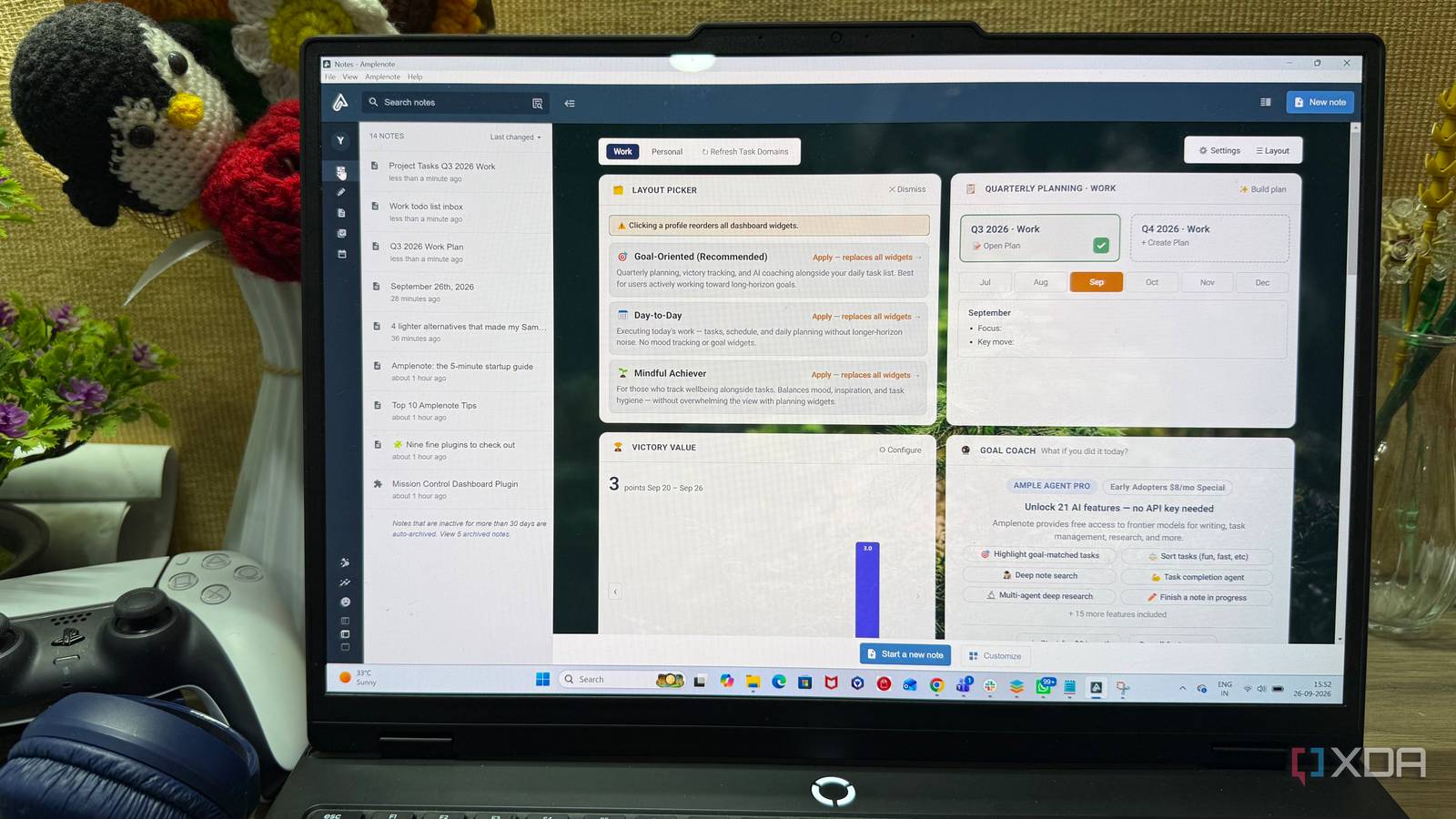
Published Sep 26, 2026, 6:00 PM EDT Beginning his professional journey in the tech industry in 2018, Yash spent over three years as a Software Engineer. After that, he shifted his focus to empowering readers through informative and engaging content on his tech blog – DiGiTAL BiRYANi. He has also published tech articles for MakeTechEasier. He loves to explore new tech gadgets and platforms. When he is not writing, you’ll find him exploring food. He is known as Digital Chef Yash among his readers because of his love for Technology and Food. I’ve tried enough productivity apps to know that having more tools doesn’t always make me more organized. My notes, to-do lists, and schedule often ended up scattered across different apps, which meant more switching and more places to check. As a freelance tech blogger, I deal with article ideas, research, deadlines, and daily tasks all the time, so this started becoming annoying. I wanted something that could bring my workflow closer together without feeling complicated. That’s what made me try Amplenote. After using it for a while, I realized it was changing how I handle my everyday work in a way I wasn’t expecting. What is Amplenote? A simpler home for all my information When I started using Amplenote, I saw it as more than a simple note-taking app. It is designed as a personal productivity workspace where I can keep my information organized without relying on several separate tools. I use it for everything from quick thoughts and ideas to detailed notes that I want to keep and revisit later. Amplenote supports rich-text notes, tags, backlinks, note linking, attachments, and several other features that make it useful for more than just writing things down. I can keep things simple when I want to, but I can also build a more organized structure when a project starts getting bigger. The interface also feels relatively straightforward. I don't need to spend hours configuring it before getting any value from it. I can open Amplenote, start writing, and organize things as my workflow develops. After using it for a while, I now see Amplenote less as a notes app and more as a central workspace for managing my information. Amplenote puts everything around the note When notes become the center The best part about Amplenote is that the note stays at the center of my workflow instead of feeling like a separate place where I only store information. I can build a note around a topic and keep related information together without having to create a complicated folder structure. When I'm researching something, I can keep my thoughts, useful details, links, and supporting information in the same notes. I can also connect notes with links and use tags to make related information easier to find later. This becomes useful when I return to something weeks or months after I originally wrote it. Amplenote doesn't force me to organize everything perfectly from the beginning. I can start with a simple note and add structure as the information grows. That works well for me because many of my ideas start as rough thoughts before turning into something more useful. Over time, my notes have become a connected collection rather than isolated pages. I can turn my notes into actual tasks Turning ideas into things I can do One feature I use quite often in Amplenote is the ability to turn something I have written into a task. This sounds simple, but it changes how I handle notes. Instead of writing down an idea and hoping I remember to act on it later, I can turn that specific item into something actionable. While researching or planning, I might write down things like checking a product feature, finding a missing source, or finishing a particular section. I can turn those items into tasks without leaving the note or copying them into another app. I also like that the task keeps the context of where it came from. When I come back to it, I can see the original note instead of trying to remember why I added the task in the first place. For me, this makes Amplenote more practical than a basic notes app. My notes don't just store information; they can also become a list of things I need to actually get done. The calendar became part of my task system My calendar now shows what matters The calendar is where Amplenote started feeling like a complete productivity system for me. Instead of keeping my schedule separate from the work I need to finish, I can use the calendar to plan when I actually want to work on something. I often have several articles in progress at the same time, so simply having a list of tasks isn't enough. I need to know when I have time to work on them. Amplenote lets me schedule tasks for specific dates and times, which makes my workload easier to visualize. If I need to finish an article by Friday, I can plan the related work across the days before the deadline rather than leaving everything for the last minute. I can also move things around when my schedule changes. What I like most is that my calendar feels connected to the work itself. I'm not just looking at meetings and appointments anymore. I can see the actual work I need to do and plan my time around it. That has made my daily planning much more practical. One less productivity puzzle to solve I didn't switch to Amplenote because I wanted another productivity app. I switched because I wanted fewer places to manage my work. After using it, I found that its biggest advantage is how naturally the different parts of my workflow fit together. It doesn't feel like I'm constantly maintaining a productivity system in the background. I can simply use it and get on with my work. For my workflow, that simplicity has made staying organized feel much less like work. Amplenote Amplenote is an all-in-one notes, tasks, and calendar app for planning your to-do list.
This app turned my scattered notes, tasks, and calendar into one productivity system
Full Article
Original Source
Read the full article at Xda-developers →KhanList aggregates and links to publicly available news content. We do not host full articles from third-party sources. Always verify important information with original sources.