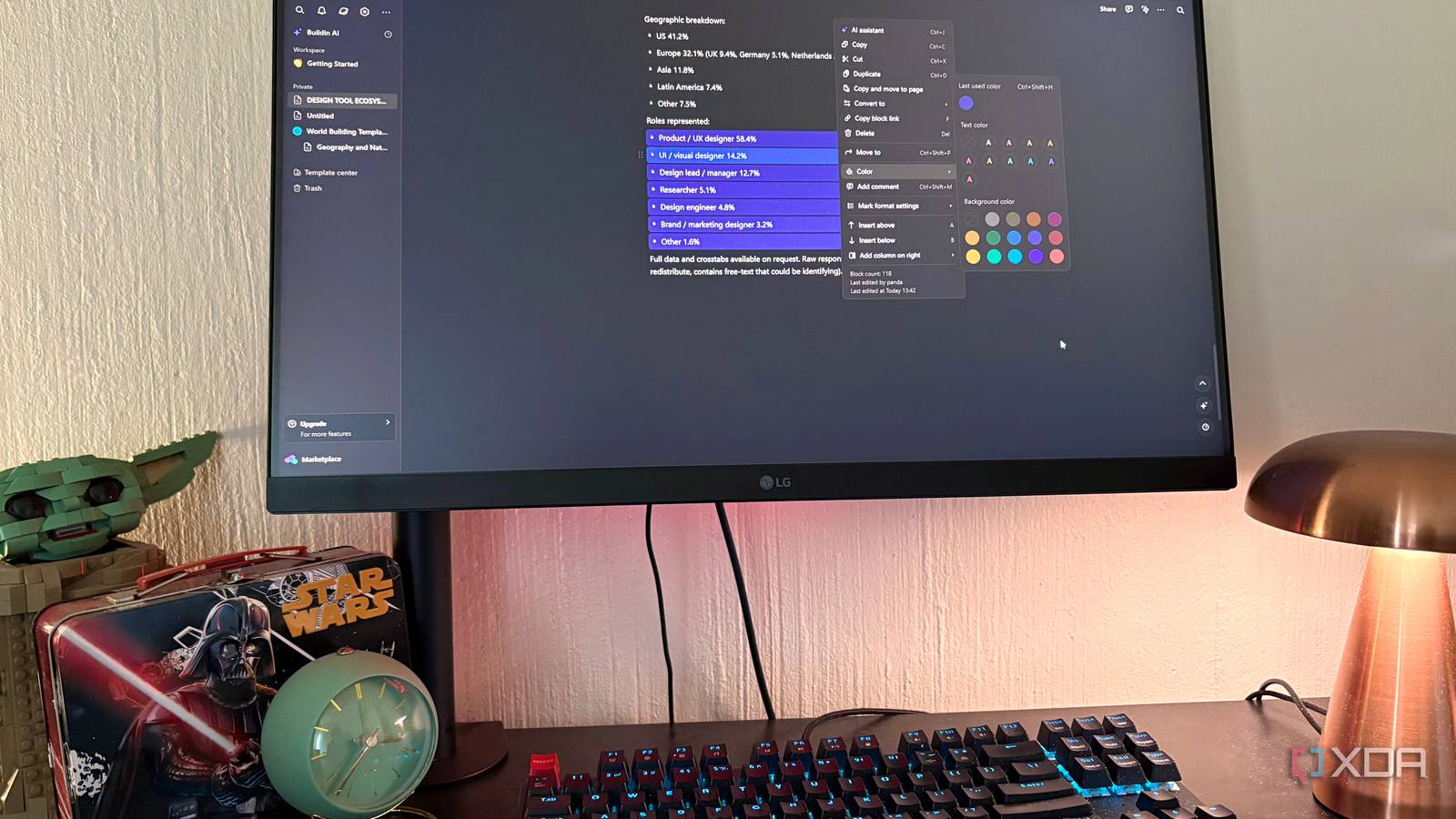
Published Aug 8, 2026, 10:30 AM EDT Nolen began their writing career in 2019, with three years dedicated to editing the Creative section at MakeUseOf. Their expertise lies at the crossroads of technology and creativity, covering areas like photography, video editing, and graphic design. Outside of work, you'll often find Nolen diving into a good book, writing their own stories, or playing video games. If you asked most people to name a note-taking app that could double as a full workspace, Notion would probably be the first one they say, and OneNote would be a close second for anyone deeper in the Microsoft ecosystem. Both apps built massive user bases off the same idea, which is that your notes, projects, and knowledge base can all live under one roof. And they both deliver on that pitch really well. One of the biggest shifts has been the AI. Both apps have it, but the way each gets you to use it feels like a bit of an afterthought stapled on, and the pricing around it has gotten more expensive this past year or so. So there's been an opening for something that's AI-native and that doesn't charge as much. And I've found the perfect workspace app filling that role; it's called BuildinAI… Notion and OneNote both have an AI problem You end up paying twenty bucks a month just to get the AI features you actually want Notion has been my main workspace app for years, and the free tier does a lot. All of the major features are available without paying anything, such as unlimited pages, blocks, and databases. The issue was never the core note-taking, it was that once it started introducing AI, which is almost necessary in most tools these days, it started paywalling it. Notion killed its standalone AI add-on back in May 2025, so you can no longer stack $10/month of AI onto any plan you're on. To get the full Notion AI experience, which includes Notion Agent, Ask Notion, and AI meeting notes, you now need to jump to the Business tier at $20 per user per month. Free and Plus users still get a limited trial of Notion AI, but it's a fixed allowance, not a monthly quota, and once it runs out the upgrade prompt points at Business. OneNote is technically free as a standalone app, which is what a lot of users lean on. But if you want Copilot inside OneNote, you're looking at Microsoft 365 Premium at $20 a month, ot the $21 per user Business Copilot add-on that sits on top of a base 365 license. So both apps end up in roughly the same place, where the AI you actually want costs about twenty bucks a month and is tied to a subscription you might not otherwise need. BuildinAI covers the Notion-shaped basics If you've used Notion, you already know this app BuildinAI is an all-in-one workspace app made by a Hong Kong company called COASIS, and it's aimed at people who want a Notion-style block editor without the Notion bill. It runs on the web, Windows, macOS, iOS, and Android, and everything syncs in real time across all of them. There's no mandatory local install either, so you can just log in on the web and start using it, which is my preferred route. The first thing you notice opening it is that everything is a block, same as Notion. Text, pages, databases, and mind maps are all moveable, linkable blocks, which you can easily drag, drop, and convert into each other. The slash menu is similar too with all your usual inserts, and the right-click menu has all your usual formatting and layout options. Databases is usually where Notion alternatives fall short, but BuildinAI handles it well. You've got property types that cover text, number, checkbox, select, multi-select, date, person, files, URL, email, and phone, plus the advanced stuff like formulas, relations, rollups, and created/edited timestamps. So there's actual parity if you're used to Notion's databases. Switching tax is also something worth considering. BuildinAI supports direct import from Notion via API, so databases and relations come across intact. It also supports CSV, Markdown, HTML, and Word import. The free tier gives you unlimited pages and blocks for individual use, 2GB of storage, and 5MB per file, which I think pretty much covers what the average user would need. The AI is where BuildinAI actually pulls ahead It delivers on its name Before going into what the AI does, I have to highlight the cost comparison. BuildinAI's free tier gives you 10 AI Chat Requests a month, which is basically a trial, same shape as Notion's. But the paid AI add-on is $10 a month for 3,000 requests, and it stacks on top of any plan, including Free. So if you want real AI usage without upgrading the workspace itself, you can. Compare that to Notion's $20/user Business tier or OneNote needing Microsoft 365 Premium at $20 - you are paying half the price. Moreover, something Notion doesn't let you do is pick which model runs your AI. In BuildinAI, the dropdown gives you GPT, Gemini, and DeepSeek, with DeepSeek V3 added recently. Notion doesn't tell you what powers Notion AI, and there's no swap option, so if the underlying model has a bad day, so do you. BuildinAI's AI integration into the app is really smooth - you can tell this was built as an AI-native workspace from the start. Every block has an AI Assistant option in its right-click menu, or you can hit Ctrl+J with something highlighted. There's also a dedicated AI panel that opens from a sparkles icon in the bottom right, where you can talk to the AI without leaving the page you're working on. You can toggle Web and Workspace as sources for any query - so the AI can pull from the live web, from your entire workspace, or both at once. There's also Space Q&A, which is the workspace-source version of that toggle. You can ask something like "what did I write about the design tool survey" and it pulls the answer from your actual notes. Notion charges Business-tier money for the equivalent, which is what Ask Notion is. There's also a "Draft with AI" option in the page picker, which is decent for admin stuff like turning a page of messy meeting notes into a clean summary. It sounds standard but after trying a million note-taking and PKM tools, you'd be surprised how many of them have clunky AI implementation. Whereas with BuildinAI, the AI is not in your face, but it's easily reachable should you need it. It has features that Notion and OneNote somehow still don't Native visual thinking that both of the big two either fake or skip entirely Mind maps are a native page type in BuildinAI - you get "Mind map" right next to "Page" and "Folder" in the page picker. Notion doesn't have native mind maps, and the workaround is embedding a Miro or Whimsical board, which is a second subscription and a second app. OneNote lets you sketch freehand but there's nothing structured. The free plan caps mind map nodes at 300, and Plus removes the cap entirely, though 300 is more than enough for a regular user. And because the AI runs everywhere in the app, you can bring it into the mind map too - expand branches, generate nodes, and restructure the whole map if you want to. Timelines is another really cool feature. BuildinAI's databases include a Timeline view alongside Table, Board, Gallery, List, and Calendar. Personally, I love this as a tracker of progress, such as for my novel drafting or fitness goals. It's also great for long-term projects with a lot of fragmented components or just a simple road trip planning. It just reads better on a time axis than in a table, in my opinion. Notion has Timeline view as well, but this is a clear win over OneNote. It does what Notion and OneNote charge $20 for at half the cost BuildinAI isn't going to be the right pick for everyone. If you're deep in the Microsoft ecosystem or your team is already all-in on Notion, moving out of that gravity well is a whole thing. But I think the AI is cheaper here, the integration is better than what I've had in either of the big two, and the native mind maps plus the timeline view cover something I used to fill with a second app. Buildin.AI
This AI note-taking app does something Notion and OneNote can't, and it's the reason I ditched my subscriptions
Full Article
Original Source
Read the full article at Xda-developers →KhanList aggregates and links to publicly available news content. We do not host full articles from third-party sources. Always verify important information with original sources.