
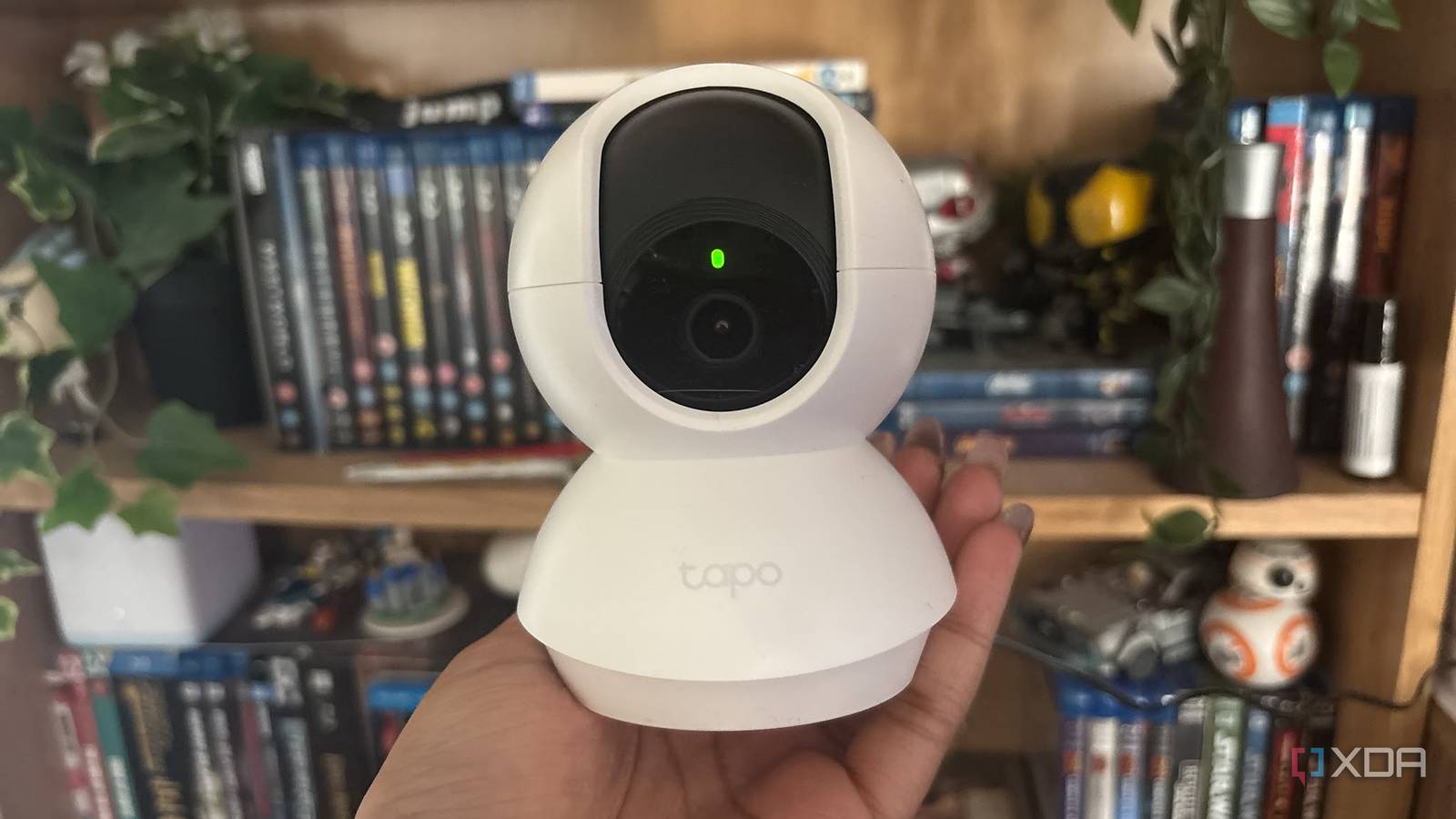
Published Oct 26, 2026, 10:00 AM EDT Jasmine is Software and PC Hardware Author at XDA with years of tech reporting experience ranging from AI chatbots right down to gaming hardware, she's covered just about everything. Whether it's breaking news about the latest AMD NPUs or creating video tutorials on social media platforms, Jasmine has contributed to the world of AI and tech in a variety of ways including interviewing the CEO of Razer, AMD's Director of Product Marketing and the VP of Lenovo. Passionate about gaming and PC technology, she has built countless computers, keyboards and other peripherals - knowing them inside and out. Mainstream consumer security cameras like Ring, Arlo, or Google Nest mean you buy the hardware up front, only to find that basic features like video history, person detection, and secure clips are locked behind a monthly SaaS subscription. These closed ecosystems force your video feeds through vendor-managed cloud servers, raising serious privacy concerns and rendering your cameras completely useless if your internet drops or the company sunsets the support. The TP-Link Tapo C210, which retails for $30, is a fantastic alternative because, despite its budget-friendly price, it defies industry norms by supporting native local protocols like ONVIF and RTSP. You don't have to sacrifice privacy or pay a monthly subscription to secure your home by using open standards. A budget indoor pan-and-tilt camera can outperform heavily locked-down enterprise gear. Cloud-only cameras aren't the best You're locked into subscriptions for basic features Cloud-only ecosystems absolutely fail for power users and casual users alike. These subscription-based cameras have architectural flaws and financial traps. Even though you buy the hardware, it feels like you don't actually own it when you have to pay a monthly fee for the basic features that are advertised on the box. Manufacturers charge for features like local storage or motion-event reviews, which can turn what feels like a cheap, budget-friendly piece of hardware into a perpetual cash drain. For example, with a Ring doorbell that costs around $100, you've already spent twice that in just one year thanks to ongoing subscription costs. Alongside this, they are privacy and data sovereignty nightmares: streaming unencrypted or vendor-decrypted video feeds to remote third-party cloud servers, stripping away local data ownership and leaving your indoor spaces vulnerable to corporate data breaches or policy changes at any point. The ONVIF and RTSP are fantastic protocols Perfect for local access ONVIF and RTSP are open protocols that free hardware from manufacturers' shackles and can change the game. Support for RTSP (Real-Time Streaming Protocol) and ONVIF Profile S lets the Tapo C210 drop seamlessly into local network video recorders (NVRs), network-attached storage (NAS) setups, or home automation hubs like Home Assistant via Frigate or Agent DVR. Without building a camera yourself or paying for an expensive local-first camera that supports these protocols, this budget-friendly alternative is a great option. Out of the box, the Tapo C210 prompts you for initial setup and onboarding via a third-party app, but beyond that, you can block the camera from accessing the outside internet entirely with firewall rules. This gives you complete network isolation and ensures your local streams stay private and lightning-fast without touching an external cloud. By not using the cloud and keeping the device fully functional locally via standard RTSP/ONVIF streams, it also ensures uninterrupted security monitoring during ISP outages. It also has an open ecosystem, compatible with VLC, Home Assistant, and NVRs, which unlocks custom automation and granular local control. How to get your Tapo camera set up to work locally It's so much simpler than you think To get your Tapo C210 to work locally, first set it up as normal. Complete the onboarding via the Tapo app on your local network and then ensure the firmware is fully updated. Next, create a dedicated camera account. Go to Advanced Settings in the app to create a secure username and password for local stream authentication. Then plug the camera's local stream URL into your preferred local NVR, VLC media player, or Home Lab dashboard. You can do this by using the following format for your link: rtsp://:@:554/stream1 for HD or stream2 for SD Once it's set up and you're pulling the feed successfully, isolate the camera from the internet. You can drop a firewall rule on your router to block the camera's WAN access while maintaining clean, instantaneous local-only communication. Once you do this, you should notice that the feed still pulls through locally just as you expect it to, but the online functionality via the Tapo application will no longer work. When you do this, you must regularly check for firmware updates in the Tapo app and reconnect your camera to the internet whenever updates are required (or manually flash the firmware yourself). Also, be aware of a hardware limitation with the Tapo C210. The camera only supports two of the three recording/streaming methods simultaneously. This includes Tapo Care Cloud, microSD recording, or local NVR/RTSP streaming. If you enable Tapo Care Cloud backup alongside a microSD card, the local NVR/RTSP recording will automatically disable until you toggle one of the other two options off. Stop paying subscription fees Local access gives you more peace of mind when it comes to security The security camera market relies on consumer complacency, locking basic functionality behind subscription paywalls that feel never-ending. If you want your home to be safe and secure, finding a device that respects local open standards at a budget price proves you don't need a corporate cloud in order to protect your home. You can ditch the monthly subscription fees and pick up an open local camera and route your video feeds through a stack you actually own. Tapo C210 If you're looking for a budget-friendly pan and tilt security camera, then the Tapo C210 is a great option and allows for a local feed.
This $30 Tapo C210 security camera has local ONVIF and RTSP, and it puts cloud-only cameras to shame
Full Article
Original Source
Read the full article at Xda-developers →KhanList aggregates and links to publicly available news content. We do not host full articles from third-party sources. Always verify important information with original sources.