
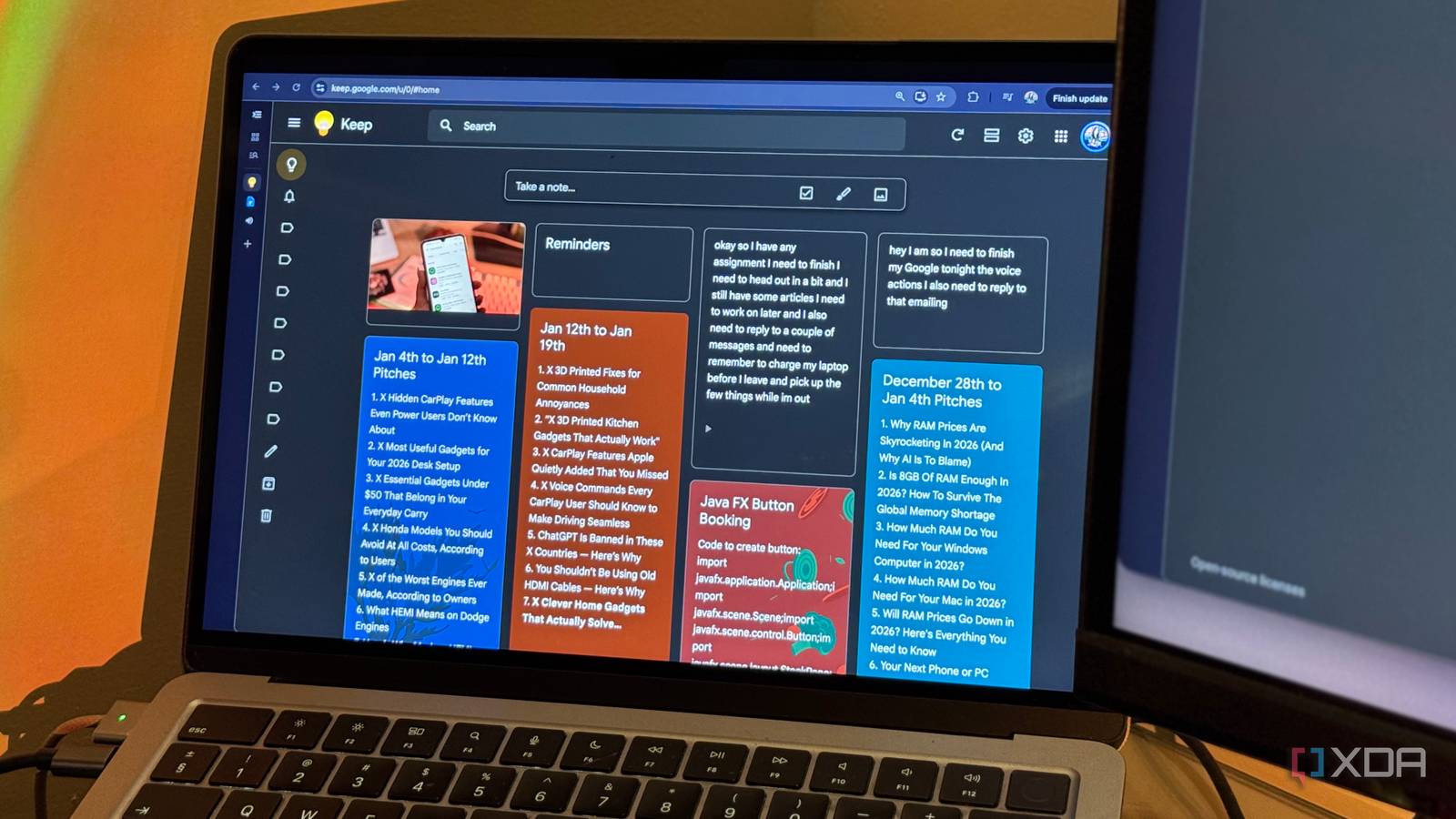
Published Sep 21, 2026, 2:00 PM EDT Mahnoor Faisal is a tech journalist covering AI and productivity tools with bylines at XDA, SlashGear, MakeUseOf, Laptop Mag, and Android Police. She's been writing professionally since she was sixteen, and has since penned hundreds of articles. This includes in-depth coverage of AI tools like NotebookLM to breaking news across the AI space. Her passion for technology started when she received her first iPod Touch (4th generation) on her 8th birthday, and she's been deep in the tech world ever since. Currently pursuing a degree in computer science, Mahnoor brings both a journalist's eye and a technical foundation to her coverage of how AI is reshaping the way we work and learn. Between work, college, my personal life, and keeping up with the endless number of things I somehow need to remember every day, my brain is usually juggling far more than it probably should be. This means I've tried just about every productivity app under the sun to keep all of it organized. Despite my colleagues and users online raving on and on about Google Keep, this is one of the apps I always kept overlooking. I use Google Calendar and Tasks religiously, but Keep always felt a little too simple to be useful beyond jotting down the occasional quick note or shopping list. Eventually, though, I decided to give it a proper shot, and I quickly realized I'd been judging it almost entirely by its ridiculously simple interface. Google Keep has a surprising number of features tucked away beneath the surface, and once I started actually using them, it went from an app I barely touched to one of the most useful parts of my productivity setup. Google Keep's search functionality is unmatched Perfect for the chronically disorganized If there's one thing you need to know about me, it's that I can be incredibly unorganized at times. I know, that sounds a little ironic coming from someone who's constantly experimenting with productivity apps for the sole purpose of staying organized, but here we are. That also means I have a bad habit of dumping things somewhere and assuming I'll somehow remember where I put them later. With most note-taking apps, that eventually turns into me scrolling through dozens of notes trying to find the one thing I vaguely remember writing down. Google Keep's search functionality is what finally made that much less of a problem. When you hit the Search bar in Keep, you're greeted with all sorts of filters that make narrowing things down ridiculously easy. You can filter notes by type, labels, colors, and even automatically recognized categories like books, music, travel, places, TV and food. So, even if you've been dumping notes into Keep with absolutely no organization whatsoever, finding something again usually takes just a couple of taps. Keep finds things I barely remember saving I don't even need to remember where I saved something Now, when I'm looking for something, I typically don't remember what I titled the note, what color I gave it, or which label I filed it under. What I do tend to remember is a random word, phrase, or detail that was somewhere inside it. This is exactly where Keep's search impressed me even more! It doesn't just search through the text I've typed into my notes, either. Keep can also recognize text inside images I've attached, which means I can search for a word sitting on a lecture slide, receipt, screenshot, or photo and still have the right note show up. For me, this removes a lot of the pressure to organize everything perfectly the second I save it. I can dump something into Keep in the moment and worry far less about where it belongs, because there's a good chance I'll still be able to find it later with just a vague memory of what was in it. I started treating Keep like an inbox A little structure goes a very long way Another thing that made Keep click for me was changing how I thought about labels and archived notes. Instead of treating labels like folders I needed to carefully sort everything into, I started using the main Notes screen almost like an inbox. Anything I capture stays there until I've dealt with it, after which I add the relevant label and archive it. Archived notes disappear from the main screen, but they're still searchable and still show up under their labels, so nothing actually gets lost. Keep also lets you add multiple labels to the same note, which makes this system much more flexible than a normal folder structure. A note can belong to a project, a type of task, and something like "Waiting" or "Next" all at once. It's a tiny change, but it stopped my Notes screen from becoming yet another place I had to keep tidy manually. Keep works ridiculously well with the rest of Google's apps Google's ecosystem finally earns its keep This isn't exactly a "hidden" feature, but most of Keep's integrations with the rest of Google's apps are incredibly easy to overlook. Since I already use Google's apps for a huge chunk of my day, though, these integrations ended up being one of the biggest reasons Keep stuck around. I write almost all of my articles in Google Docs, so Keep's integration with it ended up being one of the features I use the most. Instead of opening a blank Doc every time an idea pops into my head, I can quickly dump the idea, a rough intro, or a few talking points into Keep and worry about actually developing it later. Once an idea starts turning into something worth writing, I can simply use Copy to Google Docs and continue working on it there instead of manually moving everything over and starting from scratch. I can also open Keep directly from the Docs sidebar and drag notes into whatever I'm already working on! Google Tasks makes Keep's reminders far more useful My notes finally stopped disappearing into the void As I mentioned in the introduction of this article, I rely pretty heavily on Google Tasks to keep track of everything I need to get done. So, finding out that Keep reminders now feed directly into Tasks made the app fit into my existing setup even better. If I add a reminder to a note in Keep, it doesn't just sit inside Keep waiting for me to remember it exists. The reminder becomes a Google Task, which means it can also surface in Google Tasks and Google Calendar alongside everything else I'm already keeping track of. This is especially useful for notes that aren't really tasks on their own, but still have some sort of deadline attached to them. I might have an entire research checklist sitting inside Keep, for example, while the actual deadline shows up in Tasks and Calendar where I'm far more likely to notice it. It means I don't have to choose between using Keep for the information itself and Tasks for making sure I actually do something with it. The two can work together instead! I can brain-dump instead of carefully writing notes My rambling finally has a productive purpose Despite being a writer and living a life that revolves around words, I've somehow become a huge fan of rambling instead of typing whenever I need to get an idea out of my head quickly. I've written before about how much I love using Claude Code's voice mode for exactly this reason: I can just say everything floating around in my head without stopping every few seconds to organize it into a perfectly structured prompt. Google Keep scratches a very similar itch. Voice notes have been around for a while, and they're already handy for those moments when typing everything out feels like more effort than it's worth. I can simply start recording, ramble away, and Keep saves both the recording and a transcription alongside it. More recently, though, Google took this a step further with Keep Live. Instead of simply transcribing everything word for word, I can essentially brain-dump a messy collection of thoughts and let Keep turn them into something far more structured. I don't have access to Keep Live just yet, but I know it's exactly the kind of feature that will help me out. I was truly sleeping on Google Keep. What I dismissed for the longest time as an overly simple notes app ended up fitting into my workflow far better than a lot of the more complicated productivity tools I've tried!
These overlooked features turned Google Keep into my productivity powerhouse
Full Article
Original Source
Read the full article at Xda-developers →KhanList aggregates and links to publicly available news content. We do not host full articles from third-party sources. Always verify important information with original sources.