
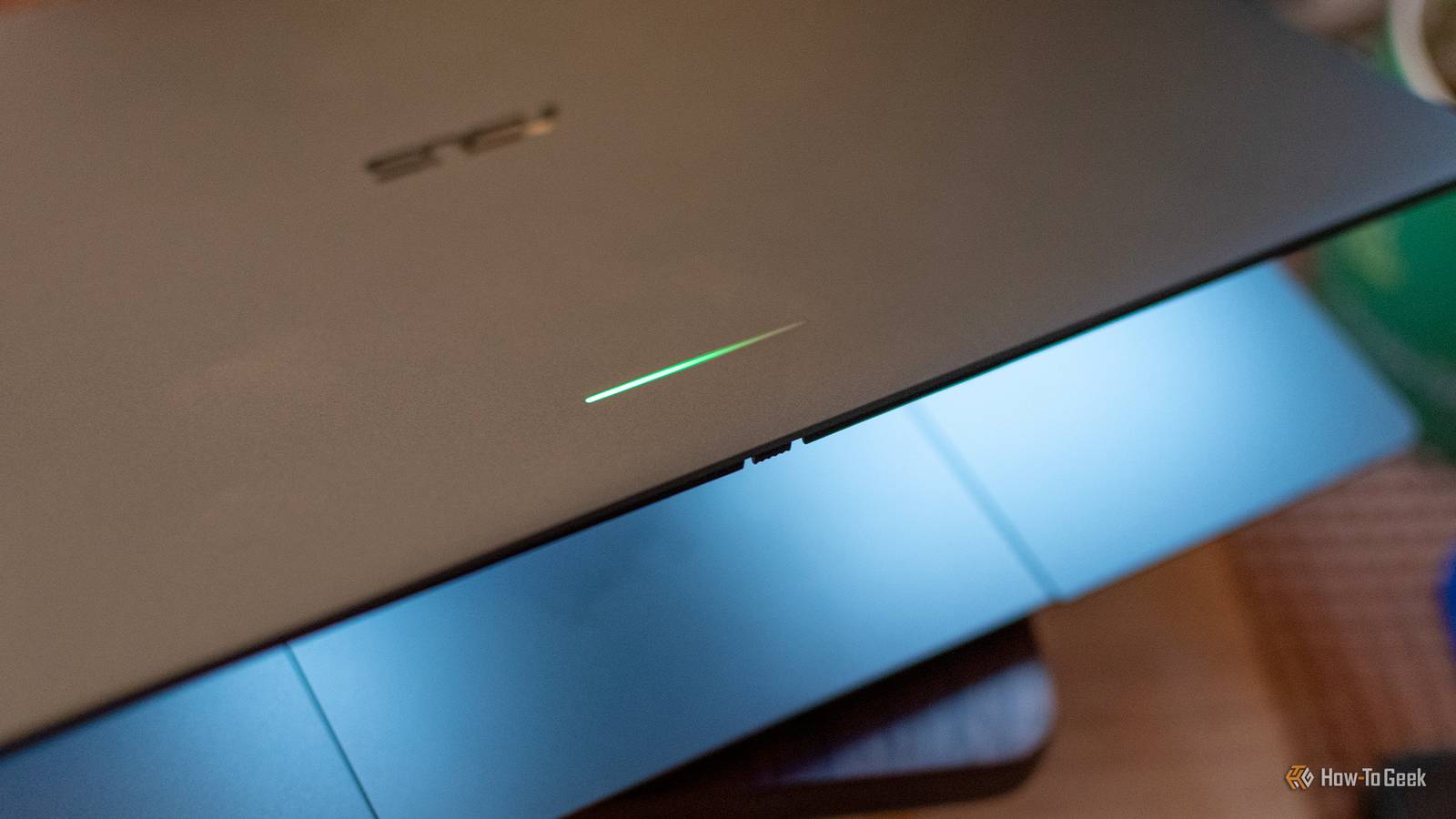
Published Oct 25, 2026, 7:30 AM EDT Andrew Heinzman is a seasoned tech writer with over half a decade of experience. He specializes in delivering insightful tech news and detailed product reviews, particularly focusing on audio and video technology, as well as computers and smartphones. His journey in tech writing includes a two-year stint as the News Editor at Review Geek, the former sister site of How-To Geek. Throughout his career, Andrew has consistently provided readers with valuable insights and up-to-date information on the latest developments in the tech world, earning recognition for his clarity, depth, and relevance. In his free time, Andrew likes to explore music and read books, just as he did when earning his bachelor's degree in English literature. I wasn't particularly satisfied with the Googlebook launch. As a tech writer and product reviewer, I was basically obligated to spend two weeks with a product that felt grossly unfinished and super confused about its identity. But one feature, the Glowbar, just can't escape my mind. What does the Glowbar actually do? Not much! You may be aware that the Googlebook is one of many high-end Chromebook offshoots that Google has introduced over the years. The company's first attempt at this kind of laptop was the 2013 Chromebook Pixel, a device that combined innovative hardware with a questionable "just add touchscreen support to ChromeOS and call it a day" mentality. The Chromebook Pixel's most unique hardware feature was the light bar, which displayed an abstract readout of the device's battery life. Plugging or unplugging the device activated the light bar, it came on automatically when the laptop's battery fell below 25%, and you could use the "Knock-Knock" gesture on the lid of the laptop to see battery life at any time. Googlebook inherited the light bar. It's now called the "Glowbar," and although it provides battery readouts when plugging, unplugging, or closing the laptop, it doesn't support the old "Knock-Knock" gesture. In other words, it can't tell you your battery life on command. There's a secondary Glowbar feature, but it's basically useless. A gradient light comes on while you're using Gemini. It's like a more embarrassing version of holding up whatever book you're reading so people can see the cover. Maybe Google is hoping that the Glowbar will be a beacon for like-minded vibe coders, or something? Thing is, most people just use LLMs as a sort of Google Search alternative. What am I supposed to say if someone walks up and asks if I'm vibe coding something cool on my Googlebook? "Oh, actually I'm just asking Gemini about the rash on my stomach." Anyway, you can also force the Glowbar to permanently light up through the "Glowbar Disco" app, which is hidden in the Apps tab of the Googlebook OS Settings. It's a cute addition, but it's not particularly useful unless you're trying to take pictures of the Glowbar for a How-To Geek article. The Glowbar could be great Give me some customization One of Googlebook's biggest selling points is its Android smartphone integration. You can call and text from your Googlebook, get all of your mobile notifications on your Googlebook, cast your smartphone's display to the Googlebook desktop, or hand off tasks like browsing between the two devices. So why doesn't the Glowbar light up for phone calls or notifications? Would this be a universally beloved game-changing feature? No, but it could come in handy every now and then. It'd certainly be more useful than the Gemini lightshow. Actually, on the subject of Gemini, I could see some sort of AI agent progress bar being handy. You kick off a task with Gemini, close the Googlebook, and its Glowbar slowly fills up as the AI finalizes whatever you asked it to do. Maybe it flashes red if the agent needs approval for something, I don't know. But what I really want is community-driven customization. Let people build things for the Glowbar. Not only would this give people new ways to use their Googlebook, but it would solve one of Googlebook OS' biggest problems, which is a lack of community engagement and enthusiasm. Android thrived because tinkerers were allowed to go ham with it, and Googlebook needs something similar. As a quick aside, I want to mention that Glowbar notification functionality was rumored before the Googlebook's official launch. Evidently, the AI Overviews in Google Search are conflating these rumors with facts, because if you perform a search for "does Googlebook Glowbar light up for notifications," the AI says "yes." Gemini's shocking unfamiliarity with Googlebook OS was one of my biggest complaints when reviewing the ASUS Googlebook 14, but I love the idea that someone's Glowbar might light up while Gemini lists off incorrect facts about their Glowbar. Wait, you think the Glowbar is the best feature? I'm being facetious. But also, yes, kind of The Googlebook Glowbar rarely comes up in conversation because its primary functions—a charging indicator and Gemini billboard—are only mildly exciting. It's a hardware component that feels more like a quirk than an innovation. So, yeah, I don't think that this is "the best Googlebook feature." But among all the exclusive Googlebook OS features that exist right now, it's the one that's the most unique. You can already link your phone to Windows, the Google Messages web client works on any operating system in any browser, and Googlebook OS' built-in Gemini integrations aren't as ambitious or unique as Google implies. No other platform has the light bar. This uniqueness, coupled with the fact that the light bar could be far more useful, gives me the strength to call it "the best feature" even though it clearly misses that mark in any literal sense. But why am I justifying myself? I don't know, let's just wrap things up. Please, Google, do good The Googlebook launch was a bit of a SNAFU. I'd like to think that it would've gone better if Google had made its platform more open and invited the community to contribute. Yes, the Glowbar is a minor feature in the scheme of things, but it could be so much more useful, and enthusiasts are the ones most capable of building that usefulness from the ground up.
The Googlebook's best feature is the one thing you can't see while you're using it
Full Article
Original Source
Read the full article at Howtogeek →KhanList aggregates and links to publicly available news content. We do not host full articles from third-party sources. Always verify important information with original sources.