
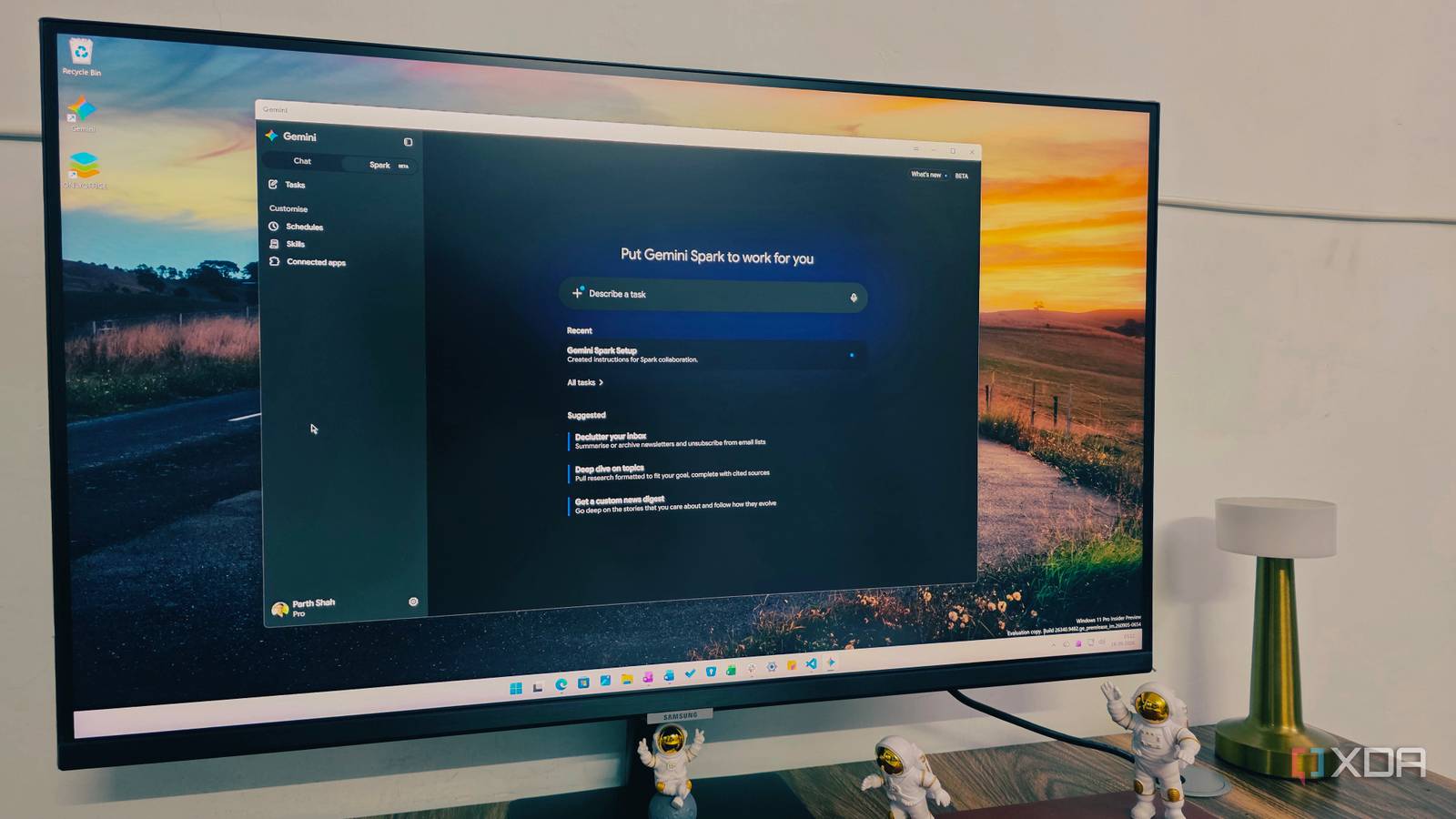
Published Sep 19, 2026, 5:00 PM EDT Parth, a seasoned tech writer, wields the keyboard (or pen) with finesse to unravel the intricacies of both Windows and Mac operating systems. He has covered evergreen content on mobile devices and computers for multiple publications over the last six years. You can find his work on AndroidPolice, GuidingTech and TechWiser. Whether it’s demystifying system updates, deciphering error codes, or exploring hidden features, Parth’s prose guides readers through the binary maze. When not immersed in tech jargon, you’ll find him sipping chai, pondering the next software review, and occasionally indulging in a friendly debate about mechanical keyboards. Microsoft owns Windows, so Copilot should have a home-field advantage. Yet after using Google’s new Gemini desktop app, Copilot suddenly feels like the less ambitious product. This isn’t another stripped-down AI window that simply duplicates what I can already do in a browser. Gemini brings its notebooks, image, and video generation tools, automation features, and Google services together under one roof. The more time I spend with Gemini, the more I realize that Google has built the kind of AI app for Windows that I expected Microsoft to deliver first. However, there is an inconsistency with Copilot When it comes to the basics, I don’t have many complaints about either Gemini or Copilot. I can throw general questions at them, ask for explanations, rewrite text, brainstorm ideas, or summarize anything, and both usually get the job done. For everyday AI queries, the gap isn’t dramatic. My bigger problem with Copilot is figuring out what Microsoft actually wants it to be. For a while, Windows users had two Copilot apps. Microsoft has combined both apps into one. That cleanup is welcome. But now the company is working on another all-in-one Copilot experience. It highlights how inconsistent Microsoft’s Copilot strategy has been. Gemini Notebook is superior Copilot Notebook still feels in beta The biggest difference for me shows up when I compare Gemini Notebook with Copilot Notebook. Gemini gives me far more flexibility with the kind of material I can bring into a notebook. I can add YouTube videos, upload Markdown files, pull in documents, and build a proper research workspace around a topic. Copilot Notebook feels far more restricted. I can add files from OneDrive and paste web links, but the experience quickly starts feeling limiting. There isn’t even an option to pull an entire OneNote notebook into Copilot with a single click. If I want to use a OneNote page as a source, I have to copy its link first and then paste it manually into the notebook. Gemini Notebook also gives me more options once my information is inside. Features such as Video Overview, presentations, and other generated formats turn my sources into something I can actually learn or reuse. It is fast, responsive, and feels like a proper research environment rather than just another place to dump files. Copilot Notebook covers the basics, but Gemini Notebooks feels several steps ahead. Way better than Copilot Image generation is another area where Gemini pulls ahead for me. Copilot can create images, and it does a decent job with simpler prompts, but Gemini gives me a much better creative toolkit because I can work with both images and videos from the same app. I noticed the difference immediately when I gave both assistants the same complex image prompt. I asked them to create a detailed tech desk setup with several specific elements, including multiple devices, accessories, lighting, and precise placement instructions. Copilot produced something usable, but Gemini followed the prompt much better. It picked up on smaller details that were easy to miss and produced an image that felt much closer to what I had imagined. That matters to me because I frequently use image generators for vague concepts. I usually have a specific layout or visual in mind, and Gemini seems better at respecting those instructions. Google services are where everything clicks for me Works with all the company tools, unlike Microsoft Google services are where Gemini really starts to pull ahead for me. I already use apps like Google Photos, Keep Notes, Tasks, and Gmail, and Gemini can actually do something useful with that ecosystem. For example, I can ask Gemini to pull my top three photos from Sapa, Vietnam, create a new task in Google Tasks, add a note in Keep Notes, and even summarize an email in Gmail. That is the kind of integration I expected Copilot to nail on Windows. Instead, the entire experience is limited. I can only work with Office files stored in OneDrive. I can’t simply ask Copilot to create a new page or section in OneNote or pull tasks from Microsoft To Do. Microsoft’s integrations often feel like features scattered across individual apps rather than one connected assistant. Copilot has some serious catching up Gemini’s Windows app is not perfect, but right now, it feels much closer to what I want from an all-in-one AI workspace. The combination of notebooks, automation, excellent Gemini models, and tight Google service integration gives me far more reasons to keep it open throughout the day. Microsoft is clearly heading in the same direction with its upcoming Copilot super app, and I can’t wait to see what it delivers. If Microsoft can finally bring Copilot, Microsoft 365 agents, coding tools, and its other AI features together properly, this comparison could look very different. For now, though, Gemini is ahead, and it is ironic that Google is the one showing Microsoft what a great AI app on Windows can look like. Google Gemini Gemini is an AI tool from Google that rivals ChatGPT and Claude.
The Gemini app for Windows puts Microsoft Copilot to shame
Full Article
Original Source
Read the full article at Xda-developers →KhanList aggregates and links to publicly available news content. We do not host full articles from third-party sources. Always verify important information with original sources.