
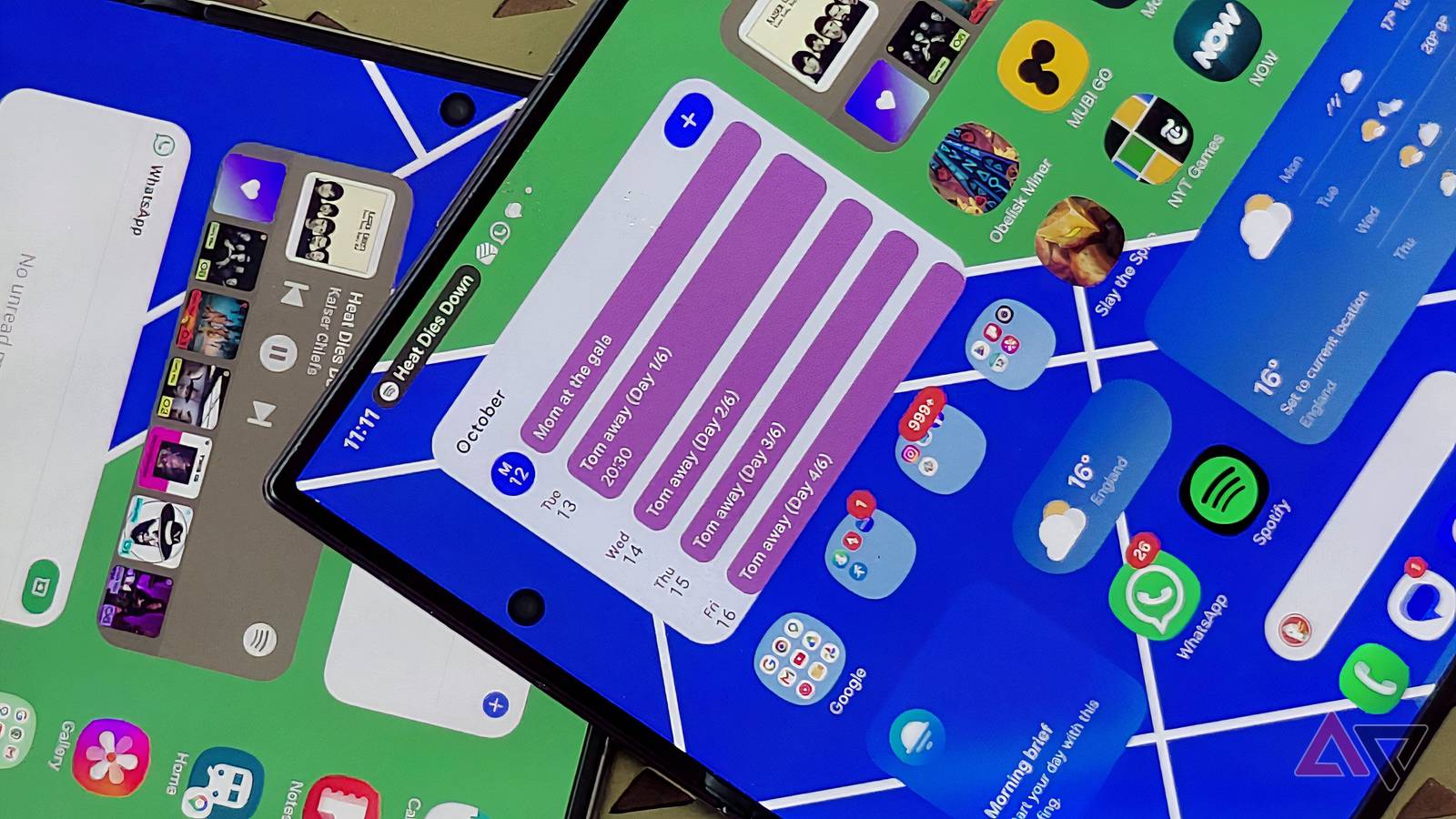
Published Oct 13, 2026, 11:00 AM EDT Tom has been covering technology since 2019, having worked as part of the phones team at TechRadar and then as an editor at What to Watch. Since 2025 he’s been a freelance contributor for many more brands including Digital Trends. BGR, TechRadar Gaming, TechAdvisor and GamesRadar. He's written about myriad topics over his career including phones and tablets, headphones and earbuds, fitness and AV, and enjoys adding more beats to his repertoire. Outside of technology he’s also written reviews and features on games, movies and sports, having worked for many years as an editor at movie & TV website WhattoWatch. He's attended tech launches, product shows, movie premieres and game launches to do so. Tom is based in London, UK, and when not covering technology he does work in the film sector, enjoys to run, cycle, climb and play tennis, and plays several instruments. I've written before about how much I enjoy using Samsung's folding phones, the Galaxy Z Fold 8 and Z Fold 8 Ultra, even if the wider model beats out the Ultra model for me. However, I have several months of use under my belt, between the models. That's enough time for small flaws to emerge for any phone, but Samsung's two foldables share a frustrating quirk that has nothing to do with their folding nature. Both phones have an irritating rotation flaw: the auto-rotation tool doesn't always kick in when it should, and I end up looking at my phone the wrong way around. My phone's never facing the right way A poorly rotated screen I frequently pull my phone out of my pocket to change tracks or read a message, only to find the display facing 90 degrees the wrong way, as you can see in the pictures above. (In the pictures, I had to manually make sure they were poorly rotated, because for once, they actually wanted to face the right way!) Sometimes, manually rotating the phone fixes the issue and jolts the device into the correct orientation. Other times, it doesn't work, and I have to navigate to my task with the text at 90 degrees, upside down. When I started using the Samsung Galaxy Z Fold 8, I thought it might be a quirk of my review device. However, after a month with the Ultra and speaking with other users who've experienced it, I can say it's a recurring issue. In the grand scheme of things, iffy auto-rotation isn't a massive issue; it's on par with large display creases like others are facing. It'd best be classified as a minor flaw, like a device that overheats or drains power quickly. But it's driving me mad. If I just want to check something quickly on my phone, I don't want to wrestle it to see my information. The most frequent issue is Spotify, which is why I photographed it. When I'm running and want to change a track, I often unlock my phone to find it half-rotated. This makes it much harder to browse songs on the fly. Mostly, the issue occurs when I use the cover display. I don't notice it as much on the main display, but that may be because I mostly use it for apps locked to a certain orientation anyway (I'm talking about games). What's the cause? Every phone has a gyroscope, an internal component that measures the device's rotation and orientation. It's used for automatic orientation rotation as well as AR and camera stabilization. If I had to hazard a guess, I'd say something about the folding form factor means there's been a gyroscope compromise somewhere, so it can't work as effectively as it would on a standard phone. There's a partial solution which I've been using But it's not an ideal solution Thankfully, Android has a built-in orientation organizer, which you'll be familiar with if you use your phone in bed (and want it to stop auto-rotating while you're lying down). In the swipe-down quick settings list, Auto Rotate should be on by default. Toggling it off means your phone won't adjust if you hold it at an angle, so you can lie in bed (or go for a run) without seeing an angled display. When you turn this on, a small icon appears when you rotate your phone; tapping it spins the display. I've only seen this appear on the Z Fold 8 Ultra's inner display, though. I use this tool on plenty of Android phones, and it's usually designed to be the right size to fit your screen. However, it's small on the Z Fold 8 devices, as you can see in the picture, making it fiddlier to select. At least the phones offer a range of options, so you can customize the mode and avoid auto-rotation on certain screens. It's not a reason not to buy the phones I'm not going to stop using the Samsung Galaxy Z Fold 8 Ultra because its auto-rotate frustrates me a little. That'd be an extreme reaction to an issue which isn't exclusive to the device. However, it illustrates that this form factor is still a work in progress, even after Samsung has spent years refining it. Kinks are still being ironed out, and issues identified and sorted. It's not only Samsung. Reportedly, iPhone Duo production is low because 40% of its parts fail quality control, for example, and concepts like the Galaxy Z TriFold disappear if they're not working well enough.
The Galaxy Z Fold 8 Ultra's cover screen keeps flipping on me; it's driving me mad
Full Article
Original Source
Read the full article at Androidpolice →KhanList aggregates and links to publicly available news content. We do not host full articles from third-party sources. Always verify important information with original sources.