
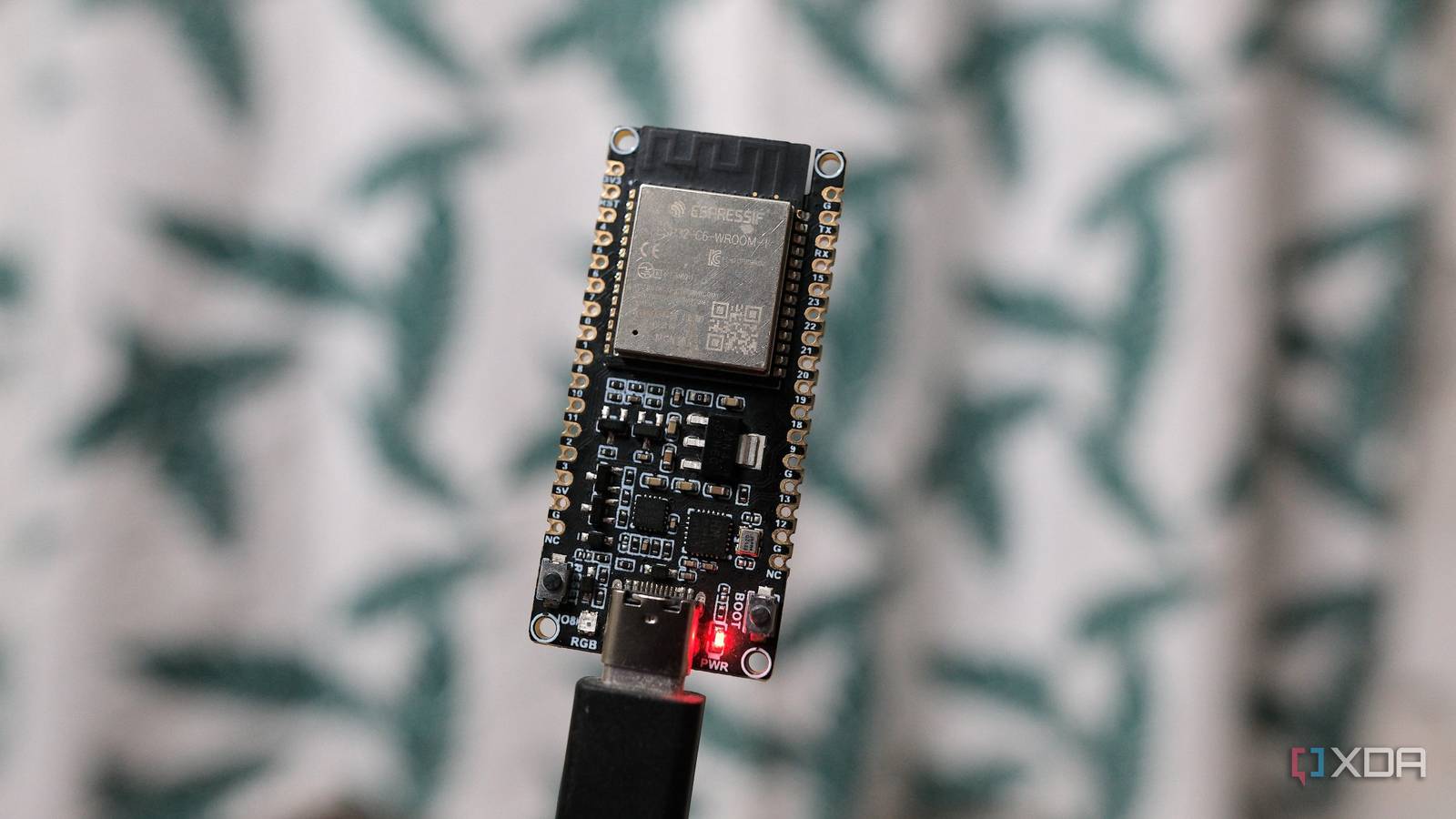
Published Oct 26, 2026, 6:00 AM EDT Samir Makwana is a technology journalist and editor from India since past 18 years and his work appears on MakeUseOf, HowToGeek, GSMArena, BGR, GuidingTech, The Inquisitr, TechInAsia, TechWiser, and others. He has written news, features, and gadget reviews for national technology media publications. His passion is to help people with their technology problems and gadget purchases. For that, he has worked for some of the biggest international technology publications, covering news, explainers, how-to guides, listicles, and product-buying guides. He has worked as an editor and managed teams since 2015. His expertise broadly covers computers, smartphones, game consoles, headphones, smart home products, browsers, and apps. A basic ESP32 board or an S3 remained my go-to choice for smart home build projects since most just needed a Wi-Fi connection. For anything that needed to join its own mesh instead of sitting on Wi-Fi, I’d pair that board with a separate Zigbee coordinator and a Thread border router I run. The idea was to make smart devices join their own mesh network, rather than dump them on Wi-Fi networks. That split made sense when it was the only option, but I had to check the parts inventory before kicking off a project. I realized the ESP32-C6 hit the sweet spot, with Wi-Fi and Bluetooth plus support for Zigbee and Thread on the same hardware. The native Zigbee and Thread support is the reason why I reach for the C6 by default. One board that hosts three smart home radios Wi-Fi, Zigbee, and Thread don’t compete for a slot The C6 pairs the 2.4GHz Wi-Fi radio and Bluetooth Low Energy radio with the 802.15.4 radio. The latter is a low-power radio that runs Thread and Zigbee. That means the C6 board can connect to Wi-Fi, advertise itself over Bluetooth, and still manage to talk to a Zigbee or Thread mesh. The best part is that I don’t need any additional hardware or to wire a GPIO pin. I used to assume that kind of flexibility required pairing two ESP32 boards together. I felt that limitation firsthand when I mapped the Wi-Fi dead spots in my home using an ESP32-S3 running ESPHome firmware. The board only talked to my router and passed bits of data to Home Assistant. But that also meant the board had nowhere to grow if I wanted to do more on it later. Mesh support and commissioning happen on the same chip Matter gets a lot of attention, and for a good reason. The ESP32-C6 is an easy starting point if you want to build a Matter smart home. The same radio that handles Wi-Fi and Zigbee is what Matter needs to commission a device and let it talk over Thread later. I also built a Thread border router because getting a DIY sensor onto a Thread network required separate hardware. Instead of buying dedicated Thread hardware, I used a spare Pi 4 and turned it into a border router, hoping it could tie everything together. The C6 can handle sensing and join the mesh network directly. That saved me a layer of setup I'd budgeted time for. I no longer have to babysit two boards just to get one sensor to talk to the rest of the house. A $6 board does what used to take two Price barely moves, but capability does What really sold me on making the C6 my go-to option was the bill and not the board’s benchmark. A basic ESP32-C6 dev board costs about the same as several other Wi-Fi-only boards I have in my drawer for other projects. So buying one specifically for Zigbee or Thread didn’t mean I had to grab a separate adapter. Now, I’m not paying extra just to future-proof my smart home projects. Both ESPHome and Zigbee2MQTT support it, so I don’t have to find workarounds just to make it work with Home Assistant. With the C6, I can turn it into a sensor node and still connect it directly to Home Assistant instead of pairing it with another piece of middleman hardware. It made less sense to keep buying older, more limited ESP32 boards when I could just focus on this one instead. A Wi-Fi sensor can turn into a mesh node later The flexibility grows with whatever I build next I admit that I no longer pick up ESP32 boards based on whatever is available. I find myself reaching for the ESP32-C6 since I don’t need to guess ahead. For instance, I no longer need to decide upfront whether a sensor node will stay on Wi-Fi or eventually need to join a battery-powered Zigbee mesh spread around the house. With other ESP32 boards, I had to decide on the board beforehand because I couldn’t switch protocols later. That’s because it meant swapping hardware. I ran into this when I built a mesh network from spare ESP32 boards. Since they all ran on ESP-NOW, which doesn’t require the boards to join Wi-Fi, they never showed up on my router’s interface. If I wanted to build something for Zigbee or Thread, I'd have to bring in compatible hardware. Thanks to the C6, I can quickly build a Wi-Fi project with ESPHome. I can always revisit the firmware if I want the board to talk to Zigbee or Thread. When the hardware stopped being the limiting factor, that changed how I plan a project. Why do I keep reaching for ESP32-C6 Though the ESP32-C6 is my go-to choice for trying out projects, it’s not one of the most powerful boards out there. If my project needs some serious processing, like running a Tailscale node, then I’d prefer something like the ESP32-S3. That said, the C6 is a good starting point to build smart home projects involving sensors, switches, and small automation nodes. Buying a C6, especially the mini version, works for tiny builds that can run on a single-cell battery. You rarely go wrong picking one up, which is why I reach for it first, even before I know what the final project needs. XIAO ESP32 C6 The XIAO ESP32 C6 is a great starting point if you want to pick up projects with scope of growth beyond Wi-Fi and Bluetooth apart from readying a Matter Smart Home.
The ESP32-C6 is the board I'd buy for any smart home project now, because it also speaks Thread and Zigbee
Full Article
Original Source
Read the full article at Xda-developers →KhanList aggregates and links to publicly available news content. We do not host full articles from third-party sources. Always verify important information with original sources.