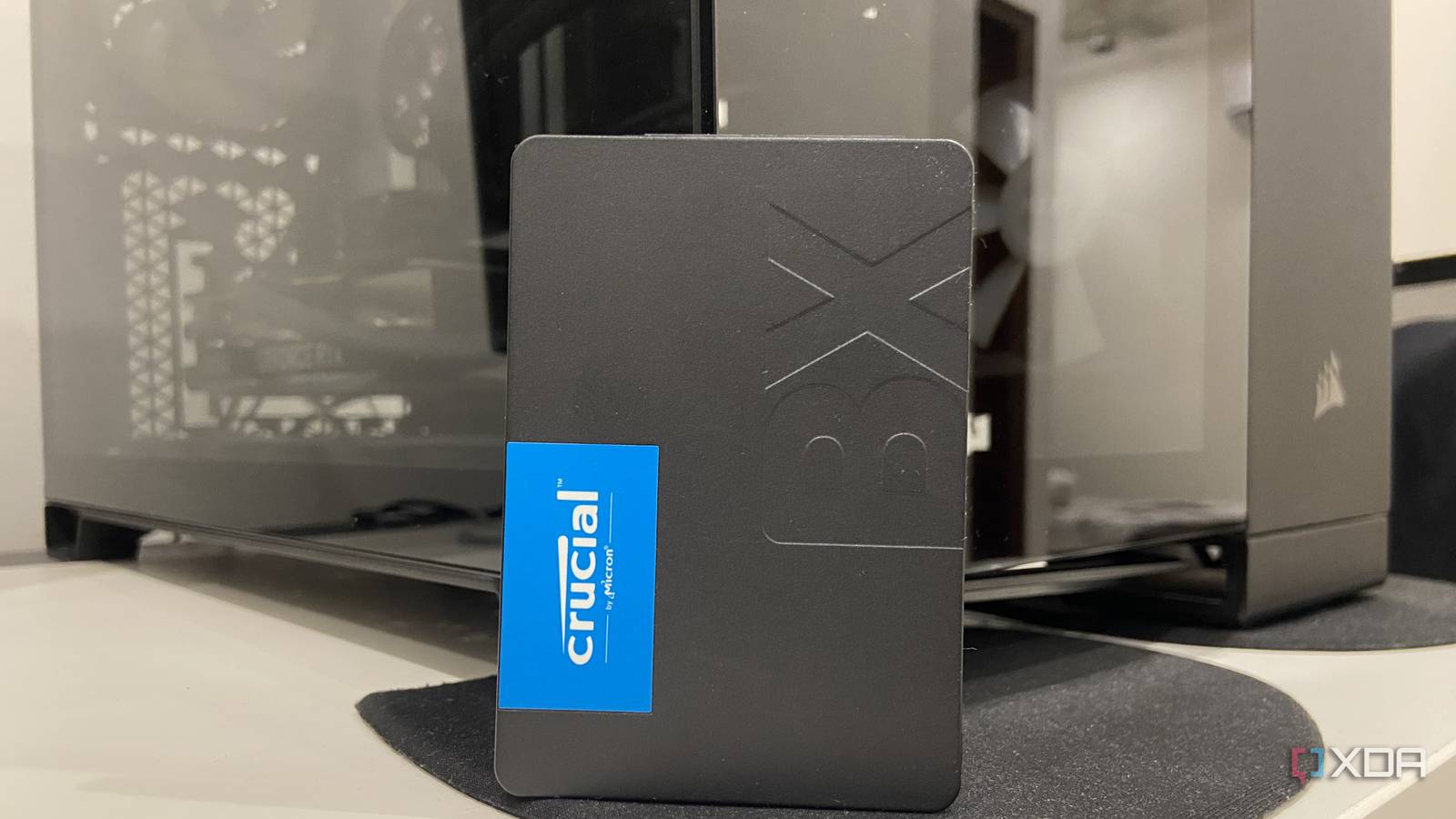
Published Aug 8, 2026, 12:00 PM EDT Abhinav pivoted from a career in banking to pursue his first love in writing. Even while working full-time, he continued contributing as an editor-at-large, a role he has held for more than 7 years. A lifelong tech enthusiast who has built three gaming and productivity powerhouse PCs since 2018, his passion for technology keeps him closely following the semiconductor industry, from NVIDIA and AMD to ARM. His MSc dissertation explored how artificial intelligence will reshape the future of work, reflecting his curiosity about the wider social impact of emerging technologies. When you spend over $3,000 on a gaming PC, you expect it to excel at the one job it was purpose-built for, and that's gaming. That was the deal I thought I'd struck, so naturally, when AAA titles like Forza Horizon 6 and Pragmata began hitching when exiting caves or streaming new areas, I was caught off guard, and felt almost betrayed. An RTX 4070 Ti Super with 16GB of VRAM should be able to handle it all, especially at 1440p. I was quite adamant, though, that the hardware wasn't to blame. The PC was barely three years old, temperatures were all under control, and 3DMark told me that the chip combination was performing as expected. This led me to point my fingers at the obvious culprit, which was, of course, Windows 11, and that was a reasonable suspicion given the state of the recent updates. After a long afternoon of troubleshooting, it turns out, the problem wasn't the components or Windows, it was how I had been compartmentalizing my storage. The primary suspect was Windows 11 Was it a bad driver or a failed update tanking my performance? The first port of call was to rule out any new Windows updates that may have had a role to play in my micro-stuttering problem. Windows 11 updates have had quite a long list of disasters since the start of the year. Earlier this year, a lot of users had taken to Nvidia forums to report issues with Nvidia GPUs on Windows 11, stating that they had noticed a significant drop in 1% lows. After a while, Nvidia also weighed in on the same forum to confirm that uninstalling certain updates seemed to be the only way to resolve the issues. This was enough reason for me to undertake a full audit of the recently installed updates. I began by searching for particular updates that had been linked with performance drops when it came to gaming, from the most recently installed to the next. Unfortunately, I couldn't find a reliable link between the list of updates installed on my PC with the ones associated with the most notorious performance penalties. The hardware got its turn under the microscope next A fresh driver and a clean re-installation didn't fix it, which left me stumped If Windows 11 wasn't responsible for all of this, the next suspect was Nvidia's graphics stack. Driver corruption isn't exactly common, but it warranted ruling out. I booted my PC into Safe Mode, ran the Display Driver Uninstaller, wiped every trace of the existing driver, and then reinstalled the latest Game Ready driver from the Nvidia App. I decided to take it all a little further and reinstalled Forza Horizon 6 via the Xbox App as well, just to make sure there were no corrupted game files coming in the way. All of that changed absolutely nothing, which left me scratching my head. It was only then that I decided to pay further attention to when the micro-stutters started occurring. They always seemed to appear when the game was actively pulling in new assets, and that was when I was exiting a cave, driving into a new region, or streaming a new section of the map. This is something that I had noticed when playing Grand Theft Auto 5 on my old build housing an RTX 2070 Super and a Ryzen 5 3600X as well. My main NVMe was cramped, and busy enough as it was The fix was a $60 240GB SATA SSD At this point, I had more than enough information to understand the root cause behind these stutters, and perhaps the most illustrative piece of information turned out to be a 6-year-old forum post on a Tom's Hardware thread. My already busy 1TB NVMe SSD was sat at 91% of its storage capacity, and the industry recommendation is to always leave a 10-15% headroom on a consumer drive. This is to give the SSD's SLC cache room to work and give the controller space for wear leveling. On top of all of that, if the NVMe SSD happens to be the boot drive, you can be assured that it's dealing with Windows and its associated background processes in the background. Some of these tasks include background indexing, updates, and a myriad other tasks that contend for the same resources as the game that you're running does. If you throw the shader cache, other background processes that game clients often come with, and Windows' own housekeeping into the mix, a game that's asking for a sudden burst of assets will have to wait. This utilization, in turn, can lead to a noticeable increase in latency and cause stuttering while running a graphically demanding title. With the root cause established, the most obvious fix was to dig out my $60 Crucial BX500 SATA III SSD and migrate the game into it. Since it had a 240GB capacity to begin with, it had more than enough storage for the game and a little extra. Because the SATA drive itself wasn't doing anything else besides running the game, the micro-stutters simply weren't an issue, and so wasn't the background indexing noise from the OS. How you use your storage matters as much as what you use for storage Troubleshooting poor gaming performance can often feel like being a wild goose chase, beckoning you to jump from one rabbit hole to another to find a plausible answer. It's a road filled with many false-positives, especially on a complex OS like Microsoft Windows 11, where many (or perhaps even a combination) of things can go wrong. As such, it becomes quite easy to overlook the best practices, and if you've been following them at all. Such was the case with my own performance issues while gaming, and it ended up being something I could not pin on Windows 11 at all. Just moving my games into a cheap SATA SSD that I had lying around gave my boot drive the room to breath that it had been asking for a long while, and it fixed a problem that had been ruining my gaming experience for months. Now, this exact same solution may not apply to everyone who has the same problem, but it does serve as one of the first places you want to look at, and the first problem you want to rule out. As a general rule of thumb, I'm quite comfortable recommending basic compartmentalization for anyone who has multiple storage drives.
The cheapest upgrade I made this year fixed a problem I'd blamed on Windows for months
Full Article
Original Source
Read the full article at Xda-developers →KhanList aggregates and links to publicly available news content. We do not host full articles from third-party sources. Always verify important information with original sources.