
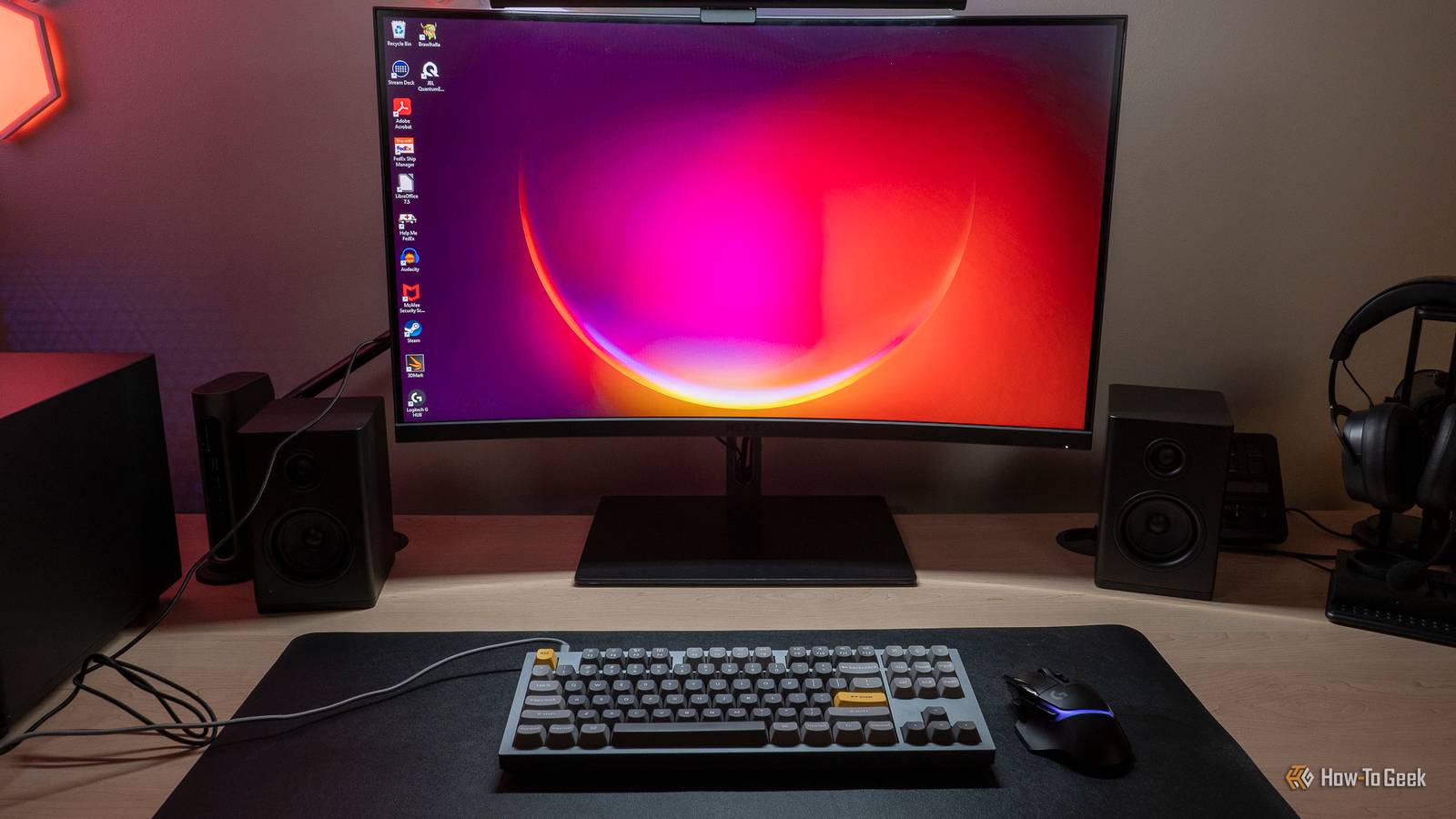
Published Nov 14, 2026, 9:30 AM EST Ismar is a Senior Author at How-To Geek. He previously worked as a writer, editor, and general manager at a content agency before joining the team in 2023. He began his writing career in 2021 after completing a BA in English Language and Literature. Beyond How-To Geek, Ismar has contributed to Red Stag Fulfillment and Authority Hacker. He has also worked on various SEO projects to help clients improve their search visibility. Ismar has been around Windows PCs since the age of three, so friends and family naturally chose him as the resident tech support. His projects often involve tinkering, such as disassembling mechanical keyboards and gaming mice to mod his beloved gear. He also enjoys pushing hardware to the max through overclocking while staying on a reasonable budget. An avid gamer, Ismar has logged thousands of hours across various genres, including first-person shooters, RPGs, racing games, and roguelites. When he is not at his desk, he is probably exploring other people’s phones to discover their quirks and features or experimenting with the latest AI tools. In his free time, Ismar enjoys spending time with his wife, working out at the gym, playing guitar and bass, cooking gourmet meals, and traveling. Above all else, he’s a proud cat owner. Summary I moved gadgets under my desk with cheap hook-and-loop tape, freeing up lots of workspace. Even cheap tape is able to hold relatively heavy items. You can use hook-and-loop tape to mount USB hubs, chargers, remotes, and other small gadgets. Desk space is a limited and highly valuable resource. If you have a gaming PC, you know how quickly accessories, peripherals, and gadgets pile up. Fortunately, with a single accessory, I managed to move most of the clutter off my desk without sacrificing functionality or convenience. Hook-and-loop adhesive tape is the best $5 you can spend on your setup The accessory is a set of pre-cut hook-and-loop tape with double-sided adhesive on both the hook and loop sides. It’s easy to use: one sticky side goes on the desk, the other on whatever you want to mount. When you press them together, the accessory stays attached underneath the desk, as long as the adhesive can handle the weight and the hook-and-loop is good quality. The best part is it’s reusable, so you can move the accessory and put it back later. What's great is that you don’t need to spend much on brand-name tape. This $5 set of 16 heavy-duty 4-inch by 1-inch strips is strong enough for most lightweight accessories. Just be sure to clean the surfaces with alcohol wipes before applying the adhesive. That said, even branded Velcro isn’t that expensive, though, and is worth it if you’re mounting something heavy or valuable. Art3d 16 Sets Hook and Loop Tape Sticky Back Art3d 16 Sets Hook and Loop Tape are heavy-duty, double-sided adhesive strips made from high-density nylon for strong and durable bonding. They're easy to use with a simple peel-and-stick design, making them perfect for your home desk or office. I also use a slightly different style made for holding cables. This is another must-have because it keeps cables tidy around your desk and house. I’ve installed a few behind my monitor and TV, and several under my desk. Some support the mounted accessories to reduce stress on the bigger strips, while the rest keep other cables off the floor. That way, I don’t snag a cable with my foot while sitting at the desk. Hook and Loop Cable Ties Brand Quadafy Color black, gray, white This 60-pack of hook and loop cable ties with adhesive clips is the perfect solution for cable management around your desk. It's made from nylon and has a strong adhesive backing, can stick to both flat and curved surfaces, and is reusable if you need to add or remove cables. The main reason I hadn't tried using hook-and-loop tape before was that I thought it wasn’t strong enough—but I was completely wrong. Even the inexpensive version I used can hold my SteelSeries Arctis Nova Pro Wireless receiver (aka Base Station), which is bulky and weighs around 6 ounces (~170 g, about the same as a smaller smartphone). I’m confident it could hold even heavier items. Credit: Ismar Hrnjicevic / How-To Geek My desk is so clean and spacious now Although I didn’t have that many things on my desk, it was still enough to drive me crazy, especially as gadgets slowly accumulated. I bought this large desk earlier this year with the intention of keeping it as clean and tidy as possible, since every desk I had before was too small and cluttered with unnecessary stuff. Aside from my headset receiver, the two other items I mounted underneath the desk are my monitor light controller and my speaker system’s volume knob. Interestingly, all three have knobs, and one of my main concerns about moving them off the desk was losing the convenience of adjusting volume or monitor light brightness easily. I also worried that I wouldn’t be able to see my headset receiver’s display. But the opposite turned out to be true—rather than reaching across the desk, I can now simply reach underneath. It feels almost like I’m adjusting a secret control tucked out of sight that only I know how to operate. I know, you could argue that this is purely a cosmetic upgrade, but for $5, I don’t see a good reason not to do it. Getting those clunky knobs out of sight made my workspace feel more organized. Plus, it’s now way easier to wipe dust off my desk, and I'm more motivated to keep it clean and tidy. Credit: Ismar Hrnjicevic / How-To Geek Now that I know this trick really works, I’m tempted to add even more hidden gadgets to my setup. A USB hub is my first perfect candidate, as mounting it underneath the desk would give me a bunch of USB slots in a convenient spot. Aside from hubs and knobs, other things you could try mounting on the underside of the desk include an external SSD or HDD holder, a battery charger, a small night light or flashlight, small power strips, various remotes, and so on. Anker 4-Port USB Hub Whether you need more ports on your desktop, something handy to plug laptop accessories into, or you've run out of ports on your Xbox Series X|S console, everybody loves a good USB hub.
The best upgrade for your desk setup only costs $5
Full Article
Original Source
Read the full article at Howtogeek →KhanList aggregates and links to publicly available news content. We do not host full articles from third-party sources. Always verify important information with original sources.