
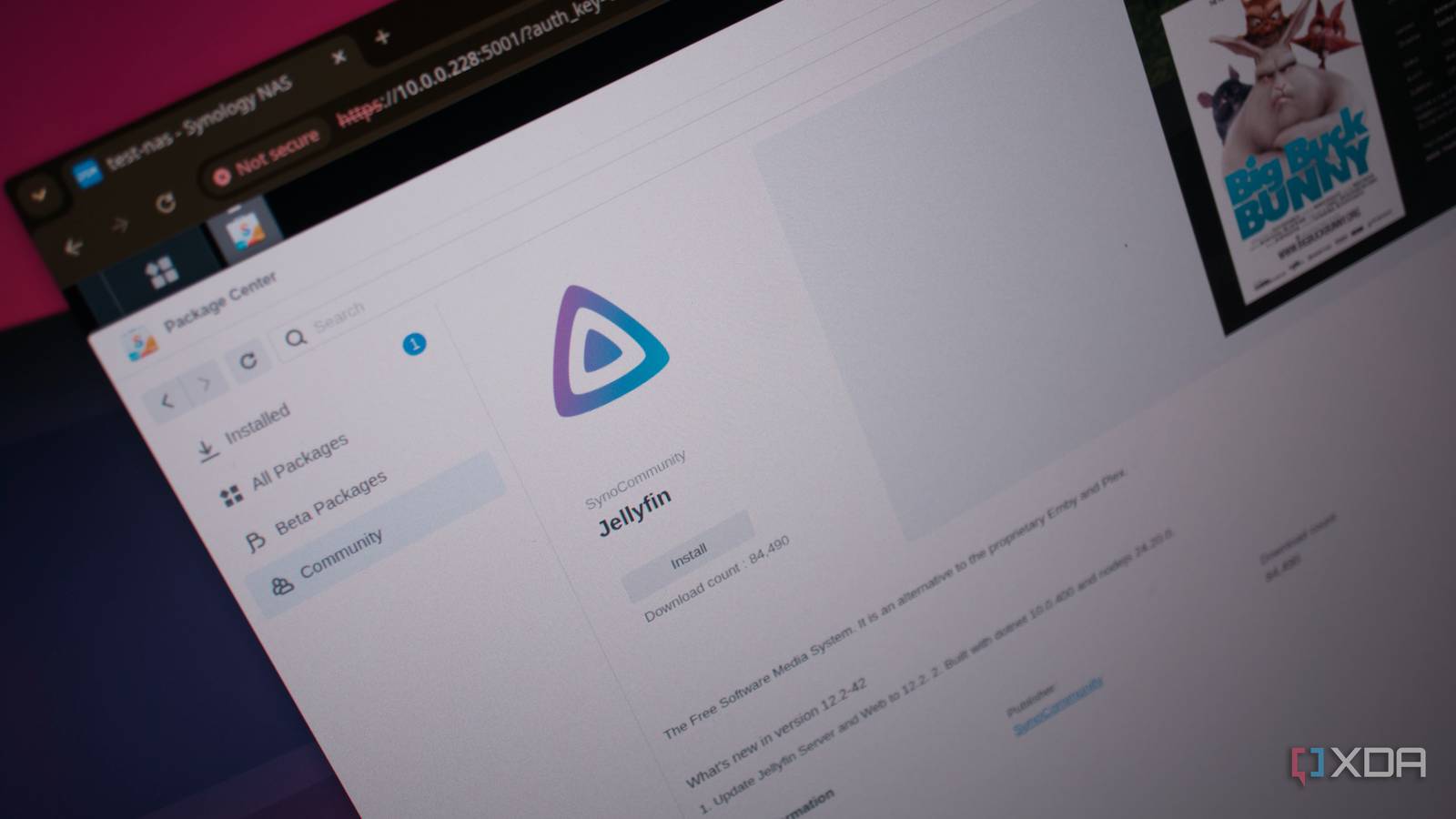
Published Oct 7, 2026, 1:00 PM EDT Richard is the PC Hardware Lead at XDA and has been covering the technology industry for almost two decades. He's been building PCs since young, and when not creating content, you can often find him inside a chassis somewhere. Sign in to your XDA account Synology offers one of the best operating systems for prebuilt network-attached storage (NAS) enclosures. The software is among the best in the business thanks to its simplicity, ease of onboarding, and powerful features managed within a user-friendly UI that just about anyone can use. It's why I recommend Synology NAS as a great starter package for those looking to take their data to the network for the first time, but it's also solid for veterans. What's better than the official Package Center? One that includes support for unofficial apps. Meet Synology Package Source, and it's probably the best thing I've added to a Synology NAS in years. What the Synology Package Source does And why you'd want it on your Synology NAS Credit: Synology has a brilliant package manager already available with a GUI that beginners can immediately get familiar with. The entire OS has been purposely designed to resemble Windows, Linux, and macOS as much as possible. Running the entire NAS with nothing but official apps from the storefront is entirely possible. Actually, it's recommended that new owners of Synology NAS use nothing but what's available through Package Center, leaving Docker for more advanced cases. But it doesn't mean you can't use the same app if you wish to use software not available through the Synology repository. That's where Synology Package Source comes into play. This handy extension adds DSM packages that are available from GitHub to Package Center, so users logged into the NAS can easily install packages from various GitHub developers, just like content from the official repository from Synology. What's more, Package Center can update installed packages when newer versions are released. Package Center is already capable of installing third-party software, too. Community sources can be added manually, which means we're not effectively replacing Package Center but rather taking advantage of the available tools provided by Synology. Instead, it takes advantage of functionality Synology already provides. Then, anyone can install software from various GitHub sources. It's handy because this repo doesn't actually host anything itself. It simply provides Package Center with the necessary details. Gone will be the days of tasking someone less tech-savvy to scour through GitHub projects to try and find handy software to add to the Synology NAS enclosure. How to install Synology Package Source It's easier than you think Getting the Synology NAS up to speed with custom GitHub content routed through the Package Center couldn't be easier. There are no commands to run, no software to install, and no dodgy websites to link to your NAS. Simply add one custom repository and your Package Center is ready to roll. Open Package Center. Click Settings. Click Package Sources. Click Add. Enter something descriptive under Name. Enter https://spkrepo.007daver.workers.dev/ under Location. Click OK. Click OK. A new community menu entry will be present on the left side of the package center. Clicking it will show everything available for DSM through GitHub. Updates are handled natively, so it would be possible to update both first-party and community apps simultaneously. Apps such as AirConnect, DSM Notify, and Ookla Speedtest will now be available for installation. There's one caveat Though it shouldn't make a difference 007daver's repository isn't official, and it's not provided by Synology. This means you'll be relying on unofficial means to install and update software. It's not that you'll download anything malicious through the repository, but it does rely on additional GitHub projects to have reliable, clean code. Then again, you'd run the same risk doing this without the repo to bring everything to the enclosure. It's vital to run the same checks when choosing an app to add the same device used to store important and sensitive data. I love these types of upgrades. They don't require new RAM to be purchased (thank goodness with today's prices), and you won't require a beefy NAS from Synology to make it happen. It's a single repository addition that takes just five minutes to add to Package Center, and your Synology NAS suddenly has access to more content than what's available directly through the official channels. You can think of it like being the lord of the packages with one repo to rule them all. Official apps and Docker containers most definitely still have their place on a Synology NAS. This repo fills the gap between the two. Having a community repository integrated directly into Package Center is convenient enough. Look, it won't blow your mind, nor will it make the specification sheet for your NAS look any better, but it can make the machine considerably nicer to use. XPEnology Want to use DSM but don't have a Synology NAS? This is the OS for you.
Synology Package Source turned my NAS into something way more useful without spending a dime on hardware
Full Article
Original Source
Read the full article at Xda-developers →KhanList aggregates and links to publicly available news content. We do not host full articles from third-party sources. Always verify important information with original sources.