
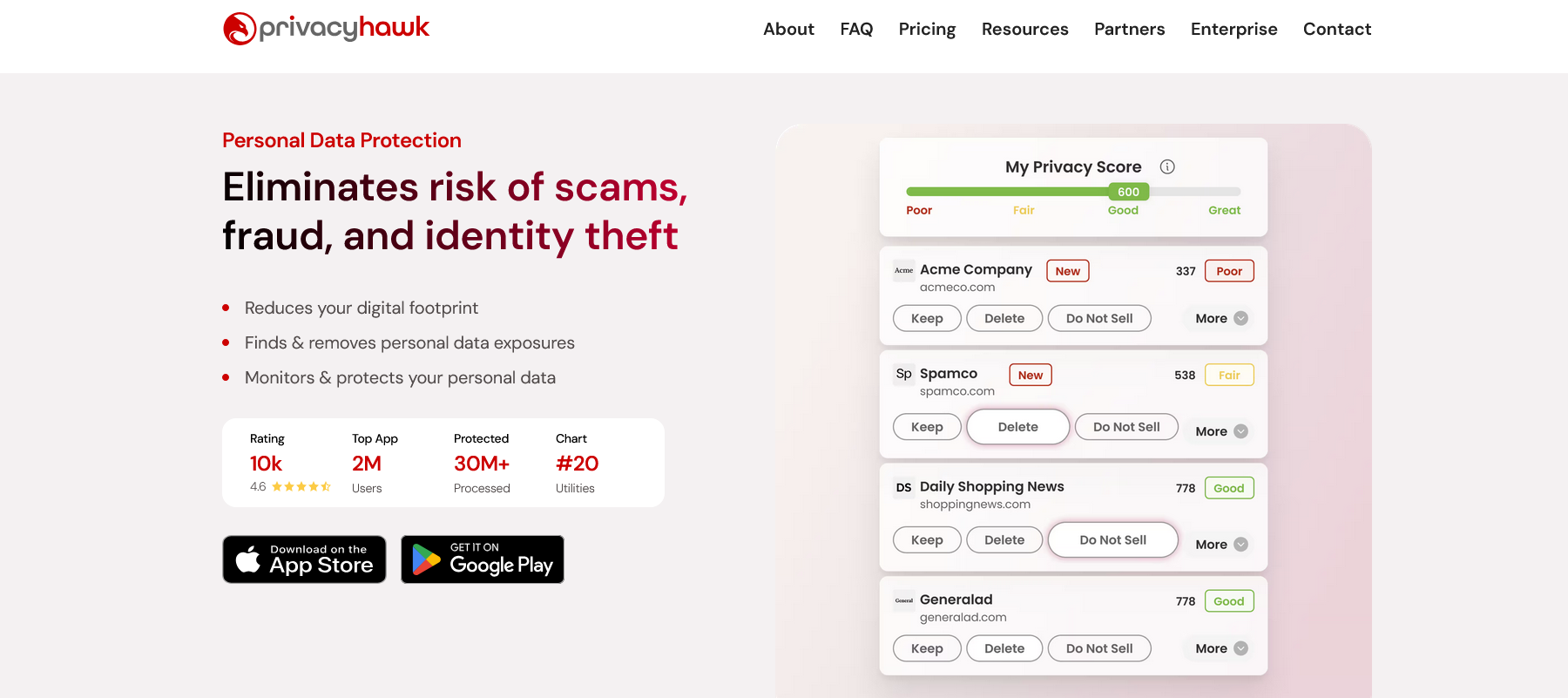
TechRadar Verdict PrivacyHawk is a decent data removal service, but more could be improved, like its customer support channels and data broker coverage. However, it provides a broad feature set outside data removal, like dark web monitoring, spam call blocking, and more. Reasons to buy +User-friendly interface +Deep scanning +iOS & Android mobile apps Reasons to avoid -No live chat support -U.S.-centric data broker coverage Why you can trust TechRadar We spend hours testing every product or service we review, so you can be sure you're buying the best. Find out more about how we test. Jump To: Plans and pricing Setup Ease of use Security and privacy Support The competition Final verdict Any personal information posted online could be harvested by data broker sites and remain in their databases for a long time. These sites pose privacy risks that need to be mitigated. A data removal service like PrivacyHawk is an effective mitigation strategy: it scans data broker sites for your data and sends deletion requests where it’s discovered.PrivacyHawk is one of many data removal services and identity theft protection tools out there. And you’re probably wondering, “Why should I choose it over other options?” I reviewed the platform to answer this question. Read on to learn about its features, pros, cons, and other factors to help decide whether it’s your ideal choice.PrivacyHawk: Plans and pricingYou can check out the PrivacyHawk platform by clicking here.Latest Videos FromTechRadarIt has a simple pricing system. Individuals can choose either the Premium or higher-priced Platinum plan. The former offers mostly data removal, while the latter offers extra features like dark web monitoring, identity theft protection, and priority support.The Premium plan costs $20 per month, and the Platinum plan goes for $30 per month. However, PrivacyHawk offers steep discounts for users who choose to pay annually. An annual Premium subscription goes for $74, compared to $240 if paid month-to-month, and an annual Platinum subscription costs $125, compared with $360 if paid month-to-month. These steep discounts make an annual payment the best option. (Image credit: PrivacyHawk)PrivacyHawk also offers family discounts for both the Premium and Platinum plans. For Premium, a Family package (covering 4 people) goes for $200 annually, and the Platinum Family package costs $300 annually.If paid month-to-month, the Premium Family plan costs $40, while the Platinum Family plan costs $50. This sums up to $480 over 12 months for the Premium plan, and $600 for the Platinum plan, which are overly high prices. I wouldn't advise paying month-to-month for the Family package—choose it only if you can afford the annual payment.Are you a pro? Subscribe to our newsletterSign up to the TechRadar Pro newsletter to get all the top news, opinion, features and guidance your business needs to succeed!PrivacyHawk doesn’t offer a standard free trial, which is a drawback, but there’s a 30-day window to request a refund if you're unsatisfied with what you get. After downloading PrivacyHawk, I discovered that I could run some free scans (as part of a so-so, unofficial free tier package), but this isn’t a substitute for a standard free trial.PrivacyHawk: SetupSetting up PrivacyHawk doesn’t take much effort. It has designated iOS and Android apps, a feature that sets it apart from most data removal platforms I’ve tested. Setting up PrivacyHawk starts with downloading the app from the Play Store (Android) or App Store (iOS).After downloading the app, you can sign in with an existing Google or Apple account. Provide the necessary sign-in permissions, and you’ll enter your PrivacyHawk dashboard.PrivacyHawk welcomes new users with a free scan, as I noted when discussing the lack of a standard free trial. To begin the scan, you’re prompted to enter your name, last name, and age. PrivacyHawk then runs this data against a network of 100+ people-finder sites to discover where your personal data may be present.Notably, this scanning is geared towards U.S.-centric data broker sites. Non-U.S. residents can run a digital footprint scan, but can’t scan or send deletion requests to data broker sites.I wasn’t comfortable with the fact that I needed to sign into my email again to run a digital footprint scan (although I did eventually). For most platforms I’ve reviewed, typing the email address is what’s needed to run the scan.However, PrivacyHawk claims it works by analyzing email inboxes to see which companies could expose personal data. It also compiles a list of junk email senders that you can quickly unsubscribe from. If you’re comfortable with signing into your email address for a deep digital footprint scan, you can do it.PrivacyHawk covers a network of 100+ data broker sites. This figure isn’t large compared to several competitors, but PrivacyHawk only focuses on U.S.-centric data broker sites, rather than providing global coverage. A scan can take anywhere from a few minutes to a few hours, after which you’ll see a list of the data broker sites hosting your data. You can quickly initiate deletion requests, and this is where the real work begins.PrivacyHawk sends automated deletion requests to data broker sites, asking them to remove your personal information from their database. If an automated request isn’t sufficient, PrivacyHawk’s team can send a manually drafted legal request to the data broker sites. Processing removal requests can take a long time, maybe 30 to 90 days, depending on the data broker site. Fortunately, I could monitor the progress of each request from the smartphone app.You may have discovered your data present on a data broker site that isn’t covered by PrivacyHawk. In that case, you can initiate a manual removal request for that site from your dashboard. PrivacyHawk’s team will send a deletion request on your behalf and follow up on it.After the initial scan and deletion requests, PrivacyHawk runs monthly rescans of your personal data and sends email alerts if your data is found on any site. You can then initiate new deletion requests. Overall, I found PrivacyHawk to be a reliable data removal platform, although with limited U.S.-centric coverage.PrivacyHawk: Ease of usePrivacyHawk scores high when it comes to user-friendliness. The mobile app felt very smooth to navigate, with features neatly arranged and an uncluttered dashboard for scanning, initiating, and monitoring deletion requests.The interface features a white background with brightly-red-colored icons & buttons that are easy to find. From signing up to scanning and managing deletion requests, I have no complaints about PrivacyHawk’s ease of use. (Image credit: PrivacyHawk)PrivacyHawk: Security and privacyPrivacyHawk may not be the best data removal platform, but its complementary features make it practically a full-fledged security suite. With a single app, you can check if your data was discovered in data breaches, identify and block robocall numbers, and counter spam emails. A PrivacyHawk subscription significantly boosts your online privacy and security.PrivacyHawk: SupportPrivacyHawk users have access to a detailed Help Center with user guides and manuals related to all its features. This Help Center proved very valuable as a new user navigating through data broker and digital footprint scans.When I needed direct help, I contacted PrivacyHawk’s team via email. I saw what looked like live chat support, only to discover it was an AI chatbot, and I couldn’t chat with human support staff. Given the price of a PrivacyHawk subscription, I think live chat or telephone support should be provided, but they aren’t available.PrivacyHawk: CompetitionI’ll highlight OneRep as the main competitor to PrivacyHawk. It offers broader coverage, with a network of 300+ public data broker sites and 500+ non-public ones, compared to PrivacyHawk’s 100+ coverage. Its plans are more affordable than PrivacyHawk’s.However, PrivacyHawk offers complementary features like dark web monitoring, identity theft protection, and robocall blocking, while OneRep offers email breach monitoring and little else. I think PrivacyHawk is a more complete security suite, but OneRep is a better option for data removal.PrivacyHawk: Final verdictPrivacyHawk has its pros and cons. Its data broker coverage is limited, but for the covered sites, it offers deep scans and effective deletion requests.For sites not covered, you can still initiate manual deletion requests, although success rates may be lower. PrivacyHawk offers advanced complementary features that make it feel like an enterprise security suite.The most notable drawbacks are the limited customer support, the lack of a standard free trial, and the limited broker coverage. However, PrivacyHawk remains a decent data removal platform. Stefan has always been a lover of tech. He graduated with an MSc in geological engineering but soon discovered he had a knack for writing instead. So he decided to combine his newfound and life-long passions to become a technology writer. As a freelance content writer, Stefan can break down complex technological topics, making them easily digestible for the lay audience. You must confirm your public display name before commenting Please logout and then login again, you will then be prompted to enter your display name.
PrivacyHawk data removal service review
Full Article
Original Source
Read the full article at Techradar →KhanList aggregates and links to publicly available news content. We do not host full articles from third-party sources. Always verify important information with original sources.