
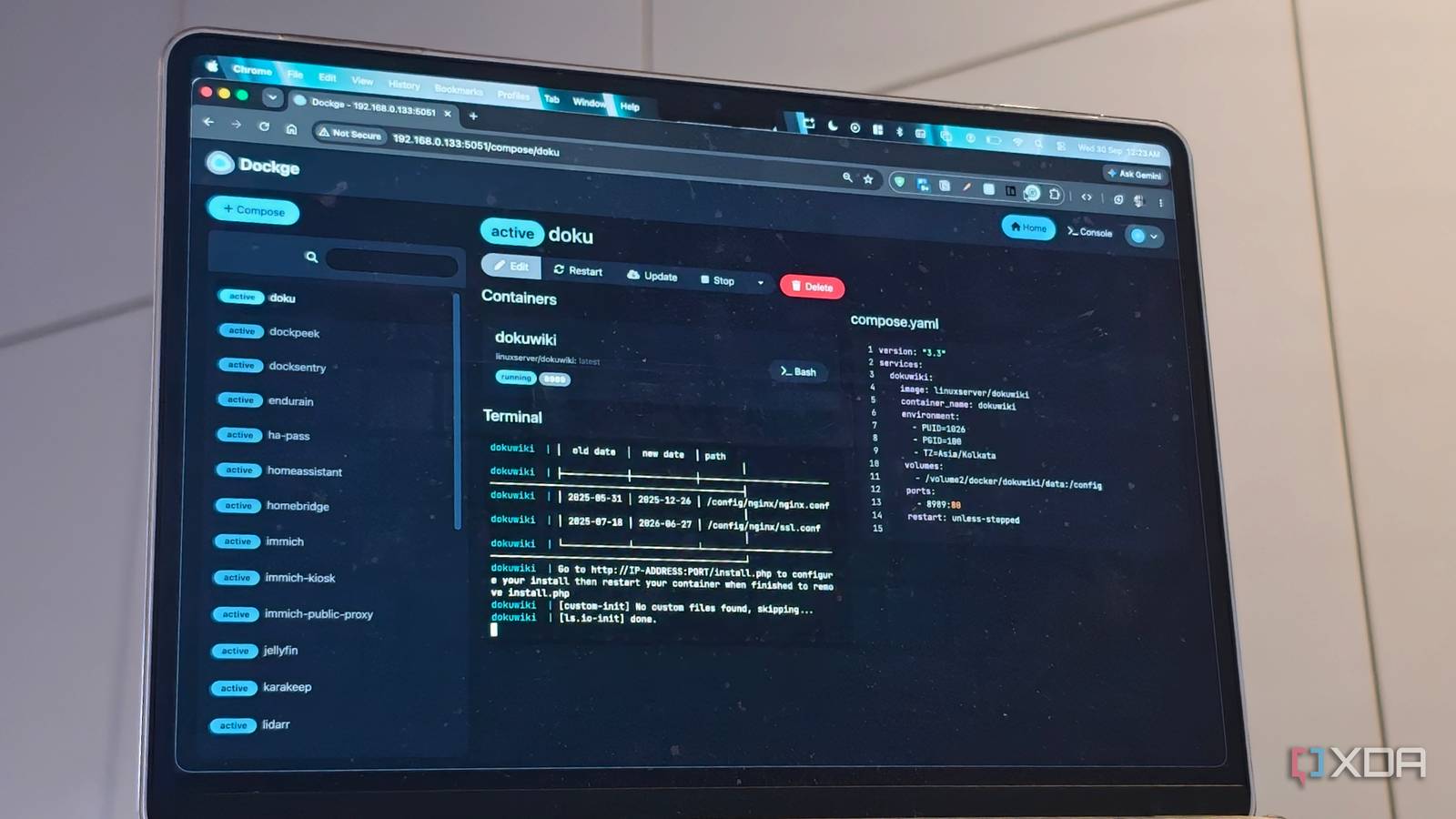
Published Sep 30, 2026, 7:00 PM EDT Dhruv Bhutani has been writing about consumer technology since 2008, offering deep insights into the personal technology landscape through features and opinion pieces. He writes for XDA-Developers, where he focuses on topics like productivity, networking, self-hosting, and more. Over the years, his work has also appeared in leading publications such as Android Police, Android Authority, CNET, PCMag, and more. Outside of his professional work, Dhruv is an avid fan of horror media spanning films and literature, enjoys fitness activities, collects vinyl records, and plays the guitar. I've been using Docker for years. It's what enables my entire smart home stack and all the other software bits and bobs that I run. While I can manage Docker from the CLI just fine, a great graphical interface has become less of a luxury and more of an everyday convenience. It makes it easy to see what's running, restart a stack and check the logs. Portainer has been my go-to forever, but Portainer's decision to keep Community Edition locked to the older codebase while it moves in a whole new direction has made me question whether I want to stick to it in the long run. This shift in direction is what pushed me towards Dockge. This open-source Docker Compose manager from the developer of Uptime Kuma takes a much simpler approach to container management, and it might turn out to be the best upgrade I made to my NAS. Moving from Portainer to Dockge is seamless Logs, terminal and troubleshooting without the extra steps Credit: To begin with, I didn't want to migrate my entire setup in one go. My Docker setup in Portainer was built around stacks and Compose files. Dockge works much the same but with some slight differences. Each application gets its own directory, Compose file and persistent data. Dockge treats that Compose file sitting on your server as the source of truth and gives you a web interface for managing it. That makes a big difference for the better in day-to-day use. Dockge just reads the Compose files from the disk, and exposes them directly within the interface. This is particularly useful on my NAS as I'm constantly adding, removing and testing containers. I might install something for managing media, try a new utility or spin up a service temporarily to test it. With Dockge, I can create the Compose configuration, drop it on the NAS, and have Dockge bring the stack up without needing to juggle between a text editor, SSH session and Docker commands. Dockge's Compose editor is particularly nifty and the feature I use the most. I can open a stack, change an image tag, or just modify volumes directly within the interface. Dockge also makes it a cinch to change environment variables and deploy the updated configuration from one single screen. In some ways, it's even better than Portainer in how easy it makes it. Unlike Portainer, which made you switch tabs to tap into the logs, Dockge's cleaner approach exposes the Compose output in real time. In fact, even the terminal is easier to access. All this means that if a container fails to start, you can see what's happening behind the scenes in real time. Similarly, fixing things is just as quick. Look, I'm not going to say that updating containers in Portainer was complicated. But the verbiage used didn't quite make it obvious for users new to working with the software. Dockge is simpler. It just flat out exposes an update button that automatically pulls image updates via a one-click process. Underneath, it's still working with the Compose configuration that I've defined. Dockge fits the way I run Docker A narrower focus works better for me I run a lot of services on my NAS. At least count I had thirty-plus containers up and running. Some of these handle media, others manage downloads. I've also got network monitors and utilities like Scanserverjs that have brought back my old scanner to life. Docker is the only way to run this in a way that's manageable and makes sense. Not just that, Docker keeps them isolated from the rest of my NAS. Compose files live at the heart of enabling this. Meanwhile, Dockge gives the visual layer to control these containers. One of my favorite features here is that unlike Portainer, where things like Compose files are effectively written into the software using Stacks, Dockge uses standard Compose files that can be accessed via any text editor. If I ever want to move between machines, I just have to copy across the configuration and directories, adjust volume paths if needed and hit deploy. I've recently come across one more feature that might make sense for users on multiple machines. That's Dockge Agents. Dockge agents allow you to control multiple instances of Dockge running across servers through a single interface. That's not my use case yet, but as my setup grows, I can see it being useful and, more importantly, being one more reason for me to stick with Dockge. I'll be real here, if you were a Portainer enthusiast making use of some of the more advanced features, you might not find everything available here. That's not me though. For me, the narrower focus works just fine. Portainer was great, but Dockge worked out to be a better fit for my Docker workflow Even though Portainer's focus has switched over, that doesn't mean that Portainer is no longer functional. You can continue using it just the same. But I wanted to switch over to something with a bit more support. Moreover, Dockge is more aligned with how I already work with Docker. Dockge puts Compose files at the center of the experience and is better for it. It means lesser abstraction, easy editing of configuration files, deployment and even debugging. All this means switching to Dockge has been a nearly painless and easy switchover for me that I don't regret. Dockge Dockge is a web-based tool to deploy and manage compose-based stacks for Docker containers.
Portainer stopped supporting its community edition, so I switched to this simpler Docker manager instead
Full Article
Original Source
Read the full article at Xda-developers →KhanList aggregates and links to publicly available news content. We do not host full articles from third-party sources. Always verify important information with original sources.