
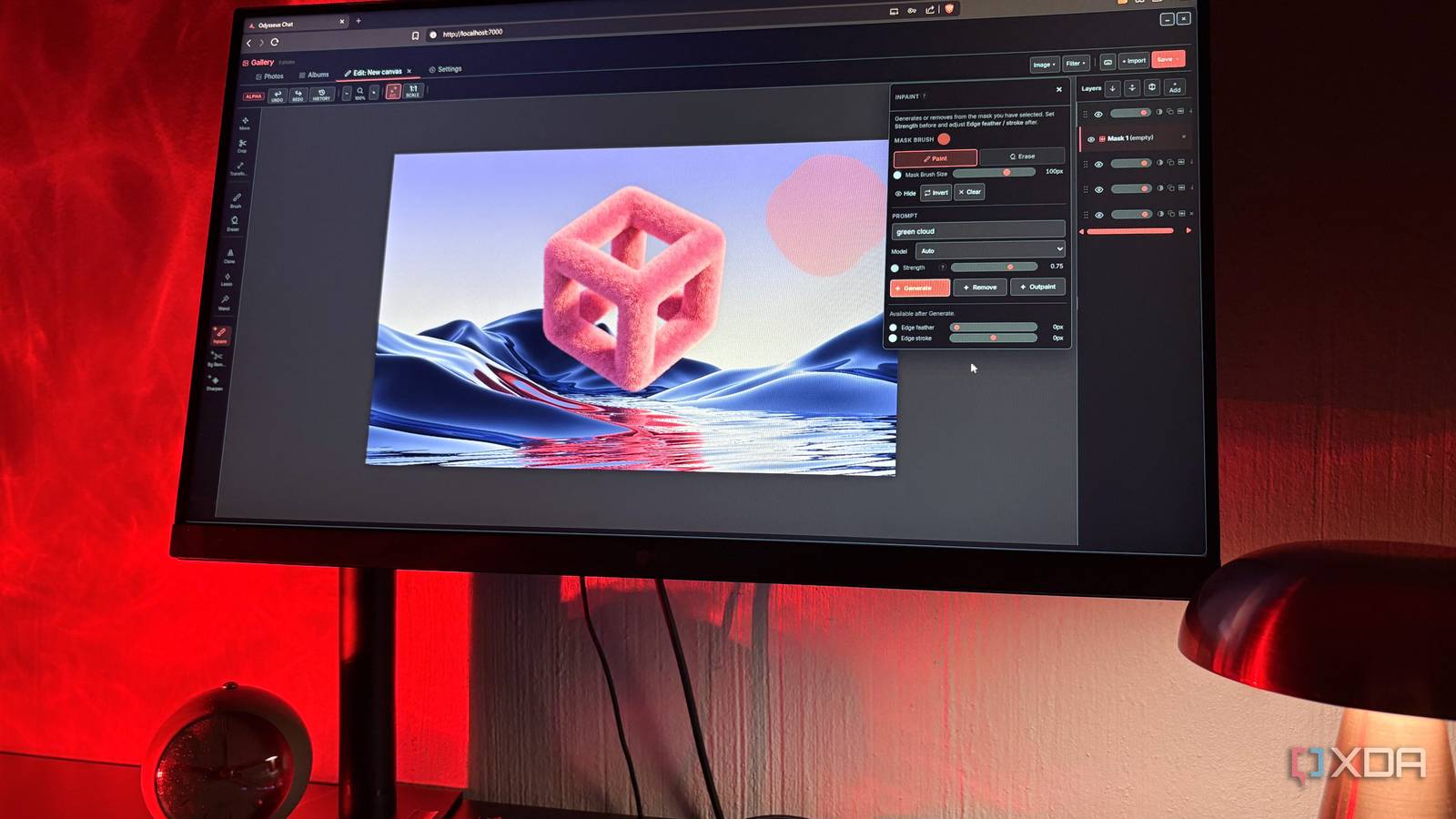
Published Sep 28, 2026, 7:00 PM EDT Nolen began their writing career in 2019, with three years dedicated to editing the Creative section at MakeUseOf. Their expertise lies at the crossroads of technology and creativity, covering areas like photography, video editing, and graphic design. Outside of work, you'll often find Nolen diving into a good book, writing their own stories, or playing video games. Most editing tools worth your while come with a subscription attached, unfortunately. And now that most of them are AI-powered, it's used to justify increased pricing and more paywalls. There's also the issue of your work sitting on servers you don't own. Photoshop's Generative Fill is processed on Adobe's cloud servers, with each generation pulling a credit from a monthly allotment tied to your plan. Canva does something similar with its one-click background remover, which isn't on the free tier and only comes with Pro. Luckily, self-hosted tools have been creeping into this AI-powered image editing and design space. One of the more unlikely places it's turned up is Odysseus, the AI workspace PewDiePie released this year, which has an image editor tucked inside with a lot of the same AI tool names you'd find in Adobe's and Canva's menus. And it all runs on your own hardware… PewDiePie's AI workspace has an image editor hiding in it He wanted to build his own Photoshop and make it free PewDiePie (Felix Kjellberg) put Odysseus out as a free, self-hosted AI workspace, and it's grown a lot since launch. The GitHub org has since been renamed from pewdiepie-archdaemon to odysseus-dev, and the repo is sitting at almost 90k stars now. Most of this workspace focuses on chat, agents, and research. And the gallery and image editor kind of get lumped in under "extras". But I'd say this is one of the more interesting parts of the tool. His reasons for building it are mostly about privacy. He's talked about how much personal info ends up with these companies and gets traded around between them, and he's promised the project will never cost money. He's also said he doesn't want AI doing the work for him but rather just help out when asked, which lines up with how the image editor also works. The editor is where he's been the most ambitious, though. He's said outright that he's building his own Photoshop, while admitting it's far from as robust. Everything runs locally in Docker, with a section called the Cookbook handling model downloads and checking what your hardware can run. The Gallery doubles as a browser-based photo editor The vibe reminds me a bit of Photopea crossed with Google Photos When you open the Gallery for the first time, it looks a little like Google Photos. That's because it's a photo library first, with albums and tags, and dropping in a whole folder creates an album with its name. From there, you simply double-click a photo and hit edit to open it in the editor. But you can also start the editor from a blank canvas, which gives you the standard default pixel ratios. The tool rail down the left is pretty familiar if you've used Photopea or Photoshop at all. Crop and transform sit up top with the move tool, and the brush and eraser come after that, with clone, lasso, and a magic wand further down. The AI tools are grouped at the very bottom with little sparkle icons. Along the top there's undo and redo plus a full history panel. This is all pretty standard stuff, so the functions themselves aren't exactly mind-blowing, but that's the whole point - simply having a solid, usable editor on your own terms. Plus, the interface is quite aesthetically pretty and also easy to navigate, and I always give a tool bonus points for that. On the right there's a Photoshop-style stacking panel where each piece gets its own visibility toggle and opacity slider, and you can reorder them or add new ones. Each piece's image data, position, and opacity get saved with the project, and unfinished work is kept as a draft on the server so you can resume it later, even from another device. When you're done, you can overwrite the original in the gallery or save a new one. There's a little ALPHA badge in the top-left corner of the editor, so it's still an early build, and you can kind of tell in some spots. For cropping something for socials or cloning out a little speck in an image, I'd say it's pretty decent, though. Some need a GPU, some are happy on a CPU The AI side comes in two pretty different sizes, and the size ends up deciding what you can actually run. Generative models paint new pixels from a text prompt, while the smaller tools each handle a single job. For generative fill, my build only offered local Stable Diffusion models from the Cookbook (I tried plugging in an OpenAI key first, which the editor just ignored). One is an inpainting model trained specifically to fill a masked area, with extra inputs added for the mask itself. The other is Stable Diffusion 3.5 Medium, which has 2.5 billion parameters and needs around 9.9 GB of VRAM, not counting the text encoders. For reference, the standard Docker setup doesn't give Odysseus access to your GPU, so on my machine everything ran on the CPU, and the inpainting download alone was past 9 GB after half an hour. So I hit yet another wall. But I wasn't out of luck… The smaller tools live in the Cookbook's Dependencies tab. Background removal comes from rembg, which uses small ONNX models that download automatically the first time you run it. The Denoise and Upscale tools need realesrgan, based on Tencent ARC Lab's Real-ESRGAN, which was trained on purely synthetic data to restore real-world images. And click-to-select comes from sam_mask, built on Meta's Segment Anything, which relies on PyTorch and transformers being installed. These are all a fraction of the size and ran fine on my CPU. The one-click install for rembg did hang on me though, and I had to finish it with a single pip command in PowerShell. But they all ended up working fine, and my favorite was probably the Sharpen AI tool just because of how on par it was with its paid counterparts. Features like free background removal on pretty much any machine is close to what PewDiePie was going for, so I count this as a success even though I didn't have any luck running the larger models. Where PewDiePie's image editor stands for now A full Photoshop replacement is probably still a long way off, and PewDiePie is upfront about that. What I think Odysseus has got right is the boring middle, so stuff like background removal that many pay a monthly fee for. Generative fill is still waiting on hardware I don't have, but it costs nothing and works offline, so I'm fine with leaving that out for now. Odysseus
PewDiePie's free self-hosted image editor does what Adobe and Canva charge for
Full Article
Original Source
Read the full article at Xda-developers →KhanList aggregates and links to publicly available news content. We do not host full articles from third-party sources. Always verify important information with original sources.