
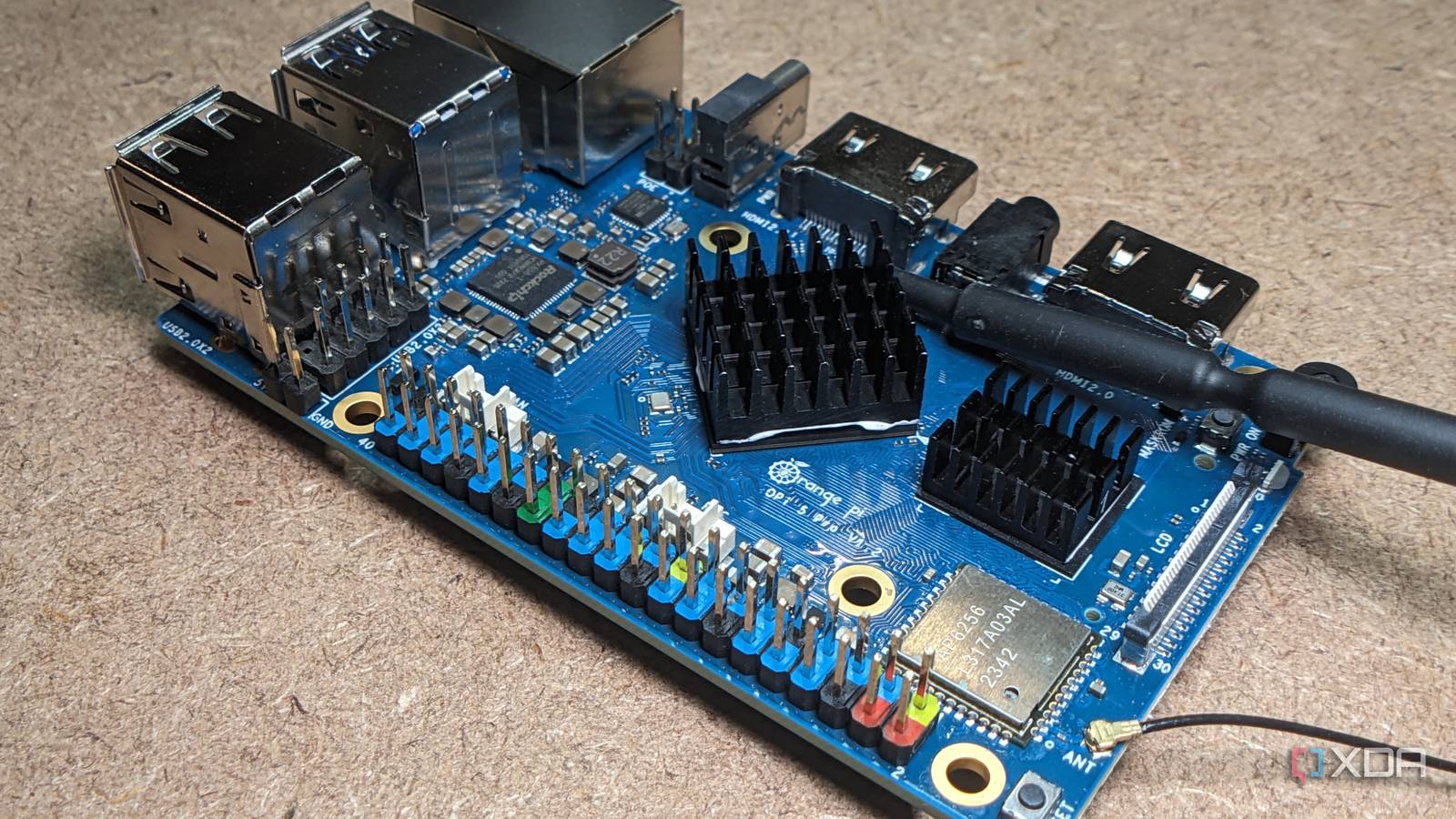
The Raspberry Pi still dominates most conversations about single-board computers, and I understand why. It’s familiar and well-supported, and there’s usually a guide somewhere for whatever strange project you’ve decided to attempt at 11 p.m. Orange Pi doesn’t quite have that same safety net, but the hardware has become hard to ignore. Some of these boards now have enough CPU power, memory, networking, storage, and dedicated acceleration to make “Raspberry Pi alternative” feel like an understatement. Orange Pi hardware has moved well beyond basic projects These boards pack considerably more hardware than expected inside The Orange Pi 5 family is where I stopped thinking of Orange Pi as just another pile of inexpensive SBCs. Boards built around Rockchip’s RK3588 and RK3588S combine four Cortex-A76 performance cores with four Cortex-A55 efficiency cores, and the full RK3588 adds a Mali-G610 GPU plus an NPU rated for up to 6 TOPS. Orange Pi also offers several versions of that hardware, rather than forcing everyone into a single fixed configuration. Even the original Orange Pi 5 can be had with up to 16GB of RAM, which already puts it well beyond what I’d call a basic tinkering board. Getting Linux to boot is not the same as having every port, accelerator, GPU feature, camera interface, and peripheral working exactly as you expected. The Orange Pi 5 Plus pushes that even further. It’s available with up to 32GB of LPDDR4X memory, has two 2.5GbE ports, and includes M.2 expansion for both storage and wireless connectivity. There are also eMMC options up to 256GB, so you’re not automatically stuck treating a microSD card as the main system drive. Once you start adding those pieces together, the board makes much more sense as a small server or desktop than as something destined to blink LEDs on a breadboard. The newer Orange Pi 6 Plus builds on that idea again, with memory configurations up to 64GB and a much more capable NPU. At that point, the SBC label starts feeling a little misleading. You can still use the board for GPIO-heavy projects and compact embedded builds, but there’s enough hardware here to support far more ambitious work. That’s the part of Orange Pi I think gets missed most often when the conversation starts and ends with comparisons to Raspberry Pi. Storage and networking make them useful beyond tinkering Fast interfaces open the door to serious server workloads The processor is easy to focus on, but storage and networking are what make some Orange Pi boards genuinely useful as home servers. An M.2 slot lets you put the operating system, containers, databases, and application data on NVMe storage instead of relying on a microSD card for everything. On the Orange Pi 5 Plus, that sits next to dual 2.5GbE networking. That combination changes what I’d actually consider running on the board. Many small server workloads don’t need a desktop-class x86 processor. A Docker host, DNS box, lightweight development server, or dedicated appliance can spend most of its life doing fairly modest work. What tends to get annoying first is slow storage or a network link that becomes the obvious bottleneck. Give an ARM board fast solid-state storage and multigigabit Ethernet, and it suddenly becomes much easier to justify leaving it powered on permanently. The amount of memory available also helps here. If you’re running several containers, 16GB or 32GB gives you room to spread out without constantly wondering which service needs trimming. NVMe keeps those services from feeling sluggish, while faster Ethernet gives the board more breathing room for file transfers or network-heavy jobs. None of this is exotic hardware anymore, but seeing it all on a single compact board is what makes the Orange Pi more interesting than I initially expected. Dedicated accelerators give Orange Pi another useful advantage The NPU creates options that ordinary SBCs cannot match Orange Pi also has hardware that isn’t just about throwing more CPU cores at a problem. The RK3588, used in several Orange Pi 5 models, includes an NPU rated at up to 6 TOPS and supports multiple numerical formats commonly used in AI workloads. That doesn’t mean you should expect workstation-GPU performance from a small ARM board. It does mean some local inference and edge AI projects can use dedicated hardware instead of dumping everything onto the CPU. That’s useful for computer vision, object recognition, automation, and projects where the board needs to sit close to a camera or sensor. Those are exactly the kinds of jobs where sending every task back to a larger server can feel unnecessary. The catch is that having an NPU on the board and getting your software to use it cleanly are two different things. This is where the Orange Pi story starts to get less tidy. The video hardware is similarly ambitious. RK3588-based Orange Pi boards advertise support for up to 8K video processing, and the Mali-G610 GPU offers far more graphics performance than many people expect from an SBC. That makes them interesting for media systems, display projects, and other graphics-heavy uses. But once again, the useful question isn’t whether the silicon can do it. It’s whether the operating system, drivers, and software stack you’re using can expose that hardware without turning setup into a research project. The Raspberry Pi ecosystem remains much easier to navigate Better documentation can matter more than faster hardware sometimes This is the part that makes Orange Pi difficult to recommend without a few warnings. Raspberry Pi has years of documentation, forum posts, tutorials, accessories, operating system support, and people documenting the exact mistake you’re about to make. When something goes wrong, there’s often a good chance someone has already broken it the same way. Orange Pi doesn’t have that same depth for every board, every peripheral, and every operating system combination. Orange Pi does provide official images, schematics, documentation, and support for distributions such as Debian and Ubuntu on many of its boards. Projects like Armbian also support a growing range of Orange Pi hardware, including RK3588-based models. That’s enough to make these boards practical Linux systems, not just curiosity hardware. Still, support can vary by model and kernel, so I’d want to verify the exact feature I care about before ordering anything. Check software support before you buy the board. Orange Pi specifications can look fantastic on paper, but the feature that matters most is the one your operating system and kernel actually support. If you’re buying a board for its NPU, GPU acceleration, camera interfaces, or another specialized feature, verify that your intended software stack can use it before placing the order. That distinction matters more than it sounds. Getting Linux to boot is not the same as having every port, accelerator, GPU feature, camera interface, and peripheral working exactly as you expect. The frustrating part is that you often don’t discover the difference until you’re already deep into the project. A spec sheet can tell you what hardware exists, but it can’t tell you how much digging you’ll have to do before that hardware becomes useful. The right project makes Orange Pi worth learning The rougher software experience is a real disadvantage, but I don’t think it outweighs the hardware argument. It mostly changes who should buy one. If you want the shortest path from unboxing to following a polished tutorial, Raspberry Pi is still the safer option. If you don’t mind checking compatibility first and doing some troubleshooting, Orange Pi starts to make a lot more sense. I also wouldn’t buy one just because the numbers are bigger. The better reason is that a specific board has something your project actually needs, whether that’s dual 2.5GbE, more than 8GB of RAM, NVMe storage, or an NPU. Those are concrete advantages, and they can easily justify some extra setup work. Buying the highest-spec Orange Pi you can find without a clear workload is how you end up paying for hardware features you never manage to use properly. That’s why I think Orange Pi fits experienced tinkerers and home lab users especially well. If you already expect to check kernel support, compare OS images, read through documentation, and change direction when a feature doesn’t behave as expected, the ecosystem gap is much easier to tolerate. You’re giving up some convenience, but you’re also getting hardware choices that can fit certain workloads better than the default SBC recommendation. That’s a worthwhile trade when you know why you’re making it. Orange Pi rewards knowing exactly what you need Orange Pi isn’t going to displace Raspberry Pi just by adding more RAM, faster networking, and stronger processors to a board. The software ecosystem matters too much, especially when you connect unusual hardware or rely on specialized acceleration. Raspberry Pi’s biggest advantage is still everything wrapped around the board, from tutorials to accessory support to years of accumulated fixes. Orange Pi asks you to trade some of that comfort for more aggressive hardware. I still think that trade is easy to justify in the right project. An Orange Pi can be a very capable, compact server, development system, AI platform, or specialized appliance if its hardware aligns with what you want to run. I’d resist choosing one based on the specification sheet alone. Start with the workload, verify the features you need, and then Orange Pi becomes much more compelling than its place in the SBC conversation suggests. Orange Pi 5 Pro 16GB LPDDR5 8/10 Brand Orange Pi CPU Rockchip RK3588S (octo-core 2.4GHz) Memory 16GB LPDDR5 Operating System Orange Pi OS (Droid), Orange Pi OS (Arch), Ubuntu, Debian, Android 12 Armed with a powerful RK3588S chip, the Orange Pi 5 Pro handily beats some of the best SBCs out there, including the Raspberry Pi 5. Performance-wise, it's easily at the top of the SBC charts, and with its built-in NPU, this tiny SBC can even handle AI-oriented tasks.
Orange Pi boards have become serious home servers, but the software side hasn't caught up
Full Article
Original Source
Read the full article at Xda-developers →KhanList aggregates and links to publicly available news content. We do not host full articles from third-party sources. Always verify important information with original sources.