
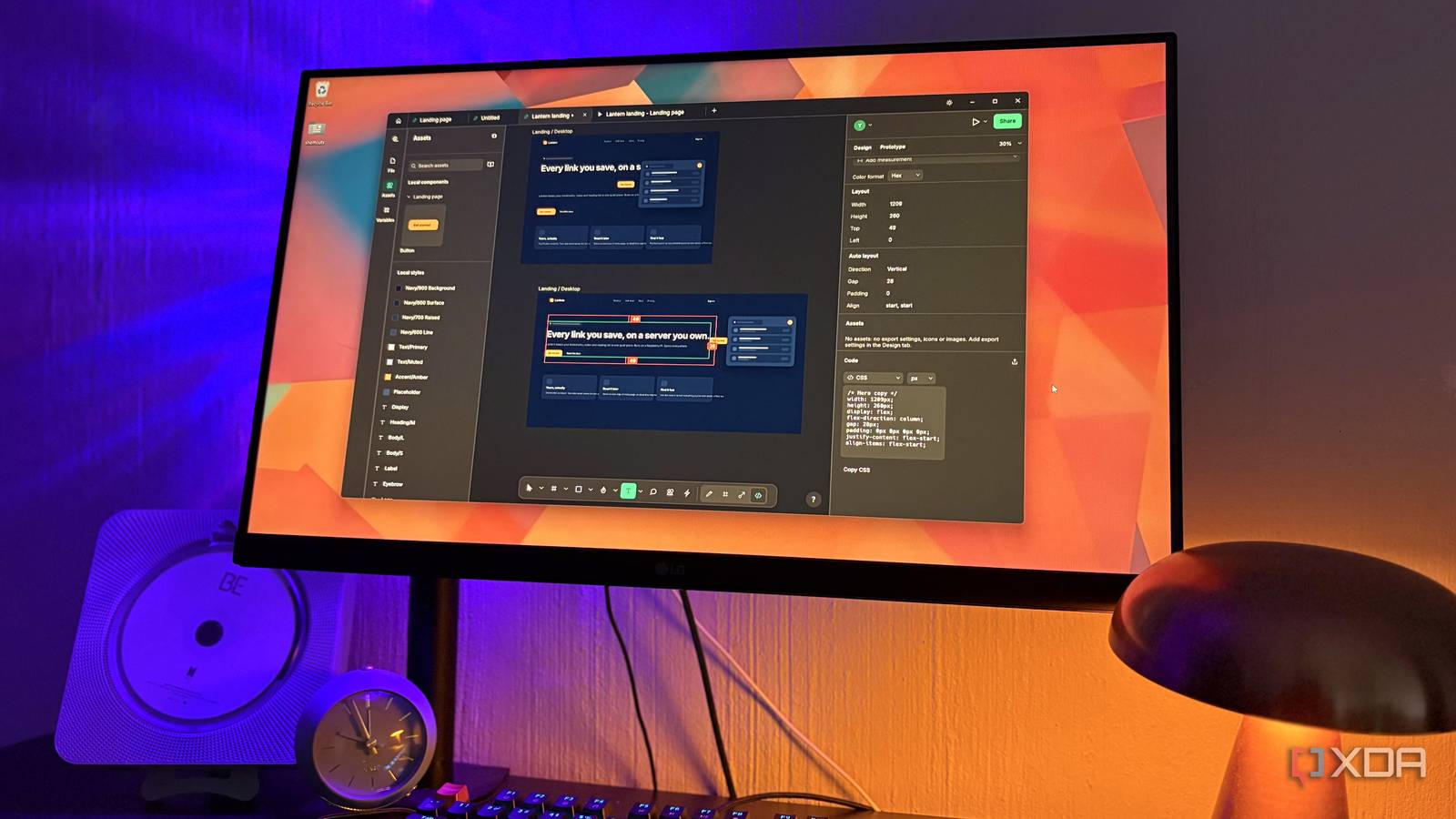
Published Nov 18, 2026, 4:01 PM EST Nolen began their writing career in 2019, with three years dedicated to editing the Creative section at MakeUseOf. Their expertise lies at the crossroads of technology and creativity, covering areas like photography, video editing, and graphic design. Outside of work, you'll often find Nolen diving into a good book, writing their own stories, or playing video games. It used to be the case that choosing an open-source app over the paid version came with an unspoken deal. You skip the subscription in exchange for an interface that looks like it's from ten years ago, and spend your evenings on forums trying to figure out why a feature isn't behaving. Many are actually perfectly fine with that trade, myself included to an extent. That deal has been looking a lot less one-sided this year though. Free open-source tools keep turning up in categories where the paid apps felt untouchable, and some of them are even nicer than what they're trying to copy. RapidRAW for photo editing A Lightroom alternative that's easy to use RapidRAW is a free, open-source raw photo editor from developer Timon Käch, and it's built with Lightroom users in mind. The download is tiny, and the first thing it asks you to do is pick a folder of photos. All the sliders are named the same as Lightroom's too, so I was editing pretty much straight away. This is probably the easiest Lightroom alternative I've ever used, because most of them are pretty quirky and complex, such as RawTherapee and Darktable. Most of the functionality is the same with tools for corrections, grading, masking, and filtering, but the AI tools really impressed me. Clicking on a subject or the sky masks it for you, and that's probably most of what I ever used Lightroom's masking for anyway, plus there's AI denoising. These built-in AI features run on your own computer, and each model downloads from Hugging Face (a site that hosts AI models) the first time you use a feature that needs it. Object removal is available through RapidRAW Cloud or a self-hosted ComfyUI setup. RapidRAW OpenCode for AI coding and admin A coding agent for people who'd rather click than type OpenCode is an open-source AI agent, meaning it can read and edit files on your computer and run tasks for you, much like Claude Code. It built its reputation in the terminal, but there's a desktop app now for Windows, macOS, and Linux, and this is what I prefer personally, over CLI tools. The app itself is free. What you pay for is the model, and OpenCode connects to over 200 providers, local models included, or to its own Zen service, which has a few free models alongside pay-as-you-go ones. This option to plug in any model you want is what makes it so appealing, so you can keep the entire workflow local, use a free model, or use a pay-as-you-go flagship model from the big players like Google and OpenAI. This way I can save the pricier models for jobs that really need them, and keep everything else local and free. Just keep in mind that Anthropic doesn't allow Claude Pro or Max subscriptions in third-party tools, so using Claude here means paying separately for API access only. Oddly, my ChatGPT Plus plan does work in it, since OpenAI officially lets you sign in with it. OpenCode FigCraft for interface design A Figma twin FigCraft comes from ArtCraft, a studio developed by Brandon Thomas that's been releasing free, open-source rebuilds of paid creative apps one after another, and this one is their take on Figma. It runs as a native app on Windows, macOS, and Linux (there's a browser version too), and you don't need an account to use it at all. I used to call Penpot a mirror of Figma, and it kind of is, but this one looks even more similar, so there will be nothing to relearn. Vector networks made the cut, which is the Figma pen tool trick where one point can connect to more than two lines. Bringing old work over is still hit and miss, though version 0.7 added pasting straight from Figma's clipboard, plus an import report that tells you what didn't come across. Plugins also run sandboxed, so they can't touch your files or reach the internet. You can name versions in the history and branch a file to try out an idea, then review it and merge it back once you're happy with it. Comments pin to frames with replies and mentions, and if you ever need to hand a file back to someone on Figma, you can save a copy as a .fig, though that part is still experimental. It's not entirely there yet, but this is probably the closest to a Figma alternative that we'll get as more updates start rolling in. FigCraft OpenKnowledge for notes And it plays well with my open-source AI stack too OpenKnowledge is a free, open-source markdown editor from a company called Inkeep, made for notes that you and an AI agent both work on. The first time you open a project in the desktop app, OpenKnowledge can detect LM Studio and then it sets up its own MCP server there, which is the connection that lets a local model search and edit your notes. You still have to switch that server on in LM Studio's Program tab, and the model you chat with needs to support tool use. I really like that every document keeps a timeline, and every edit in there is labeled with who made it, which will be either you or a specific agent. So if an agent rewrites something you liked better before, you can roll the note back to an earlier version from there. And beyond that it has all your regulars for note formatting, including tables and inserts. The desktop app is Apple Silicon only on Mac, though. Intel Mac users have to run the web version from the command line instead, and that needs Node.js 24 and git installed. OpenKnowledge Paying used to feel like the grown-up choice Paying for software used to feel like the right thing to do, at least if you wanted high-quality tools or did any kind of serious work. Two of these four are still officially unfinished, and I'm keeping copies of anything I care about, but none of them has made me miss the subscription I'd be paying instead.
Open-source replacements used to mean settling for less, but the ones I switched to this year are just better
Full Article
Original Source
Read the full article at Xda-developers →KhanList aggregates and links to publicly available news content. We do not host full articles from third-party sources. Always verify important information with original sources.