
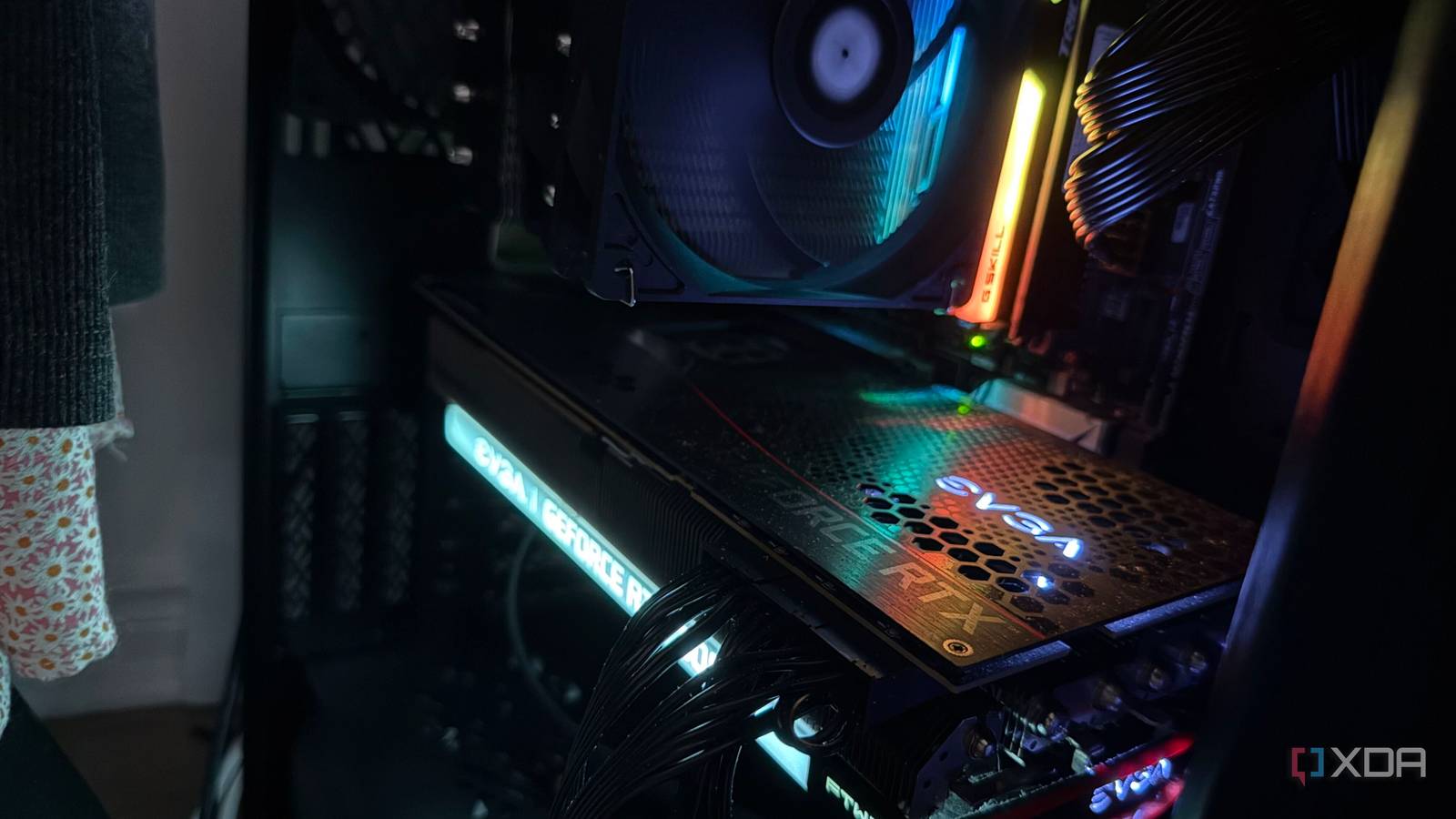
Published Sep 14, 2026, 12:00 PM EDT His love of PCs and their components was born out of trying to squeeze every ounce of performance out of the family computer. Tinkering with his own build at age 10 turned into building PCs for friends and family, fostering a passion that would ultimately take shape as a career path. Besides being the first call for tech support for those close to him, Ty is a computer science student, with his focus being cloud computing and networking. He also competed in semi-pro Counter-Strike for 8 years, making him intimately familiar with everything to do with peripherals. Gaming GPUs used to live a singular life in the hands of the original owner, being used for gaming before being usurped by a bigger, faster card. It's then relegated to dust collecting duty, or (hopefully) sold to another owner. These days, though, gaming cards are wanted for far more than just pushing out frames. Gaming benchmarks hardly tell the full story of what an old card can be used for, and even though my RTX 3080 fell behind in the latest titles, it pulls duty in my home server, where it's very well suited for the jobs I give it, including local LLMs. Local AI cares about memory and bandwidth Things that don't matter as much for games Running a local LLM is likely one of the most demanding jobs a home server can be tasked with, and it also happens to be where it diverges the most from gaming performance. Generating each token means reading the model's weights out of VRAM, and that makes speed of generation heavily reliant on memory bandwidth. VRAM is usually the key spec for GPUs hosting local AI, but it only really determines if a model fits at all. Something like shader throughput matters much less here, even if its what aged the card for gaming purposes in the first place This gives a unique advantage to an high-end card like the RTX 3080, as its the GDDR6X and 320-bit bus give it 760GB/s of bandwidth. With that said, it only has 10GB of that memory, which fits models in the 7B to 8B range at 4-bit quantizations with room left for context, but 14B and above starts to get tight. With that said, models like Gemma 4 12B and Qwen3 14B do run on this card without much of an issue, they're just not as snappy. If you're on a Pascal-era card like the GTX 1080 Ti, you can absolutely still use it for LLMs and local inference, but the true limitation is the bandwidth with those older cards. Immich and Jellyfin don't require a GPU, but they benefit heavily from one An old gaming card is perfect for this While an LLM and local inference are going to be much heavier on the GPU than most things you decide to host, there are other services that can benefit quite a bit from a decommissioned gaming card. Immich, a self-hosted photo and video library service, has a smart search function as well as facial recognition that lean on the GPU. These are much lighter than an LLM and do most of their work during an initial crawl of a library and during new uploads, and it runs on the RTX 3080's CUDA without touching my CPU. If you have an AMD or Intel GPU, Immich offers ROCm and OpenVINO backends for each of them respectively. Jellyfin is the other workload, and while my home server would probably be fine without the GPU in this particular instance, the addition of a discrete one like the 3080 helps a lot. Transcoding runs on NVENC and NVDEC, which run completely separately to anything else on the core, and, once again, has nothing to do with its gaming performance whatsoever. I could perform encoding duties on my server's CPU, the i7-6700K, thanks to its support for Intel Quick Sync, and most of the people who use my media server would be none the wiser, but the more I can offload to the GPU, the better. Installing it and using it is nothing akin to a gaming card A completely different process Specs are really only scratching the surface of what makes server equipment different from gaming-specific hardware, but the overlap is what makes the latter good for home servers. A gaming card might be tuned specifically for peak performance with a display attached, but when installed correctly, it's really not that different to a server card. Firstly, on Linux, NVIDIA's driver deinitializes a GPU once the last program using it exits, and that adds a decent amount of startup latency to the next job and discards any settings it considers non-persistent. The fix for this is the persistence daemon which keeps the driver attached, so the next time a transcode stream or facial recognition batch gets handed off, your GPU is ready for it. Power limits are the other easy win, especially on a card like this. My EVGA FTW3 card has a couple of different VBIOS on-board, and while I liked the 117% power limit that the overclocking VBIOS had when I was using it in my main rig, swapping it back over to the regular VBIOS is a good start. Setting an even lower power limit in Linux with nvidia-smi allows for lower power draw and thermals while under load in exchange for a little bit of peak performance, which is the sensible trade-off for a card that runs around the clock. It doesn't stay through a reboot though, so changing it via a startup service is the best move. On Proxmox, you can share one card across LXC containers or pass it through to a single VM. Containers all use the host's kernel driver, with a matching userspace driver installed inside each one. I share the 3080 across containers, which is what lets a single card serve Immich, Ollama, and Jellyfin at once. Give your gaming card a new lease on life My RTX 3080 can still push decent framerates, but its best gaming days are definitely behind it. Now, it's a great engine for local AI and transcoding at home, which is more than it would be doing otherwise. Even if it's quite old, like a Pascal-era card, it can still absolutely be effective at both of those, you just have to make the right tweaks and set your expectations accordingly.
Old GPUs work perfectly in headless home servers once you stop treating them like gaming cards
Full Article
Original Source
Read the full article at Xda-developers →KhanList aggregates and links to publicly available news content. We do not host full articles from third-party sources. Always verify important information with original sources.