
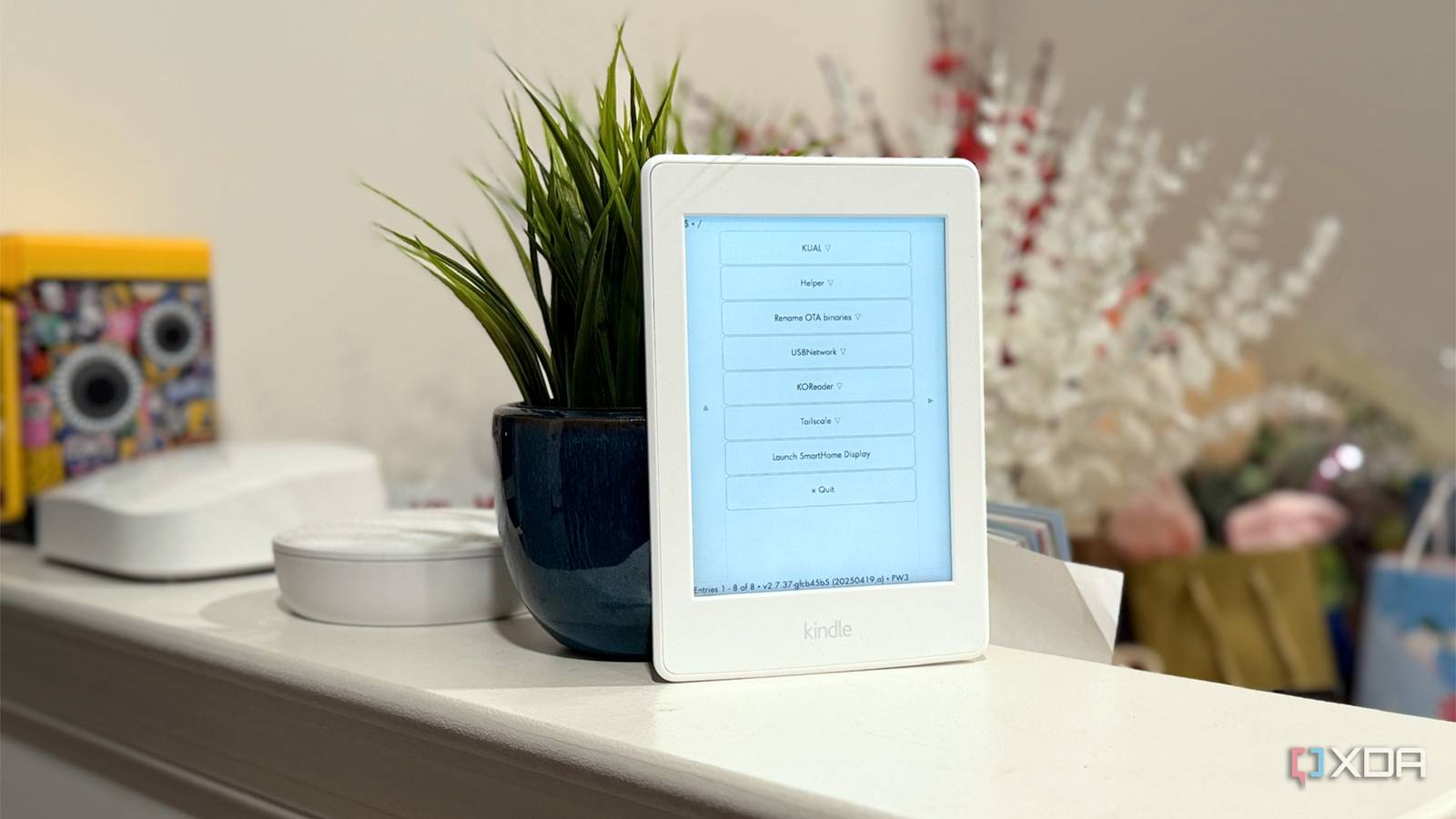
Published Oct 3, 2026, 8:00 PM EDT Maker, meme-r, and unabashed geek, Joe has been writing about technology since starting his career in 2018 at KnowTechie. He's covered everything from Apple to apps and crowdfunding and loves getting to the bottom of complicated topics. In that time, he's also written for SlashGear and numerous corporate clients before finding his home at XDA in the spring of 2023. He was the kid who took apart every toy to see how it worked, even if it didn't exactly go back together afterward. That's given him a solid background for explaining how complex systems work together, and he promises he's gotten better at the putting things back together stage since then. My 2015 Kindle Paperwhite is officially out of support, and Amazon won't be sending it another update. On paper, that makes it e-waste with a nice screen. But that ignores something important about every E Ink Kindle Amazon has ever sold. It runs Linux. It always has. Once I jailbroke it and logged in as root, that old Paperwhite turned into a tiny ARM computer with a touchscreen, a front light, and Wi-Fi. It now runs a current build of KOReader, an Alpine Linux chroot, and has spent time on my wall as a touchscreen Home Assistant display. Amazon stopped updating my Kindle, but the Linux underneath never left A frozen firmware is the best thing that can happen to a jailbreak The Kindle Paperwhite 3 launched in June 2015, and Amazon has supported it for a long time by gadget standards. Since 2021, Amazon has promised at least four years of security updates after a Kindle was last sold on its own store. That's fair for an e-reader, but the clock always runs out. For my Paperwhite, it ran out in 2023. When firmware 5.16.3 arrived that August, older Kindles stopped getting updates, and mine is frozen on 5.16.2.1.1. The Linux kernel underneath was built on August 1, 2023, which makes it one of the last things Amazon ever compiled for this device. Here's the thing: on a current Kindle, jailbreaking is a race against Amazon's over-the-air updates, and every new firmware can close the hole you used. Even the newest browser-based jailbreak, Véra, only works up to a specific firmware version on supported models. My Paperwhite will never get another update. Whatever jailbreak works today will still work in five years, and nobody at Amazon will patch it shut. An unsupported Kindle is a frustrating e-reader to own, but it's the perfect one to tinker with. Root access shows you exactly how Amazon built it Jailbreaking doesn't replace the OS, it hands you the keys There's a common misconception that you have to "flash Linux" onto a Kindle. You don't, and on most models you can't. postmarketOS can replace the whole OS on a Kindle 4, but it leaves you with a worse e-reader. A jailbreak takes a much simpler route: it gives you root on the Linux system Amazon already ships. My Paperwhite already had KUAL (the Kindle's homebrew launcher) and USBNetwork, which turns the USB cable into a network link. Getting SSH working still took me longer than I'd like to admit. My keys live in 1Password, not in a file, so SSH had nothing to offer and kept asking for a root password. Once I saved the public key where SSH expected it, I had a root prompt over USB. The first thing I ran was an inventory. It's a fascinating snapshot of a 2015 gadget: Component What the Kindle reports Firmware 5.16.2.1.1 Kernel Linux 3.0.35-lab126, built August 1, 2023 SoC Freescale i.MX 6SoloLite on a board Amazon calls "Wario" CPU One ARM Cortex-A9 core at roughly 1GHz, with NEON RAM 502MB, no swap, 213MB available with the stock UI idle System partition 437MB, 92% full User storage 3.0GB usable That's a kernel line from 2011, which Amazon kept patching and rebuilding right up to the end. The biggest single user of memory is Amazon's reader app, KPPMainApp, which holds 66MB of RAM even when nothing is open. Sure, a single core and half a gigabyte isn't much, but it's plenty for a box that only needs to draw text on an E Ink screen. eips, LIPC, and a KOReader that still gets updates With root, Amazon's device becomes yours. The Kindle talks to its hardware through an internal message bus called LIPC, and you can poke it straight from the shell. One command reads the battery level, and another sets the front light anywhere from 0 to 24, so I flashed mine to full and back off from my desk just because I could. The tool that sold me is eips, which draws text directly on the E Ink panel. Type this over SSH, and your words land straight on the screen: eips 5 20 "Hello from SSH - this Kindle runs Linux" Then there's KOReader, which is the reason most people jailbreak in the first place. It handles EPUBs, PDFs, and comics far better than Amazon's reader, and it updates itself over Wi-Fi. Mine jumped from a December 2025 nightly to v2026.07.2, a stable build from this summer, in a few minutes. Amazon gave up on this hardware in 2023, and the open-source community is still shipping it current software. The update did leave an 84.2MB package behind, though, which is a hefty chunk of the few GB that my Kindle has for total storage. Newer Kindles have the storage to run Alpine properly The most ambitious thing you can run is a full Alpine Linux chroot, and the alpine_kindle project lists the Paperwhite 3 as its only tested device. It uses a 2GB disk image, which took my free space from 2.4GB down to about 425MB. It works, too. It mounted and dropped me into a shell, with 237MB of RAM to play with and Python 3.7.4 and Chromium already installed. But that image is an Alpine development snapshot from August 2019. Alpine has rotated its package-signing keys since then, so every repository returns an UNTRUSTED signature error, and you can't install anything new. I also tried the launcher's own updater, hoping it would fetch something newer. It warned me it would use 98% of my free space, deleted my working image, rebuilt it over nine minutes, left me with 39.6MB free, and delivered the exact same 2019 build. That's where newer Kindles win. Models with 16GB or more of storage can fit the same 2GB image without sacrificing your library, and current jailbreaks like Véra cover the Paperwhite 5 and 6 (both Colorsoft models) and the 2022 and 2024 Scribes. Storage makes Alpine practical, though, not fast. A forgotten Kindle makes a brilliant touchscreen Home Assistant panel Although I had to port it from the Paperwhite 2 to the Paperwhite 3's sharper screen Home Assistant made my Paperwhite more useful than when it was new. I run a fork of 1RandomDev's kindle-smarthome-dashboard, which turns a Kindle into a live, tap-to-toggle Home Assistant panel. Most Kindle dashboards just display a screenshot of your Home Assistant dashboard on a timer. This one keeps a live connection, so tapping a button actually switches a light, and changes in Home Assistant show up on the E Ink screen without waiting for a refresh timer. The upstream project only supports Paperwhite 2, and its layout assumes that model's 1024x758 screen. The Paperwhite 3 panel is 1072x1448, so I pinned the layout to 1448x1072 in landscape and scaled the spacing and fonts up by roughly 1.41x. I also switched brightness control to the LIPC front-light command, because the raw backlight path differs between Kindle models. Running isn't the same as working The dashboard needs a small Node.js proxy that translates the Kindle's ancient WebSocket support into something modern Home Assistant understands. I moved it into an LXC on Proxmox on the same host as my Home Assistant VM, and systemd happily reported it as running for four days. It wasn't working at all. Node 20 on Debian 13 needs a flag to enable its built-in WebSocket client; Home Assistant had moved to a new IP address; its access token was no longer valid; and the Kindle's token didn't match the proxy's. That last one was the sneakiest, because the proxy silently refused the Kindle and left ten dead connections hanging. Lesson learned: check the logs, not the status light. The other catch is power. That live connection keeps the Kindle from ever going to sleep, so the battery drains quickly, negating one of the benefits of E Ink. The upstream project suggests a small hardware mod that feeds USB power straight to the battery terminals, but keeping it on a charger works too. Is it worth jailbreaking an old Kindle? An unsupported Kindle has nothing left to lose, and frozen firmware means your jailbreak will keep working forever. Mine went from an abandoned e-reader to an SSH-accessible Linux box that reads books better than it did new and doubles as a smart home panel. Just go in with realistic expectations. You get a 2023 kernel, a 2019 Alpine image, and a single 1GHz core, so this is a tinkering platform, not a tablet replacement. Check your firmware version under Settings -> Device Options -> Device Info before you start. If your old Kindle is gathering dust, there's a surprisingly capable Linux computer hiding inside it. Home Assistant OS Windows, macOS, Linux iOS compatible Yes Sometimes the best screen for Home Assistant is one you already have in a drawer.
My unsupported Kindle runs Linux now, and it's more useful than when it was new
Full Article
Original Source
Read the full article at Xda-developers →KhanList aggregates and links to publicly available news content. We do not host full articles from third-party sources. Always verify important information with original sources.