
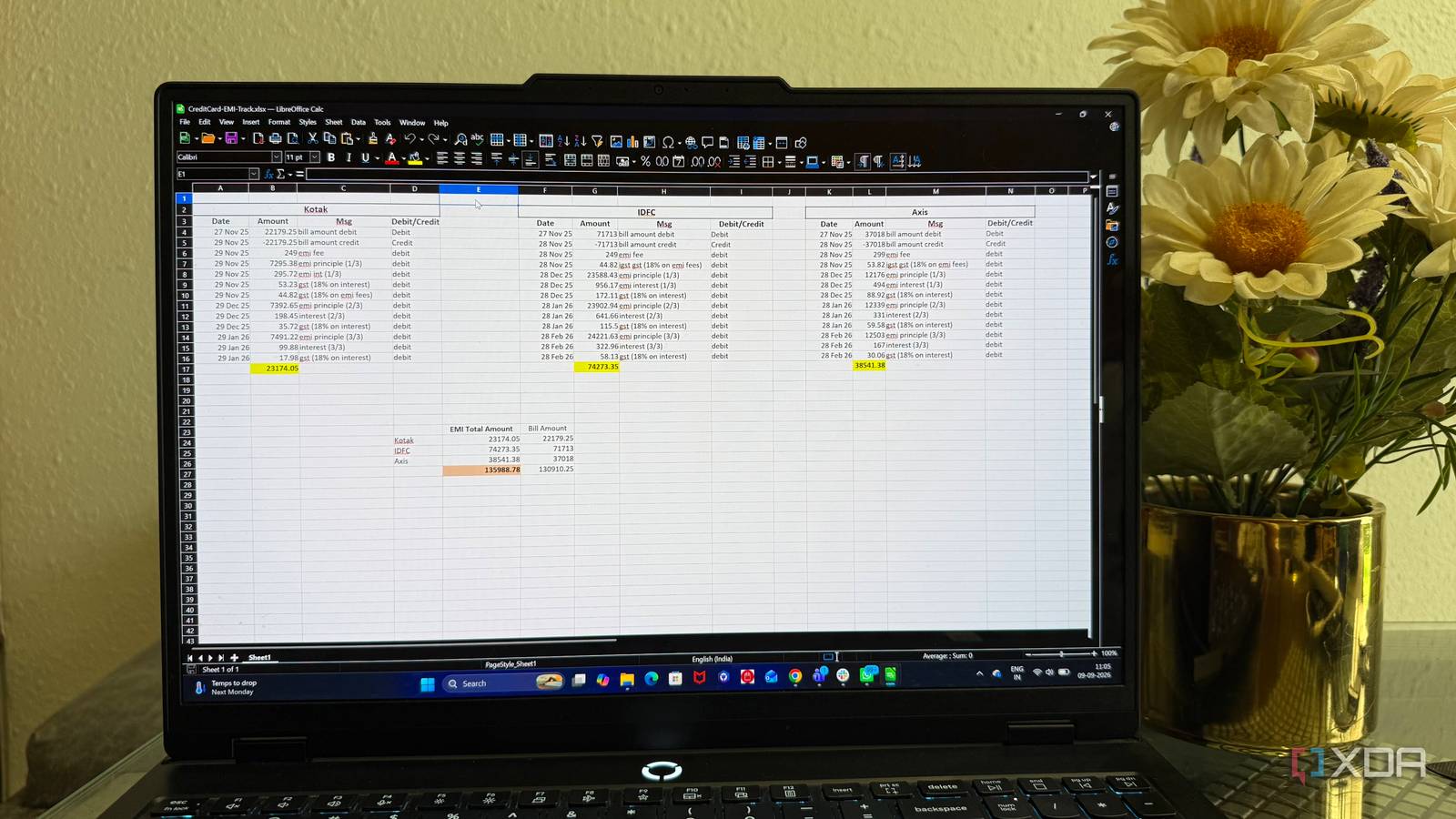
Published Sep 10, 2026, 10:30 AM EDT Beginning his professional journey in the tech industry in 2018, Yash spent over three years as a Software Engineer. After that, he shifted his focus to empowering readers through informative and engaging content on his tech blog – DiGiTAL BiRYANi. He has also published tech articles for MakeTechEasier. He loves to explore new tech gadgets and platforms. When he is not writing, you’ll find him exploring food. He is known as Digital Chef Yash among his readers because of his love for Technology and Food. I used Microsoft Excel for years because it was the spreadsheet tool I already knew. But over time, I started wondering if I really needed to keep using it. I didn't want to spend time learning a completely different spreadsheet app either. I just wanted something practical that I could install, open, and use without adding another dependency to my setup. I tried a few alternatives, including Google Sheets, but eventually found myself sticking with LibreOffice Calc. It wasn't a dramatic switch or a decision I made overnight. It simply turned out to be the spreadsheet app that made the most sense for me. LibreOffice Calc became my go-to spreadsheet Familiar enough to feel effortless LibreCalc felt familiar enough that I could start using it without having to relearn how spreadsheets work. Rows, columns, formulas, sheets, formatting, and the usual spreadsheet tools were all where I expected them to be. I could open an existing workbook, make changes, and get on with what I needed to do without spending time figuring out a completely different approach. I also liked that Calc didn't try to make me change the way I think about spreadsheets. I wasn't looking for something radically different from Excel. I simply wanted a capable replacement that didn't make me feel like I was giving up the spreadsheet features I had become accustomed to. After using it for a while, Calc stopped feeling like an alternative I was testing and became the spreadsheet application I naturally reached for. It doesn't care whether I'm online Offline access is built right in One thing I really like about Calc is that it doesn't care if I'm online or not. I can open it and start working without first checking my internet connection. I've used it when my internet was down and while traveling, and it never really mattered. Calc just opened and worked as usual. I don't have to wait for anything to load or worry about losing access because my connection isn't working. If I have a spreadsheet on my computer, I can open it whenever I need it. This comes in handy for those small tasks where I just need to check a number, change something, or update a few cells. It feels unnecessary to depend on an internet connection for something that simple. Smoothly handles my spreadsheet workflow It has more than enough for me Calc handles pretty much everything I normally expect from a spreadsheet. I don't use spreadsheets for anything too complicated, but I still want the basic tools to be there when I need them. I regularly use formulas for calculations, and Calc supports the common functions I rely on. Sorting and filtering are also straightforward when I'm dealing with a longer list of data. I can quickly find what I need without doing much extra work. I also make use of charts when I want to turn a table of numbers into something easier to understand. Pivot tables are useful when I need to group or summarize a larger set of data, while conditional formatting helps me highlight important values. Another thing I like is the support for different file formats. I can work with Excel files, CSV files, and Calc's own spreadsheet format without having to convert everything beforehand. Calc also includes tools like data validation, named ranges, multiple sheet management, and basic macro support. I don't use all of these every day, but it's good knowing they're available when a spreadsheet gets a little more involved. Looks a bit old-school Open-source benefits overpower the interface Calc isn't the prettiest spreadsheet app I've used. The interface definitely feels a little old-school, especially compared with newer apps that put more effort into modern design. Some menus and buttons look like they came from an older generation of desktop software. At first, that bothered me a little. I was used to cleaner interfaces, so Calc took some getting used to. But after spending more time with it, I stopped noticing it as much. What helped was remembering why I chose Calc in the first place. It's open-source, free to use, and I don't have to pay for a subscription just to keep using it. I can also install it on different computers without worrying about another license. Those things matter more to me than having a perfectly polished interface. I'd rather put up with a slightly dated look and have software that gives me that freedom. The spreadsheet I stopped thinking about For me, the best Excel alternative wasn't the one with the most features or the most modern design. It was the one that simply fit into my routine without getting in the way. LibreOffice Calc has become that kind of tool for me. I don't have to think about whether I'm using the “right” spreadsheet app anymore. I just open it and get the work done. It may not win any design awards, but that has become less important to me over time. Sometimes, reliable software that stays out of your way is exactly what you need. LibreOffice Individual pricing Free Platforms Windows, macOS, Linux LibreOffice is one of the most complete Microsoft Office alternatives, and it's entirely free and open-source. It gives you various different tools for various use cases, including Math and Draw tools for advanced users.
My spreadsheet workflow changed when I ditched Excel for open-source tool that I can run offline
Full Article
Original Source
Read the full article at Xda-developers →KhanList aggregates and links to publicly available news content. We do not host full articles from third-party sources. Always verify important information with original sources.