
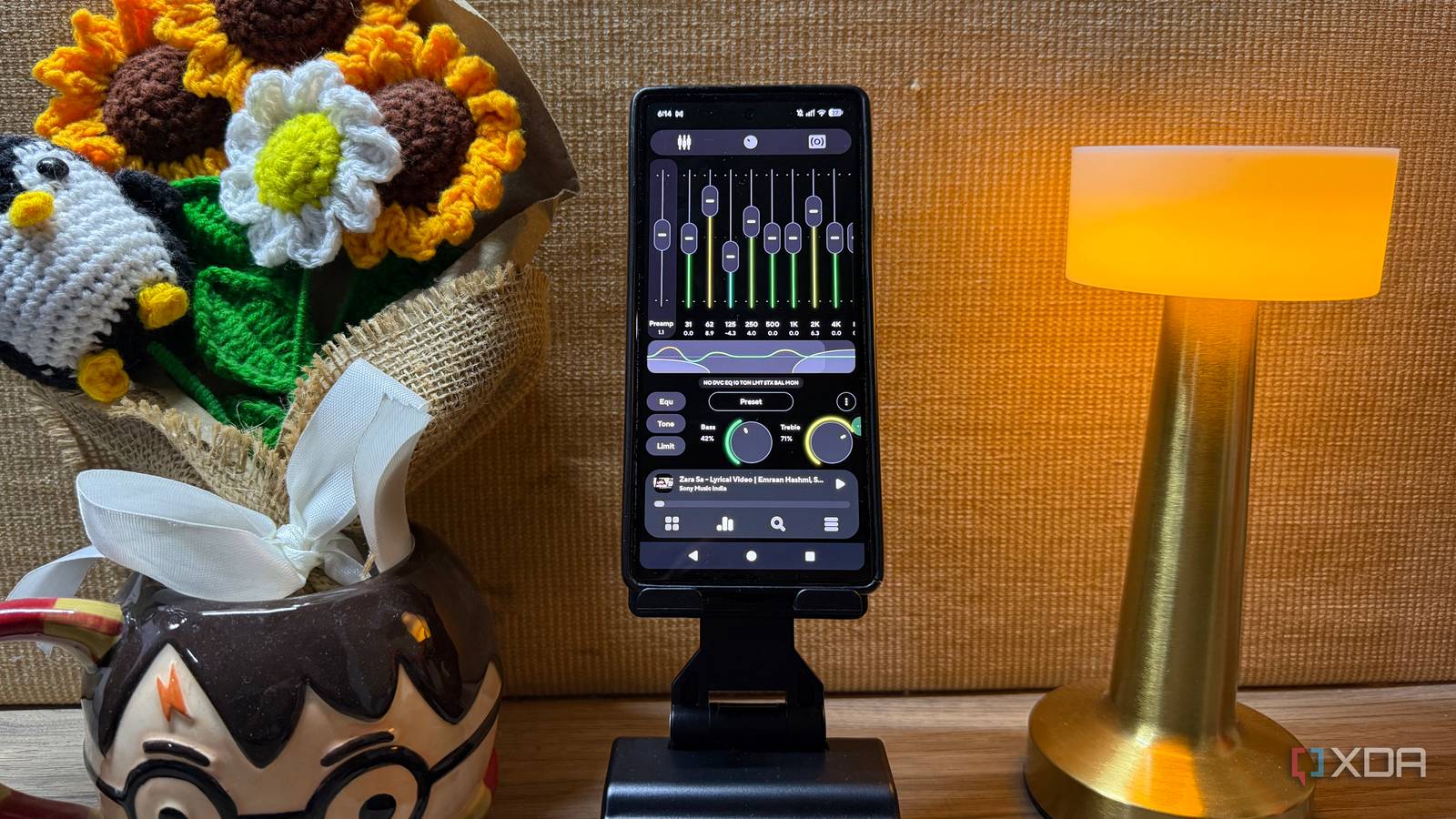
Published Nov 26, 2026, 12:30 PM EST Beginning his professional journey in the tech industry in 2018, Yash spent over three years as a Software Engineer. After that, he shifted his focus to empowering readers through informative and engaging content on his tech blog – DiGiTAL BiRYANi. He has also published tech articles for MakeTechEasier. He loves to explore new tech gadgets and platforms. When he is not writing, you’ll find him exploring food. He is known as Digital Chef Yash among his readers because of his love for Technology and Food. Spotify had been my default music app for years, but I eventually started questioning whether I needed a streaming service for everyday listening. I wanted something that gave me more control over how I listened to music. That's when I decided to replace Spotify with Poweramp. I expected it to be a temporary experiment, but it quickly earned a permanent place on my phone. Local music playback beats streaming An old-school music player that still gets the job done Poweramp has been around since 2010, long before music streaming became the default way to listen to songs. While many Android music players have come and gone, this one has continued to evolve without losing its original purpose. It is a dedicated offline music player designed for people who prefer keeping their music collections on their devices rather than depending entirely on streaming services. Unlike Spotify, Poweramp doesn't provide access to a massive streaming catalog. You need to have your own music files stored on your device. That might seem limiting at first, but it also means you don't need a monthly subscription to listen to your collection. Poweramp supports a wide range of audio formats, offers extensive library management, and includes several playback features that make everyday listening convenient. Its interface has also evolved over the years, so it doesn't feel like I'm using an abandoned app from another era. Its advanced equalizer makes music sound the way I want Fine-tune every beat with Poweramp's powerful equalizer Poweramp's equalizer is easily one of the biggest reasons this music player stands out. It offers a configurable graphic equalizer, including a 10-band layout, that lets me adjust individual frequency levels. Dedicated bass and treble controls provide even more room to fine-tune the sound. The ability to create and save custom presets makes it even more useful. I use different profiles for wireless earbuds, headphones, and car speakers. Instead of adjusting individual frequencies whenever I switch devices, I can simply select the profile I've already created. If you don't want to adjust everything manually, there are also ready-made presets to try. They're useful when switching between genres since the sound profile I prefer for electronic music isn't necessarily what I want for acoustic tracks. It's a level of flexibility that makes Poweramp feel less like a basic music player and more like a dedicated listening tool. Customization options make Spotify feel restrictive My music player, my rules Poweramp gives me far more control over the appearance of its interface than Spotify does. I can switch between Light and Dark skins, experiment with different player layouts, and adjust elements such as fonts, colors, and seekbar styles. These options make it possible to change more than just the app's overall theme. I particularly appreciate the options available for the album artwork and Now Playing screen. Since this is the screen I spend most of my listening time on, being able to adjust its appearance makes a difference. I can give the player a cleaner look or make the artwork more prominent, depending on what I prefer. The customization doesn't stop with the built-in options, either. Poweramp supports third-party skins, so I can explore completely different visual styles instead of being limited to the default design. Spotify has a polished interface, but Poweramp gives me considerably more control over how my music player looks. It also works great with Android Auto My offline music collection comes along for every drive Poweramp has become a great companion for my drives, thanks to its Android Auto integration. Once connected, my music library appears on the car's infotainment screen, where I can browse supported categories such as albums, playlists, and folders using the dashboard controls instead of handling my phone. Another advantage is that all my downloaded tracks remain accessible without an internet connection. This comes in handy on long highway drives, especially when mobile network coverage becomes unreliable. Gemini voice commands also make it easier to request songs without having to navigate through the library manually. The dashboard controls make common actions like skipping tracks, pausing playback, and changing playlists easy to manage. Since my music is stored locally, I don't have to worry about an unstable mobile connection interrupting a song halfway through a journey. Spotify still has the advantage when it comes to discovering new music, but Poweramp is a much better fit for playing the tracks I've already collected. I don't miss Spotify as much as I thought I would Switching away from Spotify felt like a bigger decision than it actually was. Poweramp showed me that I don't need a constantly changing catalog to enjoy the music I already love. Of course, it won't replace Spotify for everyone, especially those who rely on discovering new artists and exploring curated playlists. But for someone who already has a personal music collection, it offers a surprisingly complete experience. Poweramp Poweramp is an Android music player app with built-in equalization support that extends to Android Auto.
My Spotify subscription is gone, and a 15-year-old offline music player took its place
Full Article
Original Source
Read the full article at Xda-developers →KhanList aggregates and links to publicly available news content. We do not host full articles from third-party sources. Always verify important information with original sources.