
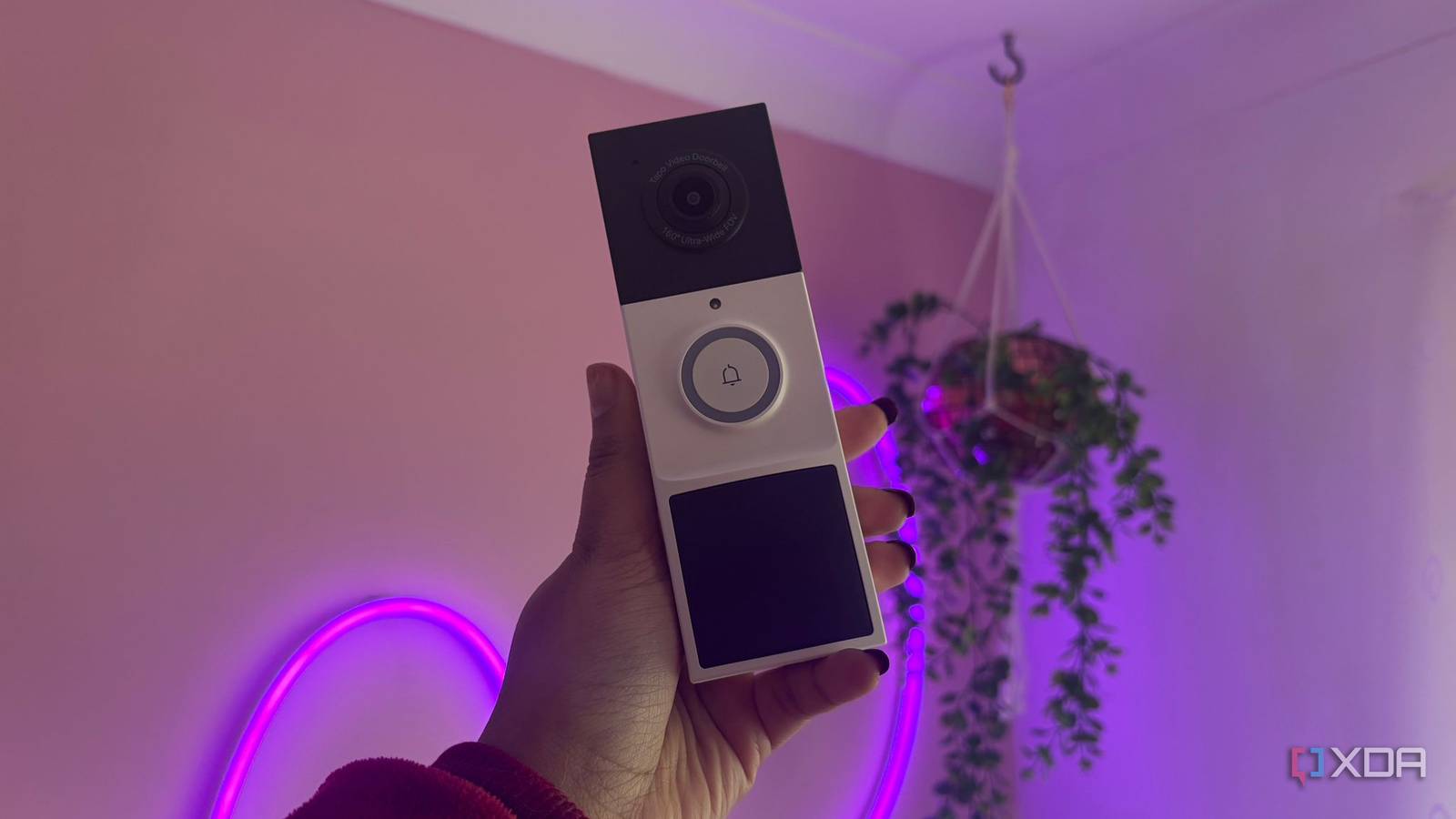
Published Nov 15, 2026, 5:00 PM EST Jasmine is Software and PC Hardware Author at XDA with years of tech reporting experience ranging from AI chatbots right down to gaming hardware, she's covered just about everything. Whether it's breaking news about the latest AMD NPUs or creating video tutorials on social media platforms, Jasmine has contributed to the world of AI and tech in a variety of ways including interviewing the CEO of Razer, AMD's Director of Product Marketing and the VP of Lenovo. Passionate about gaming and PC technology, she has built countless computers, keyboards and other peripherals - knowing them inside and out. For many entry-level smart doorbells, the financial reality is paying monthly to access all the features, whether it's Ring Protect or TP-Link's Tapo Care Cloud plan. It's starting to feel like monthly subscriptions are inevitable, so I decided to move video retention off a third-party cloud server and onto a device that's already in my home: my NAS. That way I can retain ownership of the footage and eliminate a recurring monthly charge. Although I originally thought this would be impossible (because my doorbell is a battery-operated unit that doesn't natively expose an RTSP or ONVIF stream), I was able to get its footage onto my NAS by working around firmware limitations rather than toggling a single switch. The hardware I was working with is mismatched My battery doorbell doesn't natively suffice The doorbell I was working with was the Tapo D210. It's a battery-powered doorbell from TP-Link that has built-in on-device AI, including motion, person, and vehicle detection, a feature that you still have access to even when you're not paying for Tapo Care. So long as you have a microSD card inserted into the device, it can automatically back up any video files locally. However, without Tapo Care, there's no second level of security, which is why I wanted to back up these video files to my NAS as well. While wired Tapo cameras and hardwired doorbells like the D130 expose an ONVIF Profile S service on TCP port 2020 and RTSP streams on TCP port 554, battery-only models like the Tapo D210 omit the camera account menu in settings. This is likely because maintaining an open RTSP socket can prevent the Wi-Fi radio and CMOS sensor from entering deep sleep, which would rapidly deplete the battery on a non-wired doorbell. The NAS I have in place is from UGREEN, meaning it has Surveillance Center within UGREEN's UGOS Pro operating system. The Surveillance Center supports IP cameras license-free, but it relies on standard ONVIF auto-discovery on the local subnet or manual RTSP URL ingestion. Because of this protocol mismatch, my NAS couldn't natively discover my doorbell out of the box. You can still bridge the gap A Docker container can solve a lot of issues I decided to record events locally to a high-endurance microSD card, which you can insert straight into the Tapo D210, and then use my NAS as a central backup repository rather than a live 24/7 recorder. That way, I have automated NAS archival. The Tapo D210's onboard microSD slot doesn't include an SMB, SFTP, or rsync client in order to push recordings to a network share. Instead, I needed to be able to access the clips over TCP port 443 using TP-Link's local API, which is the same encrypted channel that the mobile app uses when you open the playback and download tab. Before getting started, ensure that you have static DHCP leases in your router for both your NAS and your doorbell, and also ensure that you have third-party compatibility toggled in the Tapo Lab settings. Otherwise, local API authentication attempts from the NAS will be rejected. I hac to create a dedicated target share in my NAS to begin with. I was then able to run a lightweight Python worker container on the NAS that authenticates locally against the D210 and checks for new event timestamps. It then downloads the raw h.264.mp4 clips directly to a shared folder and then duplicates them. Instead of polling every minute, I configured the UGOS Pro's task scheduler to trigger the container once or twice daily during off-peak hours, like the middle of the night. This script then queries the device's recordings index for the previous 24 hours, compares the event timestamps against files already saved in my archive folder, downloads the missing clips, and then organizes them into subfolders by date. There are some downsides But I'm still saving on Tapo Care Because clips are pulled on a cron schedule rather than streamed in real time, there is a deliberate delay between an event happening at your front door and the file landing on your NAS drives. This means any unsynced events captured since the last run remain physically vulnerable to any tampering or doorbell theft. Alongside this, while a daily automated sweep of a dozen short motion clips syncs just fine, letting weeks of footage accumulate before running an initial sync can result in lengthy transfer sessions. After setting the system up, I decided to cancel my Tapo Care, which also comes with a few changes. For example, I lost my rich push notifications, essentially meaning I lost my snapshot thumbnails from my standard mobile push notifications, and alerts were reverted back to text-only notifications. When browsing your files on the NAS system, you are just doing standard file browsing instead of having an NVR timeline or a timeline like that featured on the Tapo app. You lose that scrubbed event timeline, multi-camera grid view, and the other features that are actually available inside the surveillance center. It's not worth investing in a NAS for But if you already own one, it's worth setting up Canceling my $35/year Tapo Care plan isn't going to pay off the hundreds of dollars that a NAS and the hard drives will cost on its own. Buying a NAS solely to replace one doorbell subscription makes little financial sense. However, if you already own or are planning to deploy a NAS for other reasons, then folding your doorbell into its license-free surveillance center eliminates a permanent recurring bill. Bridging a battery-powered Tapo doorbell to a local NAS works for me because I want event-based archival. However, if you want to build a local-first camera setup from scratch, you likely have a much simpler, lower-latency experience choosing a hardwired doorbell with native ONVIF/RTSP support.
My smart doorbell records locally to my NAS now, and I cancelled its cloud subscription
Full Article
Original Source
Read the full article at Xda-developers →KhanList aggregates and links to publicly available news content. We do not host full articles from third-party sources. Always verify important information with original sources.