
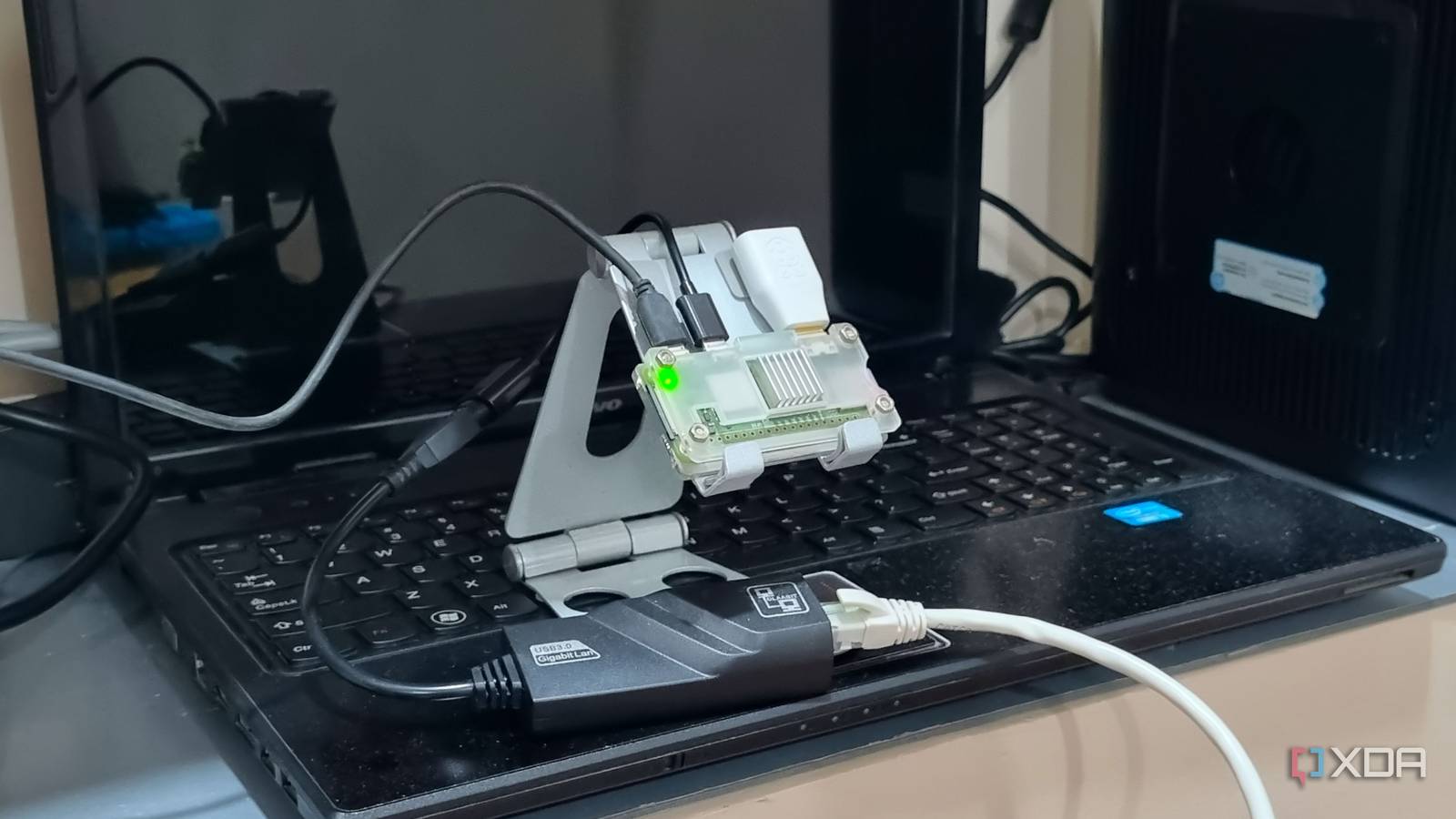
Published Oct 23, 2026, 3:30 PM EDT Abhishek is an author at XDA who covers computing. He has loved computers since he got the Lenovo G570 in 2012. Abhishek holds a master's degree in computer applications and began his writing career in 2018. He loves writing how-to articles, listicles, and informational posts on popular operating systems and web services. He closely follows the Windows Insider program and tests new Insider builds to discover upcoming experimental features and upgrades. His past work includes long-term collaborations with reputed publications like Tom's Hardware, and Windows Latest. When not writing anything, he is busy watching new episodes of One Piece or searching for something binge-worthy. Raspberry Pi Zero 2 W is a small upgrade over its predecessor, with no focus on memory or processor improvements. It's a great device for learning the ropes, interacting with an SBC via CLI or SSH, and even running a few lightweight containers. Yet compared with boards like the Raspberry Pi 5 or the Raspberry Pi 4 Model B, it doesn't seem appealing at all. My first SBC was a Raspberry Pi Zero 2 W, and I went on to buy one more because it made sense for a different purpose. After spending years with the board and optimizing every bit of it for maximum power, I find it useful for niche projects. Although it's the least-preferred board in the Raspberry Pi lineup, it runs Pi-hole and saves me from tracking, ads, and public DNS logging. Let's explore how I built it and the method to improve it. Pi-hole is a free, low-demand DNS sinkhole Pairing it with Unbound increases your privacy Like any other SBC or mini server, installing Pi-hole is straightforward. But I don't use direct package installations and prefer Docker. It reduces dependency conflicts, is easy to maintain once you learn it, and makes troubleshooting easier. If the containers misbehave, you can still access your server and troubleshoot the problem. A Pi-hole installation creates a DNS sinkhole and intercepts DNS requests from your home devices. It uses a blocklist, or multiple lists if needed, to block most ads and tracking strategies websites use. The result is a cleaner, privacy-focused web surfing experience across multiple devices. But your DNS queries still go through a public DNS provider like Google or Cloudflare. Unbound can offer a more secure recursive DNS experience. It leaves ads and tracking to Pi-hole and handles DNS resolution. So, your DNS requests don't go through a public DNS provider. Unbound uses authoritative DNS servers to handle this job. Most users deploy Pi-hole and ignore this crucial aspect. Building the DNS duo Docker, lean SBC OS, and Tailscale How do you make all these components work on a Raspberry Pi with just 512MB of memory? You start with a lean operating system. The OS should be lightweight, well-supported, and make SBC interaction consistent. DietPi ticks all these checkboxes and is my favorite pick, even on x86 systems. It uses about 70MB of memory on a Raspberry Pi Zero 2 W, which is the lowest usage so far. There's no gimmick behind it, and the built-in CLI tools are the icing on the cake. The interface stays similar even when you SSH in, which makes it a joy to experiment with. The Raspberry Pi Zero 2 W reserves some memory for GPU rendering, leaving only 410MB for your setup. Docker needs an additional 50MB, which still leaves plenty for Pi-hole and Unbound. I have tried installing Pi-hole directly before, but I eventually preferred Docker. After a quick Unbound configuration and the deployment of Pi-hole and Unbound containers, the setup was ready to work. If you want your Raspberry Pi to handle DNS queries, you'll also need to change your router settings. My Tenda router isn't advanced and has DHCP enabled. So, I only had to change the ISP DNS address to the Raspberry Pi's DNS address, and that worked. Now, all devices send requests to the router, which then forwards them to my custom DNS server powered by Unbound and Pi-hole. Even after all this, the SBC has 40 percent idle memory, which means fewer crashes. You can take an additional measure and install Tailscale on the SBC to make it accessible outside the Tailscale network. You can also make all your Tailnet devices use the Pi-hole, but I didn't implement it. If something goes wrong with Pi-hole, new DNS requests won't go through. There’s also a concern about a fallback DNS server if your Pi-hole setup fails due to technical reasons like a crash, device failure, or data corruption. You have two ways to fix it. The first one is pretty simple: use a public DNS provider, but that defeats the point of using this setup. Or you could set up another Pi-hole and Unbound. Since there is no guarantee which one the router will use, having a public DNS server will turn off the ad-blocking, privacy-focused experience you want. Post-deployment measures A self-healing script Ideally, this setup should run without manual intervention until there’s a problem with Docker or the SBC itself. But when it happens and if you don’t have an alternate DNS server mentioned in the router settings, you suddenly cannot access new websites. It’s not your router's fault; you told it to use the Pi-hole setup, which isn't working now. Most of the time it's a glitched service or Docker antics, and SSHing to the SBC and then running troubleshooting commands is a pain. I use a self-healing script that does all the routine troubleshooting tasks for me. It runs in the background with a timer and tries to sort the problem intelligently. The script checks whether Pi-hole is running and whether Unbound can resolve queries. It’s much more granular than Docker’s internal checks and also tests the internet connection. The script performs a reboot only when multiple checks fail, and it’s designed that way. Rather than using reboot as a regular troubleshooting method, it reserves it for long-standing problems. Without this script, it'd be just an impending disaster that would break the internet connection for nearly a dozen devices. My personal DNS server A Raspberry Pi Zero is a weak SBC that is now a central point of my home network. DNS requests go through it, and I get an ad-free experience without paying a dime. While the board is hard to find these days, I highly recommend it as a Pi-hole device if you have one lying around collecting dust. Raspberry Pi Zero 2 W The Raspberry Pi Zero 2 W is a small SBC with Wi-Fi and Bluetooth connectivity.
My Raspberry Pi Zero is too slow for anything general, but it's perfect for one specific job
Full Article
Original Source
Read the full article at Xda-developers →KhanList aggregates and links to publicly available news content. We do not host full articles from third-party sources. Always verify important information with original sources.