
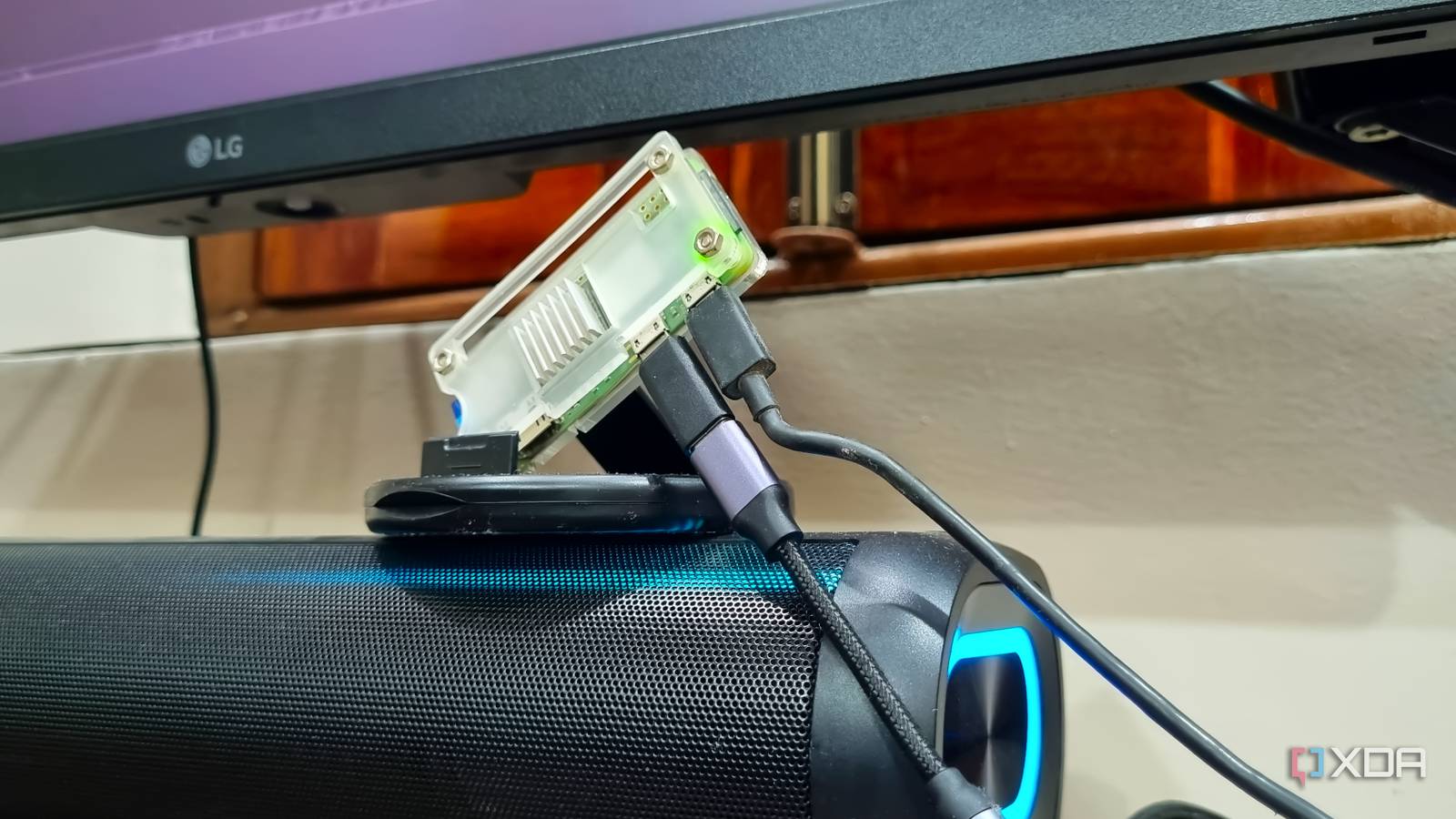
Published Nov 20, 2026, 3:30 PM EST Abhishek is an author at XDA who covers computing. He has loved computers since he got the Lenovo G570 in 2012. Abhishek holds a master's degree in computer applications and began his writing career in 2018. He loves writing how-to articles, listicles, and informational posts on popular operating systems and web services. He closely follows the Windows Insider program and tests new Insider builds to discover upcoming experimental features and upgrades. His past work includes long-term collaborations with reputed publications like Tom's Hardware, and Windows Latest. When not writing anything, he is busy watching new episodes of One Piece or searching for something binge-worthy. My first single-board computer was a Raspberry Pi Zero 2 W, and I learned a lot from it. It was a $15 device that surely didn't match the capabilities of a Raspberry Pi 3 or Raspberry Pi 4 Model B. Its 512MB of memory seemed like a trade-off, but that's what challenged me to explore everything. I've used it to build many successful projects, and many of them are surprisingly simple to use. They combine the power of the board with an old gadget. I've used it to revive speakers and printers, build local cloud storage servers, a DIY password manager, and whatnot. I already had experience reviving an old set of Hi-Fi speakers, so I thought of building a Spotify Connect device out of it. The project ran into some hiccups but eventually worked, and now, my phone doesn't need to stream everything via Bluetooth. Let's explore how you can combine the SBC with a few additional peripherals for this project. Regular Bluetooth connectivity is fine But there are a few caveats The main premise of routing your phone audio via a Bluetooth connection is that everything goes through it. If you are playing a song on Spotify and the audio output happens on a Bluetooth speaker, every incoming notification and call goes through it. You have to switch to the phone mic/speaker every time, and it's a pain I can no longer endure. My speaker is a little far away from my table and doesn’t support Spotify Connect. In addition, you can use it to revive an old speaker that no longer has a working Bluetooth connection. So turning a Raspberry Pi Zero 2 W into a Spotify Connect speaker can kill two birds with one stone. I can ditch the physical connection between my phone and the speaker to play audio. It is an added perk, since Spotify playback now works independently over Wi-Fi on the SBC. The Raspberry Pi and the speakers share a physical Aux connection. My phone just acts as a remote control and doesn't encounter any new interruptions. The Raspberry Pi Zero 2 W has a glaring weakness No built-in audio port My Raspberry Pi 4 Model B has an audio output port, but the Raspberry Pi Zero 2 W doesn't. It's meant to be an inexpensive SBC for exploring the Raspberry Pi ecosystem and building both software-based and embedded projects. So blaming it isn’t justifiable, and implementing audio output is also incredibly easy. I used a $5 USB Type-C DAC (connected via a USB Type-C to micro-USB OTG adapter) that I once bought for my Samsung Galaxy S21 FE. You might find a slightly higher-priced one today, but generally it’s possible to get one in the $5-20 range. This DAC connection helps the software direct its output to the connected speaker via an Aux cable. That’s all that you have to worry about on the hardware side of things. For the software, I used Raspotify, an open-source Spotify Connect client based on librespot. It can work on the Raspberry Pi and makes it look like a compatible device to your Spotify app. Once set up, the SBC and speaker combo appears in the list and can play audio tracks you choose. My initial setup involved testing the USB DAC’s audio output before installing Raspotify. I used Advanced Linux Sound Architecture (ALSA) to identify the DAC and play a small test audio first. This confirmed that my Raspberry Pi, connected to the speaker, can actually play audio. sudo apt install -y alsa-utils aplay -l speaker-test -D plughw:0,0 -c 2 -t wav -l 1 Then, I installed both Raspotify and Avahi because I wanted to use the latter to advertise the server to all the other devices on my home network. After a quick configuration file edit to feed the details about the correct device and backend, the setup was ready to work as a Spotify Connect device. curl -sL https://dtcooper.github.io/raspotify/install.sh | sh sudo apt install -y avahi-daemon avahi-utils libnss-mdns sudo systemctl enable --now avahi-daemon.service I love this setup over something like moOde Audio OS because it doesn’t hijack the whole SBC OS. I’ve built this Raspotify setup on a Raspberry Pi OS Lite installation, and it's easier to manage than a full-fledged audio OS. My connection doesn’t rely on Bluetooth anymore. It uses Wi-Fi to send Spotify playback directly to the SBC, and that’s good because the audio streaming is confined to a single app. A dedicated Spotify Connect speaker Doesn't need hours to set up Converting your old or non-Bluetooth speaker into a Spotify Connect device is not hard. A Raspberry Pi Zero 2 W and a USB DAC can help you build one with an almost $20–30 investment. The Raspotify service keeps running in the background and persists even if you reboot the SBC. So the device always remains available to all compatible devices in your home. I tested both the Spotify mobile app and the desktop website, and my custom Spotify Connect device named “Music Pi” appeared whenever I played a track. While I built the speaker setup solely for my mobile phone, it'll work with any device where I use the Spotify service. This is an absolute win because I can convert any incompatible speaker system (cheap or expensive) into a dedicated client as long as it supports an Aux connection. Most old speaker systems, despite having absolutely mind-blowing audio capabilities, lack built-in support for Spotify Connect. My old speakers have a new role I’m amazed at the jobs that a Raspberry Pi Zero 2 W can handle, and Raspotify is one of the most interesting ones. Rather than buying a dedicated speaker that supports Spotify’s features, you can build one with an old speaker. Even if it doesn’t have Bluetooth support, the speaker can receive audio input from the Raspberry Pi via the USB DAC through the AUX cable. Raspberry Pi Zero 2 W The Raspberry Pi Zero 2 W is a small SBC with Wi-Fi and Bluetooth connectivity.
My phone no longer streams music after this $15 Raspberry Pi turned an old speaker into a Spotify Connect device
Full Article
Original Source
Read the full article at Xda-developers →KhanList aggregates and links to publicly available news content. We do not host full articles from third-party sources. Always verify important information with original sources.