
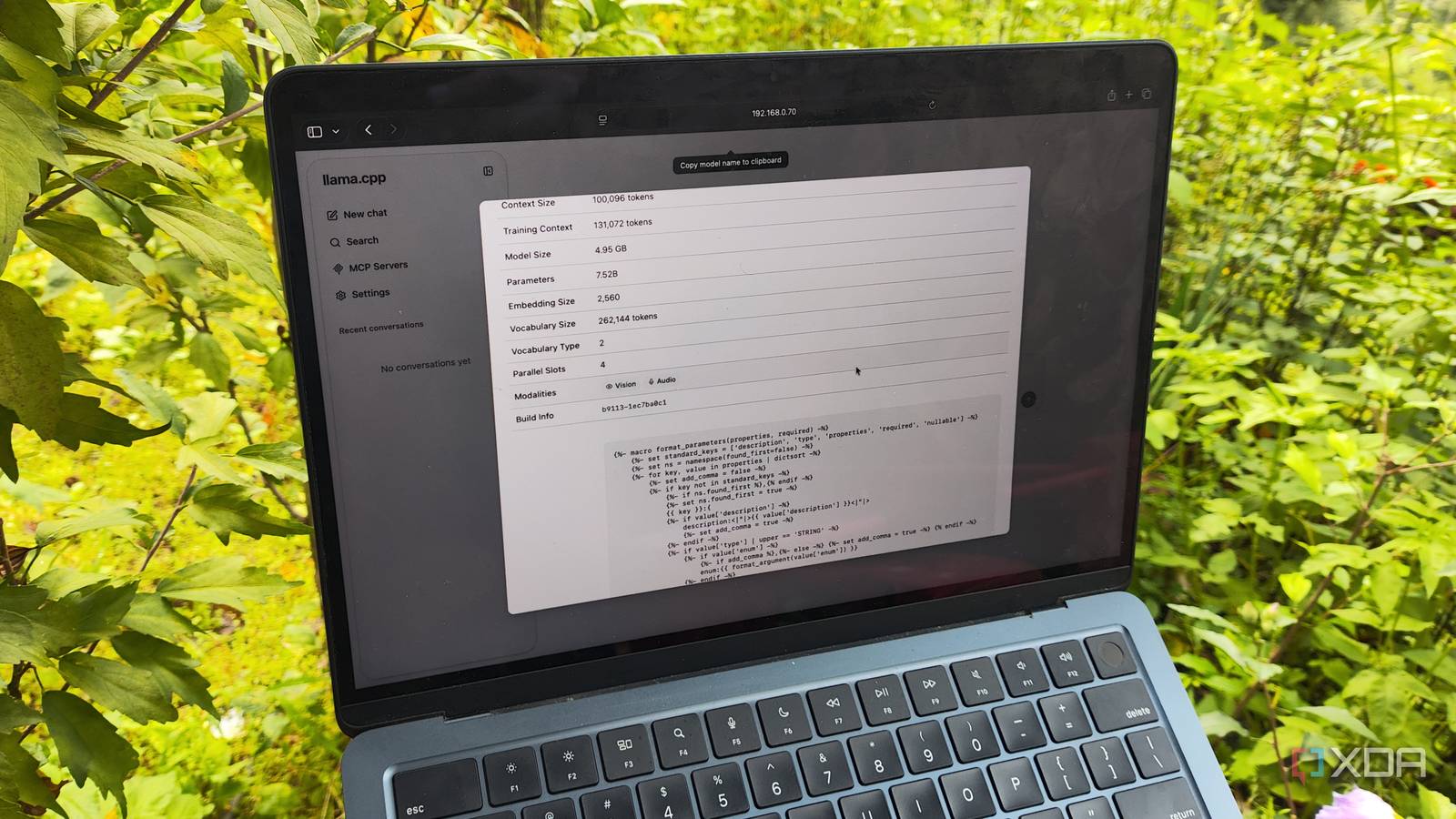
Published Oct 25, 2026, 10:30 AM EDT Ayush Pande is a PC hardware and gaming writer. When he's not working on a new article, you can find him with his head stuck inside a PC or tinkering with a server operating system. Besides computing, his interests include spending hours in long RPGs, yelling at his friends in co-op games, and practicing guitar. I’ve tested all sorts of wacky LLM setups over the last couple of months, and finding the right balance between performance and accuracy has always been a bit of a problem. Most of my experiments involve outdated GPUs, budget-friendly mini-PCs, and even SBCs like the Raspberry Pi, which is why I always look for ways to enhance the token generation rates without reducing the clankers’ reasoning capabilities. Unfortunately, not all of my tweaks would hit their mark, and some would even cause my locally-hosted models to go into hallucinated loops. The wrong quantization and chat templates are great examples of this problem, and the solution was as simple as downloading a new different version of the model and arming it with the right template. High quantization trades off reasoning capabilities for performance Q4 and Q5 models are the sweet spot for my LLM inference tasks If you’ve ever grabbed LLMs off HuggingFace, you’ve probably come across Q2, Q3, Q4, and other quantized variants of your preferred model. The Q here stands for quantization, which converts model weights from bulky, high-precision data types to their high performance but low-accuracy equivalents. Take Gemma-4-12B, for example. If I wanted to go for the highest precision, I’d have to choose the unquantized BF16 model variant, which needs a whopping 26.7 GB of VRAM. That’s more than double what I have in the most powerful GPU in my arsenal. Increasing the quantization rate to 8-Bit or Q8 would reduce this VRAM requirement by nearly 50%, but I still wouldn’t be able to load this 14GB behemoth onto my RTX 3080 Ti and its 12GB VRAM. Q4 would be the ideal version for my card, but since I’d have to keep extra VRAM for the context window, I figured I could go for community-created Q2 variants, which occupy barely 4.2-4.5GB for the model. On the surface, switching the quantization numbers to Q2 (or even Q3) can enhance performance tremendously, and that’s pretty much what I had in mind while messing around with these LLM variants as a beginner. But what I failed to realize was the reasoning penalty I’d have to pay just for the extra performance. Sure, I could even fit this highly quantized model onto my old GTX 1080, but it’d often generate never-ending loops, go off on a random tangent, and generate incorrect information. Personally, I’ve been sticking to Q4 (and in some cases, Q5) models, as they provide solid performance without tanking the reasoning capabilities considerably. Even if I opt for a high-parameter model and bump up the quantization rates to Q2, I’d end up crippling its accuracy a whole lot – to the point where a Q4 model with lower parameters would deliver precise answers. Chat templates can also impact an LLM’s accuracy The wrong chat template can easily throw an LLM off its game When you type queries in a conversational tone into an inference engine, the chat template is responsible for turning it into the specific prompt set that the LLM can understand. In my experiments, I often want my local LLMs to aid my productivity tasks. On a Qwen3.6 model, setting the enable_thinking variable to true can help the LLM properly generate tags for my notes, bookmarks, and documents. But if I wanted to tweak it more for coding tasks, I can change the system role to force the LLM to think as a developer, instead of letting it run as a general-purpose chat model. Of course, since this template is responsible for providing the right format that the LLM was trained to recognize, choosing the wrong chat template (or worse, mixing up the chat templates for Gemma 4 and Qwen3.6) can drastically reduce the accuracy of the LLM. As for models, I’ve had the best luck with MoE LLMs Notice how I keep mentioning Qwen3.6 and Gemma 4? Besides tinkering with Q4 LLMs, switching to AI models with mixture-of-experts capabilities was the biggest upgrade to my inference tasks. Rather than forcing dense models to fit in my graphics cards, I’ve started using MoE LLMs that can use both the GPU VRAM and system memory, without causing significant drops in the performance or reasoning capabilities. You see, MoE models use a routing mechanism to activate a small subset of the overall parameters instead of triggering every single parameter for the input tokens. Since the rest of the inactive parameters don’t need to remain on my GPU’s VRAM, I can just offload them to the system memory via the --n-cpu-moe flag on llama.cpp. Meanwhile, the routing mechanism and active weights can utilize the VRAM on my graphics card and perform the inference tasks for my productivity apps. To put this into perspective, my RTX 3080 Ti manages to drive Qwen3.6-35B-A3B (Q4_K_M) at 24 tokens/second, while my Pascal-era GTX 1080 can handle the likes of Gemma-4-26B-A4B (Q4_K_M) at 14+ tokens/second. And as long as I don’t go for higher-quantized models or mess up the chat templates, these MoE variants are more than enough to drive all my coding and productivity tasks. llama.cpp Llama.cpp is an open-source framework that runs large language models locally on your computer.
My local LLM kept thinking in circles, and the fix was downloading a different version of the same model
Full Article
Original Source
Read the full article at Xda-developers →KhanList aggregates and links to publicly available news content. We do not host full articles from third-party sources. Always verify important information with original sources.