
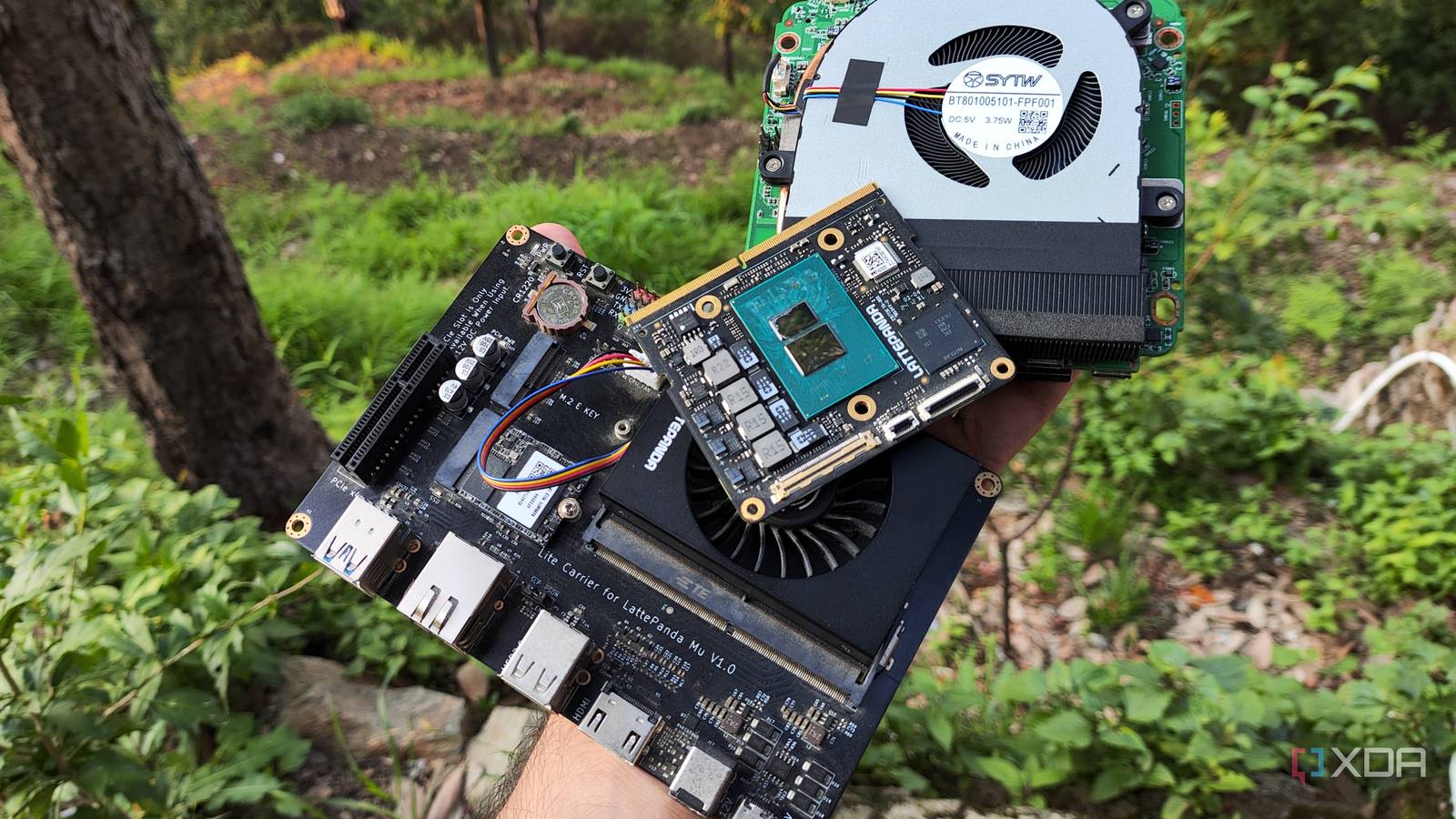
Published Sep 30, 2026, 5:00 PM EDT Ayush Pande is a PC hardware and gaming writer. When he's not working on a new article, you can find him with his head stuck inside a PC or tinkering with a server operating system. Besides computing, his interests include spending hours in long RPGs, yelling at his friends in co-op games, and practicing guitar. Having spent years building, configuring, and disassembling multiple home servers, I’ve grown out of the misconception that cheap systems aren’t ideal for self-hosting tasks. That said, there are a handful of services where I prefer my expensive PCs. LLMs, especially bulky MoE models, are best run on a system armed with a powerful Nvidia graphics card and ample system RAM. Likewise, I prefer using a dedicated GPU with my Immich container, as it can drive the image manager’s machine learning tasks without tanking their performance. Applications like Jellyfin used to be a part of this list, but everything changed when I tested the iGPU in my budget-friendly N100 SBC for my video transcoding tasks. Barring certain formats, an iGPU is actually pretty darn capable of driving hardware-accelerated transcoding workloads – to the point where it has now replaced my dedicated Pascal-era GPU. I’d always assumed Jellyfin needed a dedicated GPU for transcoding That’s precisely why I passed my GTX 1080 to my media server LXC I’d set up my Jellyfin server ages ago and armed it with the network share housing all the movies I’d archived over the years. Since many of them are in formats that are unsupported by typical client apps, I had to look into hardware-accelerated video transcoding provisions for my media collection. That said, Jellyfin is something that my entire family relies on for their movie nights, and I didn’t want broken drivers, random compatibility bugs, or performance issues ruining their experience. As someone who went down the PC rabbit hole around the time when Nvidia drivers used to reign supreme on the Linux compatibility front, my first choice was to repurpose my GTX 1080 as the dedicated transcoding hardware. And well, my outdated GPU served my PVE-powered Jellyfin LXC without any issues. However, I’ve recently started tinkering with self-hosted LLMs, and despite its ancient, non-Tensor design, this beast could drive Gemma-4-E4B (and even Gemma-4-26B-A3B via MoE offloading) at respectable token rates. So, I wanted to free this card from its Jellyfin shackles and relegate it to my LLM workloads. Plus, leaving a full-on gaming GPU running during Jellyfin movie nights would drain quite a bit of energy, and considering all the devices in my arsenal, I'd love to save as much as I can on my energy bills. As such, I needed an alternative to power my video acceleration tasks, and that’s when I decided to turn my attention to a lightweight N100 server and its iGPU. Turns out, a “mere” N100 can handle transcoding tasks fairly well And it’s all thanks to the Quick Sync Video core built into this budget processor With the Intel N100 being a budget-friendly embedded processor, its iGPU can’t hold a candle to a dedicated graphics card for gaming, machine learning, and LLM-hosting tasks. But if we leave these intensive tasks aside, the situation is quite different when it comes to video transcoding. You see, Intel crams the Quick Sync Video core into the iGPUs of most modern processors, which is designed to handle transcoding tasks. I’d been using my N100 compute module (specifically, the Latte Panda Mu) as a spare PVE node for my monitoring services, and I figured I could put its QSV capabilities to the test by simulating some Jellyfin streams. Thanks to the Jellyfin LXC deployment command on the Proxmox VE Community Scripts repo, GPU (or rather, iGPU) passthrough worked automatically on this container. Performance-wise, my Jellyfin LXC + iGPU combo can transcode eight 1080p streams as long as I don’t keep it engaged in random PVE experiments. Heck, it can even handle three 4K streams at the same time, which is way more than my family would ever need. Since it’s an iGPU on a tiny embedded processor, I don’t have to worry about the system consuming dozens of watts just to stream an old movie to my projector. Of course, this setup has a minor caveat. While it can handle H.264 (AVC) and H.265 (HEVC) transcoding with ease, things are different when I toss movies in the AV1 standard. Since it includes an AV1 decoder, it can turn any movies that rely on this compression standard into AVC/HEVC without any issues. But since it lacks a dedicated AV1 encoder, I’d have to rely on software encoding when streaming these videos. Personally, most of my titles are in the H.264 and HEVC formats, and I don’t necessarily have to decode anything into AV1 at the moment. So, it’s not that problematic for my setup, and I’m more than happy letting my N100 tackle my hardware-accelerated transcoding workloads while my Pascal-era GPU powers useful LLMs for my productivity services. Intel CPUs also have another neat trick up their sleeve for home servers Besides offering terrific performance in transcoding operations, modern Intel processors are just as capable at driving AI features in NVR platforms thanks to OpenVINO. Essentially, it’s a toolkit that makes Intel graphics cards, iGPUs, and NPUs proficient at object detection tasks. I currently use the official Raspberry Pi AI Kit with my Frigate setup, but OpenVINO detectors mesh incredibly well with cheap Intel processors, to the point where even Frigate recommends picking them up over Coral Edge TPU modules.
My home server's CPU had a free iGPU that I disregarded for months, and it handles all my Jellyfin transcoding now
Full Article
Original Source
Read the full article at Xda-developers →KhanList aggregates and links to publicly available news content. We do not host full articles from third-party sources. Always verify important information with original sources.