
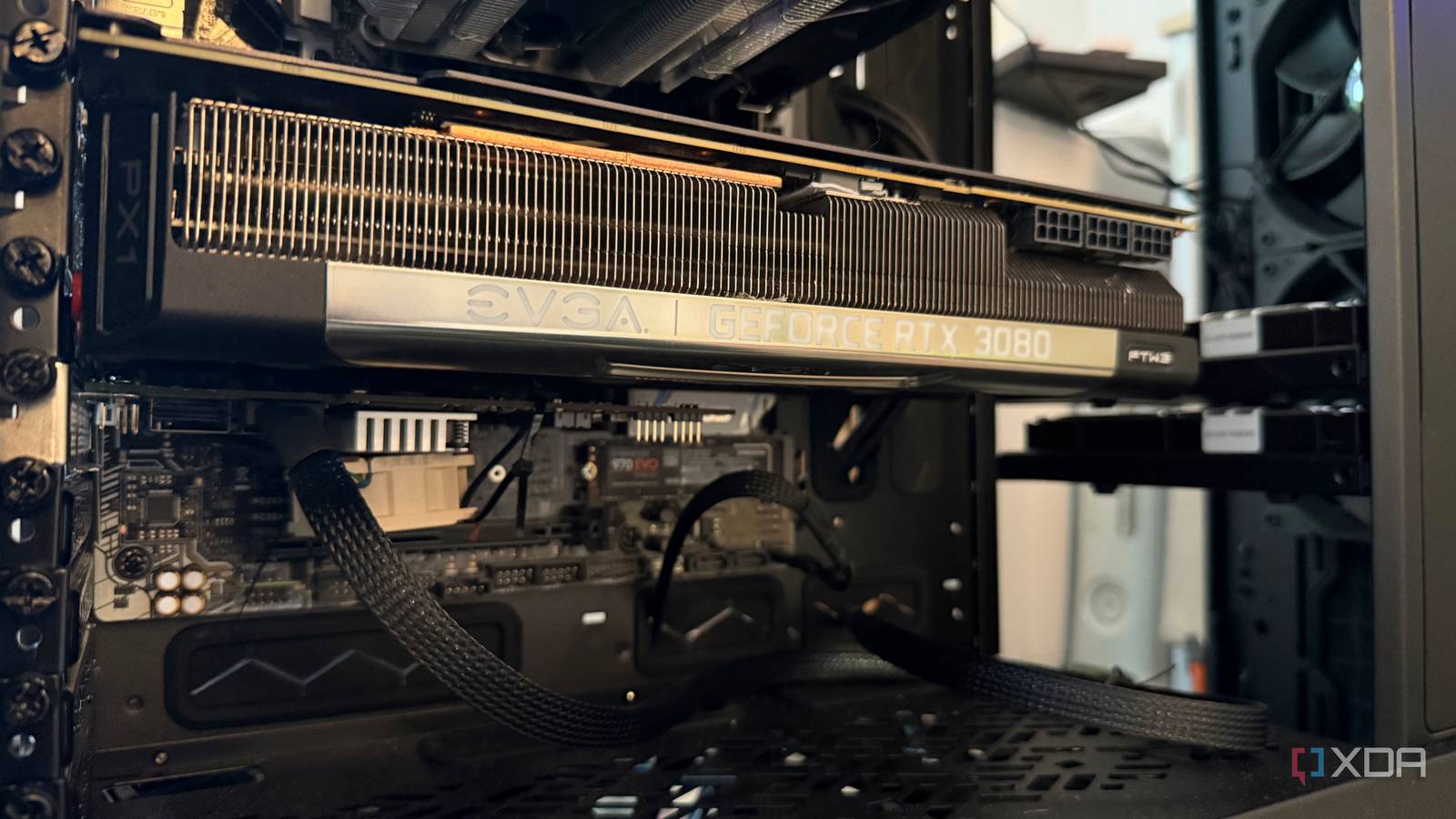
Published Sep 12, 2026, 4:30 PM EDT His love of PCs and their components was born out of trying to squeeze every ounce of performance out of the family computer. Tinkering with his own build at age 10 turned into building PCs for friends and family, fostering a passion that would ultimately take shape as a career path. Besides being the first call for tech support for those close to him, Ty is a computer science student, with his focus being cloud computing and networking. He also competed in semi-pro Counter-Strike for 8 years, making him intimately familiar with everything to do with peripherals. My home server is the heartbeat of my home office. It acts as my photo and video library backup point, my NAS, my local AI node, and media library, all while being built from parts I already had. This system was collecting dust for many months in my closet, and had sat without a CPU cooler and boot drive until I revived it about a decade after it was initially built. The Skylake-era i7 and Z170 board provide more than enough headroom alone for a decent home server for self-hosting, but I've since built upon it with incremental upgrades that have made it more reliable and capable than anything I'd be able to buy off of a retail shelf right now. The workloads that matter to me are I/O bound Most of a home server's workload isn't CPU bound You really don't need much raw CPU horsepower for a conventional home server, even if you plan on running more than just a couple of services. The i7-6700K in this system has aged unusually well for applications like this. My Samba share, for instance, tops out somewhere around 250 MB/s in practice on my 2.5GbE NIC, which really isn't a substantial load for this chip. ZFS on a two-drive mirror like I run is super undemanding even at the worst of times. The pool spends its time waiting on the disks more than it does the processor. And because I run most things in LXCs rather than VMs, they share the host kernel directly instead of stacking a guest OS and its accompanying overhead on top of every single workload. Now, if I were to run a dozen VMs, a Kubernetes cluster, or run crazy compression at scale, this i7 would be a serious bottleneck. The GPU handles what the CPU can't Local AI and transcoding One of my favorite parts of Immich is the face recognition and smart search, which rely on the machine learning container that's integrated with the service. This container supports a CUDA backend, and therefore, my RTX 3080 found a new life after being retired from my main workstation, then my HTPC. It's also responsible for anything else media, though it doesn't have to be. NVENC and NVDEC are fixed-function blocks on the die, and Ampere's encoder can handle H.264 and HEVC, and its decoder can do AV1, performing it all on the card itself without touching the CPU. The reason why I say it doesn't have to be is because the 6700K supports Intel Quick Sync, which is a really solid way to perform encoding when a dedicated GPU isn't available. There's also local AI duties, of which the RTX 3080 handles relatively few, but they're still there. I routinely tinker with and test local models, and even though I'm relatively limited in size due to the 3080's 10GB VRAM buffer, the compute on-board is still quite good for anything that fits in that buffer. A mini PC could handle most of this while using a fraction of the power And with a smaller footprint, too Reusing old hardware is a good enough reason for me to set up a server in this manner, but a modern low-power mini PC could run all of this perfectly fine, and do so while drawing a small fraction of what my setup pulls from the wall. A Z170 board, 6700K, HBA card with 2 SAS drives, and an RTX 3080 aren't exactly efficient when you put them all together. It's also a fraction of the size of the Fractal Define 7 XL that my home server lives in, so the actual physical footprint could be a fraction of what it is currently I plan to outgrow what a mini PC can handle on its own A good addition, but not replacement A mini PC is a great start for a home server if you don't have a spare PC to use, but it is somewhat limited, especially in terms of what you can upgrade. Storage is the best example, because most mini PCs only give you a couple of M.2 slots at the most, and there's no space for an internal 3.5" drive. Adding bulk storage means turning to external enclosures, which nullifies the space-saving benefit a bit. By contrast, my Define 7 XL case might be quite large, but it can fit up to 18 drives in the layout it's currently configured with, and the LSI card I'm currently running can support eight drives off of its single PCIe connection. Speaking of PCIe, mini PCs can be expanded, but they're quite limited. Some come stock with multi-gig NICs, but if yours doesn't, adding one completely depends on if there's a slot and bracket to support it. These chassis are optimized for space primarily, which also lends them to be a lot louder than a large system like mine is. Old hardware is easier to grow into, and it's still going strong over a decade later Eventually, the hardware inside this box will be replaced. Something will give up, and I'll either have to buy new or source parts from what I'm using currently, and that's the beauty of setting up a home server like this. Over a decade after I initially built the Skylake rig, it's still pulling duty in another box, and once it's fully retired, I'll probably have more decommissioned parts to throw in there to start the cycle once more.
My home server runs on a 10-year-old PC, and it still does everything I need
Full Article
Original Source
Read the full article at Xda-developers →KhanList aggregates and links to publicly available news content. We do not host full articles from third-party sources. Always verify important information with original sources.