
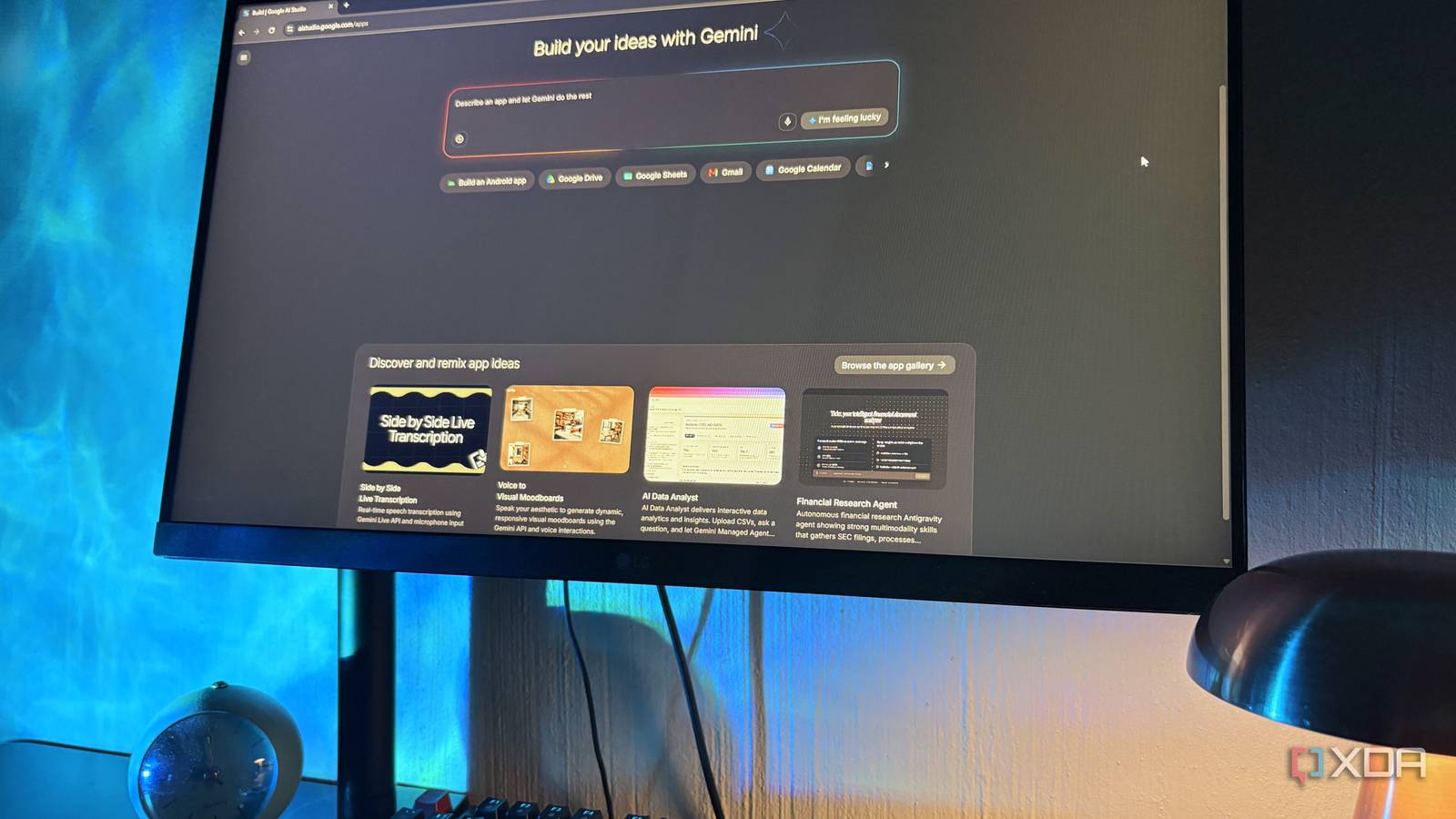
Published Sep 28, 2026, 5:30 PM EDT Nolen began their writing career in 2019, with three years dedicated to editing the Creative section at MakeUseOf. Their expertise lies at the crossroads of technology and creativity, covering areas like photography, video editing, and graphic design. Outside of work, you'll often find Nolen diving into a good book, writing their own stories, or playing video games. This year has been the year of vibe-coding tools - or rather vibe-designing, vibe-prototyping, prompt-to-prototype, whatever you want to call it. It's probably safe to say that Replit and Lovable have been leading the pack, though I actually only started giving them a real shot after Claude Design happened, which was my true first impression of a vibe-design tool. But there's a whole world of these tools to explore and you'd be doing yourself a disservice not to. One of the best options for vibe-coding has been hiding inside Google this whole time, and it's existed for three years now! I'd completely overlooked it, and regret not giving it a spin sooner… Want to stay in the loop with the latest in AI? The XDA AI Insider newsletter drops weekly with deep dives, tool recommendations, and hands-on coverage you won't find anywhere else on the site. Subscribe by modifying your newsletter preferences! What Google AI Studio actually is It's been hiding in plain sight this whole time Google AI Studio is a browser workspace for Gemini. There's a Playground where you test models, but Build mode is where you make actual apps, and it's pretty clearly the part Google cares about most right now. Since a March 2026 overhaul it's been a free, full-stack environment aimed at anyone, coding background or not, and it can make web apps or native Android apps straight from a prompt. The free plan gets a modest quota without requiring your card. Free-tier content goes toward improving Google's products, though, so I'd keep anything private out of it. I already pay for Google AI Pro, and Pro and Ultra now come with higher AI Studio limits plus the premium models, but only inside the AI Studio web interface itself. The API key is more of a backup for when that daily allowance runs out, and it switches you over to pay-per-request. The Antigravity part confused me a little at first. The agent building your app in Build mode runs on Antigravity's agent harness. But the Antigravity Agent Preview in the Playground is a separate thing that needs a paid API key Google AI plans don't cover, and Google's own docs warn a single prompt can eat an unbounded number of tokens, so I simply stopped poking around there and stuck with Build. Going from a blank prompt to a working app What building actually looks like in Google AI Studio There isn't a feature that specifically says "build mode" in Google Studio, you simply enter build mode by hitting the "New app" button. You describe an app, and it writes a React front end with a Node.js server behind it while a live preview fills in on the right. You don't have to start from blank, though - you can remix something from the app gallery instead. I actually had a fun time experimenting with the gallery templates because it gives you a good sense of how others structure good apps. There's also a GitHub import if you've already got the code. Gemini 3.8 Flash is the default model in mine, with older Flash versions tucked into a dropdown. The Pro models are part of what the paid plans unlock. Once you start prompting, you'll see it carries a lot more than it looks like. You can upload files for reference, and AI Chips let you bolt on features like image generation or Google Maps data onto whatever you're describing. There are also other Google integrations like Drive and Gmail, and AI Studio sorts out the sign-in permissions for those on its own. If your ideas involve logins, it'll offer to set up Firebase too. My test was an app idea I've been toying with that gives you a broad-spectrum overview of your entire mobile app collection, including categories, time spent, battery usage, notification data, and so on. This already exists in apps like Screen Time and Digital Wellbeing, but there are a few extras I'd like to see included, so I tried my own. It only took about four minutes on 3.8 Flash and I had a working dashboard with a toggle that wraps it into a phone frame. There's a manual editor And you walk away with the whole codebase Every time a build finishes, it leaves a few suggestion cards under the chat, for example Add usage heat map or Add usage streaks, each tagged with what sort of change it'd be. I tried the streaks one and it went off and edited four files on its own. There's also a manual editor in the renderer with a decent selection of tools. You can click anything in the preview and a small toolbar will pop up where you can change its color, with a proper hex picker, border and type settings, the works. This means you don't have to tinker with the code at all to make tweaks. My favorite bit is how selecting anything drops it into your prompt as a chip, so instead of explaining which button I mean, I just select it (or a whole group of elements) and describe the change. When I asked it to tone down my neon app icons, it came back with a breakdown of every style it touched, hex codes included. V0 actually has something similar, but this is the version I've actually enjoyed using. Every change gets a checkpoint with a restore button too. The code tab is what makes this more than a design tool. The whole codebase sits there and you can edit it right in the browser. I can't read most of it, however. Export covers GitHub, a ZIP download, and Export to Antigravity, which launched at I/O this year. I already use Antigravity, so staying inside Google's ecosystem is nice, though it doesn't carry over the chat history. Publishing is free for your first two apps if you've never set up Google Cloud billing, and you can pick a custom ai.studio address. Shared apps run their Gemini calls against your own usage limits, too. Not bad for a company that doesn't really do design It's a little funny that the most fun I've had with a design-ish tool this year came from a company that doesn't really do design. To be fair, AI Studio is a coding tool first, and the design side came along with it. Claude Design is built more around polished slides and one-pagers, and I think it's good at those. When I want something that actually runs though, I have to say Google AI Studio seems to be a better option, plus you can run it without a subscription. Google AI Studio
My favorite Claude Design alternative isn't Lovable, or Replit, it's a free Google tool nobody talks about
Full Article
Original Source
Read the full article at Xda-developers →KhanList aggregates and links to publicly available news content. We do not host full articles from third-party sources. Always verify important information with original sources.