
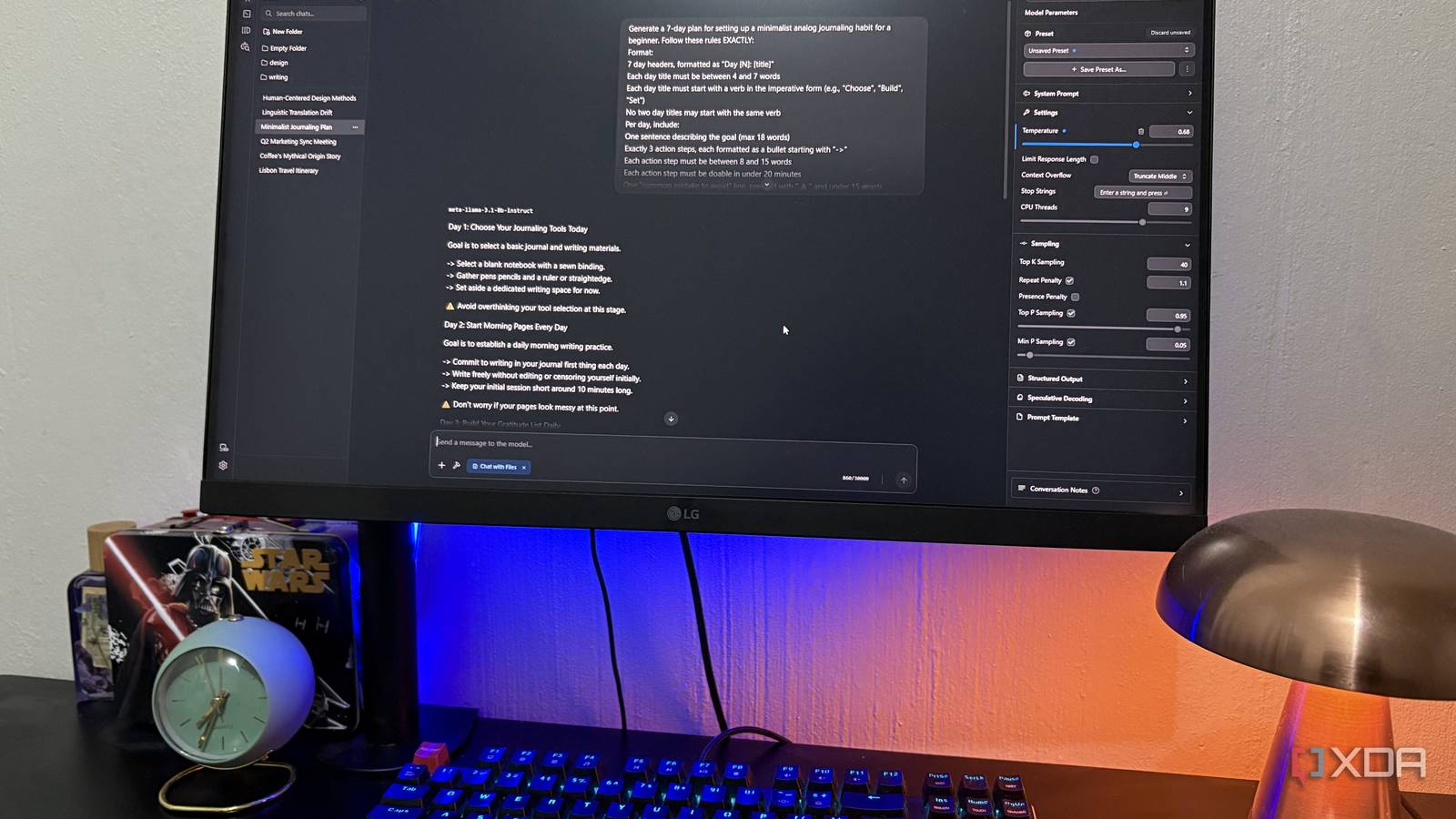
Published Sep 27, 2026, 12:30 PM EDT Nolen began their writing career in 2019, with three years dedicated to editing the Creative section at MakeUseOf. Their expertise lies at the crossroads of technology and creativity, covering areas like photography, video editing, and graphic design. Outside of work, you'll often find Nolen diving into a good book, writing their own stories, or playing video games. Local LLM releases seem to keep getting bigger, and many of the ones people actually get excited about now need a lot more memory than my card has. That's great news if you've got a 24+ GB GPU. But for the rest of us it means sulking and scrolling past the announcements, or trying to hunt down a heavily quantized version, or loading it anyway and watching it struggle. Upgrading the hardware is the obvious fix - but my hardware doesn't revolve around local LLMs, that was never the reason I got this PC. So I simply have to make do with my 8GB card. And it's actually been doing a lot more than the spec sheets suggest it should. Not by running one massive model, but by compiling a set of specialized models and using the right settings… Want to stay in the loop with the latest in AI? The XDA AI Insider newsletter drops weekly with deep dives, tool recommendations, and hands-on coverage you won't find anywhere else on the site. Subscribe by modifying your newsletter preferences! A small collection of models all handle a piece of the puzzle I could load bigger models, but I don't need to Two models have stuck around on my PC longer than anything else I've tried, Qwen 3.5 9B at Q4_K_M and Gemma 4 E4B at Q4_K_M. That quant actually matters just as much as the model itself because quantization shrinks a model so it fits in less memory, and on 8GB I'd rather run a bigger model at Q4 than a smaller one at Q8, which lines up with the general advice that a larger Q4 model often beats a smaller Q8 model in the same memory budget. Where the quant comes from is also important - I lean on Unsloth's versions when they exist because of their top-tier reputation in fine-tuning. Qwen has been my go-to for most local workflows and the one I trust with heavier tasks. Part of that is how it's built, only 8 of its 32 layers keep a growing KV cache, so the cache barely grows with context, which is why I can push it further on context than my card really should allow. When I don't have much else running I can push it up to around 60k context. Gemma is my faster model - it handles images and audio, and can hit up to 70 tokens a second, depending on the setup and workload. Then there's LFM2.5 1.2B Instruct. It was hopeless at writing a structured study guide, but it was the only tiny model I tested that called Brave Search properly and didn't make anything up. Qwen ended up owning anything long or agent-related, basically anything that touches my files or does coding-adjacent work. The quick questions go to Gemma, and LFM2.5 has one job, looking things up on the web, which feels a bit silly to dedicate a whole model to but it's small and fast and I haven't found a reason to drop it. The load settings that make it work Plenty of problems I blamed on the models or my hardware were actually the load settings Load settings are the options you pick before a model even starts, as opposed to stuff like temperature that you tweak per chat. They decide whether a model fits in your VRAM at all - almost every runner/engine/wrapper will expose these settings somewhere in its interface. LM Studio also shows an Estimated Memory Usage number at the top of the load screen that I've gotten a bit obsessive about watching. I'd say GPU Offload matters most. It sets how many of the model's layers sit on the GPU, and whatever doesn't fit spills over to the CPU and system RAM, which is a lot slower. When I pushed Qwen past what my card could hold, it dropped from around 20 tok/s to 9, so it's all about finding the balance here. GPU Offload is the only way I was able to run gpt-oss 20B on my machine, though I've long ditched that for more efficient models. It's also how I managed to get Gemma 4 12B working. Responses were slow and I couldn't do much else on my PC at the same time, but they worked on a card that shouldn't have been able to handle them. Context length is how much text the model can hold onto at once. Every token of it costs memory through the KV cache, which is the model's working memory for the conversation, and it grows as the context grows. My usual cap for Qwen is around 20-40k. Hooking up your local LLM to an agent workspace will require more than that though - one agent turn alone can chew through 20k in minutes. Again, this is where GPU offload will become your best friend so you can push the context length up as much as you can. Another setting to keep an eye on is KV Cache. Setting both to q8_0 roughly halves the memory the cache takes up, and the quality hit has been small enough to overlook. So check for this in your runner. Plugging one small model into everything else One local server ends up feeding half my apps LM Studio can run as a local server, so any app that speaks the OpenAI-style API can use whatever model I've got loaded. That's where 8GB starts to matter less for me, because one model on my card ends up powering a bunch of apps. Obsidian Copilot connects to it, so I can chat with my vault without anything leaving my PC. Eigent runs its agents on the same model, and honestly it's the reason I learned half of those load settings in the first place. On the design side, OpenPencil takes any OpenAI-compatible endpoint, and Open CoDesign supports local Ollama or any OpenAI-compatible relay. Inside LM Studio I also run MCP servers, little connectors that give the model tools. The filesystem one let Qwen sort a folder of PDFs into subfolders, and Brave Search gives my models the web. Design tools taught me something though: they're mostly generating HTML and CSS behind the scenes, so a model that's good at code does better there, and qwen2.5-coder 7B is a common suggestion for 8GB cards and work perfectly on mine. You're not going to want a chatty model for anything design-related because it's basically just code underneath, meaning I'd rather skip Gemma for this. Coding and tool calling aren't the same skill, though. In one 8GB benchmark, a coding fine-tune of Qwen 3.5 9B had 9 consecutive tool failures because it kept leaving out a required field. For tools I'd look at Qwen itself, since Qwen 3 models have unusually strong tool-calling priors out of the box. The trade-off is that small models need tighter instructions. For example, Qwen once wrote my wireframe file but ignored my grayscale rule and made it colorful, and Eigent only finishes reliably once I narrow the task down. My 8GB isn't getting an upgrade soon, and that's fine I still use cloud-based AI tools almost every day, usually when a task needs more steps than I can babysit a local LLM through. I think what's changed more is how I read new model announcements. A 30B release used to feel like one more thing I was locked out of, and now I mostly skim past the headline to check for a smaller version and what quants people have uploaded, because with the right settings I might be able to get it going. If not, I already have a perfectly capable stack.
My 8GB GPU shouldn't run flagship local LLMs, but this workflow makes it work anyway
Full Article
Original Source
Read the full article at Xda-developers →KhanList aggregates and links to publicly available news content. We do not host full articles from third-party sources. Always verify important information with original sources.