
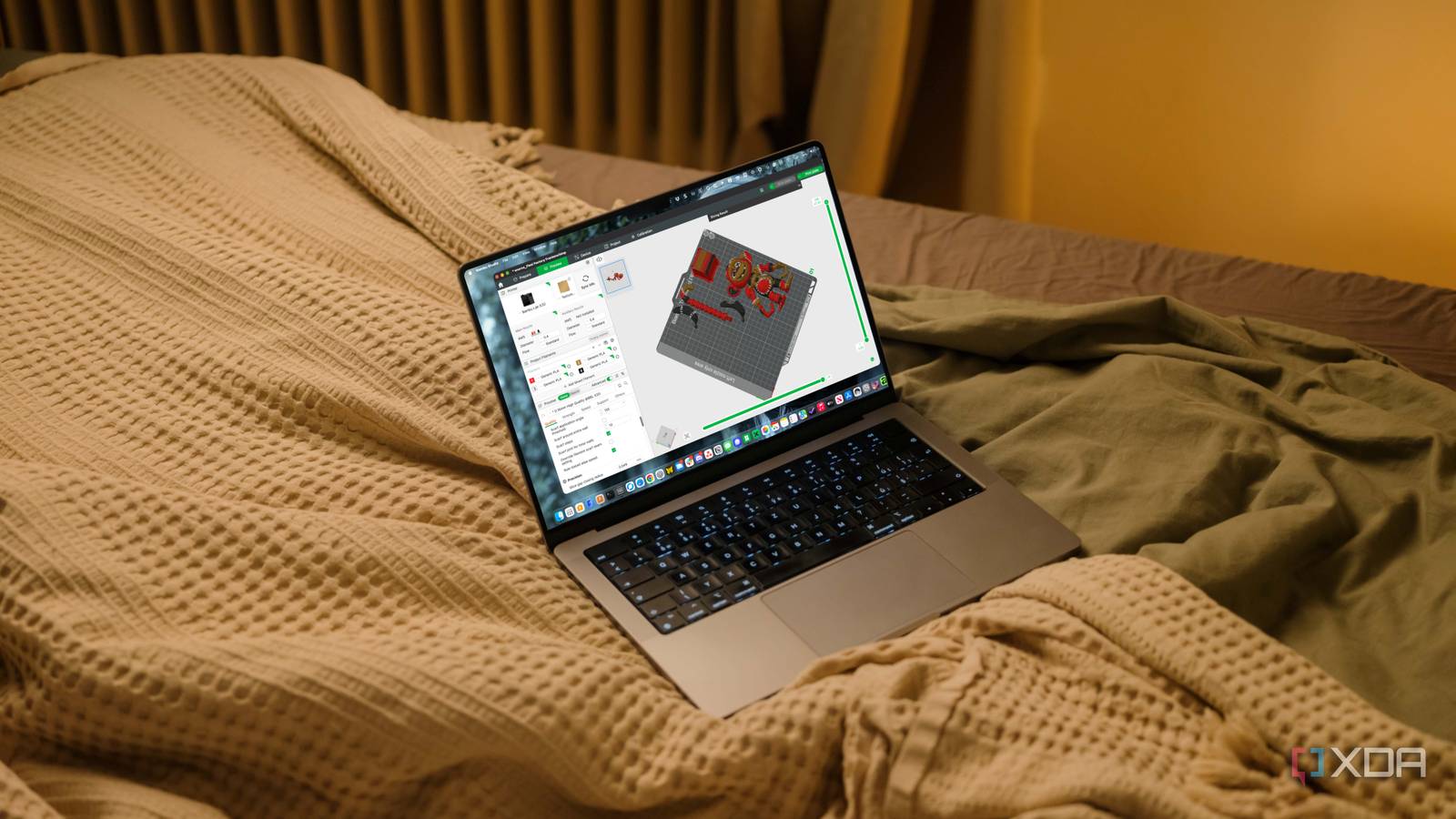
Published Sep 5, 2026, 3:30 PM EDT Jeff's been involved in the IT industry since before the Internet and spent more than 20 years working in technical support, system administration, network administration, and consulting roles. He holds an undergraduate degree in English, a Master's degree in English with a focus on professional writing and editing, and another Master's degree in Computing & Information Systems. After teaching university English and computer science for a few years, Jeff launched his writing career. He's written for Macworld, Tom's Hardware, groovyPost, The Mac Observer, and more before beginning here at XDA. Multicolor 3D printing produces waste, and I accepted that quickly after I started using an AMS. Every filament swap pushes some plastic somewhere, and purge towers are part of the deal if I want clean transitions instead of muddy colors. What took me much longer to notice was how much filament I was wasting simply because I never questioned what the slicer was asking for. Once I started cutting those purge volumes instead of treating the defaults as untouchable, I realized I’d been throwing away enough extra plastic to put my projected annual savings into the hundreds of dollars. Default slicer profiles favor reliability over saving your filament Factory settings have to work for almost everyone reliably A factory slicer profile has an awkward job. It has no idea whether I'm loading two nearly identical colors or switching from something very dark to something much lighter, so it has to play things safe. It also has to account for different filament brands, pigments, temperatures, and materials without assuming I've tuned anything myself. Given all that, it makes sense that the default values are conservative. That's exactly what I want the first time I use a feature, too. I'd rather waste a little extra filament than discover halfway through a long multicolor print that the previous color is still bleeding into the next one. Where I went wrong was leaving that safety margin alone forever. I change infill, walls, supports, layer height, and plenty of other slicer settings depending on the model, but purge volume somehow escaped the same scrutiny. Part of the reason is that the waste didn't look especially dramatic one print at a time. A purge tower sitting beside a finished model is easy to shrug off, especially when the print itself came out correctly. I wasn't looking at it and thinking I'd just tossed away a meaningful chunk of a spool. It only started getting under my skin once I paid attention to how often I was repeating that same excess across multicolor jobs. Purge waste gets expensive because every change repeats it Color swaps multiply small amounts of wasted filament surprisingly fast A small amount of extra filament per transition doesn't sound expensive. That's probably why I ignored it for as long as I did. The problem is that multicolor printing doesn't waste that amount once and move on. Every swap gives the printer another chance to purge more than it really needs. On a model with frequent color changes, that adds up quickly. The printer can cycle between colors dozens or hundreds of times, and each one repeats the same basic process. Once I started thinking about the purge volume per transition instead of the size of the final tower, the waste made a lot more sense. I wasn't looking at one oversized object anymore. I was looking at the same small inefficiency happening over and over. What annoyed me most was that none of that filament was doing anything useful. I can tolerate supports because they're helping the print succeed, and at least the material inside the actual model is there for a reason. Purge material is different. Once it has been pushed out to clear the nozzle, I've paid for plastic whose only job was to become waste. Reducing purge volume gave me far better results The useful setting was hiding behind conservative automatic values The fix wasn't to eliminate purging or to chase the lowest number I could get away with. I simply lowered the purge volume and watched to see whether the color still came out clean. That sounds obvious in hindsight, which is part of what irritated me about it. The purge itself wasn't the problem. I had simply been accepting more of it than I needed. Saving hundreds of dollars a year in projected filament use from one overlooked slicer setting is enough to make me wish I’d started poking at those defaults a lot sooner. That changed how I looked at the purge tower almost immediately. Before, I mostly treated its size as part of the cost of multicolor printing, something the slicer had decided for me based on whatever calculations were happening in the background. After changing the purge values, it became clear that at least some of that size was due to settings I could actually control. I should have treated it like any other slicer parameter rather than background noise. I also prefer this kind of optimization to trying to claw filament back from the model itself. I could reduce infill or shave away walls, but then I'm changing the thing I actually wanted to print. Purge reduction targets material that was never intended to become part of the finished object in the first place. If I can use less of that without making the print worse, that's the first place I want to cut back on plastic. Aggressive purge reductions can create a different problem Not every color transition needs the same purge amount There's a reason slicers don't ship with extremely low purge values. Go too far, and the old filament can linger in the nozzle long enough to contaminate the next color. A light section can pick up some of the darker filament ahead of it, and now I've saved a bit of material only to make the finished print look wrong. That's not a trade I'm interested in making. The other issue is that a single reduced value doesn't necessarily make sense everywhere. Two similar colors may not need nearly as much purging as a dark-to-light transition. Reversing those same colors can also cause them to behave differently. That's why I don't see this as a setting I can lower once, save the profile, and forget about forever. Don’t slash purge values across every color combination at once. Lower them in small steps and watch for contamination, especially when moving from a dark filament to a lighter one. Similar colors may tolerate much lower purge volumes, while some transitions will still need more material to come out clean. It takes some attention, and I can understand why that won't appeal to everyone. If someone wants multicolor printing to be as hands-off as possible, leaving the conservative defaults alone is perfectly reasonable. There's value in knowing a long print is less likely to show a contaminated transition late in the job. Extra purge material can still be cheaper than reprinting the entire thing. Careful tuning still beats paying for permanent overkill I would rather test transitions than waste every spool That still hasn't made me want to put everything back where it was. I'm not choosing between maximum purging and recklessly low numbers. I can reduce the amount, watch what happens, and raise it again when a particular transition clearly needs more. That makes far more sense to me than assuming every combination deserves the same generous safety margin forever. I also don't mind doing a little tuning up front if it keeps paying off afterward. If one dark-to-light combination needs extra purging, I'll give it extra. That doesn't mean every other transition in the print needs the same treatment. Once I stopped treating purge volume as something the slicer automatically knew better than I did, it started feeling like any other setting I adjust based on the job at hand. The part I keep coming back to is that I'm not giving up anything useful here. I'm not weakening the print, removing features, or making the model look worse to shave a few grams off the estimate. I'm cutting back material whose sole purpose is to be discarded once the nozzle is clean enough. That's exactly the kind of waste I want to attack first. Purge towers should use only the filament they need Multicolor printing will never be waste-free, and I don't expect it to be. Filament changes require purging, purge towers serve a purpose, and there are transitions where the conservative setting is the right one. What changed for me was realizing that the automatically generated values weren't sacred. I'd been paying for that safety margin on every print simply because I had never bothered to question it. That was really the embarrassing part. I spend plenty of time tweaking slicer settings when I think a model needs it, yet I had this recurring source of waste sitting right in front of me and mostly ignored it. Carefully reducing purge volumes let me keep the reliability I wanted while cutting back a surprising amount of filament that would never end up in the finished model anyway. Saving hundreds of dollars a year in projected filament use from one overlooked slicer setting is enough to make me wish I'd started poking at those defaults a lot sooner. OrcaSlicer OrcaSlicer offers a wealth of settings, including options that can save you hundreds of dollars by reducing filament waste in multicolor printing.
My 3D printer was burning filament on oversized purge towers, and one slicer change saved me hundreds a year
Full Article
Original Source
Read the full article at Xda-developers →KhanList aggregates and links to publicly available news content. We do not host full articles from third-party sources. Always verify important information with original sources.