
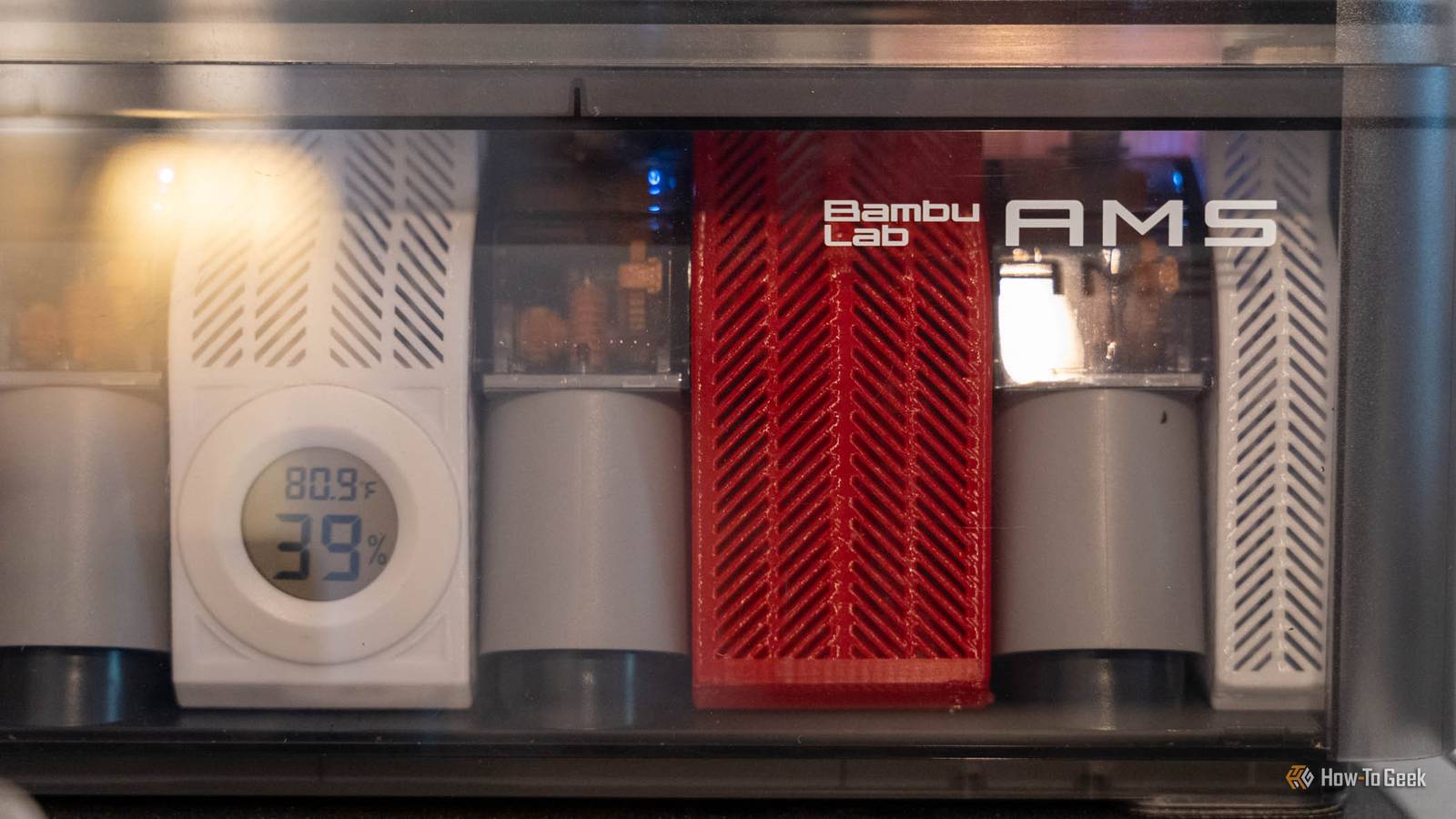
Published Oct 23, 2026, 6:30 PM EDT Patrick Campanale has been in the tech space for well over a decade, specializing in PC/gaming news and reviews, as well as maker-focused products to build small businesses. With a start in technology back in 2010 surrounding the Palm/webOS ecosystem, Patrick spent his formative years developing mobile applications as well as blogging for various publications, eventually leading to starting his own website in 2014. After running a technology blog for a few years, he stepped out of that role and into the world of high-end custom PC manufacturing and building, with a focus on YouTube video production and overclocking. Then, in 2017, Patrick joined the 9to5Toys team as an editor/writer/reviewer with over 14,000 articles being published during his time there, ranging from deals and roundups to in-depth reviews on the latest technology, video games, 3D printers, and more. In his free time, Patrick loves to create projects from wood using various robots and methods, including leveraging the technologies of CNCs and lasers. If Patrick isn't working on a computer or playing video games, he's likely in his 2-car garage workshop creating something unique. In addition to all this, Patrick is also the media director at his local church where he feels God has called him to serve, and he loves every minute of it. There are many ways to tinker with 3D printers. You can mod the software, add extra lights, build filter boxes, and so much more. What if I told you that I decided to buy a simple $2 humidity sensor before doing anything else to my 3D printer—including buying extra filament? Here's why a humidity sensor is important in my 3D printing setup. Wet filament costs more than the sensor does I'd rather spend $2 now than reprint later A cheap spool of filament is about $12. One spool. Then, you think about multiple spools that could all be ruined by trying to print when it's too wet. You see, printing with wet filament can cause a lot of problems. For instance, it could cause increased stringing, rough surfaces, or even weak parts. This is all stuff that I would prefer to avoid when 3D printing. I'd rather not pull a part off the build plate that looks decent but is weaker because it has air pockets from moisture. So, for the cost of a single spool, I would rather pick up a humidity sensor so that way I can see at a glance if my filament likely needs to be dried or not. Since getting the hygrometer to keep in my AMS, I've never had an issue printing with wet filament. I have SUNLU's AMS heater on top of my AMS 1 and it makes it easy to dry the filament if the hygrometer reports too high of a humidity. The other nice thing is the hygrometer doesn't have to stay in my AMS. I can place the $2 humidity sensor anywhere I want to measure the humidity in that area of my office. This even includes in dry storage, which I don't really use all that often. But, the nice thing is it can go there if I need it to. My AMS already reads humidity, just not as a number The AMS 2 Pro showed me what I was missing My first AMS was Bambu Lab's original model, which doesn't show an actual humidity percentage. Instead, it shows A through E (dry to wet) and the level isn't pure humidity. It combines water content, temperature, and relative humidity into a "score" of sorts. The problem is, this exact calculations of the score aren't really defined anywhere. There's no real way to tell how humid the environment is. Temperature could play a big role in what the score is, and you'd never know it. Sadly, that's all the first-generation AMS can do though. When I got my AMS 2 Pro, I found that Bambu Lab fixed this and now properly shows humidity percentage of the unit instead of an arbitrary level. This is a great fix, but it doesn't help my older AMS that I still have. So, that's why adding the $2 sensor to the older AMS was a much better option for me than selling that old AMS and buying a new one. It already works fine and I didn't need to spend hundreds to get humidity readings, which is a win in my book. 4-Pack Mini Hygrometer Thermometer Hygrometers are great for placing around the house in areas where you want to know what the humidity or temperature is. This 4-pack allows you to outfit either several rooms or multiple 3D printing storage containers with a hygrometer without breaking the bank. The number tells you about the box, not the spool It's a desiccant alarm, not a moisture test Now, the one thing that I had to drill into my own head after getting this hygrometer: it doesn't tell me what the moisture content of the filament is, just what the relative humidity inside of the AMS is. When I see the humidity percentage start to climb, it signals a few things. For starters, I need to check my desiccant to make sure it doesn't need to be refreshed. It's possible that Tennessee is just being ultra humid and the whole house is humid, but it's also possible that the AMS needs refreshing. It also signals to me that I should definitely dry the filament if this is a print I care about (and not a random toy). While low relative humidity (what the hygrometer reads) doesn't mean the filament is dry, a high relative humidity is a fairly good indication that the filament could have absorbed some moisture. The thing to remember is a hygrometer can't know the filament's moisture percentage, it just measures the air around it. But, if the air around the filament is constantly wet, and the filament is hygroscopic (like TPU or nylon), then there is a good chance the filament has more moisture in it than it should. When in doubt, dry it out. The sensor goes in the cart before the next spool A hygrometer is a simple and cheap tool that every maker should have on hand. At such a low cost, it's a must to keep from ruining longer prints. Personally, I don't mind redoing a small print that only took 30 minutes. But, I have some prints that took several hours and were ruined because I was using wet filament.
My $2 humidity sensor is the best 3D printing upgrade I've made
Full Article
Original Source
Read the full article at Howtogeek →KhanList aggregates and links to publicly available news content. We do not host full articles from third-party sources. Always verify important information with original sources.