
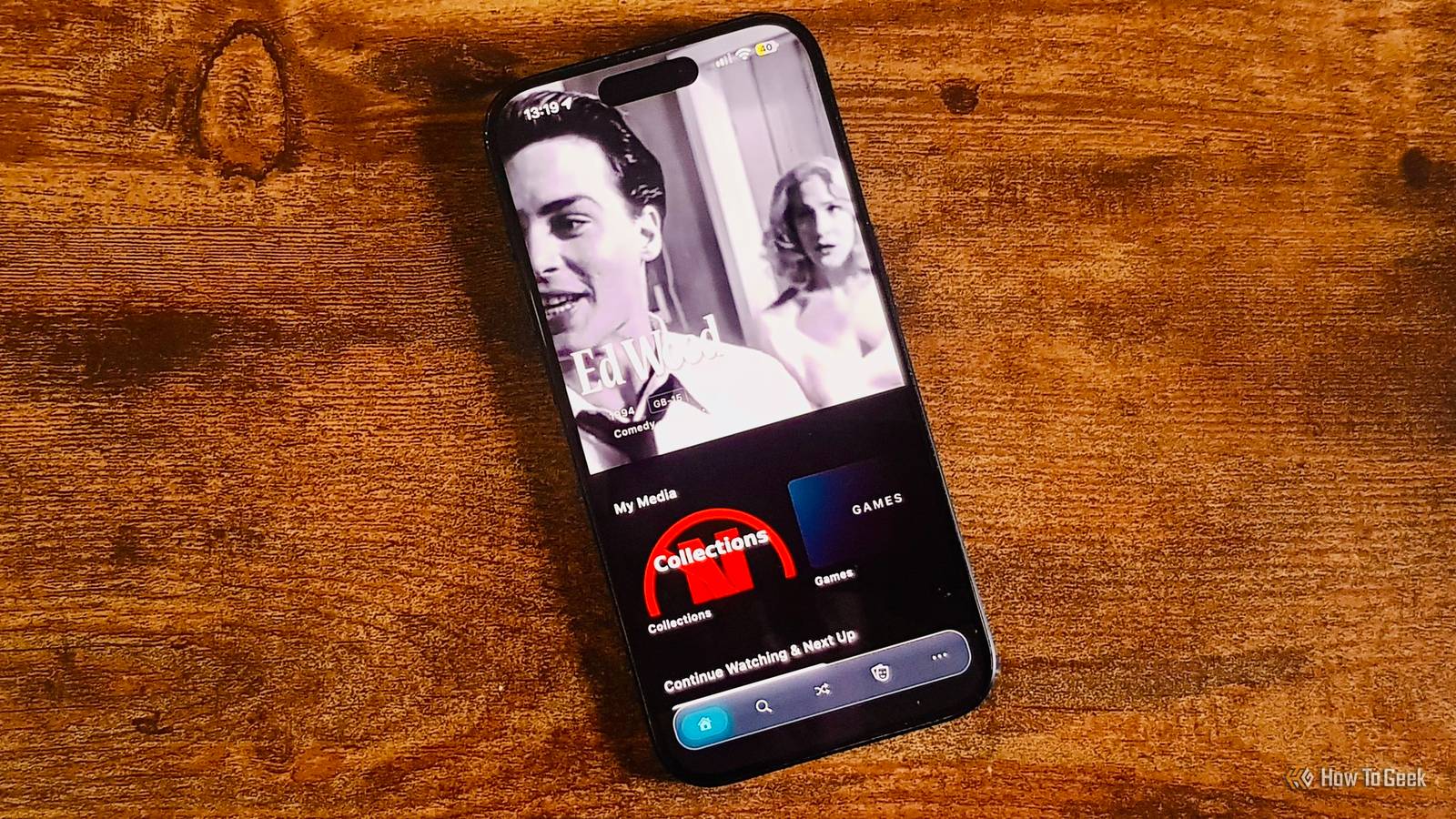
Published Oct 25, 2026, 2:00 PM EDT Adam has a degree in Engineering and has a life-long interest in technology. He has been writing for over a decade for various print and online publications, with a focus on consumer tech. He joined How-To Geek in 2024 while working at Pocket-lint. As well as being a long-term fan of Apple products, he also has a strong interest in smart home tech, running a Home Assistant server at home to automate all his smart home devices. He believes that the ideal smart home should work with minimal interaction from the user, with automations running as if by magic rather than requiring you to push buttons on a control panel. You can find more of his work on Muck Rack. I switched to Jellyfin from Plex some time ago, and I haven't looked back. While Jellyfin gives me control over my media collection, its clients don't always feel designed for people who run their own servers. The free and open-source Moonfin client supports Jellyfin and Emby and was built specifically with homelabbers in mind. Manage multiple servers from the client A client for admins, not just users Many Jellyfin clients focus on enabling you to browse and play your media files. If you want to adjust your server, you need to leave the app and access your server's web dashboard instead. Moonfin includes administration tools built directly into the client, so you can manage users, edit libraries, change server settings, inspect logs, and more, all without leaving the Moonfin app. You can also connect to multiple Jellyfin and Emby servers simultaneously and combine their content into a single, unified library. If your homelab has expanded over time, you might have a Jellyfin library on a mini PC and an Emby library on a NAS. With Moonfin, you can bring these libraries together with unified search and features such as Continue Watching based on the content of all of your servers. Browse releases and manage requests If you're a homelabber, the chances are that Jellyfin is only one small part of your media library stack. Watching media is the final step of the journey, but you need to add that media to your servers first. Seerr is a popular self-hosted application for discovering movies and TV shows and managing requests to add media to your library. Moonfin has native Seerr support, so you can use the client to browse popular and upcoming releases, submit and track requests for specific content, and more. For example, a family member could request a movie that hasn't been added to Jellyfin yet, and you can track that request directly through Moonfin and choose how you want to implement the request, such as adding the movie to Jellyfin from your personal collection or through integration with other self-hosted services. Seerr integration requires Moonbase, an optional plugin. Moonbase offers several other benefits, including synchronizing settings across devices, keeping API keys server-side, and delivering push notifications. Moonfin supports emulation for a wide range of systems If you're a homelander, you may have more than movies and TV shows in your collection. If you've also got a library of video game ROMs, then Moonfin has you covered there, too. If you point Moonfin at your games library, you can not only browse games in the Moonfin client but also play them directly in the app. Moonfin has support for multiple emulators, including NES, SNES, GBA, DS, PS1, N64, and more, although not every platform supports every system. Save states sync through your server, so you can start a game on your phone and pick it up from the same place on your TV. You'll get full gamepad navigation, so you don't need to mess around with remotes or tap a screen. The emulation cores are packaged inside the app on Apple platforms; on other platforms you can download them on the app as necessary. Native playback engines can reduce the load on your server Moonfin makes better use of the hardware you're watching on One of the biggest challenges of running Jellyfin is transcoding. When a playback device can't cope with the video or audio format of a show or movie, it has to be converted to a compatible format in real time, with a significant drain on CPU or GPU resources. If you have multiple people trying to watch simultaneously, it can be a struggle. Instead of using the same playback engine across all platforms, Moonfin uses different engines for different platforms in order to take advantage of that platform's hardware and limit transcoding as much as possible. For example, Moonfin uses AetherEngine on Apple devices, libmpv on Windows and Linux, Media3/ExoPlayer on Android and Android TV, and Native Roku Player on Roku. This helps to improve compatibility with different media formats so that your device is more likely to use direct play rather than having to resort to transcoding. Transcoding may still be necessary, but by avoiding unnecessary transcoding, Moonfin can make a big difference, especially if you're hosting Jellyfin on relatively low-powered hardware such as a mini PC. Moonfin includes the features power users want Jellyfin is great for hosting and managing your media, but the clients are mostly focused on playback and little else. Moonfin offers additional features that will be genuinely useful for many homelabbers and includes some things that are an added bonus on top, such as the built-in game emulation. If you use Jellyfin or Emby, then it's definitely worth giving Moonfin a try, as it can do a lot more than some traditional clients.
Moonfin is the only Jellyfin client that feels like it's actually made for homelabbers
Full Article
Original Source
Read the full article at Howtogeek →KhanList aggregates and links to publicly available news content. We do not host full articles from third-party sources. Always verify important information with original sources.