
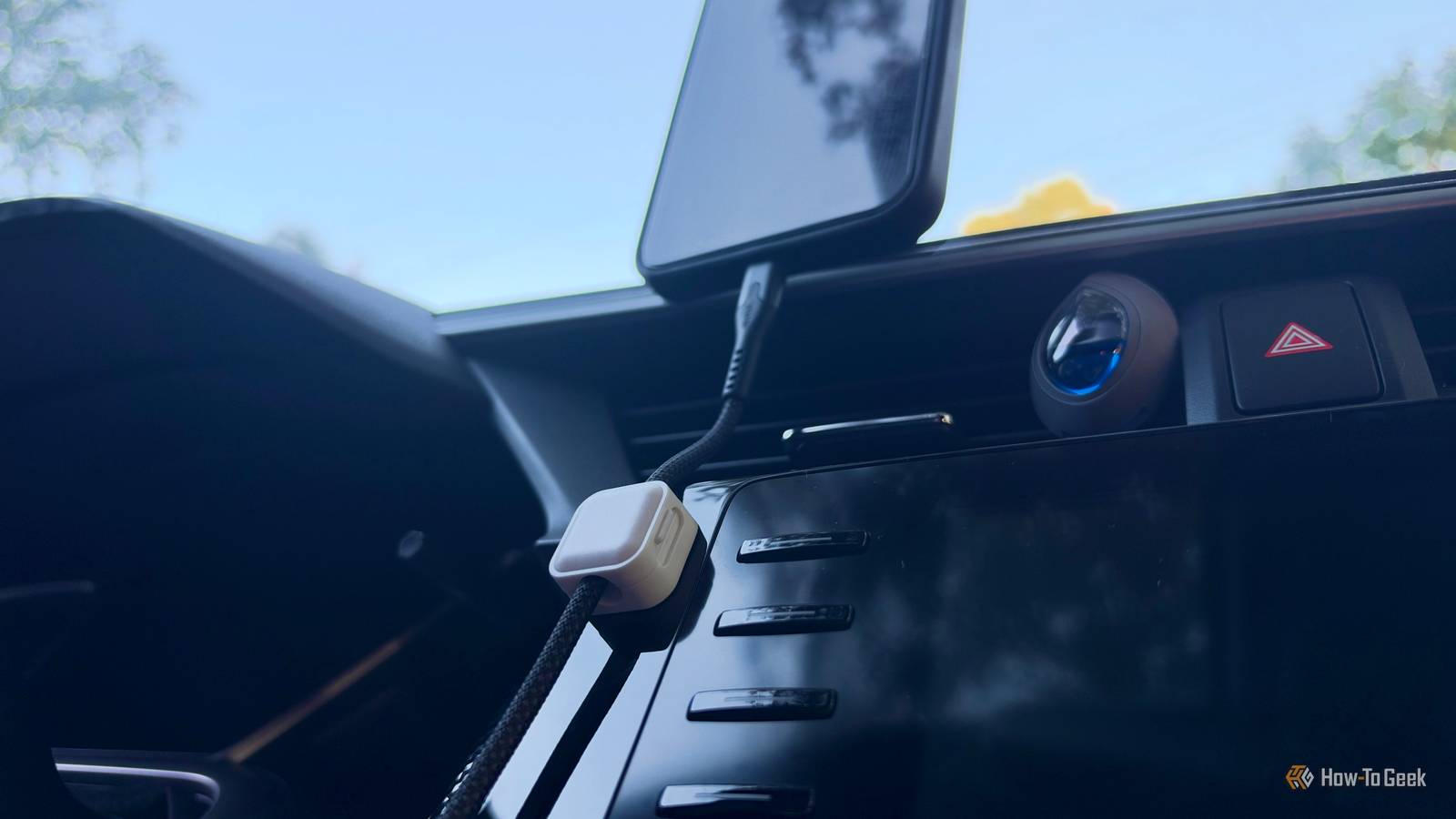
Published Oct 4, 2026, 7:00 AM EDT Nathaniel Pangaro is a tech enthusiast who dives deep into Apple’s world, from Macs and iPads to iPhones, Apple Watches, and every gadget in between. He loves turning tricky tech features into guides and reviews that are actually fun to read—and easy to use. At AppleInsider, he broke down the latest Apple releases with hands-on testing, clear explanations, and visuals that make readers feel like they’re right there with him. He also keeps SEO in mind so people can actually find his work online. He’s also written for The Student Loan Help Group, turning tech and finance topics into simple, helpful, and engaging content. Nathaniel also takes photos and creates rendered visuals to showcase devices and highlight features. When he’s not writing, Pangaro enjoys listening to music, working out, baking, and spending time with his pets. These hobbies help him recharge and bring a fresh, creative perspective to his work, keeping his writing energetic and relatable. Pangaro's goal is simple: help readers get the most from their Apple devices and actually enjoy doing it. Android Auto is a great tool to use when driving. It lets you use the best of your phone and cast it to your infotainment system. You can connect wired or wirelessly, depending on what your car supports. Wireless lets you keep your phone in your bag or pocket when you get into the car, but most cars still have wired Android Auto, which can make your setup feel less organized. Luckily, there are ways to organize your space better; you just need these accessories. 1 Magnetic phone mount Have a permanent seat for your phone When I get into the car, I have to plug in my phone to use Android Auto because my car doesn’t come with the wireless version. But once I’m in and connected, I still have to take a minute to decide where to put my phone. I have a 2020 Honda Civic, and honestly, with how it’s built, there’s no good place to put my device. There is a little compartment under the infotainment screen, but it barely fits my Galaxy A16, so adding a wire to connect it would take up space the section doesn't have. Samsung Galaxy A16 5G Brand Samsung Display 6.7-inch AMOLED The Galaxy A16 5G is a no-frills budget phone with a vibrant OLED display, refined software, and a respectable 5,000mAh battery. It will also get six major Android OS updates. This is why I got a magnetic phone holder that sits on my dashboard. It lets me place my phone on it after I enter the car, keeps it within easy reach when it’s safe, and keeps it out of the cup holder or off the passenger seat. However, only a select few Android phones have built-in magnets. This includes all versions of the Pixel 10 line and newer, the Motorola Edge 70 Max, and the HMD Skyline. Google Pixel 10 $599 $799 Save $200 Brand Google SoC Google Tensor G5 Display 6.3-inch Actua OLED, 20:9 RAM 12 GB RAM Storage 128 GB / 256 GB Looking to upgrade to a Pixel but not sure if you need all the bells and whistles of the more expensive models? You won't be disappointed with the standard Pixel 10 model. Coming in striking colors, Gemini features, and seven years of updates, you can't go wrong with this purchase. Google Pixel 10 Pro $749 $999 Save $250 Brand Google SoC Google Tensor G5 Display 6.3-inch Super Actua, 20:9 RAM 16 GB RAM Storage 128 GB / 256 GB / 512 GB with Zoned UFS / 1 TB with Zoned UFS The Pixel 10 Pro offers an upgrade over the base model with the powerful Google Tensor G5 chip, more RAM, and more storage (if you need it). Google Pixel 10 Pro Fold Brand Google SoC Google Tensor G5 RAM 16GB Storage 256 GB / 512 GB/ 1TB with Zoned UFS Battery 5015 mAh Operating System Android 16 The latest entry in Google's foldable line is bigger than ever with an 8-inch screen. Google also promises that the 10 Pro Fold can last up to 10 years worth of folding and unfolding, so this foldable can be an investment. Yet if you have an older phone — as I do — or a new one without built-in magnets, hope is not lost. You can easily buy a case on Amazon, and it works the same way as if the magnets were built in. I bought a cheap case on Amazon for less than $10, and it still holds well. The magnets are still strong, and it lets me plop it on the stand in my car without worrying about it detaching. There are many different mounts you can choose from: one that goes on your dashboard, one that goes into your air vent, one that suctions to your windshield, and one that hangs from your rearview mirror — just to name a few. I chose the dashboard mount because I didn’t want my phone taking up a vent, especially during the cold winters, and I didn’t want my view obstructed like the rearview mirror and windshield mounts would. Adding these accessories to your car and phone will not only make your Android Auto setup cleaner and more streamlined. You’ll no longer have to place your phone in an awkward position; just attach it and start driving. 2 Magnetic wire clasp Stop your wire from flailing around Even if you already have a place to set your phone while driving, you may still have a wire dangling around when it’s not in use. This is also the case even if you have a magnetic stand installed. For this situation, I added a magnetic wire clasp inside my car so I can clip my phone’s charging cable in, whether it’s in use or not. It keeps it from dangling freely and prevents damage. Before, my cable would hang around the gear shift or, most of the time, land on the floor. This was because of its length; I wanted it to reach the stand when the phone was on it but also reach me if I was using my phone when parked. Now, I’ll be honest: I broke my last wire by leaving it on the floor. I went to get into my car, accidentally stepped on it, and bent the plug and the metal shield on top. Doing this, especially when I was in a hurry, kept me from using Android Auto during my drive. It also forced me to search for another USB-C cable, and a good one, since weaker ones that come with random accessories aren’t always powerful enough for Android Auto. Installing the clip has made this situation almost disappear, since the cord stays in it when I'm not using it and only comes out when I need to grab my phone. Furthermore, the magnetic clip is easy to open and close. I don’t have to fiddle with getting the wire into the tight crease; I just open it, place the wire, close it, and then go on my way. 3 Magnetic cord Keep your wire connected to itself Magnetic clamps might not be for everyone. Specifically, if you don’t have the space in your car, or it just doesn’t look right, you may want to skip them. Fortunately, magnets can help in another way: a magnetic cable. This is a basic USB cable you plug into your car, but it has built-in magnets so you can stack it on itself. This wire stays compact when I don’t need or want as much wire hanging out. It also prevents tangles, so when I put it away, I don’t have to worry about it becoming a jumbled mess. I’ve also enjoyed using this type of wire because I can easily detach it when I need it, and when I’m done, I can magnetically loop it back together. Then, since it’s more compact, I can place it in the little compartment under my infotainment screen. While this isn’t a revolutionary wire, it has made a difference in my Android Auto setup. It keeps the wire out of the way and neatly tucked away when stored. Keep your setup organized These are the three ways I’ve used magnetic accessories to keep my Android Auto setup neat. However, that doesn’t mean they’re the only ones that work; I’ve had great success with them. Even with just two things — my phone and a wire to connect it — my setup can still get unorganized. These accessories help with that and streamline everything when I get in and out of the car. Aluratek - Apple CarPlay and Android Auto Combo Wireless Car Adapter Brand Android, Apple Warranty 1 year The Aluratek AWCGD02F wireless CarPlar and Android Auto combo adapter allows you to upgrade a wired Carplay or Android Auto system to a fully wireless one. Just plug in the USB adapter to the usual USB port used by your phone to connect to your infotainment system and pair your device. The Aluratek AWCGD02F supports 5GHz Wi-Fi, Bluetooth, and allows you to pair up to two devices simulataneously. On the other hand, if none of these accessories appeal to you or fit your setup, you can always get an adapter to make wired Android Auto wireless. That way, you can keep everything in your pocket or bag when you get in the car.
Magnets transformed my messy Android Auto setup, and the fix costs less than you think
Full Article
Original Source
Read the full article at Howtogeek →KhanList aggregates and links to publicly available news content. We do not host full articles from third-party sources. Always verify important information with original sources.