
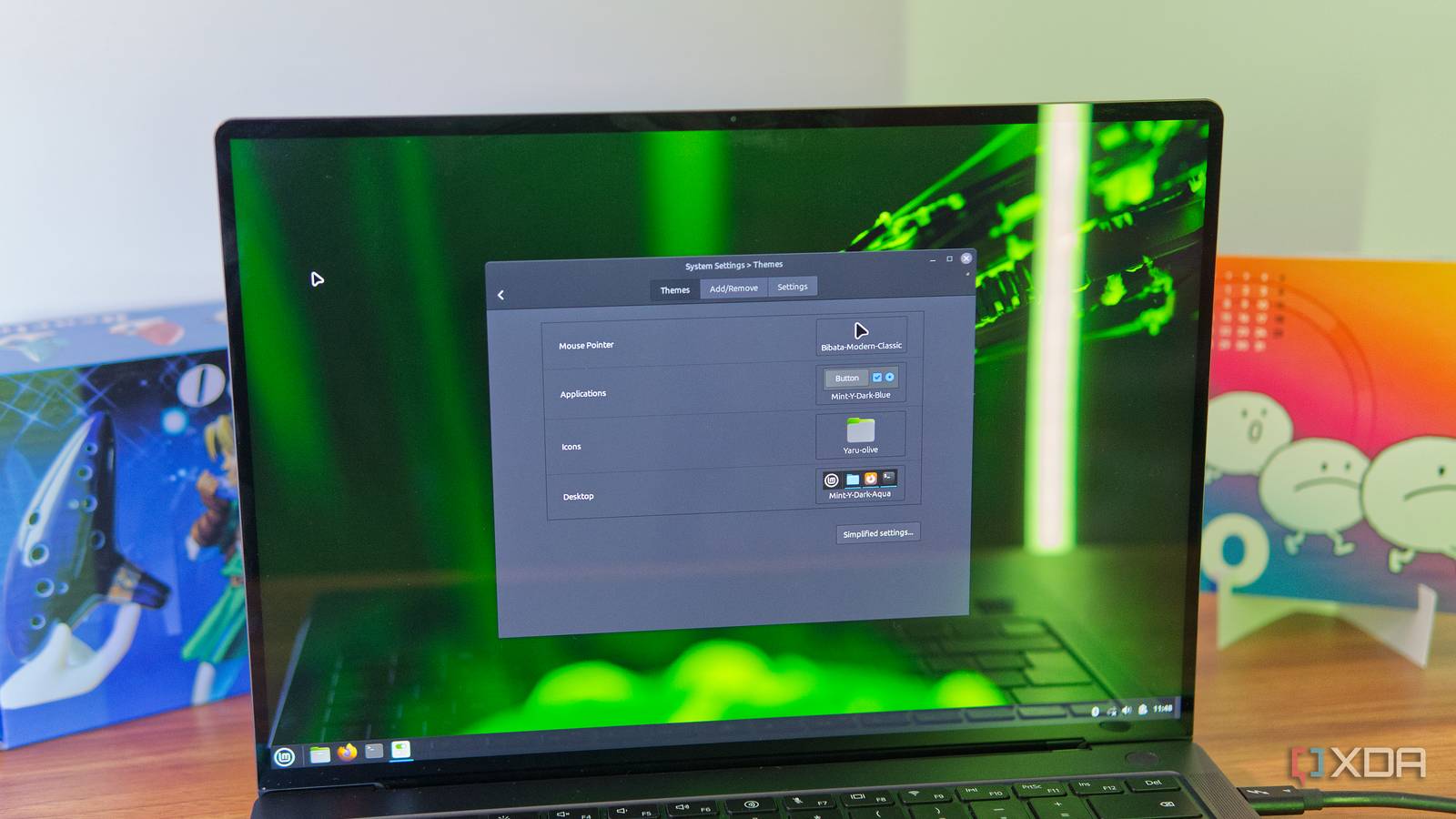
Published Oct 25, 2026, 9:00 AM EDT João has been covering the tech world for over 7 years, with a heavy focus on laptops and the Windows ecosystem. I also love all things tech and videogames, especially Nintendo, which he's always happy to talk about. Prior to joining XDA in 2021, he worked at Neowin: https://www.neowin.net/news/poster/jo%C3%A3o-carrasqueira/ With Windows 10 reaching the official end-of-life date over a year ago — though the free Extended Security Update program is available for one more year — PC users are faced with a choice. Stay on an unsupported platform with security risks, upgrade to Windows 11 and deal with a bloated experience, or buy a new laptop. It's no wonder so many have turned to Linux as a way to revive their old hardware, and thankfully, the Linux world of today makes that easier than ever. Not only did Linux in general use to be somewhat unintuitive and ugly, but if you particularly wanted something for weaker hardware, you were even more limited. These days, things are quite different. Things used to be less than stellar Linux wasn't too concerned with looks Image credit: Wikipedia A few years back, Linux as a whole wasn't overly concerned with looking or feeling all too modern, and that especially impacted distros aimed at lower-end hardware. I wasn't personally involved in the Linux scene at the time, but my colleague Adam Conway mentioned using Xubuntu back in the day, and sure enough, looking up what it used to look like, it's not pretty. You could argue that the Xfce desktop environment isn't exactly a looker even to this day, but in the early to mid-2000s, it was even less appealing. Similar things can be said for desktops like MATE, and to some extent, even more popular options like Cinnamon that came later on. It's also because many of these desktops are based on the ancient GNOME 2 and carried that older identity forward for a while longer. For many distros software support could also be a problem because they had custom repositories or package managers, and you may have a hard time finding apps you need, or they may not be up-to-date with the latest versions on more popular distros. Linux Mint is an excellent starting place Lightweight, yet modern and capable If you're considering bringing an old laptop to life these days, the best place to start is almost undoubtedly going to be Linux Mint. It's not necessarily the lightest distro around, but it's lighter than many of the more popular options like Ubuntu or Fedora while still retaining many of the things that make those distros great. The latest version of Linux Mint comes with the Cinnamon desktop environment, which shares some similarities with Windows out of the box, including a fairly standard taskbar that's far more customizable than that of Windows, and dedicated GUI-based tools for things like software updates and installing new apps. It also supports .deb packages for easily installing apps off the internet, and it comes with Flatpak set up out of the box, too. Everything about Linux Mint feels just right. It's not overly handhold-y like Windows can be, but it doesn't throw you off the deep end, either. Most things make sense even if you're a relative newcomer, and they look great, too. The most recent release has a clean, modern-feeling UI across the board, and you can customize the look with different themes and colors to make it your own. It may not get new features as quickly as the distros using GNOME or KDE Plasma as their desktops, but Linux Mint and Cinnamon make for a combination that is both lightweight, functional, and visually pleasant, and they're the best bet for almost any PC. Even more extreme options still look solid MX Linux and antiX are still great Even if your old PC is somehow too weak for Linux Mint, you can actually go for an even lighter distribution such as MX Linux and still have a solid experience these days. MX Linux gives you multiple desktop options, and you can start with KDE Plasma if you want the most beautiful and fully-featured option of the bunch, though it won't be the lightest option. Alternatively, you can use the Xfce desktop, which does look a little older, but is still fully usable. It may not be a looker, but some people will defend Xfce's simplicity compared to desktops like KDE Plasma or GNOME, and feature-wise, it's still perfectly functional, with basic window management, virtual workspaces, and all the basic apps you need. If you're really all-in on using as few resources as possible, there's also Fluxbox, which is an even lighter and more limited option. I'd argue at that point you may be getting a little too close to the "ugly" experiences of earlier distros, but it's not as big of a problem because of another factor. I've personally attempted reviving an extremely slow old laptop from a family member, and while it didn't do miracles, these distros did at least make it usable. Software support has become better, too Universal packages made things easier Beyond just looks, modern lightweight distros can also benefit from the increased popularity of universal packaging formats on Linux. In the past, you'd be expected to rely on specific repositories, plus distros could either be based on Debian, Red Hat, or Arch, with different packaging systems for each one. An app that worked on one distro may not work on another, or it may have outdated functionality. But today, the advent of the Flatpak packaging system makes it much easier to find a wide range of apps through a centralized repository (Flathub) that works on the majority of distros, often out of the box. That includes MX Linux, which has Flatpak built into its dedicated package manager. If that's not enough, there's the AppImage format, too. This is a portable format that also works on almost any distro these days, and it's great for apps you just download from the internet and run directly. It's actually a fairly old format, but it's become increasingly popular, and one of my favorite apps — Beeper — is actually only available for Linux in this format. While the performance impact of using Flatpak apps can be debated, especially on older hardware, having the option is never a bad thing. You can have an otherwise lightweight system and just use Flatpaks when you really need them. Lightweight Linux distros are good now If you want to extract more life from an older PC, lightweight Linux distros are a better option than they've ever been. They look great, they're fully functional, and they now have access to more software than they used to. You don't have to settle for a terrible experience just to make your computer usable, and it should change how you look at that aging hardware.
Lightweight Linux distros make your old hardware useful again, and they're not the nightmare you remember
Full Article
Original Source
Read the full article at Xda-developers →KhanList aggregates and links to publicly available news content. We do not host full articles from third-party sources. Always verify important information with original sources.