
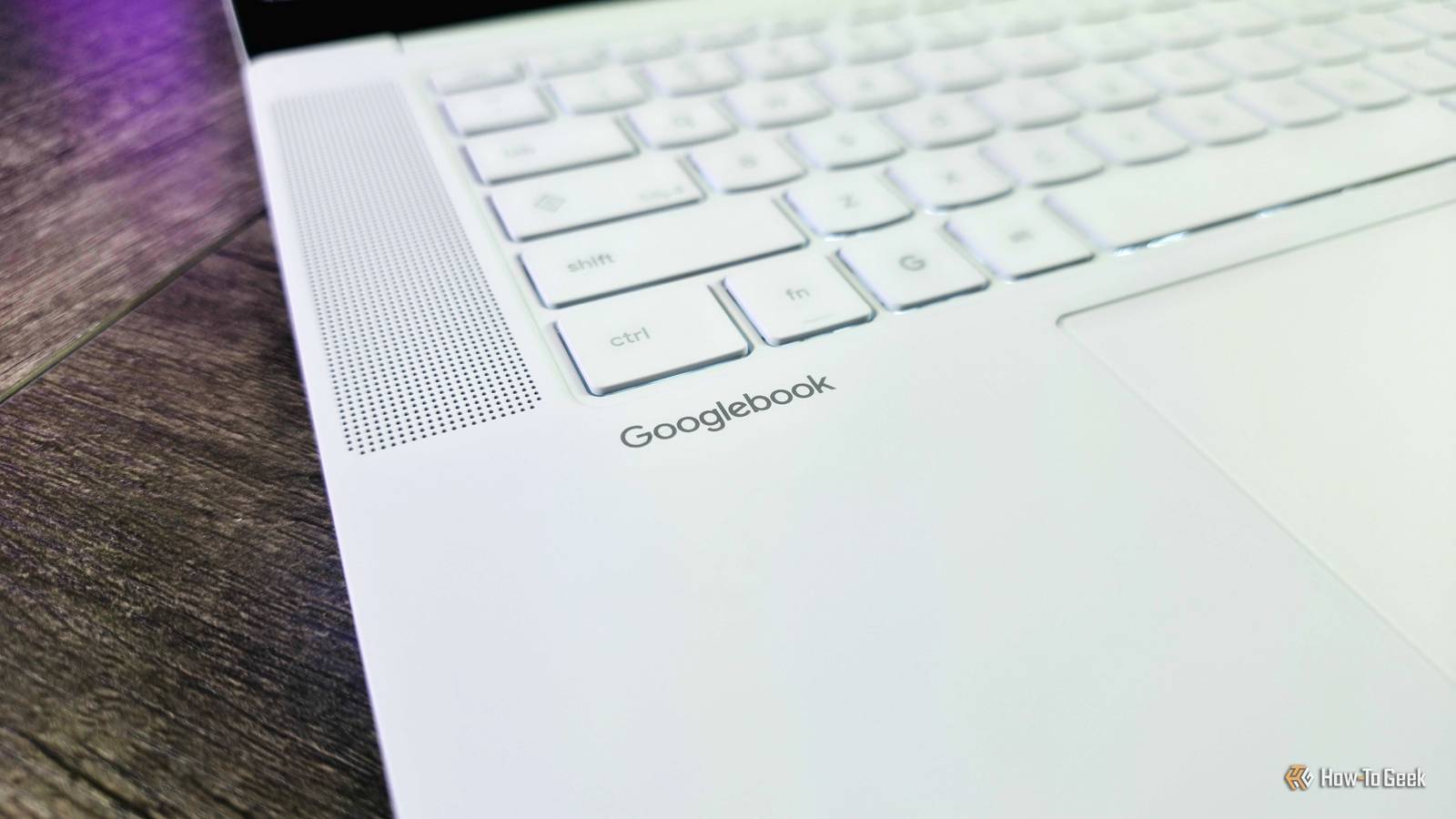
Published Oct 21, 2026, 7:31 AM EDT Lenovo's first AI-focused Googlebook begs the question: Who is this actually for? Lenovo didn't ruin this beautiful $1,100 laptop, Googlebook OS did This is a momentous era for Google, as the 15-year reign of Chromebooks begins to decline in favor of a brand-new large-form computing platform: Googlebooks. Aggrandizing name aside, Googlebooks are a major part of Google's evolving ecosystem, aiming to bring the best of Android and ChromeOS together with premium hardware designed with artificial intelligence in mind. The Lenovo Googlebook 15 is among the first devices running Googlebook OS, so there's a lot of pressure on this laptop to be great. Good news for Lenovo: the Googlebook 15 is a nice laptop, as long as we're strictly talking about the hardware that Lenovo contributed. The lovely matte magnesium-alloy chassis, comfortable keyboard, responsive haptic touchpad, and large OLED display make a fine case for the Lenovo Googlebook 15, even at $1,100, in a difficult market burdened by sky-high memory and storage prices. The issue is that Google is betting big on a new operating system that's simply unfinished, unstable, and unhelpful. Googlebook OS is without a shadow of a doubt the worst part about this laptop, and that's a shame. Lenovo Googlebook 15 6/10 Operating System Googlebook OS CPU Intel Core Ultra 5 325 (8 cores) GPU Integrated Intel Graphics RAM 16GB LPDDR5X @ 7,467MHz The Lenovo Googlebook 15 is among the first five Googlebooks, the new category of AI-focused laptops running Googlebook OS. Its premium magnesium-alloy design, OLED display, and Intel Core Ultra silicon contribute to a great hardware experience, but Googlebook OS unfortunately falls short with broken and missing features, poor performance, and other issues. Until Google substantially improves the software experience, it's difficult to recommend any Googlebook, including Lenovo's. Pros & Cons Attractive, lightweight, and premium-feeling design Comfortable keyboard and excellent touchpad Large and responsive OLED display Everyday performance is smooth Googlebook OS is a buggy mess Also, Googlebook OS is frustrating to use and lacks features Even headlining Googlebook OS features often don't work Battery life is middling at best, probably because of Googlebook OS Price and availability The Lenovo Googlebook 15 starts at $1,099 when you buy it from Best Buy, where it comes equipped with an 8-core Intel Core Ultra 5 325, 16GB of soldered memory, and a 512GB user-replaceable SSD. Go direct to Lenovo, and you'll pay an extra $50 for the same configuration and not find any additional options (unless you really want to spend even more for a smaller but faster SSD). Googlebooks are positioned as more premium alternatives to the best Chromebooks, and the Lenovo Googlebook 15 does boast the hardware necessary to justify that price, at least when considering how artificial intelligence development is consuming the market's memory and storage supplies, raising prices across the board for consumer technology. For me, $1,100 feels reasonable for the Googlebook 15... until we talk about the operating system. Specifications Operating System Googlebook OS CPU Intel Core Ultra 5 325 (8 cores) GPU Integrated Intel Graphics RAM 16GB LPDDR5X @ 7,467MHz Storage 256GB/512GB NVMe PCIe Gen 4 M.2 2242 Battery 70Wh, 65W USB-C charging Display (Size, Resolution) 15.3-inch, 16:10, 2880 x 1800 Speakers 2x 2W tweeters & 2x 2W woofers, Dolby Atmos Colors Cloud Grey Ports 2x Thunderbolt 4 (40GBps, DP 2.1, PD 3.0), 1x USB-A (5GBps), 1x HDMI 2.1, 1x 3.5mm audio jack Dimensions 341 x 236 x 15.95mm Weight 1,290g Form Clamshell Display type OLED, 120Hz, 500nits, glossy, multi-touch Webcam 5MP, privacy shutter, dual-microphone array Connectivity Wi-Fi 7 2x2, Bluetooth 6.0 Starting Price $1,099 An incomplete, unhelpful operating system Googlebook OS is absolutely this laptop's greatest flaw I normally begin with hardware and end with software in my reviews, but I'm making an exception for the Lenovo Googlebook 15 because of how severely Googlebook OS impacts the overall experience. As one of the first laptops showcasing this new operating system, it's even more important to highlight what Googlebook OS is and why it's the reason you probably shouldn't buy this laptop (at least not right now). Googlebook OS aims to seamlessly blend the desktop environment of ChromeOS with the bold interface, security and privacy, and app compatibility of Android. In fact, you'll actually find the Android version directly under the Googlebook OS version in Settings because of how closely the two are interconnected. The headline: a modern operating system designed from the ground up for artificial intelligence and cross-device integration. On the surface, Googlebook OS makes sense for Google's ecosystem, and I have to admit this is a pretty OS. The user interface is consistently colorful and flat, perfectly following the Material 3 Expressive design language, and is easy to navigate for anyone familiar with ChromeOS or Android. It's a shame it comes with a plethora of limitations, missing features, and frustrations that make me question why Google chose to release Googlebook OS now. To begin, I'll simply list just a few of the bugs I've encountered during the last couple of weeks: Touch input randomly stops working for an extended period of time. System elements, like the app drawer, randomly stop working until I restart. Apps randomly fail to launch multiple times in a row. Apps that install fine, like Microsoft Edge, may always freeze on the boot screen and never launch. Apps that require browser authentication, like Enpass Password Manager, may continuously fail to successfully log in. The Linux Terminal is prone to performance degradation and crashes, even with maximum allocated memory. Cross-Device Services with Android devices can be set up, but are completely broken afterward. The laptop randomly and frequently restarts while closed and in standby mode. The laptop randomly and frequently fails to properly enter standby mode when closed, causing persistent battery drain. Issues like this can and will surely be fixed in future updates, but Googlebook OS has other weaknesses that may not be so easy for Google to resolve. There's so much to discuss about apps alone. Google has famously struggled to get Android developers to properly embrace Android tablets and Chromebooks for years, and Googlebooks are no different; most of the apps I tried are not properly optimized for mouse-and-keyboard input in a desktop environment, leading to constant frustration interacting with touch-first applications that scale poorly or don't make good use of available screen real estate. These inconsistencies even extend to widgets you add to your desktop. You have to get your apps to run at all first, though, as many Play Store apps (including games like Minecraft) aren't supported on Googlebooks, and others run poorly, either due to your device architecture (Arm64 Qualcomm systems seem a safer bet than x86 Intel systems) or app limitations. Googlebook OS may support millions of Android apps through the Google Play Store, but your experience across these apps will vary wildly, and Google's assurances that it's working with developers to expand support don't hold much water. Frankly, Progressive Web Apps, or PWAs, are still significantly better than Android apps in many cases, but the web app experience on Googlebooks is inferior to Windows 11 and even Chromebooks, as you don't have access to extension management and other browser tools through the web apps themselves. A first for me, I was even blocked from installing the Asana web app for some reason, and had to make do with the far inferior Android version. If you're considering Linux apps to fill the gaps, the new Linux Terminal is considerably limited and lacks a ton of features compared to the ChromeOS Linux implementation or the Windows Terminal, such as not being able to run windowed GUI apps, use USB passthrough, or enable dynamic memory. A crippled feature set is commonplace throughout Googlebook OS, too, with even the core Files app effectively being a glorified Android app without tabs, advanced view customization, and much more. I've not even touched on the small catalog of AI features not adding anything particularly interesting or innovative, the Cross-Device Services for integrating your Android phone falling well short of expectations (if it even works), the bizarrely long list of completely missing Chrome, IT, and administrative features that aren't arriving until mid-2027 at the earliest (especially important for education and enterprise), and further grievances that I don't have time for. This isn't a Googlebook OS review, after all, so it's time to focus on something considerably less disappointing: the Lenovo Googlebook 15 itself. Gorgeous hardware and great features As a laptop, the Lenovo Googlebook 15 doesn't disappoint When I unboxed the Lenovo Googlebook 15, I was legitimately impressed by the quality of its hardware. This laptop is clad in a magnesium-alloy chassis that's lighter and sturdier than aluminum, with a beautiful matte finish that Lenovo calls "Cloud Grey." Construction is tight and polished; every angle is sleek and appealing, culminating in a laptop that feels even more premium than its $1,100 price point would suggest. You'll find plenty of ports and a side-mounted power button along the edges, and on the lid you'll find the glossy Lenovo logo and the Googlebook Glowbar that is... actually not very useful, but every Googlebook has it. Open the lid, and you'll be met with the 15.3-inch OLED display that is perfectly sharp and responsive at 1800p and 240Hz, with vibrant colors, perfect contrast levels, and multi-touch input. I wish it were a fair bit brighter than it is, but it's a great display overall. Below the screen, you'll find a typically comfortable and smartly laid out backlit Lenovo keyboard that I really can't criticize. That keyboard is supported by a roomy haptic touchpad that is beautifully smooth and responsive, though being able to adjust the strength of the haptics would be great (it's too gentle for me by default). The quad Dolby Atmos speaker system flanks both, and while it won't give any of the best laptop sound systems a run for its money (especially with its clarity at louder volumes), audio is warmer, deeper, and fuller than your average laptop in this price range. Honestly, Lenovo nailed how to make a great laptop for $1,100. Even the 5MP webcam and its dual microphones are perfectly fine for the price, when other companies may see that as a place to cut corners. If there are any places where the Googlebook 15's hardware stumbles, it's performance and endurance. Fine performance and disappointing endurance The latter may be the fault of Googlebook OS Under the hood of a Googlebook, you'll find Qualcomm Snapdragon X or Intel Core Ultra powering everything. The Lenovo Googlebook 15 boasts the latter, and specifically the 8-core Intel Core Ultra 5 325 (there's no option to upgrade to a Core Ultra 7 at the time of review). This chipset sits at the bottom of the Intel Core Ultra family, but general day-to-day performance is still great. Booting up, logging in, and navigating around Googlebook OS is generally responsive and smooth, as long as you manage to avoid any of the aforementioned bugs. Apps also usually launch quickly and perform well, so the workloads of average people should pose no problems for the Googlebook 15. This is still an entry-level chipset, though, and the GPU is especially weak, around the level of a Google Pixel from two years ago. For those who care about numbers, Geekbench 7 returned 2,401 (Single), 11,213 (Multi), and 7,366 (GPU). Even demanding games from the Google Play Store can find the limits of the Googlebook 15, and demanding graphical or AI workloads can be equally stressful for the Core Ultra 5's basic integrated graphics. I wouldn't say overall performance is disappointing for a $1,100 laptop, but be sure to keep your computing needs in mind if you consider this laptop. One area that has disappointed, however, is endurance. With an efficient processor and a generous 70Wh battery, I expected the Lenovo Googlebook 15 to deliver exceptional longevity—and it can, albeit inconsistently. With minimal changes to usage or device settings, I could see anywhere from 6–12 hours of actual usage from a fully charged battery, an annoyingly wide range that would make me anxious to leave the 65W USB-C charger at home. The Googlebook 15 at least leaned toward the positive end of that range more often than not, but this laptop's most egregious battery-related weakness is actually standby time. It was all too common for the Googlebook 15 to seemingly fail to properly go to sleep when I closed it, leading to substantial losses in charge the next time I opened it. Once, I left a fully charged Googlebook 15 on my desk late at night and came back to a critical charge level less than 10 hours later. I'm fairly certain Googlebook OS is to blame for inconsistent endurance both when using the Googlebook 15 and when walking away, which is odd considering just how efficient Android devices can be when asleep. Should you buy the Lenovo Googlebook 15? You should buy the Lenovo Googlebook 15 if: You want what's effectively a more premium Chromebook You're betting on Googlebook OS improving in the future You know you don't want a Windows, macOS, or Linux laptop You should not buy the Lenovo Googlebook 15 if: You need a powerful, stable, and consistent software experience You don't care about the Android or AI integration You rely on a lot of Linux apps and workflows For Google, the outlook isn't great when you compare Googlebook OS to the ChromeOS it's ostensibly replacing, and that's without adding Windows, macOS, or Linux to the conversation. If the Lenovo Googlebook 15 was identical in every respect, except Googlebook OS was replaced with Windows 11, I have no doubt I'd rate it far more favorably. Windows 11 has its fair share of problems, don't get me wrong, but as a whole Windows 11 is so much more capable, flexible, and (somehow) consistent. The Googlebook 15's fantastic hardware can't paint over the gaping holes in Googlebook OS. Googlebook OS will almost certainly improve by leaps and bounds over the next couple of years, but I do or do not recommend products based on what they are today, and the Lenovo Googlebook 15 is a great laptop that you probably shouldn't buy. Honestly, I'd recommend one of the latest Chromebook Plus devices instead, as you'll save money, benefit from the more stable, mature, and fleshed-out ChromeOS, and you'll likely get Googlebook OS down the line anyway (hopefully after Google actually finishes it). Lenovo Googlebook 15 6/10 Operating System Googlebook OS CPU Intel Core Ultra 5 325 (8 cores) GPU Integrated Intel Graphics RAM 16GB LPDDR5X @ 7,467MHz The Lenovo Googlebook 15 is among the first five Googlebooks, the new category of AI-focused laptops running Googlebook OS. Its premium magnesium-alloy design, OLED display, and Intel Core Ultra silicon contribute to a great hardware experience, but Googlebook OS unfortunately falls short with broken and missing features, poor performance, and other issues. Until Google substantially improves the software experience, it's difficult to recommend any Googlebook, including Lenovo's.
Lenovo Googlebook 15 review: Google ruined this $1,100 laptop, not Lenovo
Full Article
Original Source
Read the full article at Howtogeek →KhanList aggregates and links to publicly available news content. We do not host full articles from third-party sources. Always verify important information with original sources.