
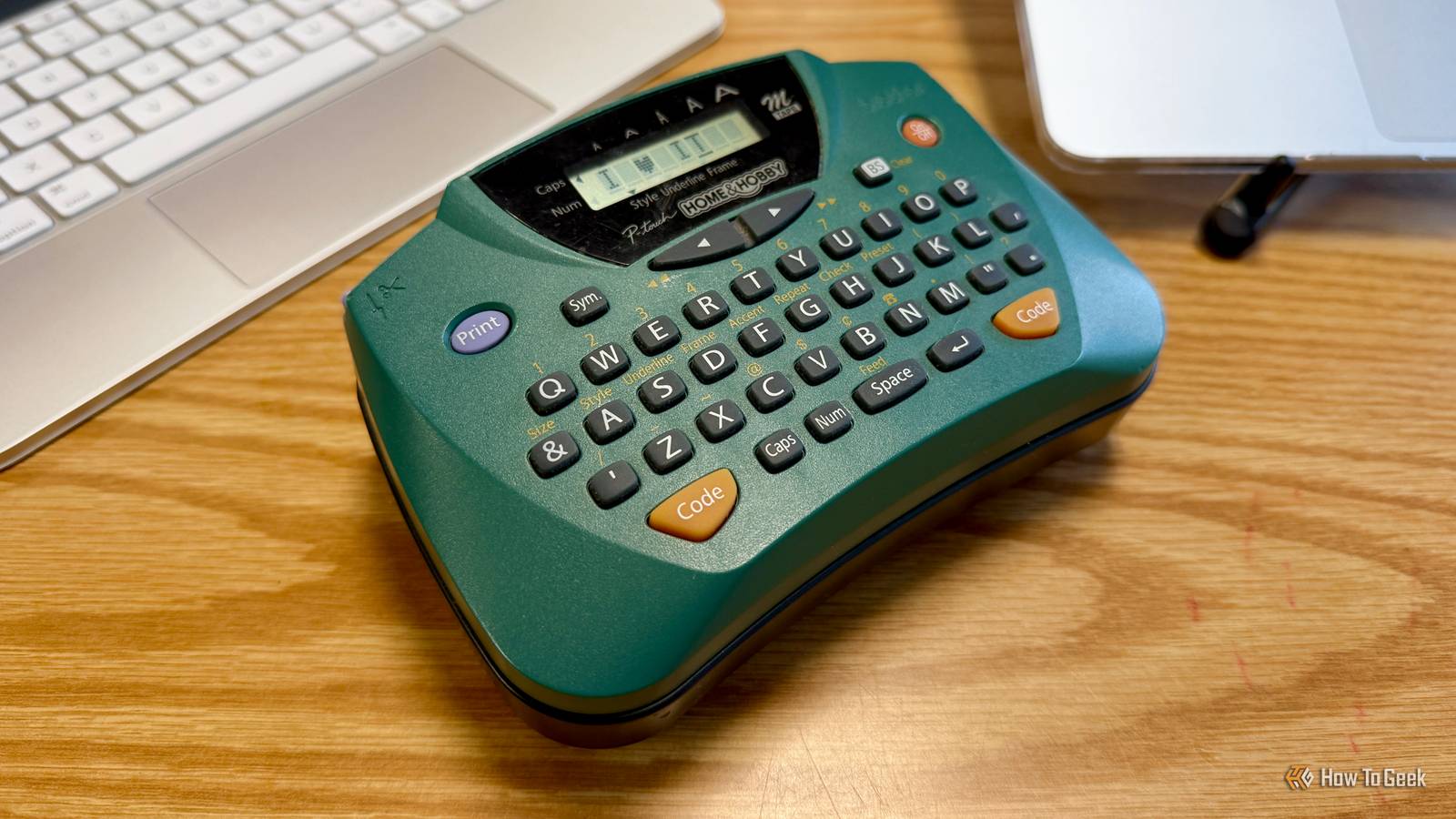
Published Sep 9, 2026, 12:30 PM EDT Nathaniel Pangaro is a tech enthusiast who dives deep into Apple’s world, from Macs and iPads to iPhones, Apple Watches, and every gadget in between. He loves turning tricky tech features into guides and reviews that are actually fun to read—and easy to use. At AppleInsider, he broke down the latest Apple releases with hands-on testing, clear explanations, and visuals that make readers feel like they’re right there with him. He also keeps SEO in mind so people can actually find his work online. He’s also written for The Student Loan Help Group, turning tech and finance topics into simple, helpful, and engaging content. Nathaniel also takes photos and creates rendered visuals to showcase devices and highlight features. When he’s not writing, Pangaro enjoys listening to music, working out, baking, and spending time with his pets. These hobbies help him recharge and bring a fresh, creative perspective to his work, keeping his writing energetic and relatable. Pangaro's goal is simple: help readers get the most from their Apple devices and actually enjoy doing it. If you’re like me, you have a bunch of files, folders, and items in your office that make it unorganized and cluttered. Over time, these become increasingly overwhelming, and you forget what’s in each file or folder or which cable goes to which monitor or port. It becomes madness, but thanks to one of my favorite office additions, I’ve calmed everything down, and that’s due to the help of my label maker. Best of all, it didn't cost me an arm and a leg. Not the biggest first impression I didn’t think much of it at first Credit: Nathaniel Pangaro / How-To Geek When I first got my label maker, I didn’t think too much about it. I could label multiple things, but I always thought I wouldn’t have that many labeled items. I labeled binders and folders galore, but that was the extent of it. I really had nothing else to label in my office besides basic supplies. However, I should clarify that this was the beginning of my office setup journey. I didn’t have many tech items, or items in general, on my desk, so it was pretty bare-bones. Labelworks Epson LW-PX300 $54 $59 Save $5 Whether you’re running a business or just like labeling stuff at home, the Labelworks Epson LW-PX300 is an easy solution to the problem. It features tons of customization and in a way that’s simple and unsophisticated. The only items on my desk worth labeling were charging wires for my iPad, iPhone, and MacBook, plus other office supplies like a stapler, tape, a pencil sharpener, and sticky notes. Again, nothing too crazy or immediately needed labeling. But as time went on and I expanded my office setup to meet my current needs, more wires started appearing. For instance, I added an external monitor to my desk, then upgraded to two; added a charger for my Apple Watch, and used a 2.4 GHz receiver for my external trackpad, which I kept on my desk through a USB extender. Credit: Nathaniel Pangaro / How-To Geek Realistically, it would be an understatement to say the wire fiasco that came with all the new additions was tame. Many wires ran to and from my desk and plugged into a multi-plug installed underneath it. As my setup grew and the wires started looking more the same—like being USB-C or the same color—I knew I had to do something about it, especially for the sake of organization. This is when I turned to my label maker more often, and my addiction became stronger. Labels are now everywhere Everything started getting labeled Credit: Nathaniel Pangaro / How-To Geek With every new addition to my office, another label appeared. Even items that I didn’t originally think needed a label got one. For example, I added a gaming section to my office — I wanted a place to keep my gaming laptop without having to put it away when I’m done, and this was my solution. It’s just a small desk with my gaming laptop, monitor, and wireless keyboard and mouse. But since I already have a laptop setup for business, I labeled my gaming desk accessories so that — if I ever needed to move stuff around — I would know what went with it. This included knowing that the mouse was connected to the gaming laptop, and so was the keyboard. Credit: Nathaniel Pangaro / How-To Geek On the topic of the keyboard, the labeling really came in handy. My keyboard has a special port that needs an elongated USB-C cable to charge—meaning a regular cable won’t work. Labeling this wire as my gaming keyboard charger helps me tell it apart from my other USB-C cables and makes sure I know it’s only for that keyboard if it ever gets moved. Credit: Nathaniel Pangaro / How-To Geek As mentioned, my work desk has multiple wires coming from it, which has become overwhelming. I have a multi-plug adhesively attached underneath my desk, but sometimes, when I have to unplug something to plug in another accessory, I don’t know which plug goes to what. This makes me follow wires to see what device is on the other end. It’s time-consuming, and it’s annoying to have to get up and down to figure out what goes to what. Credit: Nathaniel Pangaro / How-To Geek Labeling the wires by the outlets — or close to them — has solved this issue because I can see which device’s wire I'm temporarily unplugging or moving around, which can be important. For example, I want to make sure my MacBook charger is plugged into the more powerful power brick than my Apple Watch charger, so knowing which wire is my laptop’s from underneath the desk is very helpful. But it’s not just tech accessories getting labeled; basic pouches and packages too. Credit: Nathaniel Pangaro / How-To Geek I have a pack of NFC tags in a clear pouch, and that's what they came in. I know what they are, but to someone else, they look like a white strip of paper with blank stickers on them. Even though I could write “NFC Tags” on it with a black Sharpie, that could easily smudge, so I turned to my label maker to put its name on it. In a few seconds, I had my label, slapped it on the pouch, and called it a day. Credit: Nathaniel Pangaro / How-To Geek Now I can throw it into a drawer or box and know what is inside at a glance. Plus, anyone I ask to get them for me will know what to look for without guessing. Even though most of the items I'm labeling now are for my tech setups, I still use them for folders and binders, especially for ones related to my smart home setup. Any area that could get a label gets one, no questions asked. I’m in love Credit: Nathaniel Pangaro / How-To Geek While the labels I have made are basic, they have made my office setup — and tech life — more organized. I'm no longer guessing what goes where or what’s in a specific folder or pouch; a label tells me everything. Label makers used to be expensive, but now you can get a good one for less than $25. You can also get different-colored label tape to further customize and organize your labels. Even if you don’t have a lot to label now, you could in the future, and it’s good to be prepared when the moment comes. I didn’t think I would use my label maker that much when I first got it, but looking back, I’ve used it more than I can count, and I’ll keep using it well into the future.
Label makers aren't just for binders anymore — here's why every desk needs one
Full Article
Original Source
Read the full article at Howtogeek →KhanList aggregates and links to publicly available news content. We do not host full articles from third-party sources. Always verify important information with original sources.