
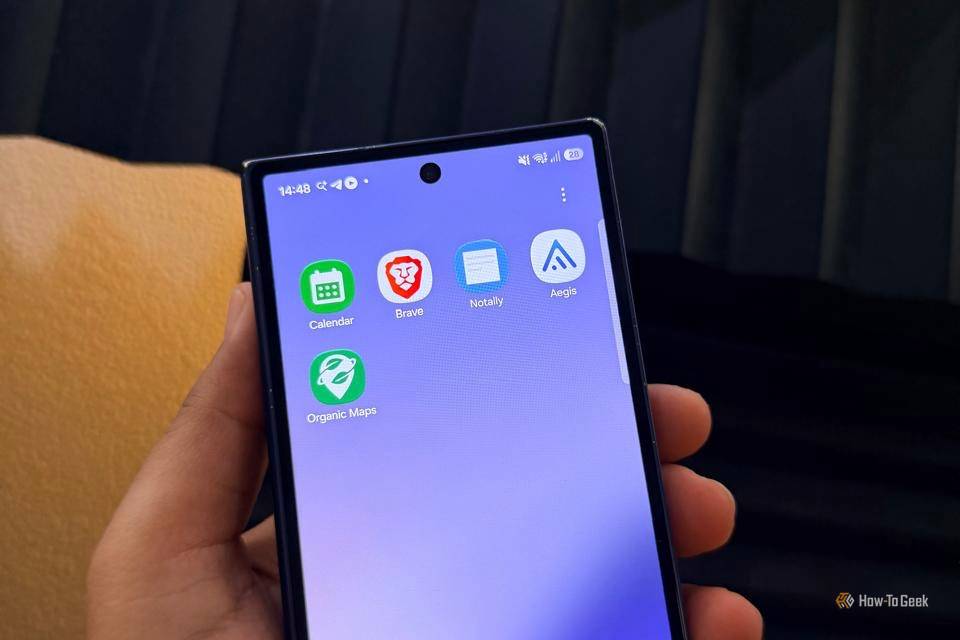
Published Oct 10, 2026, 1:00 PM EDT A Computer Engineer turned tech-savvy. Sanya is part of the How to Geek team, and she covers Android, Samsung, Google, apps, and everyday technology, combining hands-on experience with thorough research. She helps readers understand technology without getting lost in technical jargon. I realized recently how much of my phone life quietly depends on Google. Calendar for appointments, Keep for random thoughts, Chrome for basically everything, Maps when I’m lost, and Authenticator when Google decides I need another security code. It’s convenient, sure. But I started wondering why I was handing so much of my everyday digital life to one company. Say hi to my alternatives. I’m not trying to delete Google from my phone overnight. But I also don’t need every app on my phone reporting back to the same ecosystem. So I started replacing some of my everyday Google apps with my new favorites. Google Chrome Brave became my new default Credit: Lucas Gouveia / How-To Geek I switched from Chrome to Brave after noticing how often I was opening Chrome without even thinking about it. I’d use it to check a restaurant menu, research an article, compare prices — and somehow end up with 15 tabs open. Chrome wasn’t bad; I was just tired of feeling locked into Google for every little thing. Brave felt like something I'd known for years, so switching was easy. The biggest difference I noticed was the built-in ad and tracker blocking. When I’m reading an article or shopping online, I don’t feel like the internet is following me everywhere. I no longer install a variety of extensions, which is a plus. After a few weeks, something funny happened: I stopped thinking about Chrome altogether. Brave became the browser I opened automatically. For me, that’s probably the best test of a replacement. Google Keep NotallyX made my notes feel simpler Google Keep was my go-to app. I used it for article ideas, itineraries, packing lists, or even my frustration. But NotallyX gives me something I appreciate more: the option to keep my notes local instead of making cloud syncing central to the experience. I can also lock my notes with a PIN or biometric authentication, which is useful for anything I’d rather not leave completely exposed. I also like that NotallyX isn’t limited to plain text. I can attach images or PDFs, create task lists with subtasks, set reminders, and even record quick audio notes. So when I’m working on an article and suddenly think of a headline while I’m away from my laptop, I can save it immediately. For my everyday notes, that simplicity is exactly what makes NotallyX an easy replacement. Google Calendar Fossify Calendar keeps my schedule offline Fossify Calendar works with the calendar data already on my phone, so I can keep things like my daughter’s drawing class, my appointments, meetings, and family plans without adding another calendar service or cloud account to the mix. It also doesn’t use ads or tracking, and Fossify says it doesn’t require Internet permission or run its own cloud sync service. Here, I can customize in a million ways. For example, I can change notification sounds, vibrations, themes, calendar views, and even use home-screen widgets. I can also filter events, which is handy when my calendar starts looking like a wall of appointments. For me, that makes Fossify more than a Google Calendar clone. Google Authenticator Aegis gave me backup Google didn’t Google Authenticator does its job, but Aegis made me realize I was settling for a very basic 2FA app. I use authenticator codes for accounts I really don’t want to lose access to, so I like having more control over them. Aegis stores my tokens in an encrypted vault I can protect with a password or biometrics. I can also organize accounts into groups, which is surprisingly useful once the list starts filling up. The features I appreciate most are backup and export. If I switch phones, I don’t want to discover that my entire 2FA setup is trapped on the old one. Aegis lets me create encrypted backups and import or export my tokens, so moving to another phone is much less stressful. For something as important as login security, I’d rather have an app that gives me more control over my codes instead of simply showing me the next six digits. Google Maps Organic Maps is my offline backup Credit: Jorge Aguilar / HowToGeek Google Maps is everyone’s first choice. Still, Organic Maps surprised me by handling the basics without keeping me tied to Google. My favorite feature is offline maps. Before a trip, I can download a map for an area and navigate even when my internet connection disappears. That’s especially useful when I’m traveling to my village or driving through areas with unreliable coverage. Organic Maps also offers turn-by-turn navigation, walking and cycling routes, saved places, and detailed points of interest. I can save places I want to visit this year and access them later. I still use Google Maps when I need live traffic or when I’m using Android Auto, but Organic Maps has become a capable offline backup. My phone feels a little less Googley I’m not pretending I’ve completely removed Google from my life. That would be unrealistic after years of using the same apps without thinking twice. But trying these alternatives reminded me that I actually have choices. I don’t have to stick with an app simply because it’s the default. I still use Google when I need to. I just don’t need it for everything anymore.
I’m replacing Google’s everyday apps with these open-source alternatives
Full Article
Original Source
Read the full article at Howtogeek →KhanList aggregates and links to publicly available news content. We do not host full articles from third-party sources. Always verify important information with original sources.