
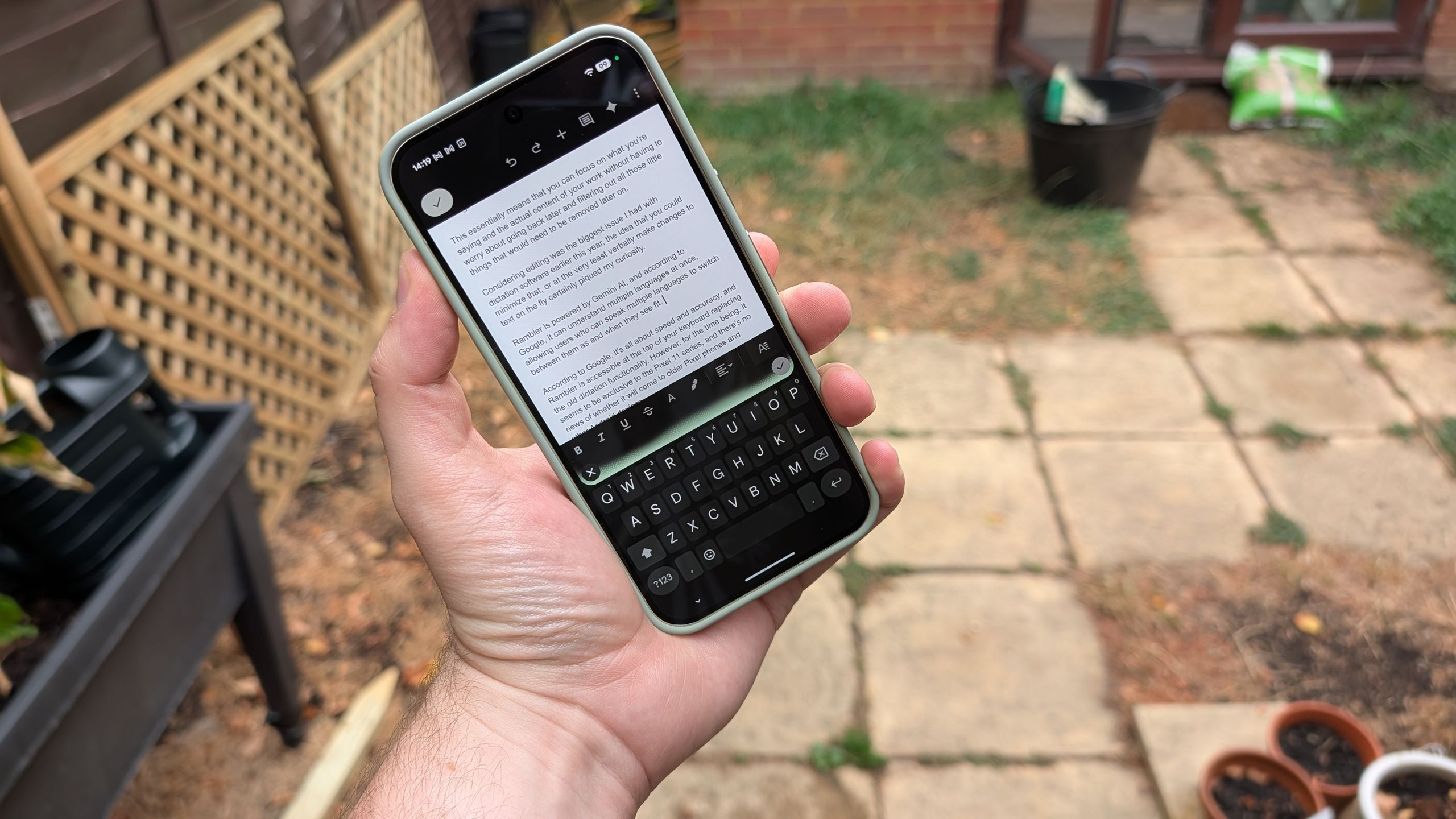
(Image credit: Future) Earlier this year, I decided to try and write an article with my voice sampling the different dictation software available on iPhones and Google Pixel phones. Both Apple and Google had been hyping up the capabilities of their new dictation software aided by brand new AI models. The results weren't awful, but they were fairly mixed.At the time, Google had just announced the new Rambler AI dictation software but hadn't revealed exactly how it was going to roll out. Earlier this month, it confirmed that Rambler would be arriving on the Pixel 11 series, allowing a whole new kind of voice-to-text software that uses natural language AI to ensure the most accurate dictation possible — or so Google says.Naturally, I decided to test the system and see if Rambler really does live up to Google's lofty claims. I was also curious to see whether the natural language systems would be capable of better understanding verbal commands and allow me to edit my work as I speak. Here's what happened.How Rambler Works (Image credit: Future)According to Google's original announcement back at Google I/O in May, Rambler is a way to ensure that users "don't have to worry about getting your words exactly right before you start.” It is designed for you to speak naturally to your phone and then use the AI to filter out all the unnecessary little parts of speech that you don't actually want transcribed. The ums, ahs and all the other verbal tics that you say without even thinking.This essentially means that you can focus on what you're saying and the actual content of your work without having to worry about going back later and filtering out all those little things that would need to be removed later on.Considering editing was the biggest issue I had with dictation software earlier this year, the idea that you could minimize that, or at the very least verbally make changes to text on the fly certainly piqued my curiosity.Rambler is powered by Gemini AI, and according to Google, it can understand multiple languages at once, allowing users who can speak multiple languages to switch between them as and when they see fit.Get instant access to breaking news, the hottest reviews, great deals and helpful tips.Google claims it's all about speed and accuracy, and Rambler is accessible at the top of your keyboard, replacing the old dictation functionality. While it originally launched on Pixel 11, Google has since confirmed that it will be coming to Gboard on Android, Gemini on macOS, and the Chrome Browser.How my time "typing" with Rambler is going (Image credit: Future)So far I've been pretty impressed with how Rambler has done things. Not only has it been able to pick up what I'm saying with impressive clarity, it's also been able to do a lot of the formatting and punctuation without actually requiring me to specifically ask for it.Generally speaking, as long as I can actually keep my words concise and my thoughts aligned, Rambler is having absolutely no issues with transcribing what I'm saying.As long as I can actually keep my words concise and my thoughts aligned, Rambler is having absolutely no issues with transcribing what I'm saying.Of course, the main limitation is that I'm not very good at doing that. I find it much easier to write or type than I do to speak, especially when that involves speaking off the cuff; organising my thoughts and relaying them to my own mouth in short order. This isn't a problem with Rambler itself; it's just how my brain works.Then again, it feels like Google could have done a lot more to make the process a little bit smoother. When you start up Rambler, you get a little bar at the top of your keyboard that features a little visualisation based on what your microphone actually picks up. The more it hears, the higher the visualisation goes and so on. What Rambler doesn't include is a preview of what it has understood you've said, which makes organising your thoughts all the more difficult, especially if you try and correct a mistake mid-flow.Having that preview would be a small improvement, but it would make a huge amount of difference, at least to me, in ensuring that I can continue my train of thought despite knowing that I just made a blunder or wanted to rewrite part of a sentence.Despite the advances that Google has made with conversational AI and voice recognition, it is far from perfect — especially with relation to my own accent. For some reason, it recognised the word "other" as "are there" and "asking of it" as "asking for it."Accent recognition has plagued voice control systems since their inception, and clearly more work needs to be done in this area.There are some big issues that need addressing (Image credit: Future)If anyone can tell, the previous paragraph was typed out from scratch, rather than using my voice. That's because attempting to get Rambler to edit and configure the text ended up wiping multiple paragraphs from this article for reasons I cannot understand.Thankfully Google Docs was kind enough to let me undo those changes, but there were a lot of them, and my dedication to producing this article through voice alone meant I didn't notice for some time — and could have ended up losing about an hour of work in the process. If AI is supposed to make our lives better and improve productivity, it's going to have to avoid doing stupid things like this.Anyway, back to using my voice, as promised.Rambler can be used to edit what you've written, but in my brief time testing the feature it has been remarkably inconsistent. Obviously, that culminated in paragraphs of work being erased seemingly out of nowhere, but there have been instances where it seemingly struggles to understand what I'm trying to ask of it.Naturally, the fact that there is no preview of what it has understood does make the editing process a little harder. You have to be able to memorise what you just said, while simultaneously thinking about what you're about to say, and still have the ability to tell Rambler that you need changes to be made.Editing text that has already been pasted into the document, especially in such a large block like this, is not something that Rambler is very adept at doing. Sometimes it works, but in other cases it'll mess the whole thing up and that level of inconsistency is far from ideal. If Google just showed you what you said without having to paste it into the document, all of this could be avoided.Naturally, the fact that it can automatically recognise what you're saying and format it appropriately before you even get to the editing stage is a big help. The way Gboard dictation used to be, you would just end up with huge blocks of text that needed punctuation scattered through it where appropriate—assuming you didn't physically say it while you were dictating.You can still add your own punctuation when necessary. For instance, I'm very fond of using em-dashes in my work, while Gboard and Rambler are not.Likewise, if I want to put something in quotation marks, I have to specifically ask for it, and this usually leads me to sprinkle in other punctuation throughout the piece as and where I deem it necessary, because we can't always trust AI to make the correct decisions for us.Bottom line (Image credit: Future)Credit where it's due, Rambler is a huge improvement over other kinds of free voice dictation we've been getting bundled with our smartphones. I specifically mean the dictation services afforded by iOS 27 and other Android devices through the Gboard app.There are issues that people need to be aware of, and you do need to be vigilant about what Rambler is doing. Otherwise, like me, you could end up with huge chunks of your work just being erased because you accidentally said the wrong thing or it misunderstood what you actually wanted.The editing commands could also be improved and the lack of a preview is quite an oversight on Google's part.Rambler does have a pretty good grasp of what you're trying to say and the commands you're trying to give, but it does seem to be better suited for smaller blocks of text rather than feature-length articles like this one. The more text there is, the easier it is for things to start going wrong and the more likely it is that you're not going to notice them until it's far too late.Still, if you find yourself in a situation where you can't type with both hands on your phone, or you simply prefer to express your thoughts verbally, even if you're sending an email or a text message, Rambler is actually doing a pretty good job and it is a massive improvement on what was available before.Is it the best dictation software out there? I doubt it. There are probably premium options that do this sort of thing absolutely flawlessly, but for free software that is included on your phone's keyboard, it's doing a pretty good job so far. Follow Tom's Guide on Google News and add us as a preferred source to get our up-to-date news, analysis, and reviews in your feeds. More from Tom's GuideI've been testing Pixel 11 Pro XL for a week — here's why HiLight is the most disappointing new featureI tried this MagSafe game controller and it puts other Bluetooth gamepads to shame — plus it’s $20 off right nowSamsung Galaxy S27 Ultra design leaked — and it could cause ‘the most intense wave of criticism in Galaxy history’ Tom is the Tom's Guide's UK Phones Editor, tackling the latest smartphone news and vocally expressing his opinions about upcoming features or changes. It's long way from his days as editor of Gizmodo UK, when pretty much everything was on the table. He’s usually found trying to squeeze another giant Lego set onto the shelf, draining very large cups of coffee, or complaining about how terrible his Smart TV is.
I wrote and edited this article with Pixel 11's 'Rambler' dictation feature — and things did not go according to plan
Full Article
Original Source
Read the full article at Tomsguide →KhanList aggregates and links to publicly available news content. We do not host full articles from third-party sources. Always verify important information with original sources.