
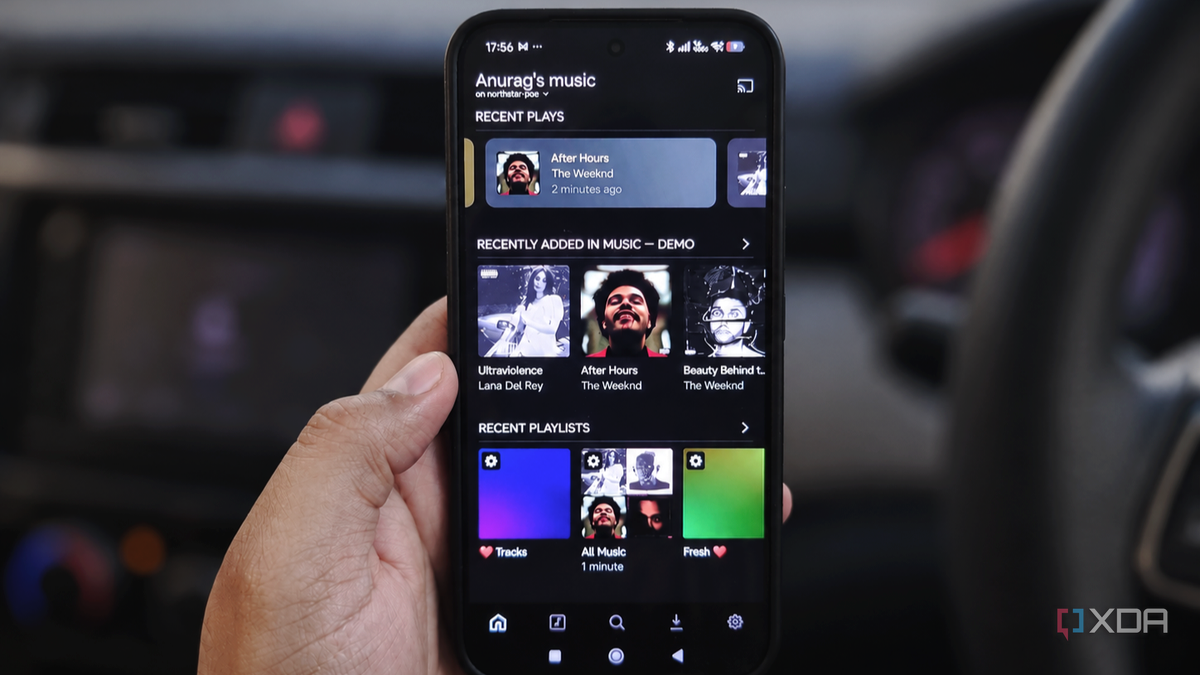
Published Oct 26, 2026, 6:00 PM EDT Anurag is an experienced journalist and author who’s been covering tech for the past 5 years, with a focus on Windows, Android, and Apple. He’s written for sites like Android Police, Neowin, Dexerto, and MakeTechEasier. Anurag’s always pumped about tech and loves getting his hands on the latest gadgets. When he's not procrastinating, you’ll probably find him catching the newest movies in theaters or scrolling through Twitter from his bed. I can’t drive without music playing, and Android Auto makes it easy to bring whichever music app you prefer into the car. I spent a month switching between Spotify, YouTube Music, and Plexamp, which plays music from my own Plex server. Having access to an enormous streaming catalog is useful, but I also have a collection of music I’ve deliberately picked, and I want to get more out of it. Plexamp gives that collection proper discovery features, so you can start with a song you like and find your way back to albums you’ve neglected. After a month with all three, Plexamp is surprisingly the one I want to keep using in the car. My own music gets proper discovery features Rediscovering the collection I already love Everything in my Plex library is there because I chose to add it. That already gives me a pretty good starting point when I want something to listen to during a drive, even if I just hit shuffle. Of course, you can curate playlists on Spotify and YouTube Music too, but with Plexamp, my entire collection is made up of music I actually like. I don't mind letting an algorithm decide what plays next once I've already decided which songs it can choose from. But Plexamp goes beyond shuffling your music. Its Sonic Analysis features actually analyze the audio to find similarities between songs and albums in your library. You can start Track Radio from a song you like, and Plexamp will put together a queue of similar-sounding music from your own collection. There's also Album Radio, which takes a similar approach with entire albums, and Mixes for You, which creates mixes based on your listening history. I keep choosing Plexamp over YouTube Music and Spotify because it forces me to approach music discovery differently. It lets me rediscover an album I haven't listened to in years or a song I've completely forgotten about. YouTube Music also lets you upload your own music, but those uploads don't influence its recommendations. Plexamp makes much better use of the music I already own. The playback features make longer drives easier Smoother transitions and fewer volume adjustments When you’re playing music from different albums and decades, the volume can vary considerably between recordings. Reaching for the volume control every few songs gets annoying, especially in the car. Plexamp has a loudness-leveling feature that helps keep playback consistent across tracks. Spotify has normalization too, but I have learned to appreciate having that feature built into the player handling my own collection. Plexamp also has an interesting feature called Sweet Fades. It uses loudness analysis to figure out where two tracks should overlap and adjusts the transition accordingly. Other music apps offer similar features, but I find it more interesting in Plexamp because it works with my own music library. It also supports gapless playback for continuous albums and live recordings, so you don't get awkward pauses between tracks that are supposed to flow into each other. Plexamp also lets you configure pre-caching, which prepares upcoming music before you need it. That’s useful when your route takes you through patches of poor reception, although how much playback it can cover depends on what’s already cached. I get more control over everyday listening My playlists and devices follow my rules I like having control over how often a song comes back into rotation. Just because a song is one of my favorites doesn't mean I want to hear it every time I go for a drive. Plex's smart playlists let you control this by combining rules like a minimum star rating and songs that haven't been played in the past seven days. As your listening history changes, the playlist updates automatically, so you don't have to add and remove songs manually. Spotify has shuffle options that help mix things up, but I prefer having more control over what comes up next. For example, I can create a playlist of my favorite songs that I haven't listened to in the past month or give frequently played tracks a break for a week. Once you've set the rules, you can save the smart playlist and access it directly through Plexamp on Android Auto. Another advantage I've found useful is playing music independently on multiple devices. Spotify and YouTube Music restrict simultaneous playback on the same account, so if someone starts playing music on a device at home, it can interrupt whatever you're listening to in the car. You can get around this with separate accounts on a family plan, but Plex lets you run independent streams from the same server, as long as your server has the resources and your settings allow it. This means I can have one playlist running at home and listen to something completely different in the car without the two devices interfering with each other. Since I'm already hosting my own music collection, I like having that flexibility. Plexamp has earned its place here After a month with all three apps, I’m sticking with Plexamp for my drives. I already put effort into choosing and maintaining my music collection, and having a player that makes it this useful gives me a reason to keep building it. Plexamp
I used Spotify, YouTube Music, and Plexamp on Android Auto for a month, and the self-hosted one won
Full Article
Original Source
Read the full article at Xda-developers →KhanList aggregates and links to publicly available news content. We do not host full articles from third-party sources. Always verify important information with original sources.