
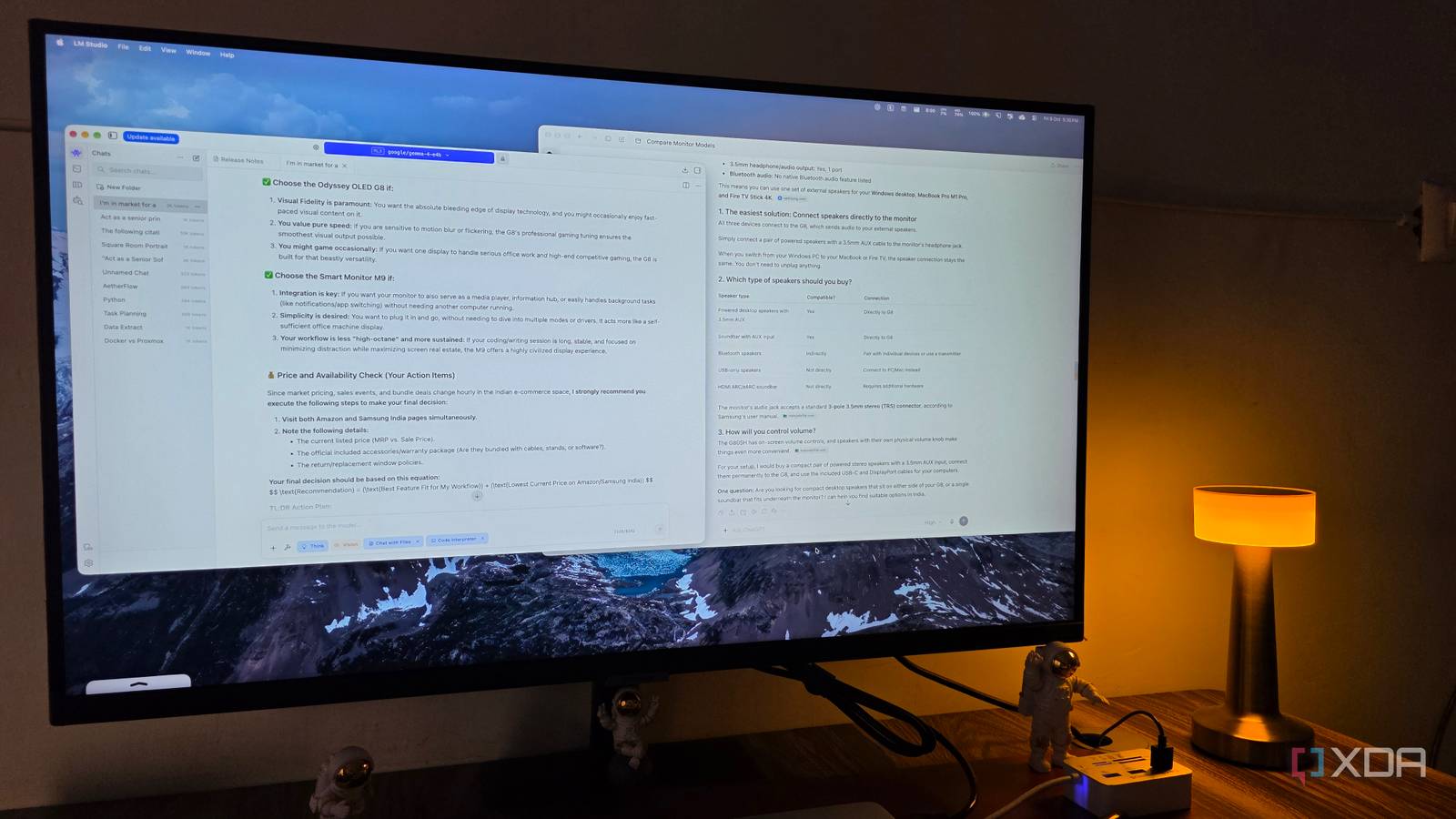
Published Oct 9, 2026, 4:00 PM EDT Parth, a seasoned tech writer, wields the keyboard (or pen) with finesse to unravel the intricacies of both Windows and Mac operating systems. He has covered evergreen content on mobile devices and computers for multiple publications over the last six years. You can find his work on AndroidPolice, GuidingTech and TechWiser. Whether it’s demystifying system updates, deciphering error codes, or exploring hidden features, Parth’s prose guides readers through the binary maze. When not immersed in tech jargon, you’ll find him sipping chai, pondering the next software review, and occasionally indulging in a friendly debate about mechanical keyboards. I have been relying on cloud-based AI tools for almost everything lately. While tools like ChatGPT, Claude, and Gemini are capable, I started wondering how much of my workflow I could move to local LLMs. I replaced my usual cloud-based assistants with local alternatives, put them through real-world tasks, and found where offline AI shines and where the cloud still has a clear advantage. Getting started was easier than expected Local LLMs shine in many areas I expected setting up local AI to be a complicated process, but tools like LM Studio and Ollama made it straightforward. I downloaded a few popular models, including Qwen and Gemma, and had them running on my computer in no time. What impressed me most was how capable they were at everyday tasks. I could brainstorm article ideas, generate outlines, rewrite awkward paragraphs, summarize short documents, create a robust diet plan, and even get help with basic coding questions. The responses were quick, and I didn’t have to worry about sending my prescription to a remote server. For these simple tasks, I rarely felt the need to open ChatGPT or Claude. Coding was the real challenge Simple scripts are only the beginning Coding was one area where I wanted local AI to succeed. I tried Qwen2.5-Coder 7B, a relatively lightweight yet capable coding model that I could run through LM Studio. To my surprise, it handled basic and moderately complex tasks quite well. I could generate Python scripts, fix straightforward bugs, explain unfamiliar code, and even make changes to smaller projects without much trouble; however, things started falling apart when I pushed it further. Tasks involving multiple files, complicated debugging, and larger codebases often required repeated prompts and manual intervention. This is where I started missing Claude Code. Its ability to understand an entire project, navigate files, plan changes, and tackle complicated problems. These are difficult to replicate with a small local model. Local AI is perfectly usable for quick coding assistance, but I won’t replace my cloud-based coding tools just yet. Research exposed the biggest limitations Offline knowledge can only go so far This was probably the biggest dealbreaker for me. I was recently shopping for an OLED monitor and couldn’t decide between the Samsung Smart Monitor M9 and the Odyssey OLED G8. I tried using my local LLM to compare them, but it was working with outdated information. It had no idea about the latest Odyssey G8 model with an improved OLED panel and a USB-C port supporting up to 98W power delivery. That’s when I turned to ChatGPT, and the difference was immediately noticeable. ChatGPT helped me compare the latest models, understand their differences, and narrow down my options based on my specific requirements. I wanted a monitor that would work seamlessly with my Windows desktop, MacBook Pro, and Fire TV Stick. This is exactly where cloud-based AI with access to current information shines. Cloud integrations are hard to replace Another area where local AI fell short was integrations with my everyday productivity apps. With ChatGPT, I can connect services like Notion, Outlook, Google Drive, and more to create a powerful productivity hub. For instance, I can ask ChatGPT to create a database in Notion, summarize my latest emails, pull relevant documents from Drive, check pending tasks in Asana, and more. Similarly, Gemini works well with Google services like Tasks, Keep Notes, YouTube Music, WhatsApp, Canva, and other services. Replicating this convenience with local AI isn’t straightforward. It requires configuring APIs, setting up connectors, and building custom workflows. While it’s certainly possible, I don’t want to spend hours configuring integrations that already work seamlessly with ChatGPT. Long documents tested my patience I spent more time managing models than using them Things became frustrating when I started working with lengthy documents. Summarizing a short PDF or extracting key points from a few pages was straightforward, but larger technical documents were a different story. Depending on the model and context settings, responses became slower, important details were occasionally missed, and I had to break documents into small chunks. With Gemini Notebooks or ChatGPT Projects, I can simply upload lengthy documents and start asking questions without worrying as much about the limitations. Then there is the maintenance aspect. I spent a surprising amount of time downloading different models, experimenting with quantization levels, adjusting context windows, and monitoring RAM usage. Switching between models for writing, coding, and reasoning also became tedious. A reality check for local AI Local LLMs are quite capable for brainstorming ideas, rewriting paragraphs, summarizing short notes, and answering basic questions. However, the cracks started showing as soon as I pushed them to complex tasks. My experiment also made me realize why I rely on cloud-based tools in the first place. There is something to be said about convenience. My last week with local AI taught me that it’s not really about choosing between local and cloud AI, but knowing when each one makes sense.
I used only local AI for a week and learned what actually needs the cloud
Full Article
Original Source
Read the full article at Xda-developers →KhanList aggregates and links to publicly available news content. We do not host full articles from third-party sources. Always verify important information with original sources.