
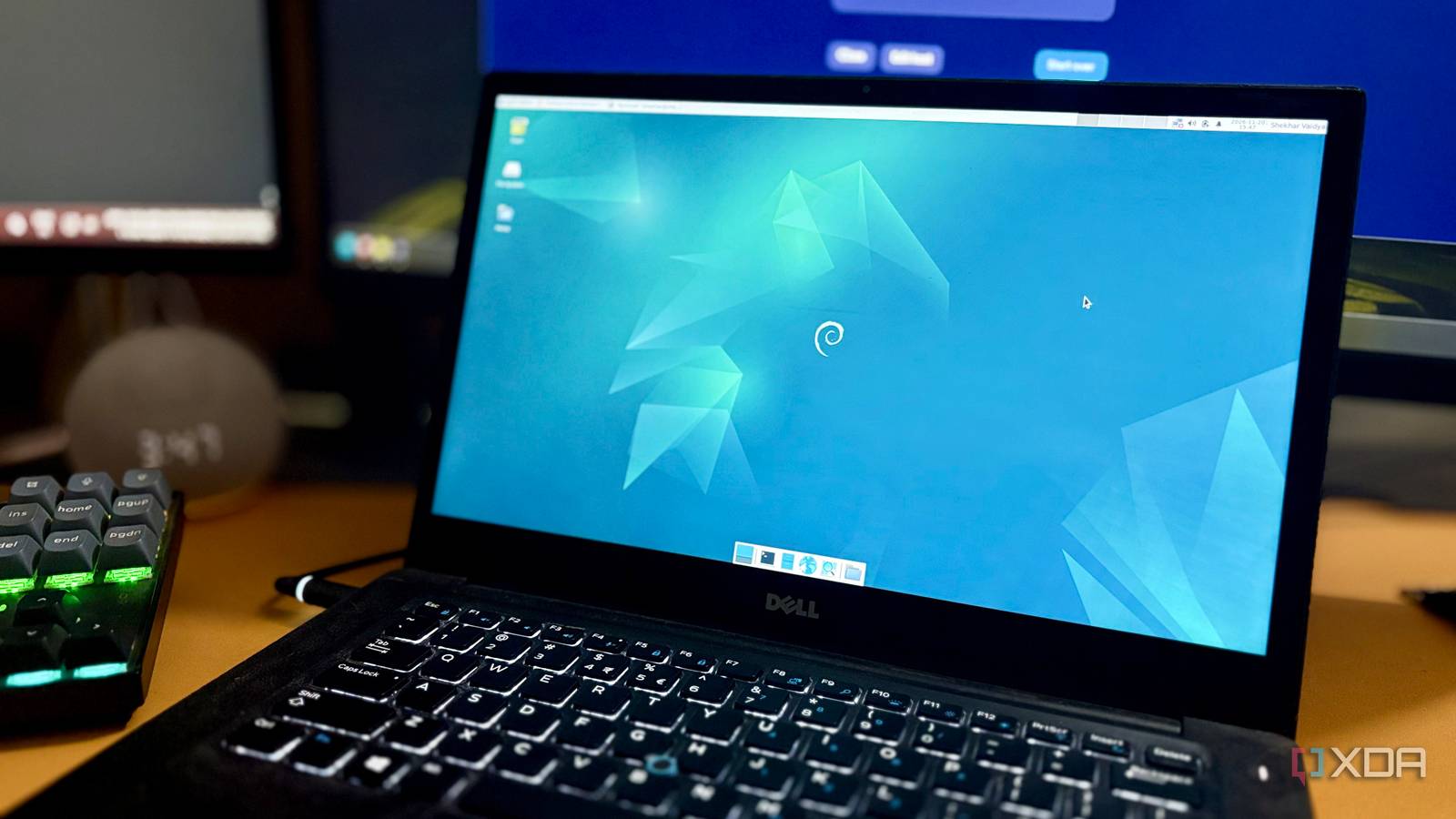
Published Nov 21, 2026, 5:00 PM EST Shekhar Vaidya is a veteran technology journalist and computer science engineer. He is the founder of TechLatest, where he has spent years providing technical analysis on hardware and Windows ecosystems. Now a Computing Writer at XDA, Shekhar leverages his deep background in NAS, storage solutions, and PC internals to help readers master their tech. I’ve been using an old repurposed laptop for my home server. It was handed over to me for free, so there was no harm in experimenting before spending on new hardware. I thought I would use it for a few days or at most a week, and then buy a new server. But it’s been more than a year, and I’m still using it as my home server. A laptop looks like great first hardware for a server because of things like a built-in screen, keyboard, and battery as a UPS, but after using my laptop this long, I've learned a few things I would keep in mind before turning another laptop into a server. The battery is a built-in UPS Until it swells I live in the countryside, so I can’t count on 24/7 electricity. And for a server that is supposed to run 24/7, power is critical. But when choosing a laptop as a server, I didn’t think about electricity because of the built-in battery. During an outage, it works as a UPS with no visible changeover time. Why did I mention the changeover time? Because of the power situation in my area, almost all of us have power backup for the whole house. I even have two different backups: one for my whole house and one for my workroom. But these backup systems use inverters with high changeover times, and a laptop doesn't. During a power cut, the inverter can take up to 20ms to switch, and in that interval a running server can reboot. Coming back to the topic, the laptop battery looks like an excellent power backup for the server, but keeping it connected to the wall comes with its own downsides. I took every precaution I could to keep the battery safe, like limiting the charge to a certain percent and enabling the built-in AC power mode from the BIOS. But in the end, the battery did swell, and I had to replace it with a new one. This is one of the issues that has no sure fix. I could remove the battery altogether and run it directly connected to the wall, but that removes the built-in UPS advantage. A closed lid isn’t a power button Mine now ignores it, light leak and all In general, laptops are built to sleep when we close the lid. But for a 24/7 running server, it needs the opposite. There are settings to configure it differently, but they differ by OEM, BIOS, and OS. For context, my laptop is a Dell Latitude from early 2017 (yes, almost a decade old), and I use it as a bare-metal Debian server. Why Debian? I have already talked about it multiple times, and it’s not today’s focus, so I won’t repeat ‘why’ here. If you are familiar with Windows laptops, Windows lets you choose directly what you want the PC to do when the lid is open or closed. But with Debian, there is no direct way. There are several power options in the OS, but most of them are overridden by the OEM. For example, Debian (XFCE) does offer a few power settings, but most of them don't carry over. The ideal situation would be the laptop on, the lid closed, and the screen off. But I tried several different options (without any third-party packages), and none gave me the ideal situation. Currently, I have the OS ignore the lid altogether. So, it doesn’t matter whether the lid is open or closed; the laptop and the screen are always on. Not a major issue, but the display heats up often, and after the battery swell incident, the lid doesn’t fully close, letting display light leak to the room at night. There’s no room for another drive So the NAS holds the bulk, until it’s missing Storage. What could be the concern here, right? Well, I thought so too. The Dell Latitude is a business laptop with limited but fast storage compared to other laptops from 2017. Instead of an old HDD, it came with a 256 GB SSD. Good enough for a server but not good enough for bulk storage. There was no way to put an internal hard drive into this compact laptop, and an external HDD wasn’t the same. Fortunately, I already had an old Synology NAS. So, I stripped the NAS and made it a dumb bulk storage for the server. Meaning all compute would happen on the server with the internal SSD, and for anything that needed more storage, like Jellyfin and Immich, I mounted the NAS to the server. A perfect solution, right? Well, that was half of the story. This looked perfect only on paper. There were several risks with it, and the scariest one was when the NAS wasn’t mounted at boot. For any reason, if the NAS isn’t mounted when services start, the app can write to the empty mount point and fill the laptop’s SSD. To guard against this, I made sure (nofail with a mount timeout, and chattr +i) if NAS isn’t available while services like Jellyfin, Nextcloud, Immich, and qBitTorrent are booting, they shouldn’t start. The storage situation is quite messy in my setup. For you it may take a different direction but is worth keeping in mind. There’s a second battery Mine took the whole server down This was an accidental encounter. The CMOS battery plays an important role, but most of us never think about it in our day-to-day usage. Two important jobs of this small battery are to keep the system clock running and to keep the BIOS config intact even after the power is off. Honestly, in over a decade of computing, I never experienced a degraded CMOS situation. It was the first time I removed the Latitude’s built-in battery to replace it after it was swollen. I unplugged the battery and ordered a replacement. The replacement was taking a couple of days to arrive, so I thought I should boot and use the laptop directly on AC power. What’s the harm in it, right? The CMOS battery was waiting for me to prove otherwise. I got two consecutive errors while trying to boot into Debian. The first error was “Time-of-day not set," and then once I fixed the date and time, another error. I don’t remember the exact error, but it was "No bootable devices found" or something like that. For a moment, I got a little worried. But after a few back-and-forth searches and different solutions, I figured it could be the CMOS battery. A degraded CMOS battery can reset the BIOS settings and system time. It was exactly the same. Without the battery, the BIOS triggered an NVRAM reset, which wiped the UEFI Boot Entries (\EFI\debian\shimx64.efi). And till the new battery arrived, I had to manually add the boot entries each time I rebooted the server. So, a small 3-volt lithium coin cell could stop you from booting into your server. Still running, a year later These are the things no generic documentation can teach you; I learned them the hard way. But experience and new things are what I got from more than a year with a laptop-turned-server. Old laptops and mini-PCs are an excellent way to get into homelabbing, and if you are going with a laptop, make sure to take these points into consideration before fully investing in it.
I used an old laptop as a home server for a year, and 4 surprises stood out
Full Article
Original Source
Read the full article at Xda-developers →KhanList aggregates and links to publicly available news content. We do not host full articles from third-party sources. Always verify important information with original sources.