
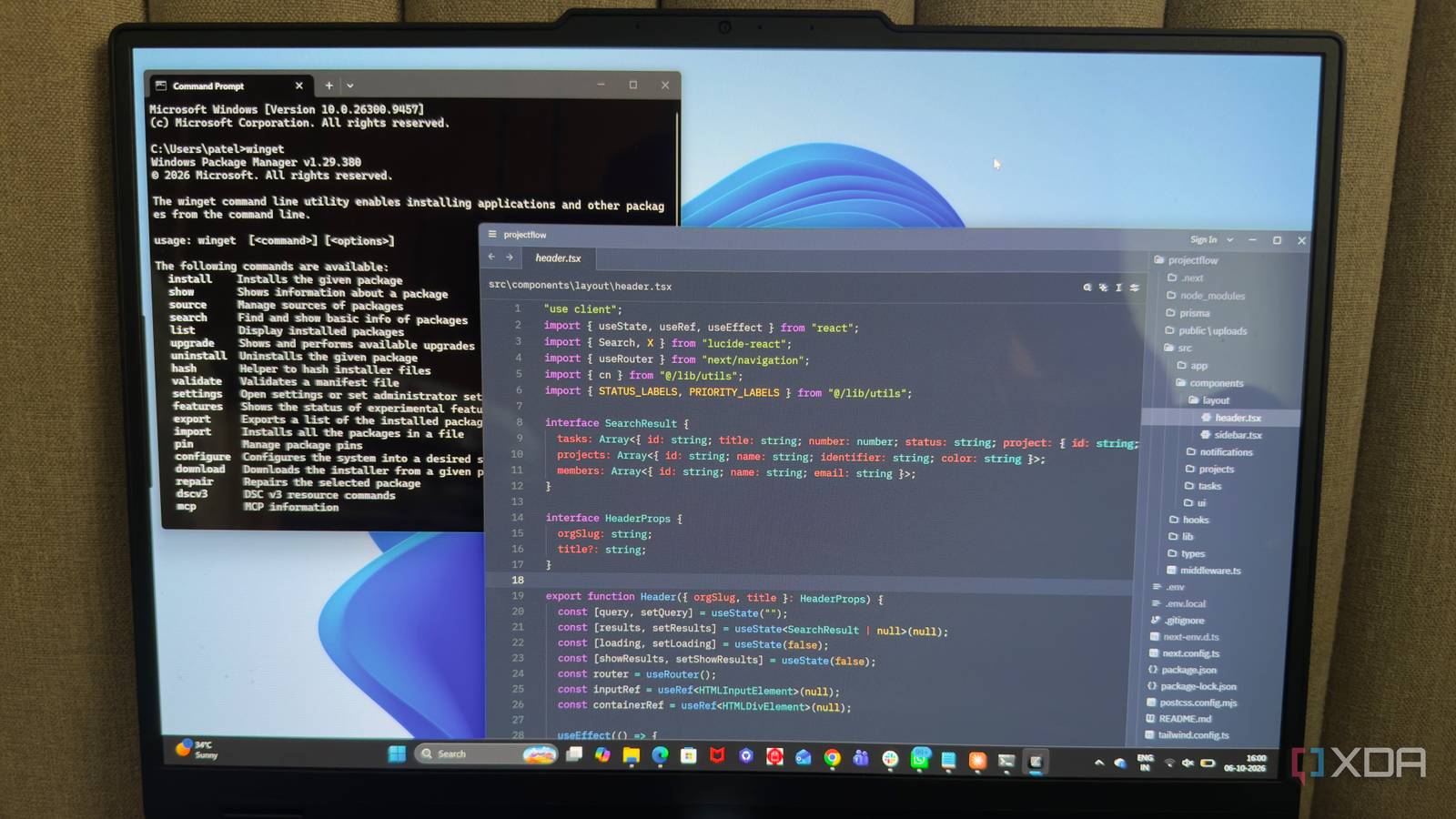
Published Oct 9, 2026, 7:30 AM EDT Beginning his professional journey in the tech industry in 2018, Yash spent over three years as a Software Engineer. After that, he shifted his focus to empowering readers through informative and engaging content on his tech blog – DiGiTAL BiRYANi. He has also published tech articles for MakeTechEasier. He loves to explore new tech gadgets and platforms. When he is not writing, you’ll find him exploring food. He is known as Digital Chef Yash among his readers because of his love for Technology and Food. Windows has been my main development environment for years, and I’ve learned that productivity often comes down to the small things. A few extra clicks here, a repetitive task there, or a tool that makes me work harder than necessary can quickly add up. I started looking beyond the usual software recommendations and tried some open-source projects instead. What surprised me was how many fit naturally into how I already work. They didn't require me to completely change my setup or learn complicated workflows. Instead, they solved everyday annoyances and made my development environment feel more practical. WinGet Software installation without the hassle Instead of opening a browser, searching for an application, downloading its installer, and clicking through the setup process, I can install many of the tools I need directly from the terminal. A simple command is usually enough to install an application. What I like most is how useful it becomes when setting up a new Windows machine. I can quickly install several applications without manually visiting their websites one by one. It also makes updating installed applications much easier, since I can check for available updates and upgrade them from the same place. I also use WinGet to quickly check whether a particular application is available before installing it. It has made software installation feel less like a separate task and more like a normal part of my development workflow. Espanso Less repetitive typing I didn't realize how often I was typing the same things until I started looking for a way to avoid it. Code snippets, commands, email addresses, URLs, and other small pieces of text kept showing up in my daily work, and typing them manually felt like unnecessary effort. Espanso lets me replace those repetitive inputs with short keywords. I can type a few characters and have them automatically expand into longer text. This is especially useful for commands or snippets I use frequently, since I don't have to keep searching for them or type them from scratch. Another thing I like is that it works across Windows applications. I can use the same shortcuts in my editor, terminal, browser, or other tools instead of setting them up separately for each application. I also keep my frequently used snippets organized in its configuration files, making them easy to update when something changes. It's become a simple way to cut repetitive typing from my development routine. Zed Less clutter, faster coding I wanted a code editor that felt quick and responsive, especially when I was switching between files or working on smaller projects. That is where Zed caught my attention. It starts quickly, feels lightweight, and doesn't make me wait around when I just want to open a file and start working. The interface is also clean without feeling stripped down. I can keep my project files, code, and terminal within the same workspace without the editor getting in my way. Switching between files feels smooth, and I like how little visual clutter there is while I'm coding. Zed also handles the everyday things I expect from a modern editor, including syntax highlighting, code navigation, and Git integration. I don't need much time configuring it before I'm productive. It hasn't replaced every editor I use, but for the coding work I do most often, Zed has become a fast, comfortable option on Windows. RustDesk Remote access without the cloud Sometimes I need to access another Windows machine without physically sitting in front of it. Instead of relying on a cloud-based remote desktop service, I started using RustDesk for those situations. It gives me a straightforward way to connect to another computer and work with its desktop remotely. What I like most is that I can use it when I need to quickly check something on another machine, access a file, or troubleshoot an issue. The interface is simple enough that I don't have to spend much time figuring out how to start a remote session. RustDesk also fits my preference for open-source, self-hosted software. I can run my own server components when I want more control over how the connection is managed instead of depending entirely on a third-party service. I don't open it every day, but when I need remote access, having a tool I can control and rely on makes the process much easier. Bruno A cleaner way to test APIs When I work with APIs, I don't want to keep recreating the same requests or rely on a browser tab every time I test something. Bruno gives me a dedicated place to create, save, and run my API requests while keeping everything close to my development projects. I can create requests for different endpoints, add headers and parameters, send request bodies, and quickly check the response. What I find particularly useful is keeping related requests together in collections. That makes it easier to return to an API I worked with earlier without rebuilding everything from scratch. Bruno also fits nicely into my local-first workflow because my collections can stay on my machine instead of being tied to a hosted account. I can keep them alongside a project and manage them like other development files. It has become a simple part of my API workflow, especially when I'm testing endpoints repeatedly during development and want my requests organized and ready to run. A better workflow doesn't need more complexity I’ve found that a productive Windows development setup doesn’t have to be complicated. The right open-source tools can quietly improve the way I work without forcing me to completely change my habits. What matters most is finding software that solves the small problems I regularly run into. These tools have done exactly that for me, making my everyday development workflow feel simpler, faster, and more comfortable.
I use these 5 open-source tools to improve my development workflow on Windows
Full Article
Original Source
Read the full article at Xda-developers →KhanList aggregates and links to publicly available news content. We do not host full articles from third-party sources. Always verify important information with original sources.