
Published Nov 6, 2026, 11:00 AM EST Samir Makwana is a technology journalist and editor from India since past 18 years and his work appears on MakeUseOf, HowToGeek, GSMArena, BGR, GuidingTech, The Inquisitr, TechInAsia, TechWiser, and others. He has written news, features, and gadget reviews for national technology media publications. His passion is to help people with their technology problems and gadget purchases. For that, he has worked for some of the biggest international technology publications, covering news, explainers, how-to guides, listicles, and product-buying guides. He has worked as an editor and managed teams since 2015. His expertise broadly covers computers, smartphones, game consoles, headphones, smart home products, browsers, and apps. Most of the ESP32-based DIY smart home devices require a list of sensor modules, but you don’t always have to buy them. I wanted to deploy motion sensors in every room, and I hoped I could skip PIR modules on each ESP32. That’s what ESPectre, an open-source project, makes possible. It turns the ESP32’s Wi-Fi radio into a local motion-detection sensor, so the board can detect motion without a dedicated motion sensor module like the HC-SR501. I flashed it on my spare ESP32 boards to turn them into motion sensors. Here’s how it works, and where it falls short. ESPectre detects motion from changes in the Wi-Fi signal The channel state information reveals a lot, not the heat In a typical motion sensor built with a PIR module and an ESP32, like my colleague Adam Conway’s $5 Zigbee build on the ESP32-C6. The sensor reacts to heat moving across its field of view. That’s why it fails to detect anything if you are sitting or lying down still. That’s also a limitation of a build based on an mmWave radar sensor. Every Wi-Fi packet carries channel state information (CSI), which describes how the wireless signal traveled between the router and the board. The radio route gets disrupted whenever someone walks through the room, and the CSI shifts. ESPectre analyzes that shift on the ESP32 and reports it as a motion state with the movement score. No microphone or camera is involved, and detection runs locally without sending any data to the cloud. ESPectre supports the ESP32, ESP32-S2, S3, C3, C5, and C6 on the regular 2.4GHz Wi-Fi 4 network. The board captures the readings while the router transmits them. Setup takes a few lines of YAML and a few minutes of flashing it ESPHome component makes things way easier ESPectre has four firmware options: Native, ESPHome, Matter, and MicroPython. Instead of Native or Matter, I chose the ESPHome firmware because it includes an ESPectre component. That lets all the entities appear directly in Home Assistant without any workaround. If you want to skip the YAML route, you can use a web-based flasher on espectre.dev from the desktop version of Chrome, and my colleague, Ayush Pande, has a hands-on walkthrough. Since I’m comfortable with YAML configs, I defined a binary_sensor with the espectre platform and a named motion entry, which is the minimum config. To graph the movement score, add a sensor and a button for recalibration. ESPHome needs at least ESP-IDF 5.5.3 or newer. Besides, the C5 and C6 boards only work with ESP-IDF. You’ll also need to choose a detection mode, which defaults to Lightweight. That uses less CPU and memory, and calibrates its threshold from about 10 seconds of quiet input. So keep the room still after booting it. Meanwhile, the High Accuracy mode uses an on-device neural network and skips the quiet-room setup. My colleague, Ayush, found its detection more precise after he switched to it. Lightweight mode comes with some trade-offs ESPectre changes how ESP32 uses its Wi-Fi radio By default, ESPectre pings the Wi-Fi gateway to generate traffic, so CSI gets a steady stream of packets. The detector expects about 100 packets per second, so you can switch to DNS queries over UDP or TCP, an experimental raw frame mode, or an external mode where another host sets the pace. The ESPectre component also disables Wi-Fi power saving and frame aggregation (AMPDU) on its own. The official documentation warns that those attributes apply to the whole firmware and can lower the throughput. So the OTA updates, the web server, and audio streaming on the same board may run slower. You can still run other components on the same ESP32 board, but only one espectre component can use the radio. Since power saving stays off, I’d treat the ESPectre build as a USB-powered node, and not a battery one. If your home has several access points, place the board close to the strongest one. Ideally, one between -40 dBm and -70 dBm. Otherwise, the board won’t connect to any other access point if that one is unavailable. ESPectre pauses roaming scans because each one empties the CSI window. ESPectre detects only motion, not any presence It limits where each board goes in the house As per the ESPHome documentation, motion detection depends on the placement, the access point, and the radio environment. It doesn’t tell you that a person is just sitting or sleeping in the room. Also, the build can’t count the number of people or identify them. One board per room is usually enough, and it can also cover the hallway, pantry, and anywhere you plan to use motion-triggered lights. It’s a poor fit for a work desk or a couch, because the board may not detect whether you’re still there. I used a multimodal presence sensor to fill that gap with a mmWave sensor and Bluetooth tracking. Even though it doesn’t identify or count people, it can still reveal routines or report when nobody’s home. You can keep the ESPectre data local and share it with your family. All the spare ESP32s finally get a job ESPectre won’t replace an mmWave sensor, and it doesn’t even try to. It gives a spare board a motion sensor job without extra hardware. If you’ve got a Home Assistant instance running and have ESP32 boards, flash one, let it calibrate, and watch the movement score. If the results look unreliable, move the board first, since placement is the first variable to change before you tinker with the settings. ESPHome ESPHome is an open-source firmware framework that enables the easy creation of custom smart home devices using WiFi-enabled microcontrollers. It utilizes simple YAML configuration files, integrates seamlessly with Home Assistant, and supports multiple interfaces, including web, API, and MQTT. With built-in support for on-device automations and wireless over-the-air updates, managing your devices becomes straightforward and flexible.
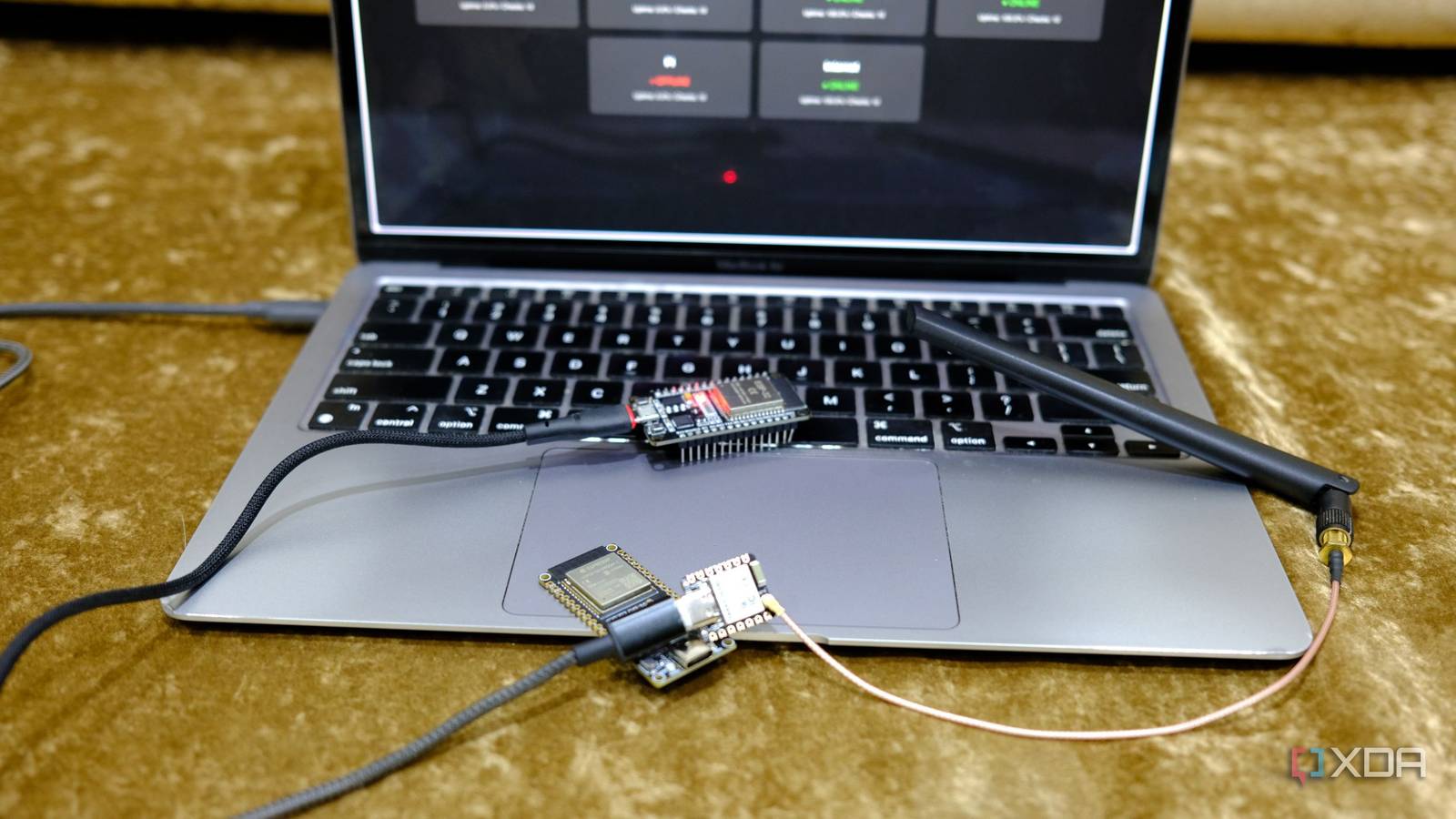
I turned spare ESP32 boards into motion sensors for rooms using a free open-source project without a single sensor
Full Article
Original Source
Read the full article at Xda-developers →KhanList aggregates and links to publicly available news content. We do not host full articles from third-party sources. Always verify important information with original sources.