
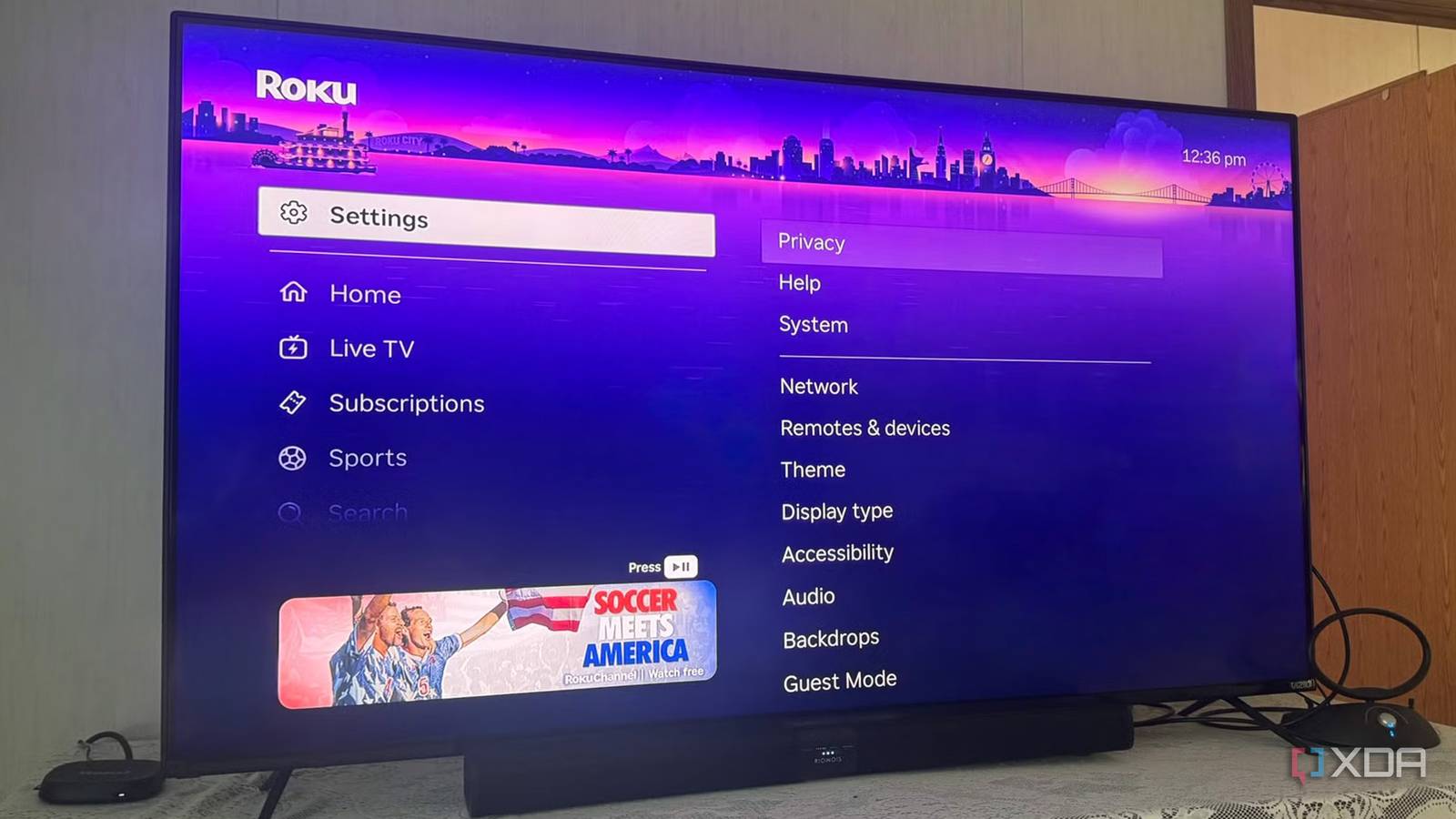
Published Aug 19, 2026, 6:00 PM EDT Based in rural Minnesota, Brian Burgess worked in IT for 10 years before finding his passion for writing about consumer technology. Brian earned his degree in computer and network technology in 2000. He held various IT positions, including help desk support, router installations for IBM, database administration, and other associate network administration roles. He's been a personal technology journalist for 18 years and has written thousands of articles about Microsoft products and services, Android, iOS, streaming, and more. He has written for notable tech sites including XDA, InformationWeek, How-To Geek, Byte, groovyPost, and others. When he is away from the keyboard, you will hear him playing guitar, working outdoors, and watching Star Trek. Most of us stream content through a smart TV or attached device and scan through settings to ensure security and privacy settings are enabled. However, if you have a Roku TV with an attached over-the-air (OTA) antenna, cable box, or other HDMI inputs, there's one hidden setting I missed. The setting is called ACR, and it needs to be disabled. Otherwise, Roku monitors what I watch and the apps I use on other devices to build a profile to display tailored ads. I learned to turn it off for privacy, and you should too. What ACR is and how it affects privacy It sees what you watch and builds a profile ACR stands for Automatic Content Recognition, a feature that can see what you are watching through a connected OTA antenna, cable box, or other HDMI-attached devices. It can digest the genres of the channels viewed, the ads watched (including how long), and even the device you are viewing content on (i.e., cable box, antenna, game system, Blu-ray players, attached streaming devices). ACR doesn't only spy on your connected antenna or cable box. It sees the entire HDMI input feed into the TV, including other streaming sticks. For example, if I'm watching shows from Prime Video or Disney+ on an attached Fire TV Stick, Apple TV, or Google/Android TV device, it fingerprints content, genres, dates, times, apps, channels, viewing duration, etc. The data is delivered to Roku's ad system — including third-party partners — to help build ad campaigns based on that data, which is displayed while you view content on the TV. It collects samples of the video and audio coming from any connected external device. The TV can also see the self-hosted media content you view from clients like Plex or Jellyfin. The TV's ACR also sees viewing and usage activity on any HDMI devices like gaming boxes or your Blu-ray player — regardless of privacy settings on those devices. Turning off automatic content recognition settings and usage data options helps stop the external device's tracking, but the Roku TV's ACR doesn't work on the device. Adjusting privacy settings on the device doesn't matter to the TV. So it needs to be disabled at the TV level to have a modicum of privacy. Turn off ACR on your Roku TV now Disable ACR for improved privacy This function is not exclusive to Roku TVs; all smart TVs have some version of ACR. However, it is somewhat hidden in that fun and lively Roku OS settings menu, and it can easily be missed when setting up the TV and is frustrating to find later. It's also easy to miss while clicking through a flurry of setup screens to get a new Roku TV running. It lives in the Smart TV Experience section and is turned on when choosing the Use info from TV inputs option. If you're concerned about privacy, you don't need to trash the TV, but you will want to turn the setting off right away. However, any captured viewing and use metrics collected before you turn it off can't be deleted. The ACR feature is hidden in the privacy settings in Roku OS. To turn it off, go to Settings > Privacy > Smart TV Experience and uncheck both Automatic Content Recognition (ACR) and Content Viewing Disclosure; on some sets, it will show as Use Info from TV Inputs. For additional privacy, go to Settings > Privacy > Advertising and uncheck the Personalized ads option to stop Roku from using viewing history and app usage to target ads. This privacy option is available on Roku TVs and Roku sticks. ACR is not a problem with Roku streamers HDMI-connected Roku devices are fine I have a cheap OTA antenna connected to my Roku TV, and I turn off the ACR setting for peace of mind. However, if you're using an external device like the Roku Streaming Stick HD or Ultra, you don't need to worry about the setting. Those devices don't have the ACR system that Roku-branded TVs have. That doesn't mean Roku streaming devices aren't collecting data on viewing habits to build ad profiles. It's bad enough that Fox bought Roku and the conglomerate's branding will be everywhere. But privacy on Roku devices is still a concern. So, it's a good idea to turn off the personalized ads setting — ads still display, but not based on watch history or app use. Improve privacy by turning off ACR on your Roku TV ACR is likely something you may not have thought of when setting up a new Roku-powered TV, but it's a glaring privacy issue. Turning off the setting will help improve privacy. Keep in mind that turning it off doesn't mean your TV is protected and won't send viewing metrics to the mothership. Still, it does help and will give me more peace of mind the next time I watch something on externally connected devices. It continues to collect data through the apps used in Roku OS on the TV, just a bit less.
I turned off this hidden Roku TV setting and reclaimed my privacy
Full Article
Original Source
Read the full article at Xda-developers →KhanList aggregates and links to publicly available news content. We do not host full articles from third-party sources. Always verify important information with original sources.