
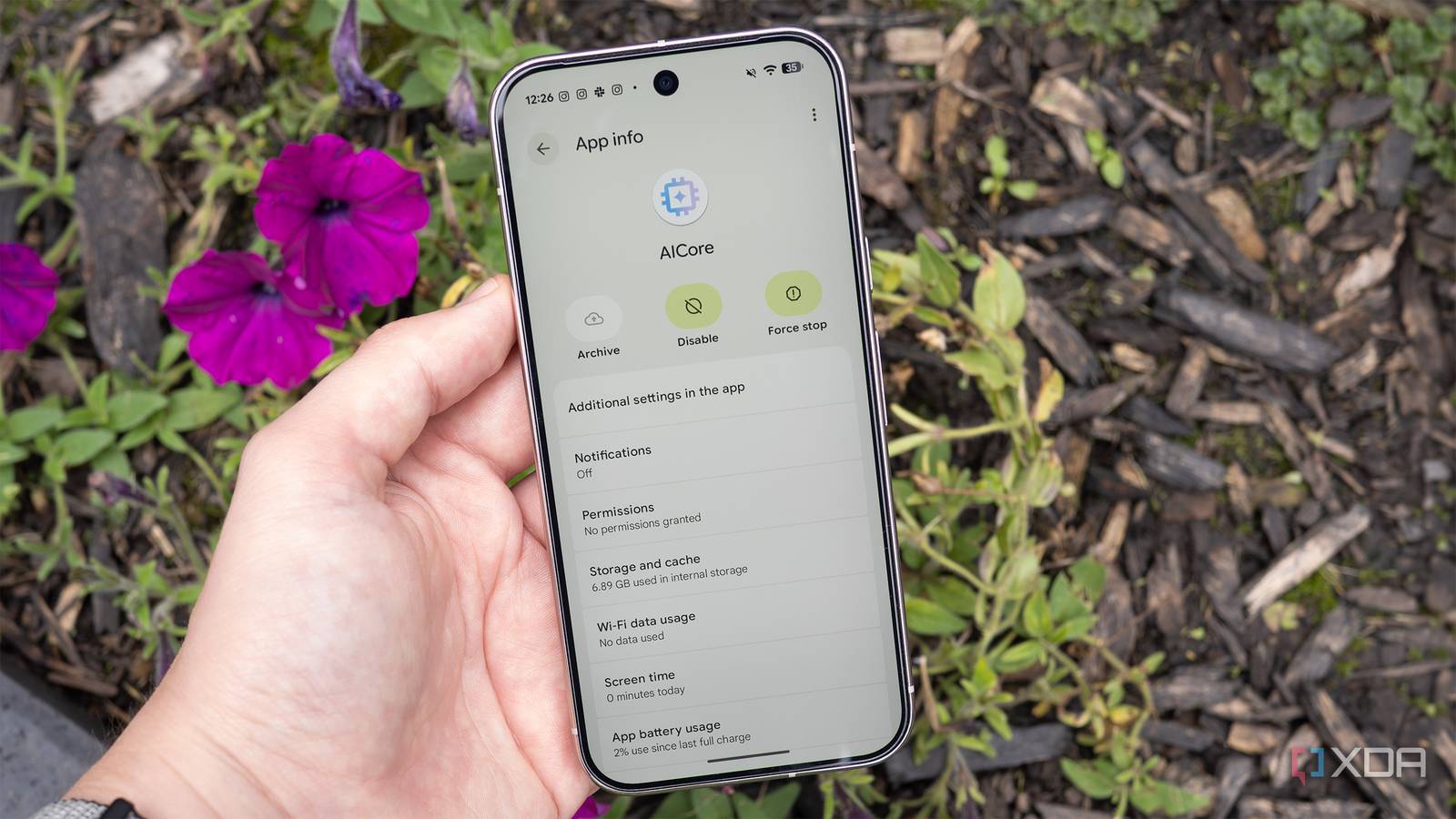
Published Sep 16, 2026, 1:30 PM EDT Patrick O'Rourke is XDA's News Editor and Entertainment Segment Lead. Previously, he was Pocket-lint's Editor-in-Chief, the Editor-in-Chief of Canadian tech publication MobileSyrup, and earlier in his career, he worked as the technology editor at the Financial Post and Postmedia. He's based in Toronto. Over the past 15 years, he's written thousands of articles. Patrick has also interviewed dozens of tech industry executives and covered GDC, E3, Gamescom, WWDC, Apple keynotes, Samsung Unpacked events and more. Patrick has a BA in journalism from Toronto Metropolitan University. Now that I have Google's Pixel 11 Pro, I figured it was a good time to turn my Pixel 10 Pro into the ultimate emulation device, including experimenting with more modern consoles like the PS2, PSP, PS3, Xbox 360, and maybe even the Wii U. I never really think about internal storage on my Android device since I'm a big Google Drive user and upload most things to the cloud, but retro game ROMs and disc images need to be stored locally to run properly. With that in mind, I checked my Pixel 10 Pro's storage and was shocked to discover it's only 256GB and that I'd already used up 150GB. Of course, I removed a bunch of apps I don't actually use, bringing the used storage down to roughly 94GB, but I still figured I should clear out more space. That's when I remembered I could easily free up roughly 7GB of extra storage by disabling Google's AICore app. I don't use most of the features AICore enables If you're like me and just use Gemini as a search engine, disabling AICore won't change much I'm not a huge fan of AI, but given the awful state of Google search, I've recently turned to platforms like Gemini and ChatGPT for simple, straightforward questions, though I always click through and double-check the cited sources. On my Pixel 10 Pro, I typically do this in the Gemini app because it lets me look something up quickly. With Google's Pixel devices, I don't use AI-powered features like grammar correction, smart replies, note summarization, or translation. On my Pixel 10 Pro, an app called AICore powers all these features. You won't find this app in the Play Store's My Apps section, though. To locate it, go to Settings > Apps > See All Apps. Next, tap the three dots in the top-right corner and select Show System. You should then see AICore on the list. In theory, these steps should also work on most Samsung Galaxy devices. On my Pixel 10 Pro, AICore takes up 6.89GB, which isn't that much space in the grand scheme of things. However, I'm planning to store hundreds of retro game ROMs and disc images on my device, so every bit of storage I can free up helps. What does AICore do anyway? It powers Google's Gemini Nano model locally on your phone There are a few things to consider before removing AICore. The app is required for Google's Gemini Nano model to run locally on your phone and powers features like grammar correction, Smart Replies, note summarization, and even translation. Instead of sending your data to a remote server every time you use one of these AI features, AICore processes it locally on your device. This means your personal data stays securely on your device, and processing is faster because it happens locally. In some cases, AI features have a cloud-based fallback and should still work, but that won't be the case for everything. For example, while Pixel Screenshots' AI features break when you remove AICore, translation should still work, though likely much more slowly since the processing happens off your device. You can't totally uninstall AICore, but you can turn it off to free up more space. To do this, make sure you're still in the Apps section of Settings and that you've followed the instructions above. Now, tap AICore > Disable > Disable App. Next, tap the three dots in the top right corner and select Uninstall Updates (this frees up even more space). Keep in mind that the next time you download a notable Android update, AICore will likely be automatically re-enabled. As a bonus, if you're frustrated with Google's seemingly never-ending quest to add AI to everything, disabling AICore should mean fewer AI-related prompts show up on your device. Of course, deleting apps you don't actually use will likely free up far more space on your Pixel device, especially if you get rid of several of them, but if you're like me and don't take advantage of most of the Pixel's on-device AI features, disabling AICore makes a lot of sense if you need a few extra GBs of storage on your device.
I turned off one Pixel feature I never use and instantly reclaimed 7GB
Full Article
Original Source
Read the full article at Xda-developers →KhanList aggregates and links to publicly available news content. We do not host full articles from third-party sources. Always verify important information with original sources.