
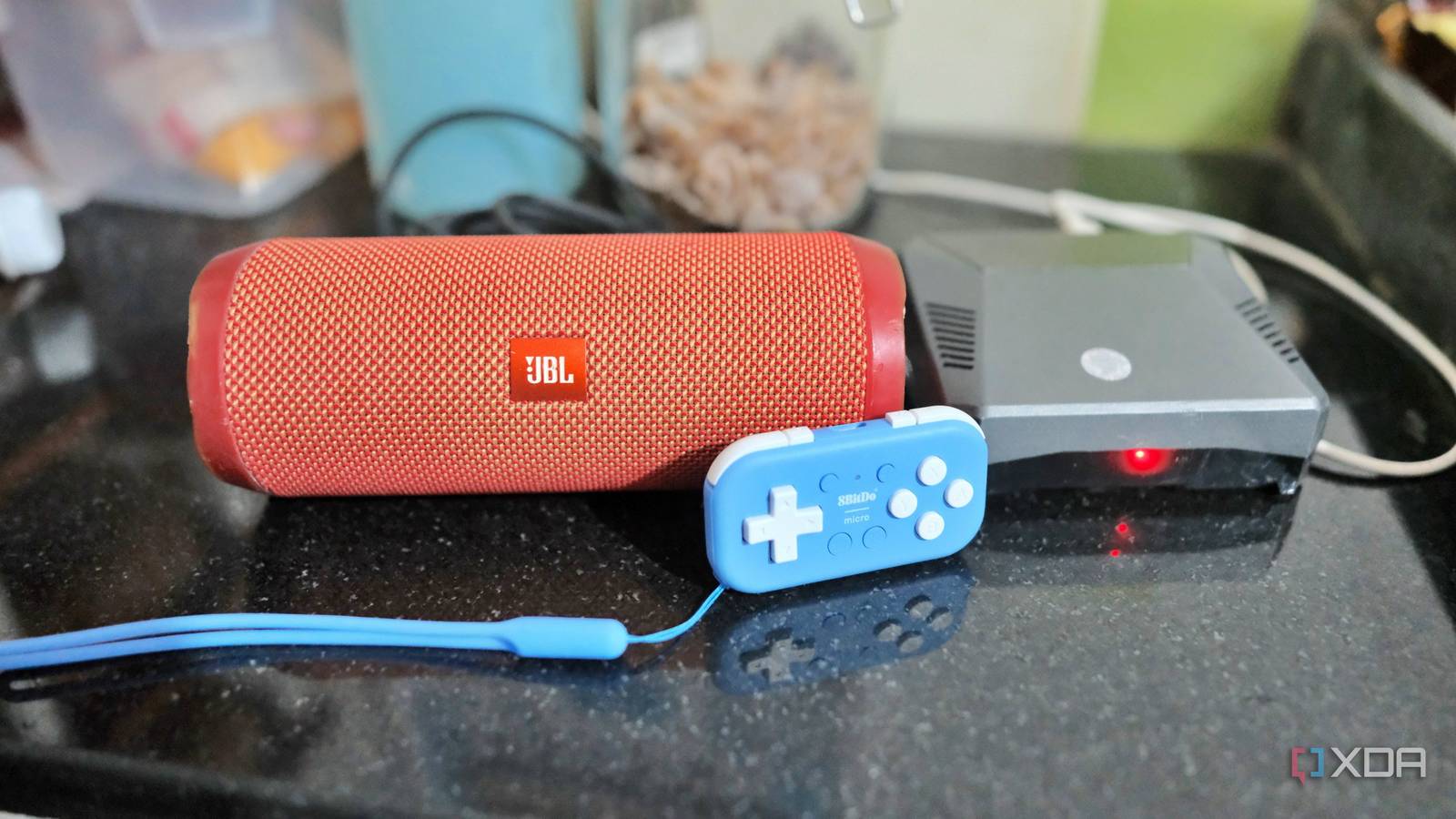
Published Nov 2, 2026, 7:00 AM EST Samir Makwana is a technology journalist and editor from India since past 18 years and his work appears on MakeUseOf, HowToGeek, GSMArena, BGR, GuidingTech, The Inquisitr, TechInAsia, TechWiser, and others. He has written news, features, and gadget reviews for national technology media publications. His passion is to help people with their technology problems and gadget purchases. For that, he has worked for some of the biggest international technology publications, covering news, explainers, how-to guides, listicles, and product-buying guides. He has worked as an editor and managed teams since 2015. His expertise broadly covers computers, smartphones, game consoles, headphones, smart home products, browsers, and apps. My kitchen already had a smart speaker listening for a wake word to help with the cooking. However, I didn’t want to keep talking to it just to stream music or news when anyone cooks. Also, I didn’t want to use my phone or another screen just to change the stations. A spare Raspberry Pi 4 sitting in a drawer turned out to be the answer. Instead of installing a voice assistant skill, I set it up as its own little radio station. To build one, I used MPD, a lightweight music server that plays internet radio streams on its own. I don’t need voice assistant skills or broadcasting software for that. I set MPD to play the radio stations directly, and the Pi is wired straight into my old JBL Flip 4 using an AUX cable. And to control playback, I am still trying different solutions. I was tired of microphones answering a wake word Why MPD felt like the right fit Every time I thought about adding a second smart speaker, it felt like trading convenience for yet another listening device and an app account to manage. For a kitchen radio, that trade didn’t make sense. All I actually wanted was something that turned on, played a stream, and let me switch stations without talking to it. MPD, short for Music Player Daemon, is a background service meant for playing audio, including internet radio streams. It comes with a lightweight command-line client to control it and doesn’t need a separate software or GUI app to play a station. I installed it with a single command and pointed it at the streams I actually listen to. Then, MPD handles the rest on its own, reconnecting automatically if a stream briefly drops and sitting quietly in the background otherwise. That skips the need for a wake word, cloud accounts, or any app that needs frequent updates. MPD A free and open-source music player for servers and can play a large variety of audio formats. Setting up MPD took less effort than I expected Pointing it at the right speaker mattered most All it took was a single command, sudo apt install mpd mpc to deploy the MPD and its command-line client. To make MPD work with the speakers of choice, I had to make adjustments in the /etc/mpd.conf file. The most important step was defining the “audio_output” block, so the Pi could work with speakers connected directly to it. If I wanted to stream audio over Bluetooth or HDMI, I would configure it differently. However, I set its device to the Pi’s headphone jack directly, rather than letting ALSA pick one by default. Besides, adding stations for MPD to stream is quite simple. I scoured online for free radio stations, copied the ones that matched my interests, and compiled them into a short list. I saved all those URLs into an /var/lib/mpd/playlists/radio.m3u playlist file and made it easy to queue a specific one without remembering each address. I made sure MPD could read that playlist and had the proper permissions. Physical controls replaced anything resembling a voice assistant A tiny Bluetooth gamepad does the switching I didn’t want to solder anything to the Pi 4, so I skipped the GPIO wiring entirely. I used an 8BitDo Micro controller instead, though a USB macro pad was the other option. The microcontroller has a small switch mode on the back, and one of its settings is built specifically for Raspberry Pi OS. That makes the controller show up as a regular Bluetooth keyboard rather than a gamepad. All I have to do is trust the device so it reconnects on its own after every reboot. After ensuring Bluetooth worked properly on the Pi, I installed triggerhappy, a hotkey daemon that records keypresses from the controller the same way it would from any USB keyboard. Each face button runs a different mpc command. One loads a different station, another adjusts the volume, and a long press stops and restarts the playback if a stream ever stalls. The microcontroller works best because I can carry it around in my pocket and use it as a remote to control the internet radio playback. A cable turned out to be more reliable than a Bluetooth connection AUX cable beats Bluetooth for something that runs all day At first, I tried setting up a Bluetooth connection by pairing Flip 4 with the Pi like connecting a wireless speaker. Though it worked initially, the infrequent dropouts and short reconnection delay every time the Pi rebooted weren’t exactly helpful. Those small annoyances added up, so I looked for alternatives. That’s why I used an AUX cable from Pi’s headphone jack to the Flip 4. There was no complicated pairing setup involved and no delay after the Pi rebooted. To ensure that the sound always passes through the headphone jack, the aplay -L command reveals the dedicated headphone output details. For my Pi 4, it was hw:CARD=Headphones,DEV=0 which I added to the audio_output block in the mpd.conf file. After that, any speaker I connected to the Pi via the AUX cable worked just fine. No other voice assistant is necessary in the home What I like most about this build is how little attention it demands. There’s no app to open, or any account tied to a smart home platform. There’s also no microphone constantly listening to every conversation happening in the kitchen. If the power goes out and comes back, the Pi boots, and MPD starts automatically. The kitchen is playing music again within a few minutes. I don’t need to reconfigure or restart anything myself. For the cost of an AUX cable and a Pi I already owned, I ended up building something that does exactly one job and does it quietly. That’s one less voice assistant listening in my house, and honestly, that was the whole point of the project. Raspberry Pi 4 Storage MicroSD card slot CPU Arm Cortex-a72 (quad-core, 1.8GHz) Memory 1GB, 2GB, 4GB, or 8GB of LPDDR4 Operating System Raspberry Pi (Official) Ports 2x USB-A 3.0, 2x USB-A 2.0, 40-pin GPIO, 2x micro-HDMI, 2-lane MIPI DSI display port, 2-lane MIPI CSI camera port, 4-pole stereo audio and composite port, microSD card slot, USB-C (for 5V power), Gigabit Ethernet GPU VideoCore VI The Raspberry Pi 4 is a single-board computer that can be used for many different DIY computing projects, from programming to retro gaming emulation. Raspberry Pi 5 CPU Arm Cortex-A76 (quad-core, 2.4GHz) Memory Up to 8GB LPDDR4X SDRAM Operating System Raspberry Pi OS (official) Ports 2× USB 3.0, 2× USB 2.0, Ethernet, 2x micro HDMI, 2× 4-lane MIPI transceivers, PCIe Gen 2.0 interface, USB-C, 40-pin GPIO header GPU VideoCore VII Starting Price $60 The Raspberry Pi is back, and the fifth iteration of the SBC is a lot more capable than the older models. From a new quad-core Arm Cortex-A76 CPU, support for dual monitor setups at 4K 60Hz, and a dedicated power button, there's a lot to love about this palm-sized computer.
I turned my Raspberry Pi into a dedicated internet radio for my kitchen, without adding another voice assistant to my home
Full Article
Original Source
Read the full article at Xda-developers →KhanList aggregates and links to publicly available news content. We do not host full articles from third-party sources. Always verify important information with original sources.