
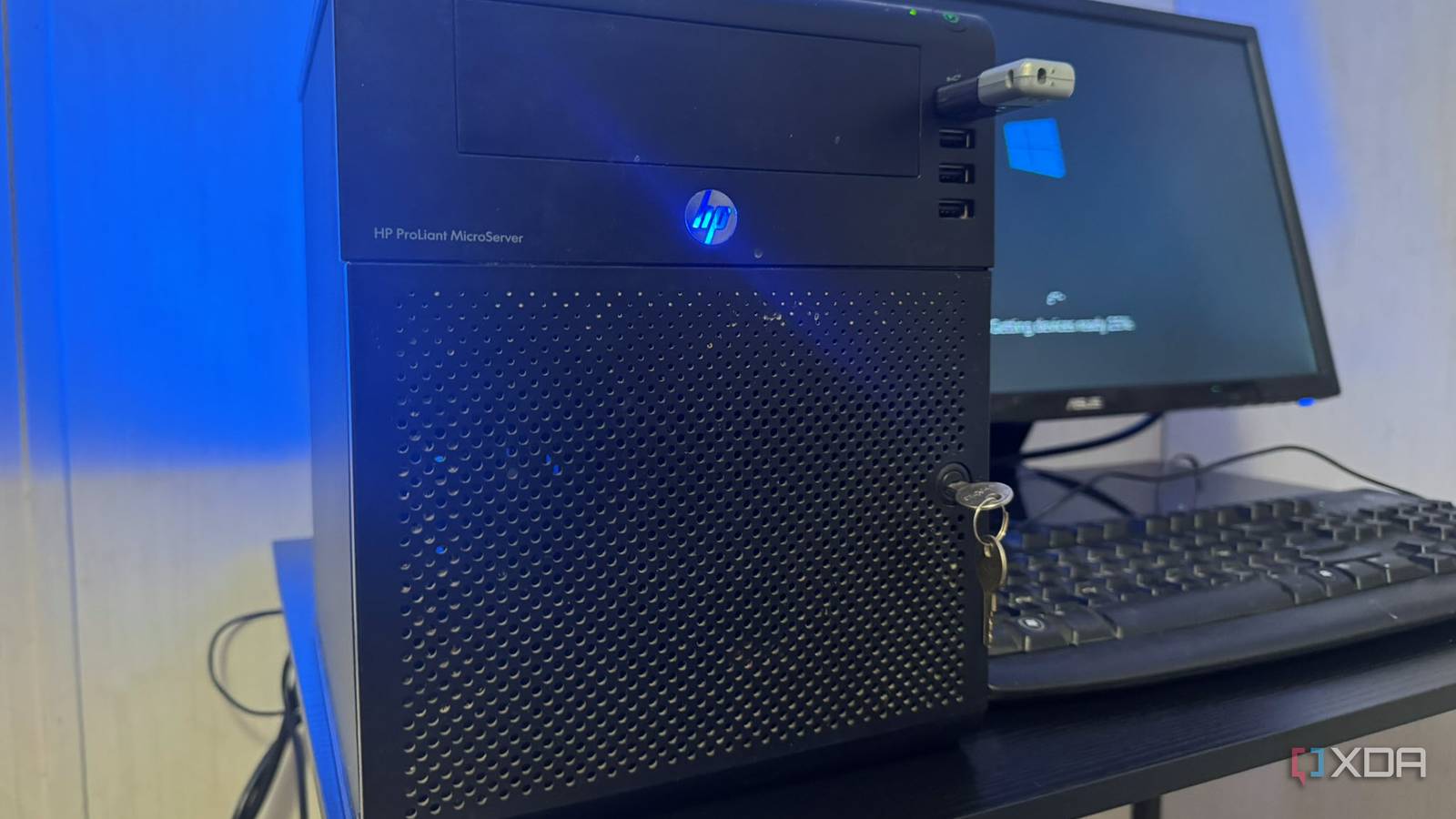
Published Oct 3, 2026, 2:30 PM EDT Based in rural Minnesota, Brian Burgess worked in IT for 10 years before finding his passion for writing about consumer technology. Brian earned his degree in computer and network technology in 2000. He held various IT positions, including help desk support, router installations for IBM, database administration, and other associate network administration roles. He's been a personal technology journalist for 18 years and has written thousands of articles about Microsoft products and services, Android, iOS, streaming, and more. He has written for notable tech sites including XDA, InformationWeek, How-To Geek, Byte, groovyPost, and others. When he is away from the keyboard, you will hear him playing guitar, working outdoors, and watching Star Trek. 15 years ago, I ran Windows Home Server on an HP MicroServer for reasons I can't fathom now. As I've done more with self-hosted media, my library has kept growing, along with my storage needs. Storage isn't cheap, and neither is a new NAS. I stumbled across that old server and thought, there's probably still some life in it if I repurpose it as a dumb NAS for a few files. I needed to fill a storage gap, at least temporarily, and thought this could work with the right software and the extra hard drives I had lying around. I cleaned it up and used an open-source project meant to restore legacy servers like this one. A legacy server With a bloated operating system installed The server I was running Windows Home Server (WHS) on is an HP ProLiant MicroServer N40L. It has modest hardware by today's standards: an AMD 1.5 GHz dual-core Turion II processor, 8GB DDR RAM, and four 3.5-inch SATA drive bays. You can also install a fifth drive in the optical-drive bay by removing the top. I blew the dust out of the server, connected a keyboard and mouse, and an old monitor since it only has a VGA adapter. I powered it on to make sure it worked and to remember the files I had on it a decade and a half ago. I also wanted to know where the storage was at. I expect legacy software to be slow on old hardware, but it was painfully slow just to look up a few drive details. The server's hardware was spry in its day. But WHS was never responsive — I don't know why I enjoyed using it back then. I knew erasing any data on the old server wouldn't be a problem. I just wanted to make sure it powered on and know which drive WHS was installed on. When I first found it, only two drives were in the bay, with a third halfway pulled out. So, I wasn't sure if it would turn on, let alone let me make it a dumb NAS. Creating a dumb NAS An open-source minimalist OS to the rescue To restore the server and make it work the way I wanted, I knew it needed to be light and easy on system resources. I chose OpenMediaVault (OMV), an open-source, Debian-based Linux OS that was perfect for the job. Despite the server's age, OMV lets me use it for file sharing, which is all I need. It doesn't bog the system down with a heavy OS. It's easy to install on the server from a bootable USB drive created using Rufus. I installed the OS first, then found three 1TB drives lying around to use as storage. Once installed, I switched to managing the server through its web-based interface. I did a "quick format" of each drive as ext4 so they were readable and had room to store the files I was about to load on them. The OMV web interface is straightforward and intuitive, making it easy to manage and monitor the health of the installed drives. Occasionally, the web UI fails to load. Or, I may have a network connectivity issue and need to connect my old monitor to the server to run ovm-firstaid from the prompt, but it's rare. OpenMediaVault Openmediavault is a next-gen NAS operating system built on Debian. A new device for self-hosted media Once the drives were formatted and ready to use, I added shared folders and granted the required permissions. I connected to the legacy machine, created a new folder, and transferred a couple of TV show files to test it. When that worked, I started ripping movies and shows directly to the folders I'd created on the drives. I also started some housekeeping by moving some content from existing folders to my new dumb NAS. I added new content to my Jellyfin and Plex servers, which was as straightforward as ever. Everything from the dumb NAS plays as smoothly as before, as long as I keep devices hardwired into the network. UHD content buffers over Wi-Fi, which it tends to do in other spots of my setup, anyway. I don't plan to keep this as a permanent media solution, but it can serve as temporary storage. For now, I can watch modern UHD movies from a legacy backend. Giving an old server a new purpose and solving a need When I glanced at the old machine and realized I still had the server, I didn't know if I could salvage it. But all I needed was some extra network storage. It might seem like overkill for only 3TB of media storage, and I wish I had larger drives, but I made the best of what I had. Overall, I'm glad I did this project since it at least gives me temporary storage. It gave me the chance to get to know OMV, and the dumb NAS will get me by until I can invest in a more permanent storage solution.
I turned my old Windows Home Server into a dumb NAS for Plex and Jellyfin
Full Article
Original Source
Read the full article at Xda-developers →KhanList aggregates and links to publicly available news content. We do not host full articles from third-party sources. Always verify important information with original sources.