
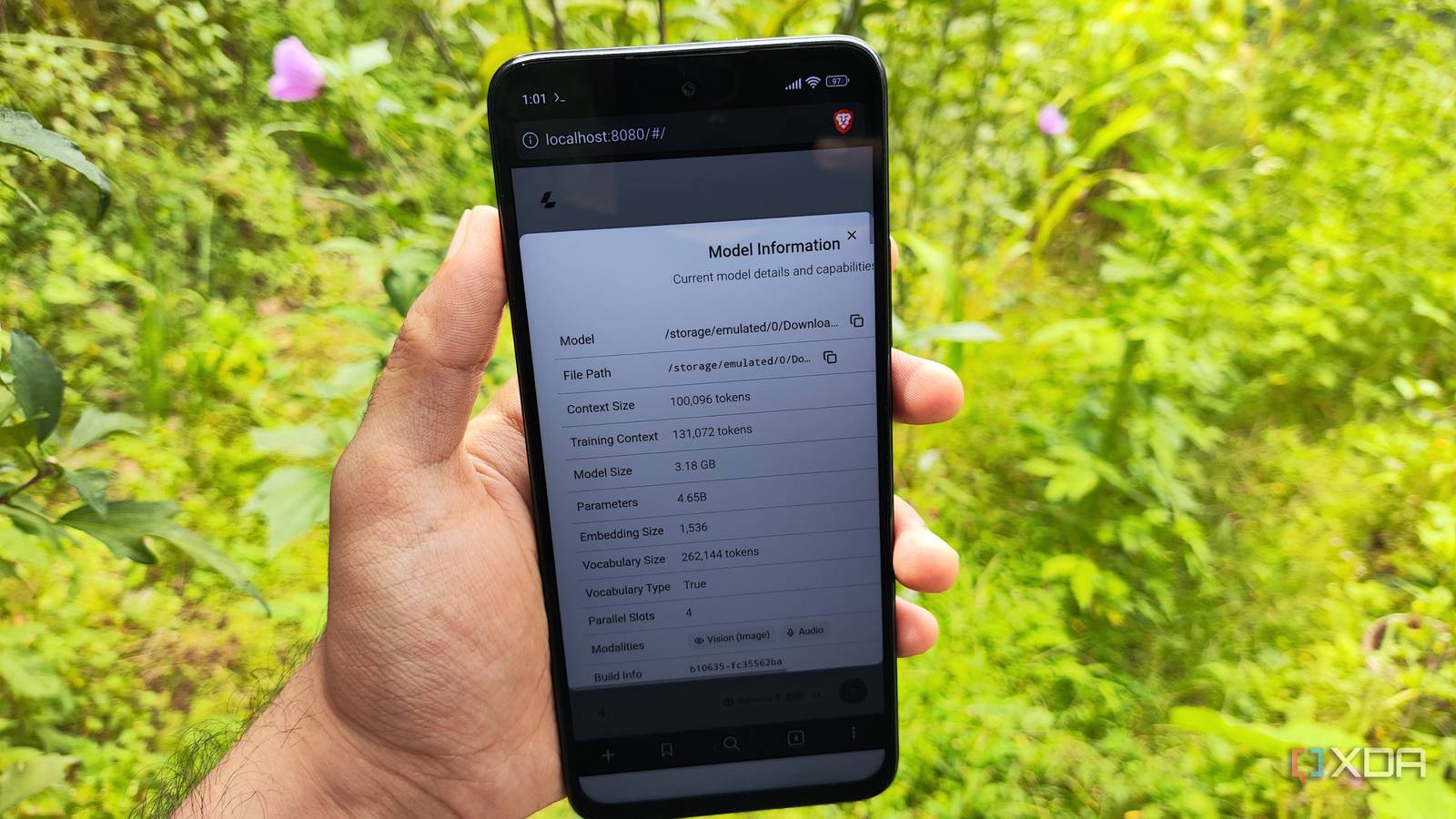
Published Aug 31, 2026, 8:00 PM EDT Ayush Pande is a PC hardware and gaming writer. When he's not working on a new article, you can find him with his head stuck inside a PC or tinkering with a server operating system. Besides computing, his interests include spending hours in long RPGs, yelling at his friends in co-op games, and practicing guitar. Despite my initial scepticism, locally-hosted LLM models have gotten a lot of oomph to their reasoning capabilities as of late. Newer Mixture-of-Experts models, for example, can run at respectable token rates on my outdated Pascal-era cards, and with a little bit of tinkering, LLMs such as Qwen3.6-35B-A3B and Gemma-4-26B-A4B can easily replace their cloud counterparts for my FOSS stack. However, PCs aren’t the only devices that can drive dedicated AI models for my productivity tasks. Once I realized that my NAS can drive certain models for simple tasks, I began tinkering with different devices in my house. My latest LLM-hosting experiment centered around the Poco M6 Pro – the same cheap and outdated phone I typically use to run simple containerized services on-the-move. As it turns out, with a little bit of llama.cpp magic and certain edge LLMs, it’s possible to use this old phone for simple AI-powered productivity tasks. I decided to go with good ol’ llama.cpp as the inference engine Termux made the installation process fairly painless Before I could try out a local LLM, I needed to install an inference engine on my phone, and for better or worse, I had dozens of options to choose from. While I’ve heard good things about MLC Chat, AnythingLLM Mobile, PocketPal AI, and some other applications, I wanted an inference engine with an extremely tiny footprint on my phone. After all, local AI models can be absolute performance hogs, and since I was planning to use my low-power phone for these tasks, I wanted to optimize its meager resources as much as possible. So, after bouncing around a few applications, I decided to turn my attention to lightweight Termux-driven tools instead of going with bulky (but definitely beginner-friendly) GUI-driven apps. To be more specific, I wanted to try running llama.cpp, as this ultra-minimal inference engine is the one I’m accustomed to the most. Since I’d already installed Termux, I began by installing the necessary dependencies for llama.cpp with the apt install git cmake libandroid-spawn command. Then, I pulled the llama.cpp package with git clone https://github.com/ggml-org/llama.cpp before heading to its newly-created directory with cd llama.cpp. During my first attempt, I ran the following set of commands to compile this beast of an inference platform: cmake -B buildcmake --build build --config Release But since my phone took way too long to compile llama.cpp, I canceled this command and executed cmake --build build --config Release -j 8 per the official documentation. Sure enough, running 8 jobs in parallel massively sped up the compilation process, and my llama.cpp server was ready for my inference tasks in another 45 minutes. Gemma 4 E2B runs surprisingly well with my outdated phone And I can even use my phone’s camera with its vision capabilities As for running the large language models, I’ve had the best luck with Gemma 4 E2B (Q4_M_K). Since I’ve already allowed Termux to access my phone’s storage, I simply transferred the gguf and mmproj files for Gemma 4 E2B to my phone and executed the ./llama-server -m “/storage/emulated/0/Download/LLMs/Gemma-4-E2B-it-Q4_M_K.gguf” -mmproj “/storage/emulated/0/Download/LLMs/mmproj-gemma-4-E4B-it-BF16.gguf” -c 100000 --host 0.0.0.0 --port 8080 command to get this LLM up and running. If you’re wondering why I specifically chose Gemma 4 E2B, it’s all because of its unique architecture. Gemma 4 E2B’s Per-Layer Embeddings lets each decoding layer use its own embedding vector for every token, thereby providing faster lookup speeds without affecting its computation prowess. As such, this tiny LLM possesses similar reasoning capabilities as typical 5.1B models, even though it bears the same footprint as a conventional 2.3B model. Better yet, Gemma 4 E2B also supports vision processing, so I can take pictures from my phone, upload them to the llama.cpp web UI, and have the LLM use it as the context source for my queries. Performance-wise, Gemma 4 E2B runs decently on my old phone. I’ve noticed an average of 5-6 tokens per second, which isn’t too bad considering I also host simple productivity containers on this smartphone. If you’re wondering how I use this wacky setup, I rely on it for simple productivity tasks when I’m away from my tinkering cave and can’t access the home lab nodes running bulkier models. For example, running Gemma 4 E2B alongside its MMPROJ file lets me generate quick OCR reports on personal documents. Likewise, it’s great at summarizing complex PDF documents, notes, and ebooks, and I even use it to proofread quick email drafts when I need to reply to something urgent from my phone. That said, I’d still rely on my dedicated LLM-hosting servers for bulky AI workloads As much as I’ve started to grow fond of this makeshift llama.cpp hub, I have to admit that it’s nowhere near good enough to replace the home lab nodes I’ve dedicated to AI inference tasks. Qwen3.6-35B-A3B, for instance, is miles ahead when it comes to coding tasks, and with a little bit of --n-cpu-moe flag wizardry, it runs at a surprisingly decent speed of 24+ tokens/second. That said, I’ve had much better luck with Gemma 4 E2B than most other models (barring its E4B sibling) in the sub 7B (and in some cases, even 9B) range. Sure, it can’t really help generate complex algorithms or aid complex Terraform automations. But when I need an LLM companion to sift through documents, perform OCR analysis, or generate ideas, my phone-based llama.cpp setup is more than enough. llama.cpp
I turned my old phone into a local LLM server, and it handles productivity tasks better than I expected
Full Article
Original Source
Read the full article at Xda-developers →KhanList aggregates and links to publicly available news content. We do not host full articles from third-party sources. Always verify important information with original sources.