
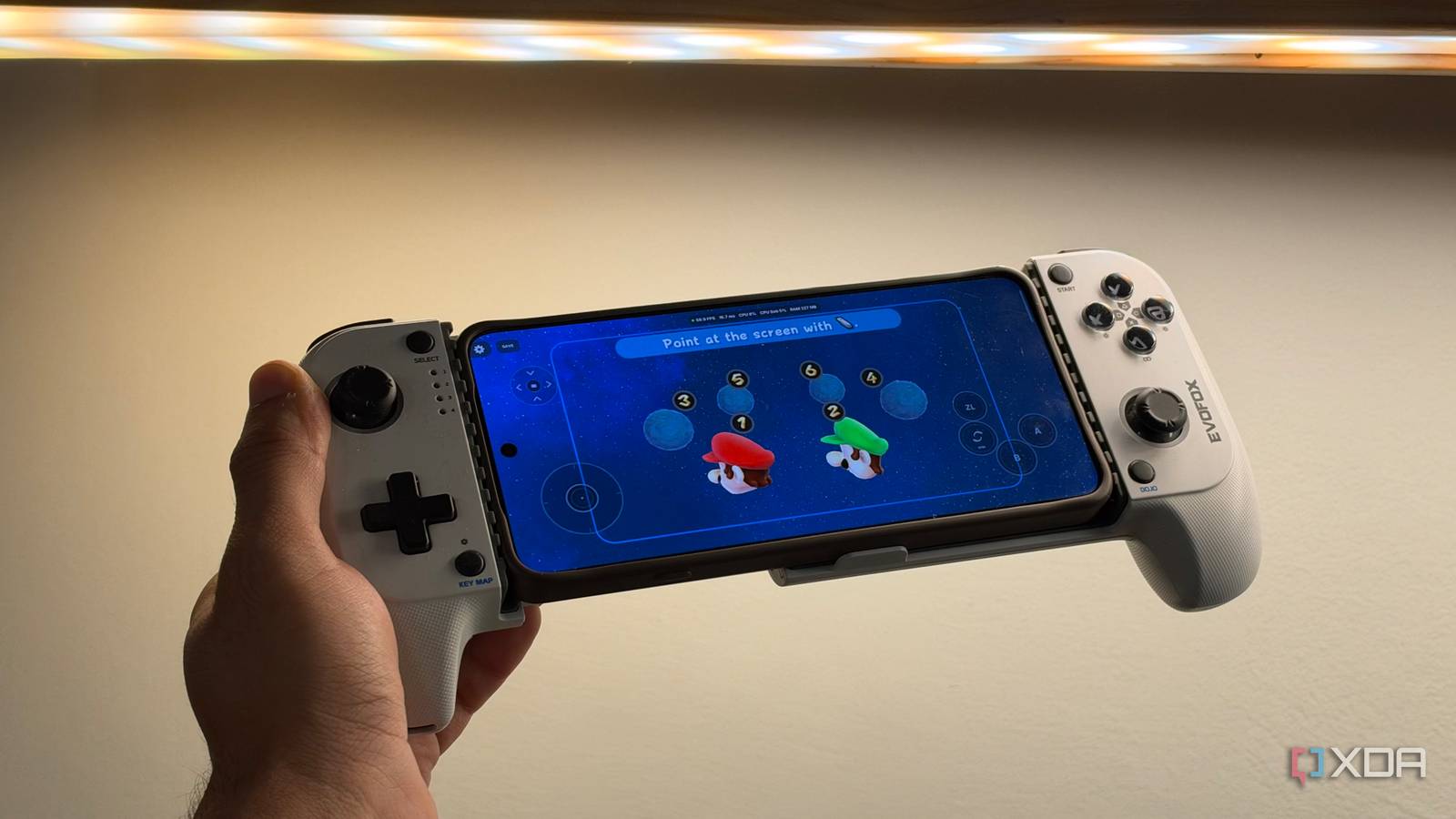
Published Nov 28, 2026, 1:30 PM EST Dhruv Bhutani has been writing about consumer technology since 2008, offering deep insights into the personal technology landscape through features and opinion pieces. He writes for XDA-Developers, where he focuses on topics like productivity, networking, self-hosting, and more. Over the years, his work has also appeared in leading publications such as Android Police, Android Authority, CNET, PCMag, and more. Outside of his professional work, Dhruv is an avid fan of horror media spanning films and literature, enjoys fitness activities, collects vinyl records, and plays the guitar. As a child of the 90s who grew up on Nintendo and hand-me-down Ataris, my love of retro gaming in general and emulation is real. While I've got a capable enough setup on my computer, I've been looking for an on-the-go fix with a retro handheld. That said, I have a drawer full of old phones that are perfectly functional and way more capable than any console of the era. Rather than letting these phones gather dust, I decided to turn one into a dedicated retro gaming handheld. In 2026, this is as simple as grabbing a few emulators, a front-end app of your choice from the Play Store, and a telescopic controller that fits your budget. And the end result is surprisingly good. You'd imagine a dedicated retro handheld would be more ergonomic, offer deeper integration with titles, and, generally, be better. But in my opinion, you don't need to buy another device or carry a separate charger. My phone already has everything it needs to be a portable gaming machine, and yours likely does too. Android emulation has never been better Modern Android phones can easily handle multiple generations of consoles One of the biggest reasons this works so well is the state of emulation on Android. Not long ago, Android emulation was a somewhat niche hobby involving sideloading third-party APKs and complicated configuration. Let's be real, setting up RetroArch used to be a task. But the last few years have been a leap forward for the platform. Today, you'll find emulators for virtually every platform, including some modern ones. And even for the unlikely candidates, the performance is better than you'd imagine. It still boggles my mind that PS3 and Nintendo Switch emulation works as well as it does on a phone. That said, my interests lie in older titles. I use DuckStation for my PlayStation fix, PPSSPP to catch up on my favorite teenage PSP titles, and one of the many AetherSX2 ports for PS2 titles. Everything runs flawlessly. Meanwhile, older systems are no issue at all, and everything from the NES to Game Boy, Game Boy Advance, and Nintendo DS works at full speed with no visible slowdowns. I prefer checking out a variety of front-ends whenever I come across a new one. RetroArch remains my favorite because it's what I'm used to, but there are plenty of options. If you're not clued into front-ends, these are apps that sit in front of your emulators and give you a single, good-looking interface to play games and launch the emulator of your choice. If RetroArch isn't your jam, Play Field Portal is another option inspired by the PSP's XMB interface. A telescopic controller can turn your phone into a proper handheld Physical controls make all the difference Credit: Credit: With the software side solved, there's one major hurdle that retro consoles solve that phones simply can't. It's the controls. A phone obviously only has a touchscreen, and once you move into 16-bit and 32-bit titles, there's just not enough room on-screen to make the right maneuvers in your favorite games. Try playing WipeOut or Tekken with just the touchscreen controls. I dare you. A telescopic controller fixes that problem. These accessories extend to slot in a smartphone. Since these controllers tend to be spring-loaded, the controller can accommodate phones of multiple sizes. More importantly, they include most of the buttons you'll need to get going. My off-brand telescopic controller includes the same buttons as modern console controllers, plus dual analog sticks. This means I can comfortably play any title I want without being restricted by the control scheme. I use a Bluetooth telescopic controller which keeps the entire setup lean and clean. All I have to do is slide my phone into it, and that's it. The controller includes a pass-through USB-C charging port so I can top up my phone during intense gaming sessions. Modern Android phones have native support for GamePads, so configuration is no issue. While the controller does ship with an app, I've never really needed it. Once connected over Bluetooth, practically any emulator can automatically configure the controls for an external gamepad. And if I want to make changes, I can do so with button mapping settings. It's all remarkably flexible. Plus, come time to change my phone, this controller will continue to work just the same, and I won't have to make another investment to upgrade my gaming setup. There's another advantage to using a phone as an emulation setup. That's portability. A phone is designed to slip into your pocket, while a handheld is designed to fit into a jacket pocket. That's a world of difference. Even if I carry the telescopic controller around, the entire setup takes minimal space and doesn't require yet another device to charge. Ever since I set this up, I've been going through my seemingly never-ending backlog of old-school titles. It's become my go-to setup for grinding quests while watching a movie at home or getting a few races in while waiting for a friend at a cafe. An old Android phone is all you need for casual retro gaming Dedicated retro handhelds are certainly cool and have their place if you're a serious enthusiast. However, if your goal is occasional entertainment or a bit of nostalgia by booting up your favorite childhood titles, your Android phone more than suffices. The software is now good enough to give you a full-fledged portable gaming library spanning several console generations. Paired with a proper telescopic controller, you can build a bespoke gaming experience that is easily upgradable, transportable, and frankly, much cheaper than buying a dedicated handheld. RetroArch OS Windows, macOS, Linux, Android, iOS, Others RetroArch is a cross-platform emulator frontend that supports many different emulators. It lets you play classic games on modern computers with a single interface.
I turned my old Android phone into a retro handheld that beats anything on Amazon
Full Article
Original Source
Read the full article at Xda-developers →KhanList aggregates and links to publicly available news content. We do not host full articles from third-party sources. Always verify important information with original sources.